
Specs are compiled from manufacturer listings and verified buyer reviews and can change over time — please confirm the key details on the product page before buying.
The biggest reason people upgrade to a 6E mesh system is to eliminate dead zones and buffering in areas like upstairs rooms and garages. The 6 GHz band reduces congestion by giving your newest devices a dedicated, uncrowded frequency for faster speeds and lower latency. This guide ranks the top 9 systems by coverage, speed, and verified owner feedback from months of real-world use.
I’m Mohammad Maruf — the founder and writer behind KitchPrep. This guide is built by comparing the manufacturers’ published specifications and the patterns across verified customer reviews, so you get each pick’s real strengths and trade-offs instead of marketing spin.
Your home’s square footage and internet plan determine which 6E mesh system—a network of satellite units spreading one Wi-Fi signal—you need. Match coverage, wired ports, and setup effort to your space to avoid overpaying or under-serving your devices.
Our Picks at a Glance


How To Choose The Best 6E Mesh System
Choosing a 6E mesh system isn’t about buying the most expensive box. It’s about solving your home’s dead zones and matching your internet plan’s speed so you don’t pay for unused features.
Coverage: match the square footage to your home
Check the manufacturer’s coverage rating and compare it to your home’s actual size. A 3-pack rated for 7,200 square feet has enough nodes to cover a large multi-story house, while a 2-pack rated for 4,000 square feet is better suited for a smaller or open-plan space. Always add a little extra buffer for walls and thick floors.
The 6 GHz band: why it matters for your newest devices
WiFi 6E adds a third frequency band at 6 GHz that older devices can’t use. This means less congestion and lower latency for your latest phones and laptops, and it often serves as a dedicated high-speed connection between the mesh nodes themselves (called backhaul).
Wired ports: the hidden speed factor
Look for a 2.5 Gbps port if you have a gigabit or faster internet plan, so you’re not bottlenecking your wired connections. If you have a slower plan and mainly use WiFi, a standard gigabit port is plenty. The more nodes that support wired backhaul, the more stable your whole network will be.
Quick Comparison
| Model | Best For | Coverage | Speed | Wired Ports | Amazon |
|---|---|---|---|---|---|
| TP-Link Deco XE70 Pro★ Best Overall | Best Overall Value | 7,200 sq. ft. | 4.9 Gbps | 2.5 Gbps + 2x Gigabit | Amazon |
| TP-Link Deco XE75 ProBest Value | Proven All-Rounder | 7,200 sq. ft. | 5400 Mbps | 2.5 Gbps + 2x Gigabit | Amazon |
| ASUS ZenWiFi ET9Pro Grade | Feature-Rich Control | 5,500 sq. ft. | 7800Mbps | — | Amazon |
| Wyze AXE5400 Pro | Budget-Friendly Expansion | Up to 2000 sq. ft. per router | 5.4 Gbps | 1x Gbps & 2×1 Gbps | Amazon |
| Tenda Nova MX21 Pro | Large Home on a Budget | 7,300 sq. ft. | 5700 Mbps | Gigabit | Amazon |
| Google Nest WiFi Pro | Google Ecosystem Homes | 6600 sq. ft. | Up to 1 Gbps | — | Amazon |
| Amazon eero Pro 6E | Set-and-Forget Simplicity | 6,000 sq. ft. | Up to 2.3 Gbps | 2.5 Gb Ethernet | Amazon |
| Linksys MX8502 Atlas Max 6E | Speed-First Power Users | 6,000 sq. ft. | 8.4 Gbps | — | Amazon |
| NETGEAR Orbi RBKE963 | Maximum Performance | 9,000 sq. ft. | Up to 10.8 Gbps | 10 Gig Internet Port | Amazon |
In‑Depth Reviews
1. TP-Link Deco XE70 Pro AXE4900 Tri-Band WiFi 6E Mesh WiFi System
Our pick — 4.5★ from 650+ verified ratings; the strongest balance of quality and price.
The 3-pack that fixes dead zones in a 7,200-square-foot home without breaking your budget.
This is the best starting point for most families. It delivers tri-band WiFi 6E with speeds up to 4.9 Gbps and a coverage rating of 7,200 square feet, which makes it the rare system that truly fits a large multi-story house. The crowd favorite among 680+ owners, it earns strong praise for quality and speed, with everything you need for a fast, reliable home network from the start.
Setup is genuinely painless. Buyers report a 15-minute installation with no tech skills required, and they say it works right from the start with providers like Mediacom and Hisense. The app walks you through every step, and the whole system has stayed rock solid for months after the initial setup. You get a 2.5 Gbps port plus two Gigabit ports on every unit, so you can wire your gaming PC or NAS server for a faster, more stable connection than WiFi alone.
Signal strength is the recurring theme in owner feedback. People with cameras and garages that used to be dead zones report full coverage now, and those on gigabit plans say they see the full 1 gigabit speed from their provider. The system handles up to 200 devices simultaneously, so smart homes with dozens of gadgets won’t bog it down. The one honest trade-off: some features like advanced bedtime schedules sit behind a subscription, so you’ll want to check which features you actually need before committing.
The winning formula
- 2.5 Gbps wired port on every node for fast, lag-free gaming or NAS connections
- Backward compatible with all WiFi generations and works with any ISP
- AI-driven mesh learns your network and tune roaming
The catch to know
- Some advanced parental and security features require a subscription
- A rare LAN port shutdown needs a quick reboot to fix
The smart money pick: This suits anyone with a large home who wants proven speed and coverage without paying premium prices.
Think twice if: You need advanced parental controls from the start without a monthly fee, since those sit behind a subscription here.
2. TP-Link Deco XE75 Pro AXE5400 Tri-Band WiFi 6E Mesh System
The proven workhorse that keeps 200 devices happy across 7,200 square feet.
This sibling to our top pick covers the same 7,200 square feet but tops out at 5,400 Mbps (megabits per second, a speed measure). By default, it dedicates the 6 GHz band (the newest, fastest Wi-Fi frequency) to backhaul—the link between nodes—so your signal stays strong across the house. You can flip that band to connect your own 6E devices if you prefer. Buyers consistently call it the best Wi-Fi upgrade they have made, praising the simple app setup and smooth roaming as you move room to room.
Run a speed test to find the best spot for each node, and you’ll get impressive results. One owner in a 4,600-square-foot home reported strong coverage throughout, while another saw 475-485 Mbps across the whole property on a 400 Mbps plan. The 2.5 Gbps WAN/LAN port means you can take advantage of multi-gig internet plans up to 2.5 Gbps, which makes this a more future-proof buy than older dual-band systems.
One hardware detail sets this apart from the cheaper Deco models: the XE75 Pro has that single 2.5 Gbps port, while the non-Pro version relies on 1 Gbps ports. That extra speed headroom matters if you have gigabit fiber. The recurring feedback is that performance is superb when set up correctly, but you may need to fiddle with placement to get the full speed in every corner. Advanced parental controls are also paywalled, so basic users get a simpler feature set.
The balanced choice: This is the system for buyers who want proven stability and a 2.5 Gbps port for future-proofing, and who are comfortable with a little placement tuning to get peak speeds.
Just note: The advanced parental controls need a subscription, so if that’s a must-have, check the free tier first.
3. ASUS ZenWiFi Whole-Home Tri-band Mesh WiFi 6E System (ET9 2PK)
The system for tinkerers who want granular control, lifetime security, and a 7,800 Mbps ceiling.
If you enjoy tweaking router settings, this ASUS 2-pack gives you tri-band Wi-Fi 6E (three separate frequency bands for less congestion) at speeds up to 7,800 Mbps and coverage up to 5,500 square feet—a strong fit for medium-to-large homes. Its standout feature is lifetime free internet security powered by Trend Micro, so you get advanced protection without a monthly subscription.
You get three separate networks—private, guest, and IoT (Internet of Things, for smart gadgets)—so you can isolate your smart home devices from your personal ones. Advanced parental controls include content filters and kid-safe presets. One owner in a 2,200-square-foot single-story home found it covered everything well; another replacing a five-year-old ASUS router reported excellent Wi-Fi throughout a 225-year-old house, from the second floor down to the basement.
There’s also a one-click sharable secure VPN that encrypts your connection when you’re on public WiFi, which is a rare feature at this level. The trade-off is that some owners mention needing occasional reboots to keep it stable, and the web interface is more complex than a typical app-based system like the eero. This is not the set-and-forget pick; it’s the one for people who want to customize their network.
What the control freaks get
- Lifetime free internet security with one-tap scans
- Three separate networks for private, guest, and IoT devices
- One-click sharable VPN for secure public WiFi browsing
What to expect
- Occasional reboots reported by some owners to keep it stable
- Web interface is complex; not ideal for non-tech households
The enthusiast’s pick: You’ll love this if you want deep control, strong security features, and a dedicated IoT network.
Consider elsewhere: If you want a truly hands-off system, the simpler app-based setups will serve you better.
4. Amazon eero Pro 6E mesh wifi system
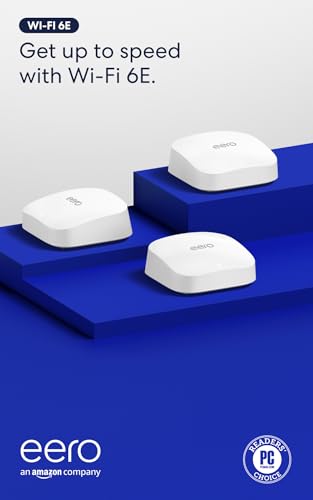
The set-and-forget system that keeps a 6,000-square-foot home running with zero fuss.
If you want WiFi that just works and never think about it again, this is the one. The eero Pro 6E supports internet plans up to 2.5 Gbps, with wired speeds up to a gigabit and wireless speeds of up to 1.6 Gbps. A 3-pack covers up to 6,000 square feet and handles 100+ connected devices, and it’s backward-compatible with previous-generation eero devices so you can mix and match.
The app-based setup is famously simple, and the system updates itself automatically to stay secure. Owners consistently report no drops, excellent coverage, and a premium feel, with one network engineer praising the app’s analytics and alerts. The patented TrueMesh technology routes traffic intelligently to avoid dead spots, and the 2.5 Gb Ethernet port lets you open up gigabit+ internet plans.
There are a couple of quirks to know. There’s no separate SSID for 2.4 GHz and 5 GHz bands, though a guest network can work around it for older smart devices. It also requires a phone for setup, which is a minor annoyance for some. Overall, this is the most reliable, lowest-maintenance system on this list for people who don’t want to manage their network.
The hands-off winner: This is for anyone who wants a bulletproof network with trivial setup and automatic updates, and who has gigabit or faster internet.
The only friction: No separate band SSIDs, so a few older smart devices may need a guest-network workaround to connect.
5. Google Nest WiFi Pro – Wi-Fi 6E – 3 Pack – Snow

The clean, simple mesh that slots straight into your Google smart home setup.
This is the choice for anyone already living in the Google ecosystem. The Nest WiFi Pro delivers Wi-Fi 6E speeds up to 2x faster than Wi-Fi 6, and a 3-pack provides up to 6,600 square feet of coverage. It automatically prioritizes video calls and helps websites load quickly, and it can even diagnose and fix some common network issues on its own.
Setup happens through the Google Home app, and the system monitors itself and self-heals when problems arise. Customers note stable connections and strong coverage, with one household covering 1,600 square feet across multiple floors and another seeing basement speeds jump from 5 Mbps to over 300 Mbps after upgrading. The clean Snow finish blends into any room, and it securely shows all connected devices so you can pause unknown ones instantly.
The biggest catch is compatibility. This system is not compatible with previous generations of Google Wifi or Nest Wifi, so an upgrade requires fully removing your old network first, including a factory reset. There’s also no band splitting, which means older smart devices may need a hotspot workaround to connect. It’s a fantastic system if you’re all-in on Google and don’t need advanced networking controls.
smooth with Google
- Automatic performance tuning and self-healing for network issues
- Simple setup and management through the Google Home app
- Secure booting protects against unauthorized software
Know before you buy
- Not compatible with older Google Wifi or Nest Wifi gear
- No band splitting, so some smart devices need a workaround
Best for Google homes: This fits perfectly if you live in the Google ecosystem and want a clean, self-managing mesh.
Look elsewhere if: You need advanced controls or want to mix this with older Nest Wifi hardware.
6. NETGEAR Orbi Quad-Band WiFi 6E Mesh Network System (RBKE963)

The flagship that blankets 9,000 square feet including front and back yards with up to 10.8 Gbps.
This is the ultimate performance system for the largest properties. The Orbi RBKE963 is a quad-band WiFi 6E system with a router and two satellites, covering up to 9,000 square feet including outdoor spaces, and delivering speeds up to 10.8 Gbps. It has a 10 Gig internet port, so it’s ready for the fastest cable and fiber services available today and tomorrow.
Big homes and high-speed plans see dramatic gains. One owner jumped from about 100 Mbps on an old Velop system to 600+ Mbps anywhere in the house, with zero disconnects. Another reported a full 100% camera signal using a wired backhaul (an Ethernet cable linking nodes) across a 3-level concrete house on a 10,000-square-foot property. The dedicated backhaul band and quad-band design (four frequency bands) keep up to 200 connected devices running smoothly.
Setup takes about 10 minutes and the satellites auto-configure, so even a complex home gets running fast. The trade-offs are real: this is the most expensive system on the list, and some reviewers point out that a satellite can occasionally drop off and need manual re-pairing if it loses power individually. It’s also note that support is only included free for 90 days, and the Armor security subscription can feel intrusive.
The power user’s dream
- Quad-band with dedicated backhaul for max speeds on 200 devices
- 10 Gig internet port for the fastest cable and fiber plans
- Covers 9,000 sq. ft. including front and back yards
The price of power
- Premium cost that only makes sense for very large homes
- Satellites can need manual re-pairing if they lose power individually
The coverage king: This is for owners of very large homes or properties with serious internet plans who want the absolute best performance.
skip it if: Your home is under 4,000 square feet, where you’d be paying for coverage and speed you’ll never use.
7. Wyze AXE5400 Tri-Band Wi-Fi 6E Mesh Router Pro – 2 Pack

The budget-friendly mesh that scales up to 10 routers as your home grows.
This is the entry point to 6E mesh that doesn’t skimp on expansion. The Wyze Mesh Router Pro offers tri-band Wi-Fi 6E with aggregated speeds of 5.4 Gbps, and each router covers up to 2,000 square feet. The a neat extra is that you can add up to 10 routers total, so a 3-unit setup covers 6,000 square feet, making this a very flexible system for growing homes.
Breakdown of the coverage math: our top pick covers 7,200 square feet with a 3-pack, while this Wyze covers up to 4,000 square feet with 2 units. The Wyze also edges out the TP-Link XE70 Pro on pure speed — 5.4 Gbps vs 4.9 Gbps — so it’s surprisingly competitive for the price. Shoppers say easy 20-minute setup via the app, no slowdowns or buffering, and auto load balancing that keeps everything smooth.
In practice, buyers saw speeds of 1,150-1,275 Mbps everywhere in the home versus 800-850 Mbps before, and one owner with 5 cameras, a thermostat, sprinklers, TVs, and games had strong WiFi throughout a 2,400-square-foot home with 2 units. The main caveat is that it runs very hot and needs airflow, and the firewall can’t be disabled, so it’s not for network administrators who need that level of control.
The expandable value pick: This suits budget-conscious buyers who want 6E performance and the option to expand coverage as their home or needs grow.
Just be aware: It runs hot and lacks advanced admin controls, so it’s best for a set-and-forget household.
8. Tenda AXE5700 Mesh WiFi 6E System Nova MX21 Pro – 3-Pack

The value 3-pack that pushes 7,300 square feet of pure 6 GHz coverage.
This is one of the largest coverage ratings on the list at 7,300 square feet, making it a strong pick for very big homes on a budget. The Tenda Nova MX21 Pro is a tri-band system with speeds up to 5700 Mbps, and it handles over 200 devices thanks to MU-MIMO and OFDMA technology. It comes with 7 internal antennas rated at 3dBi each for strong signal delivery.
The setup is easy via the Tenda WiFi app or web interface, and you can set separate SSIDs for the 2.4 GHz, 5 GHz, and 6 GHz bands so you can steer devices to the fastest one.
The trade-off is reliability feedback is more mixed here than on the top picks. Some buyers report intermittent connection issues, and one comparison against a Nest WiFi Pro showed lower speeds in the same home. It’s a capable system, but it seems to reward a bit more hands-on tuning — particularly using wired backhaul — to get the best performance.
The big-space value
- Huge 7,300 sq. ft. coverage for very large homes
- Separate SSIDs per band for manual device steering
- Handles 200+ devices with MU-MIMO and OFDMA
Worth knowing
- Connectivity feedback is more mixed; wired backhaul helps a lot
- Lower owner review volume means less long-term data
The budget big-home option: This works well if you have a massive house and are willing to wire your backhaul for best results.
Look elsewhere if: You want a plug-and-play system with guaranteed consistency from the start.
9. Linksys MX8502 Atlas Max 6E Tri-Band Mesh Wi-Fi 6E System (2 Pack)

The speed-first 2-pack with an 8.4 Gbps ceiling for bandwidth-hungry households.
This system is built for households that push serious data. The Linksys Atlas Max 6E delivers tri-band Wi-Fi 6E with speeds up to 8.4 Gbps and covers up to 6,000 square feet with the 2-pack. Each node handles 130+ devices, so it’s got plenty of headroom for video conferencing, working from home, streaming, and even AR/VR devices running at the same time.
Owners who got it working in dense urban environments were impressed, with one noting that despite hundreds of competing networks congesting the 2.4 GHz band, these 2 nodes came through after careful placement. Another called it an excellent, durable product that gets the job done. The key insight from the reviews is that optimizing speed is an art — small movements of a node can make a big difference in a crowded area.
Consistency is the weak spot. One owner reported it lacks smooth roaming between meshed access points, so you may get poor connections when moving around. Another had a single node with a bad WAN port (the port that connects to your modem), though the second node worked perfectly. It is high-performance, but you pay a premium—ask yourself if your home truly needs that 8.4 Gbps (gigabits per second) ceiling.
The speed specialist: This fits power users in dense or large homes who want a huge bandwidth ceiling and are happy to tune node placement.
Be cautious: Roaming and quality feedback is genuinely mixed, so this is a less predictable pick than the TP-Link or eero options.
Understanding the Specs
Coverage (Square Feet)
This is the manufacturer’s estimate of how much space the mesh system can serve with a strong signal. A system rated for 7,200 square feet is designed for a large multi-story home, while a 4,000-square-foot rating suits a smaller or open-plan space. Walls, floors, and building materials all reduce real-world reach, so it’s smart to add a buffer when comparing.
Data Transfer Rate (Mbps/Gbps)
This number tells you the theoretical maximum speed the system can move data, combining all its bands. A 4.9 Gbps system can handle very fast internet plans and heavy simultaneous use, while a 5.4 Gbps system has a bit more headroom. Your real-world speed is limited by your internet plan, so don’t pay for a massive ceiling unless your plan can use it.
FAQ
What is the 6 GHz band and why does it matter on a 6E mesh system?
How is WiFi 6E different from regular WiFi 6?
Will a 6E mesh system work with my older devices?
How much coverage do I really need for a 3,000-square-foot home?
What does a 2.5 Gbps port do for me?
Can I mix different mesh nodes from the same brand?
Is it better to use wired or wireless backhaul between nodes?
How many devices can a 6E mesh system handle?
Does a 6E mesh system replace my modem?
Is a 6E mesh system worth it if my internet plan is only 300 Mbps?
Final Thoughts: The Verdict
For most people, the 6e mesh system winner is the TP-Link Deco XE70 Pro—it balances massive coverage, fast 4.9 Gbps speeds, and a 2.5 Gbps wired port at a price that undercuts rivals. If you want proven stability with the same coverage, the TP-Link Deco XE75 Pro is a superb choice. For a large property where performance is everything, the NETGEAR Orbi RBKE963—with 10.8 Gbps and 9,000 square feet of coverage—is the one to reach for.
How We Picked
We do not accept paid placement. Every pick is matched to a real buyer and a real use-case; we do not hands-on test units.
Sources & Methodology
Specifications: manufacturer listings and product documentation. Review insights: verified customer reviews, as of September 2026. Pricing: not shown on this page (it changes often); check the current price via the retailer link.
As an Amazon Associate, KitchPrep earns from qualifying purchases. This does not affect which products we feature.
Related Guides
