
Specs are compiled from manufacturer listings and verified buyer reviews and can change over time — please confirm the key details on the product page before buying.
Before you buy a 10-inch digital picture frame, ask yourself one question: do you want to send photos from your phone over Wi-Fi, or would you rather plug in a memory card and be done? Frames with apps let far-away family members add pictures instantly, while no-Wi-Fi models skip the setup entirely for anyone who finds apps fiddly. This guide sorts the best of both worlds across 9 picks, weighing screen sharpness, storage, and how easy each one truly is to live with day to day.
I’m Mohammad Maruf — the founder and writer behind KitchPrep. This guide is built by comparing the manufacturers’ published specifications and the patterns across verified customer reviews, so you get each pick’s real strengths and trade-offs instead of marketing spin.
Here is where you will find the 10-inch digital picture frame that fits your home, your family, and your tolerance for apps and setup.
Our Picks at a Glance


How To Choose The Best 10-Inch Digital Picture Frame
Before you pick a frame, decide who will be sending photos to it and how tech-savvy that person is. A Wi-Fi frame shines when a daughter across the country wants to send new pictures of the grandkids instantly. A no-app frame is the better fit for someone who just wants to insert a card full of old photos and never touch a setting again.
Screen Resolution and Panel Type
The sharpest frames on this list pack a 1920×1200 resolution, which makes text and fine details look crisp. Many solid picks use 1280×800, which still looks clear and bright for everyday snapshots. IPS technology (a screen type that keeps colors accurate when you view from an angle) means the photo looks good whether you are sitting directly in front or glancing from across the room.
Storage and Expansion
Most modern frames include 32GB of built-in memory, which holds tens of thousands of standard photos. If you shoot lots of video or very high-resolution images, check whether the frame accepts a micro SD card or USB drive for extra space. Some frames let you expand up to 64GB, while others are sealed at 32GB with no card slot at all.
Wi-Fi App Sharing vs. Plug-and-Play
Wi-Fi frames connect to an app like Frameo, Nixplay, or Uhale so multiple family members can send photos remotely from their phones anytime. These are ideal for keeping grandparents updated with fresh pictures. Frames without Wi-Fi skip the app entirely—you load photos from an SD card or USB stick, which makes them simpler but means only someone physically at the frame can add new images.
Quick Comparison
| Model | Best For | Resolution | Built-in Storage | Sharing Method | Amazon |
|---|---|---|---|---|---|
| RCA 10.1″ WiFi Frame★ Best Overall | Best Overall | 1280×800 | 32GB | Wi-Fi + App | Amazon |
| KECAG 10.1″ 1080PNo-App Pick | No-App Simplicity | 1080P | 32GB USB | SD / USB | Amazon |
| ApoloSign Nixplay 10.1″Cloud Pick | Ecosystem & Cloud | 1280 x 800 | 32GB | Wi-Fi + App | Amazon |
| FLYRUIT Frameo 10.1″ | Family Sharing App | 1280x800p | 32GB | Wi-Fi + App | Amazon |
| Dragon Touch Classic 10 | Big-Name Trust | 1080p | 32GB | Wi-Fi + App | Amazon |
| Aluratek 10″ Touchscreen | VESA Wall Mount | 1280 x 800 | 16GB | Wi-Fi + App | Amazon |
| QOCEN Frameo 10.1″ | Official Frameo App | 1280×800 | 32GB | Wi-Fi + App | Amazon |
| KODAK 10.1″ Wood Frame | Sharpest Display | 1920 x 1200 | 32GB | Wi-Fi + App | Amazon |
| PhotoSpring 10in | No Subscription | HD | 32GB | Email / App / Web | Amazon |
In-Depth Reviews
1. RCA 10.1” WiFi Digital Picture Frame
Our pick — over 4.5★ from 550+ verified ratings; the strongest balance of quality and price.
The crowd-pleaser that turns a phone full of photos into a living-room slideshow in minutes.
The RCA frame wins people over on quality first — it is the single most-praised trait, with far more owners highlighting it than any other feature. That praise makes sense when you see the 10.1-inch HD IPS touch screen (a high-clarity display you can view from wide angles) running at 1280×800 resolution, which makes colors look vivid and bright on a desk or wall. The touch screen (a display you control by tapping directly on it) handles all settings, so you do not need a separate remote cluttering your table.
Sharing photos is genuinely easy thanks to the free Uhale app on Android or iOS, and you can add unlimited users — meaning the whole extended family can push pictures anytime. There is no cap on the number of people you invite, and you can also upload straight from a computer through the Uhale website. Inside, 32GB of built-in memory holds over 60,000 photos, and you can expand with a USB or SD card up to 64GB for even more room.
What wins people over is how the frame fits into daily life — owners describe it as a great gift that keeps family memories circulating instead of gathering dust in albums. The auto-rotate feature flips images between portrait and landscape automatically, and the detachable stand lets you set it on a desk or hang it on the wall. The recurring gripe is minor: some owners found the initial QR code confusing, so the manual suggests using the 10-digit code instead, and the slideshow offers only three transition effects.
Why Owners Stick With It
- 32GB built-in storage holds an enormous photo library
- Unlimited app users can send pictures privately anytime
- Touch screen makes every setting a few taps away
Small Things To Know
- QR setup can confuse — use the 10-digit code instead
- Only three slideshow transition styles available
The one to beat: The most balanced mix of quality, storage, and easy family sharing — the best starting point for almost any household.
Who should pass: Anyone who refuses to use a phone app at all would be happier with a no-Wi-Fi card reader frame.
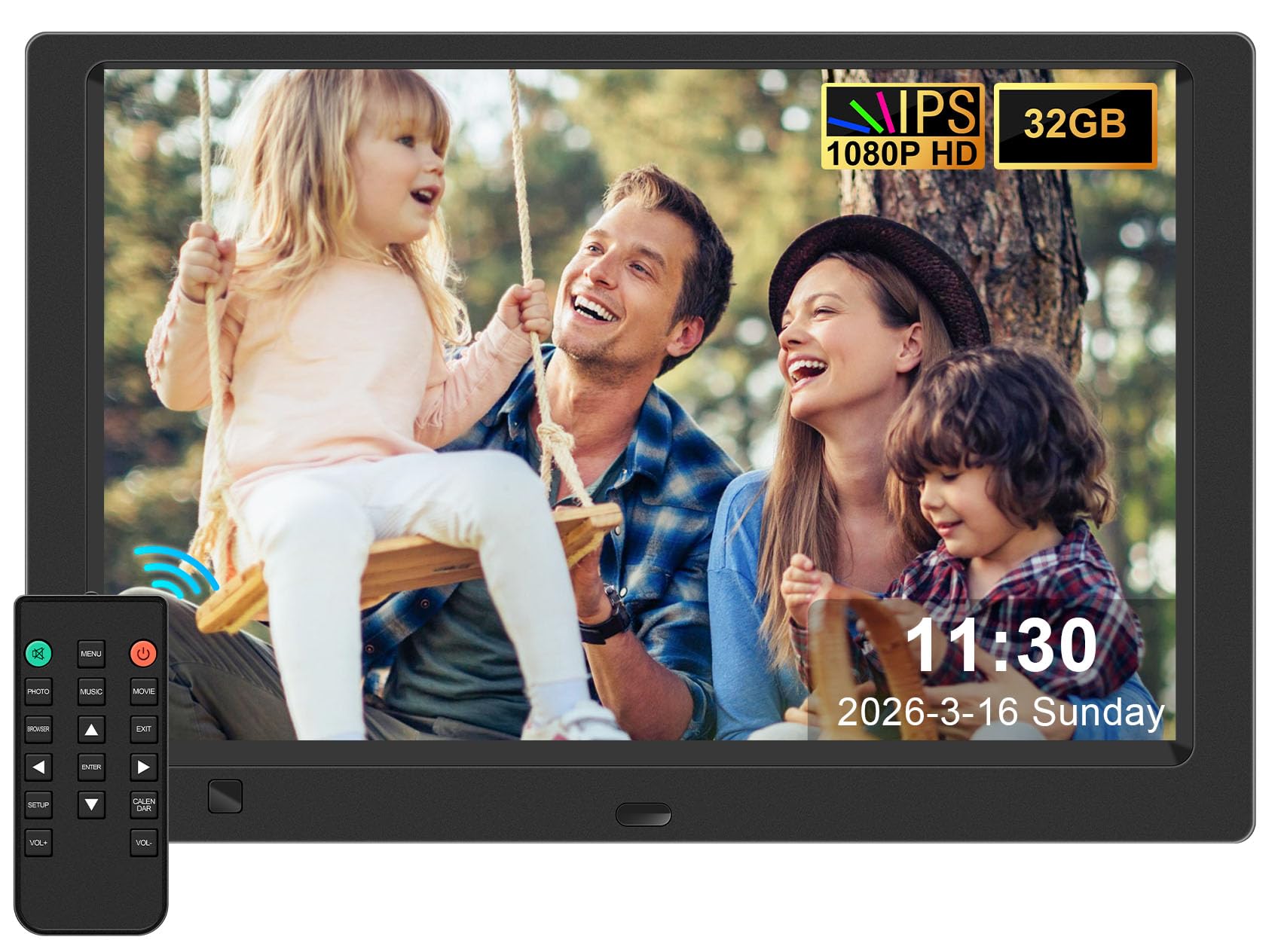
2. 10.1-Inch 1080P IPS Digital Picture Frame, No WiFi or App Required
A true plug-and-play frame that skips apps and Wi-Fi entirely for instant card-based slideshows.
This is the anti-app frame — you insert an SD card or USB drive and it starts showing photos immediately, with no network setup and no account to create. The 10.1-inch 1080P IPS display (a high-definition screen with wide viewing angles) delivers sharp, vivid colors that owners consistently describe as displaying photos beautifully. It is an especially strong fit for seniors or anyone who wants zero hassle, and it comes with a free 32GB USB drive so it works right from the start.
Picture quality earns the most praise by a clear margin, with the included remote control the second most-appreciated feature for easy navigation. Beyond photos, this frame plays videos and music while doubling as a calendar, clock, alarm, and auto on/off timer — useful extras for a desk or bedside. The smart motion sensor (a feature that detects when someone walks by) turns the screen on when you approach within 1–3 meters and off when you leave, saving energy automatically.
Buyers report that “it works fine but it doesn’t show all of the pictures I have on my computer” — a fair caution that file compatibility or naming can hide some images. The biggest fit-note is that this frame performs best with a moderate number of files; loading it with hundreds of photos and videos caused glitches for some owners navigating the menus. This is not your pick if you want to send photos from a phone — but if you want a dependable, remote-controlled slideshow for someone who avoids tech, it delivers.
Why It Appeals
- No Wi-Fi or app setup — just insert a card and play
- Motion sensor and remote make daily use easy
- Plays music and video alongside photos
Worth Knowing
- May not display every file from a full computer library
- Large photo collections can cause menu lag
Reach for this if: You want a gift that requires zero app downloads — perfect for a parent or grandparent who just wants memories on screen.
Look elsewhere if: Remote sharing from your phone matters more than simplicity.
3. Digital Picture Frame Powered by Nixplay 10.1″
A sharp 10.1-inch frame that borrows Nixplay’s polished app and cloud ecosystem for easy remote sharing.
This frame built its reputation on quality — the trait owners mention far more than any other — and on how easy it is to set up. The 10.1-inch HD IPS touch screen (a wide-angle display you control by touch) runs at 1280 x 800 resolution with a 16:10 aspect ratio, producing rich, vivid colors whether you view it head-on or from across the room. Setup through the Nixplay app on Android or iOS takes minutes, and you can log in via a desktop web app or even email photos directly to the frame.
The real strength here is the ecosystem. Nixplay’s free cloud storage lets you keep a rotating collection of photos and videos going all day, and multiple family members can be invited to upload from anywhere. The Nixplay-SenseMe sensor (a smart detector that senses when someone is in the room) wakes the frame when you enter and sleeps it when you leave, which owners appreciate for saving energy. It is Alexa-compatible, so you can ask for the playlist you want by voice.
The honest catch is that free cloud storage is not unlimited — it tops out at 500MB, which holds roughly 800 photos, with an annual fee for unlimited space. That may push heavy users toward the ample local storage instead, though note this frame does not accept SD cards (a detail Nixplay states plainly). For a gift that feels premium and lets the whole family contribute photos from afar, this is one of the smoothest experiences on the list.
easy daily driver: Owners describe it as a Nixplay-quality frame at a friendlier price, with easy Google Photos setup and an intuitive touchscreen that integrates cleanly with the broader Nixplay app.
The cloud caveat: Free storage is capped at 500MB — plan to lean on the 32GB internal memory or budget for the upgrade if you share constantly.
4. Frameo 10.1″ Digital Picture Frame WiFi 32GB

The Frameo-app favorite that makes long-distance family photo sharing feel instant and fun.
Quality is the most-mentioned strength here by a wide margin, and it is easy to see why once you switch on the 10.1-inch display. The 1280x800p HD IPS touchscreen (a high-resolution panel with wide viewing angles that you tap to control) brings out fine details like a pet’s fur or the sparkle in a loved one’s eyes, as owners describe it. The responsive touch screen handles everything, and the frame auto-rotates between portrait and landscape so photos always fill the screen correctly.
The Frameo app is the centerpiece — owners love that they can send photos and videos from anywhere, and repeat buyers exist for a reason. The frame supports unlimited members on the app, and with 32GB built-in plus support for up to 32GB external storage via micro SD or USB-C, it holds over 10,000 photos at 3MB each. It is a standout for grandparents, with one owner reporting they manage five of these frames and send out all new family photos monthly in about five minutes.
Two smart touches make it feel more personal: the Greeting feature sends themed birthday wishes, and the React feature lets family respond with cute emoji on received photos. A practical note — this frame must stay plugged in and needs its original power adapter, and it only supports 2.4GHz Wi-Fi (the common home band, but not 5GHz). Owners who could not connect to Wi-Fi were the minority, but it is worth confirming your network broadcasts 2.4GHz before buying.
Why It Wins Hearts
- Unlimited family members can send photos remotely via Frameo app
- 10,000+ photo capacity with expandable storage
- Greeting and emoji React features add fun interaction
House Rules
- Supports 2.4GHz Wi-Fi only
- Must be plugged in with the original adapter
Perfect for: A family spread across cities that wants one central screen everyone can contribute to remotely.
Not for: Anyone whose home network is 5GHz-only or who refuses to use an app entirely.
5. Dragon Touch Digital Picture Frame WiFi 10 inch

The frame owners call “flat matte more like a kindle” — a soft-display look that reads as real decor.
You get a display that cuts glare and looks like a real framed print, not a glowing gadget, because owners repeatedly describe the finish as a flat matte surface rather than a glossy screen. The 10.1-inch IPS touch screen (a wide-angle panel you control by tapping) delivers a clear 1080p resolution (1920×1080 pixels) that keeps photos looking sharp. It arrives in a white wood finish that helps it blend into a room like a real frame rather than a gadget.
Setup is genuinely fast, and uploading photos through the app is quick with no strict limits — one owner notes you can send 50 photos at a time and repeat as often as you like. The 32GB storage holds a healthy library, and the frame auto-rotates to match portrait or landscape shots. Owners who bought a second unit describe it as a reliable gift idea that looks like a real-life frame, not a plastic screen.
This model reaches beyond photos too, and the 9,700+ owners who have rated it give it strong overall marks for daily reliability. One reviewer also found the app useful for scheduling chores, showing the touchscreen doubles as a small family command center. It is note this frame uses the app for control rather than a physical remote, so you will want your phone handy for settings.
A genuine decor piece: The matte, non-glare screen is what separates it — it reads as art on the wall, not another glowing display.
Photo-first focus: You control everything through the app, so keep your phone nearby for changes.
6. Aluratek 10″ WIFI Digital Photo Frame w/ Touchscreen IPS Display

A wall-mount specialist in brushed aluminum that doubles as digital signage and a bedside clock.
You can mount this frame on a wall and leave it on display, thanks to the aluminum body and VESA mount compatibility (a standard mounting pattern for attaching to wall brackets) — it is a clean digital signage solution, not just a tabletop trinket. The 10-inch touch screen (a display you control by tapping) delivers a crisp 1280 x 800 resolution on a 16:10 TFT true-color LCD, which owners describe as bright and high-quality for photos. It is a different approach from the plastic-bodied frames above — built to be mounted and left on display.
Beyond photos, it packs a full set of daily-use tools: a built-in clock, calendar, alarm, and weather apps, plus automatic on/off timers so it can sleep at night and wake on schedule. Owners highlight that family members can contribute both new and old photos remotely, making it a shared family screen. The 16GB built-in memory is enough for a solid library, and you can load a USB stick with far more — one owner ran a drive with 11,000 photos successfully.
The honest trade-off is the software experience. Owners describe the app as clunky, noting that uploads work but the interface is dated and can only push a few photos at a time. There is also a documented quirk where the frame can lose its date and time settings after a brief power outage. If you value a premium metal build and wall mounting over app polish, this is a solid choice — but it is not the smoothest for drive-by phone sharing.
Built To Display
- VESA-compatible for a clean, flush wall mount
- Metal frame feels more permanent than plastic rivals
- Clock, calendar, alarm, and weather built in
Software Reality
- App interface feels dated and uploads in small batches
- Can lose time settings after a power outage
Choose this for: A kitchen, office, or retail space where you want a sturdy mounted screen rather than a tabletop frame.
skip it if: You want the slickest phone-app experience — other picks run smoother software.
7. QOCEN Frameo 10.1 inch Digital Picture Frame

An officially licensed Frameo frame that pairs the trusted app with a slimmer bezel and flat-back design.
You get a sharper, more modern look than the RCA 10.1″ WiFi Frame because this frame trims the bezels (the border around the screen) for a higher screen-to-body ratio while keeping the same 10.1-inch screen size. The 1280×800 IPS touch screen (a wide-angle display you tap to control) delivers vibrant images, and the flat-back design lets it sit flush against the wall for a clean modern look when mounted. Owners describe the display as sharp, bright, and vibrant on a desk or shelf.
As an authorized and official Frameo app product, it offers the same GDPR and CCPA-compliant privacy protections (regulations that govern how your data is handled) that make this ecosystem popular. The 32GB built-in memory supports up to 64GB of micro SD expansion, storing up to 80,000 photos and videos. Sharing is instant via the Frameo app on Android and iOS, including 15-second video clips and real-time emoji reactions through the React feature.
The most-discussed concern is reliability over time — while most owners have smooth daily use, a minority report the frame stopping after about two months, so treat this as a fit-note rather than a pattern. There is also no built-in battery, so it must stay plugged in to operate. For a frame that looks great on a mantle and runs the most popular family-sharing app, this is a strong gift candidate — just keep the receipt handy.
A sleeker take on the favorite app: The narrower bezel and flush-mount design make it look more like modern decor than a chunky gadget.
The watch-out: Reliability complaints, though in the minority, point to occasional units failing after a couple of months.
8. KODAK WiFi Digital Picture Frame 10.1 Inches
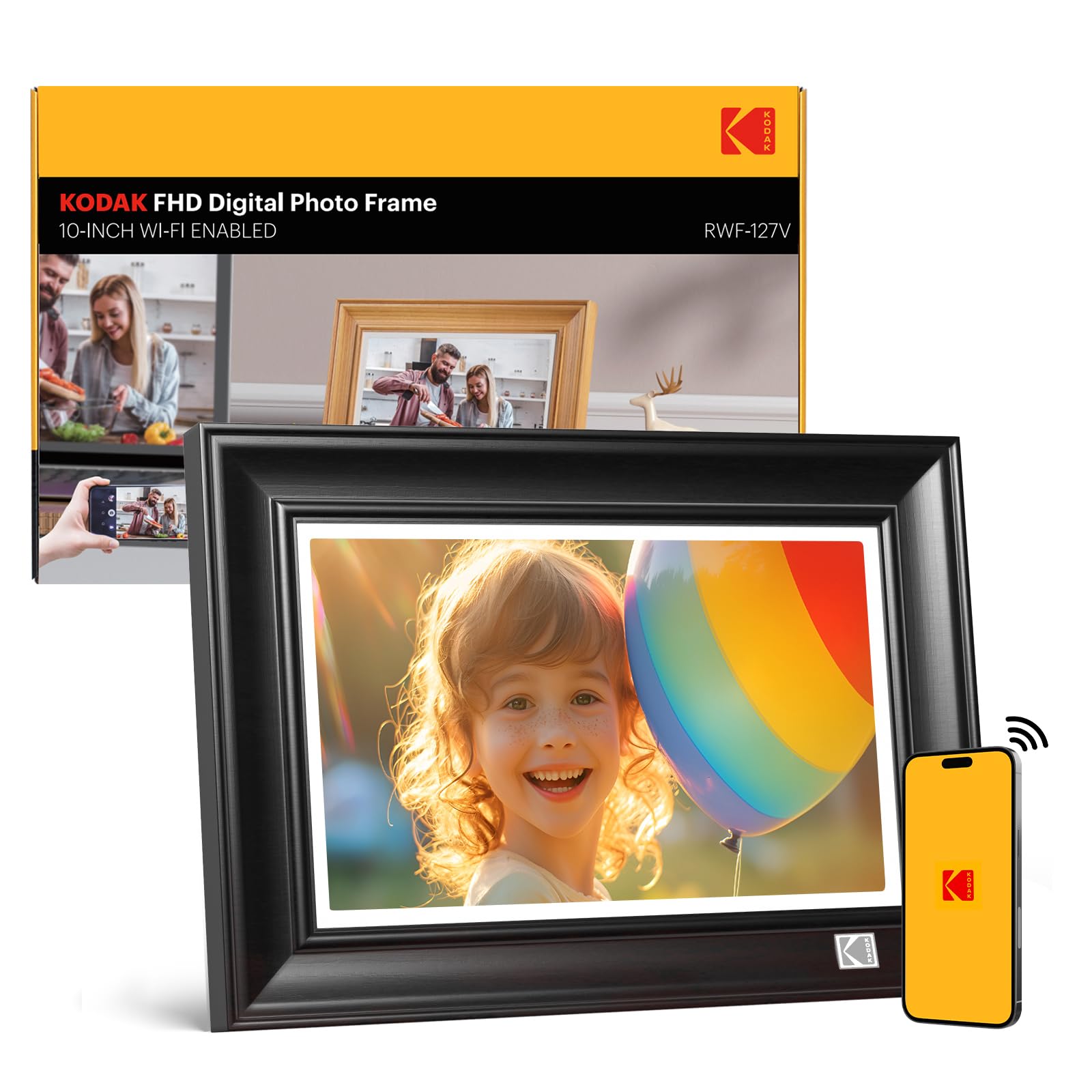
The sharpest screen on this list — a 1920 x 1200 panel inside a warm wood frame that feels like real furniture.
If raw sharpness is your priority, this is the frame to beat — it is the only pick here running a full 1920 x 1200 resolution, which is why owners praise its clarity and color. That resolution (1920×1200 pixels on a 10.1-inch screen) makes text and fine details look noticeably crisper than the 1280×800 panels on most rivals. The 178° IPS technology (an ultra-wide viewing angle that keeps colors accurate from the side) means the image looks correct whether you are directly in front or glancing from across the room. The wood frame construction gives it a furniture-like presence in a living room or bedroom.
Storage is a genuine highlight — the 32GB built-in memory holds around 80,000 photos at 600KB each, and it also accepts SD cards and USB drives for importing and exporting. Sharing works through the KODAK app on iOS and Android or via a unique email address, sending photos and videos up to 15 seconds from anywhere in the world. The bendable bracket (an adjustable stand that holds position at your preferred angle) adds convenience for tabletop viewing.
The frank trade-off is the software. Owners who love the hardware describe the app as limited — it cannot mix photos and videos into a single playlist, and most settings must be changed on the frame itself rather than remotely. If the display quality matters most and you can live with a basic app, this delivers the best picture on the list.
Why The Screen Wins
- Highest resolution on the list at 1920 x 1200
- Wood frame looks like real furniture
- Holds roughly 80,000 photos in 32GB
Software Limits
- Free cloud storage capped at 10GB
- App cannot mix photos and videos together
Buy it for the panel: If photo sharpness is everything and you want a wood frame that looks like decor, this is the standout display.
Pass if: You need a polished remote app — the interface here trails the Frameo and Nixplay picks.
9. PhotoSpring No Subscription 10in WiFi Digital Picture Frame

A US-based company frame with zero subscription fees and the longest video support on the list.
You can set up the PhotoSpring in about five minutes through an easy touch screen interface, and the brand claims no subscription fees ever — a promise that resonates with buyers tired of cloud upsells. The 10-inch touch screen (a display you control by tapping) delivers clear, vibrant picture quality that owners describe as crisp with quick photo loading. You can send photos from anywhere using email, the app, or the web, or import them directly from a USB stick.
You can share longer video moments, not just stills, because this frame plays clips up to 1GB (roughly 5 minutes) in HD quality — far longer than the 15-second caps on most Wi-Fi frames. The entire family can send photos to a single frame simultaneously, and the 32GB storage comfortably held over 2,000 photos plus a dozen videos at just 18% capacity in one owner’s experience. The frame also supports USB and SD card imports for offline use.
Owners consistently praise the customer service as going above and beyond — one owner’s frame was repaired remotely within days after a year of flawless use, and another had a major part replaced within a week. The honest trade-offs: there is no motion sensor to wake the screen, the rear-facing speakers make sound mediocre, and the shuffle feature tends to repeat the same batch of photos. It is also note one owner found the 10-inch size too small for an elderly parent’s eyes and stepped up to a larger model.
The no-strings choice: No subscription fees and support that owners genuinely rave about make this a low-risk buy.
Know the limits: Expect modest speakers, no motion wake, and a shuffle that leans repetitive.
Understanding the Specs
Screen Resolution
Resolution tells you how sharp the image will look. A 1280×800 screen is clear and bright for everyday photos, while a 1920×1200 panel like the KODAK’s looks noticeably crisper up close. Pair that with an IPS panel (a screen type that keeps colors accurate from wide viewing angles) and your photos will look good from anywhere in the room, not just straight on.
Storage and Expansion
Built-in memory is usually 32GB, which holds tens of thousands of standard photos. If you shoot lots of video or very large images, look for a frame that accepts a micro SD card or USB drive for expansion. Some frames cap out at their internal memory with no card slot, so check compatibility before you assume you can add more space later.
FAQ
Do I need a Wi-Fi digital picture frame or a no-app model?
Will my 10-inch frame work if my Wi-Fi is 5GHz only?
How many photos can a 32GB frame actually hold?
Can I play videos on a digital picture frame?
Does a digital picture frame need to stay plugged in?
What is auto-rotate and why does it matter?
How do wall-mounted frames attach to the wall?
Can multiple family members send photos to one frame?
Are there subscription fees for digital picture frames?
Will a digital frame work for a person with dementia or Alzheimer’s?
Final Thoughts: The Verdict
For most people, the 10-inch digital picture frame winner is the RCA 10.1″ WiFi Frame because it balances a vivid 1280×800 touch screen, 32GB of storage, and easy family sharing through the free Uhale app at a value that keeps owners happy. If you want the sharpest possible image for a real furniture look, grab the KODAK frame with its higher 1920 x 1200 resolution. And for someone who refuses to deal with apps entirely, the KECAG no-Wi-Fi frame delivers a beautiful plug-and-play slideshow that works right from the start.
How We Picked
We do not accept paid placement. Every pick is matched to a real buyer and a real use-case; we do not hands-on test units.
Sources & Methodology
Specifications: manufacturer listings and product documentation. Review insights: verified customer reviews, as of September 2026. Pricing: not shown on this page (it changes often); check the current price via the retailer link.
As an Amazon Associate, KitchPrep earns from qualifying purchases. This does not affect which products we feature.
Related Guides
