
Specs are compiled from manufacturer listings and verified buyer reviews and can change over time — please confirm the key details on the product page before buying.
If you need a printed receipt for every total you punch in, the Casio HR-170RC Plus is the safest first stop — it prints a two-color tape fast, handles tax and margin math, and fits on a desk that isn’t very wide. The rest of this list splits into small tape machines built for cramped home offices and heavier desktop units that keep printing through a full tax season. The one rule that matters: buy a machine whose tape speed, key feel, and power source match how you actually work.
I’m Mohammad Maruf — the founder and writer behind KitchPrep. This guide is built by comparing the manufacturers’ published specifications and the patterns across verified customer reviews, so you get each pick’s real strengths and trade-offs instead of marketing spin.
Every pick here prints a real paper tape, so you always have a physical record of your numbers. This guide breaks down the adding machine with tape options worth your desk space, from compact home-office units to heavy-duty commercial printers.
Our Picks at a Glance

How To Choose The Best Adding Machine with Tape
A tape calculator does one job: you press keys, it adds the numbers, and it prints a running paper record you can staple to a report or hand to a client. Three things decide which one you buy — how fast the tape prints (measured in lines per second, or how many rows of numbers it spits out each second), how the keys feel under your fingers, and whether the machine plugs into a wall or runs on batteries.
Print speed is the number you feel every day
Print speed is measured in lines per second (lps), which just means how many rows of numbers the machine can stamp onto the tape each second. A slow printer makes you wait after every total, so the fastest machines here reach 4.6 and 4.8 lines per second. The compact starter units land closer to 2.0 lines per second, which is fine for occasional home-office totals but not for steady ten-key work.
Key layout and button resistance
Serious number-crunchers type without looking, so the placement of the plus, minus, and total keys matters more than any screen feature. Heavier units often use keys with deliberate resistance (meaning you have to press with purpose), which helps people who punch hard and fast avoid double entries. If you are new to tape machines, a lighter, more cupped keypad is easier on the hand.
Power source and paper
Some machines run on standard AA batteries or a plug-in cord, giving you freedom to move the unit around the desk. Others are AC-only, meaning the cord is the only power option, which suits a fixed workstation. Either way, check which paper roll size the printer takes before you buy a box of spares.
Quick Comparison
| Model | Best For | Print Speed | Digit Display | Power | Amazon |
|---|---|---|---|---|---|
| Casio HR-170RC Plus Mini★ Best Overall | Compact home office and tax prep | 2.0 lines/sec | 12-digit LCD | 4 AA batteries or AC cord | Amazon |
| Canon P23-DHV-3Best Value | Light home-office desk duty | — | LCD | AC adapter included | Amazon |
| Canon P170-DH-3 DesktopBest Display | Big numbers and a bright display | — | VFD display | Back-up battery included | Amazon |
| Casio HR-300RC | Dim rooms and long sessions | — | Backlit LCD | AC only | Amazon |
| Victor 1240-3A | Everyday office workhorse | 4.5 lines/sec | 12-digit display | — | Amazon |
| Sharp VX-2652H | High-volume tape printing | 4.8 lines/sec | 12-digit fluorescent | — | Amazon |
| Victor 1460-4 | Heavy commercial workloads | 4.6 lines/sec | 12-digit fluorescent, 17mm digits | AC power | Amazon |
| Monroe 8130X | Full-time accounting with an audit trail | 5 lines/sec | 12-digit VFD | AC power | Amazon |
In‑Depth Reviews
1. Casio HR-170RC Plus Mini Desktop Printing Calculator, Assorted
Our pick — over 4.5★ from 5,000+ verified ratings; the strongest balance of quality and price.
The tape machine that fits where bigger units can’t, and prints like it means it.
If your desk is narrow and you still want a real paper trail, this is the unit that solves both problems at once.
What wins people over is how much this machine does in a small space. It stamps two-color tape at 2.0 lines per second (two rows of numbers every second), with red marking negative values so an error jumps off the page. You can review and correct up to 150 steps before anything prints, then use the re-print and after-print options to capture a total only when you want it — one owner praised this workflow, saying the machine prints a calculation “after completion, not every line.”
The financial keys are all here: cost, sell, margin, mark-up, mark-down, tax calculation, and currency exchange, plus clock and calendar printouts. It runs on either four AA batteries or the AC cord, so it is not chained to an outlet. The trade-off is the display itself — some buyers find the numbers small to read, and a handful flag the print quality as inconsistent. Production is serious (the crowd favorite among tape machines, with 5,000-plus owners weighing in), but if a large, bright screen is your priority, the Canon P170-DH-3 is the better fit.
Where It Wins
- 12-digit LCD display with large, clearly spaced plastic keys for accurate entry
- 150-step check and correct before printing, plus re-print and after-print functions
- Two-color black and red tape output at 2.0 lines per second
- Runs on 4 AA batteries or AC cord, so it travels easily
What To Weigh First
- Display numbers read small for some owners
- Print quality draws mixed feedback on consistency
- Included paper rolls are small, so stock up on spares for regular use
Pick this if: you want a full-featured tape machine that fits a small desk and can run on batteries.
Look elsewhere if: a large, easy-to-read screen is the reason you are buying.
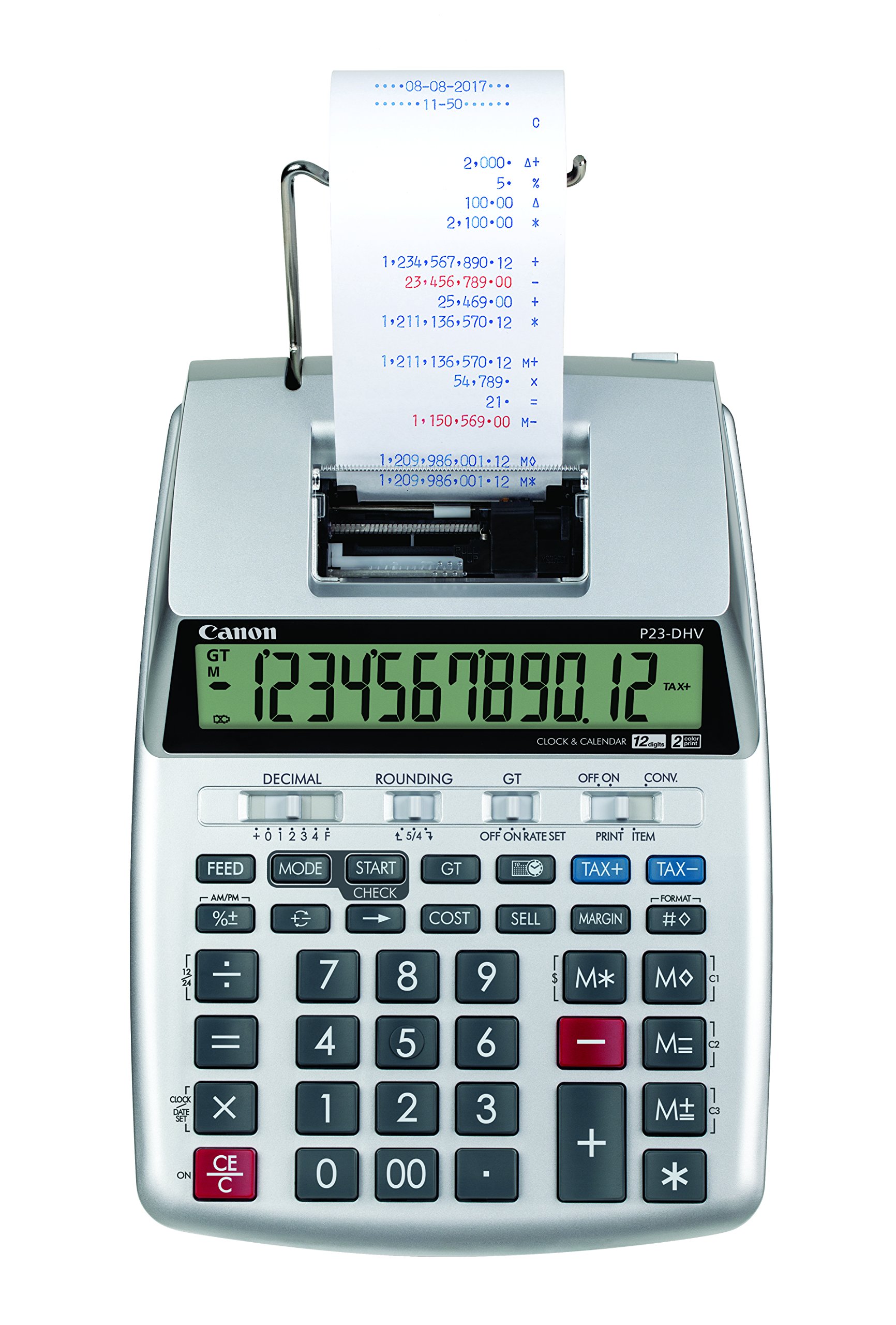
2. Canon P23-DHV-3 Printing Calculator
One pound of Canon, built so you never wrestle a paper roll into place again.
Canon’s clever move here was moving the paper slot higher up on the printer body, which means loading a fresh roll is a simple feed rather than a finger-pinching job. Weighing just 1 pound, it is 0.8 pounds lighter than the Canon P170-DH-3 further down this list, and that low weight makes it easy to shift around a home office. It arrives with an AC adapter and a roll of paper in the box, so you are ready to print on day one.
The built-in clock and calendar tick along in the background, and the most common tax and business calculations are wired in as dedicated keys. This is a financial-type machine, so it is aimed at light bookkeeping rather than relentless commercial volume. Buyers describe it plainly as something that “is adequate for my home office.”
Where it lands: a tidy, low-effort starter tape machine for a home desk, with paper changes that take seconds.
The honest read: it is not built for heavy all-day workloads, so a full-time bookkeeper should step up to a faster commercial unit.
Best for: a home office that prints the occasional tape and wants paper loading to be painless.
Step up if: your daily tape volume is high enough that you need commercial print speed.
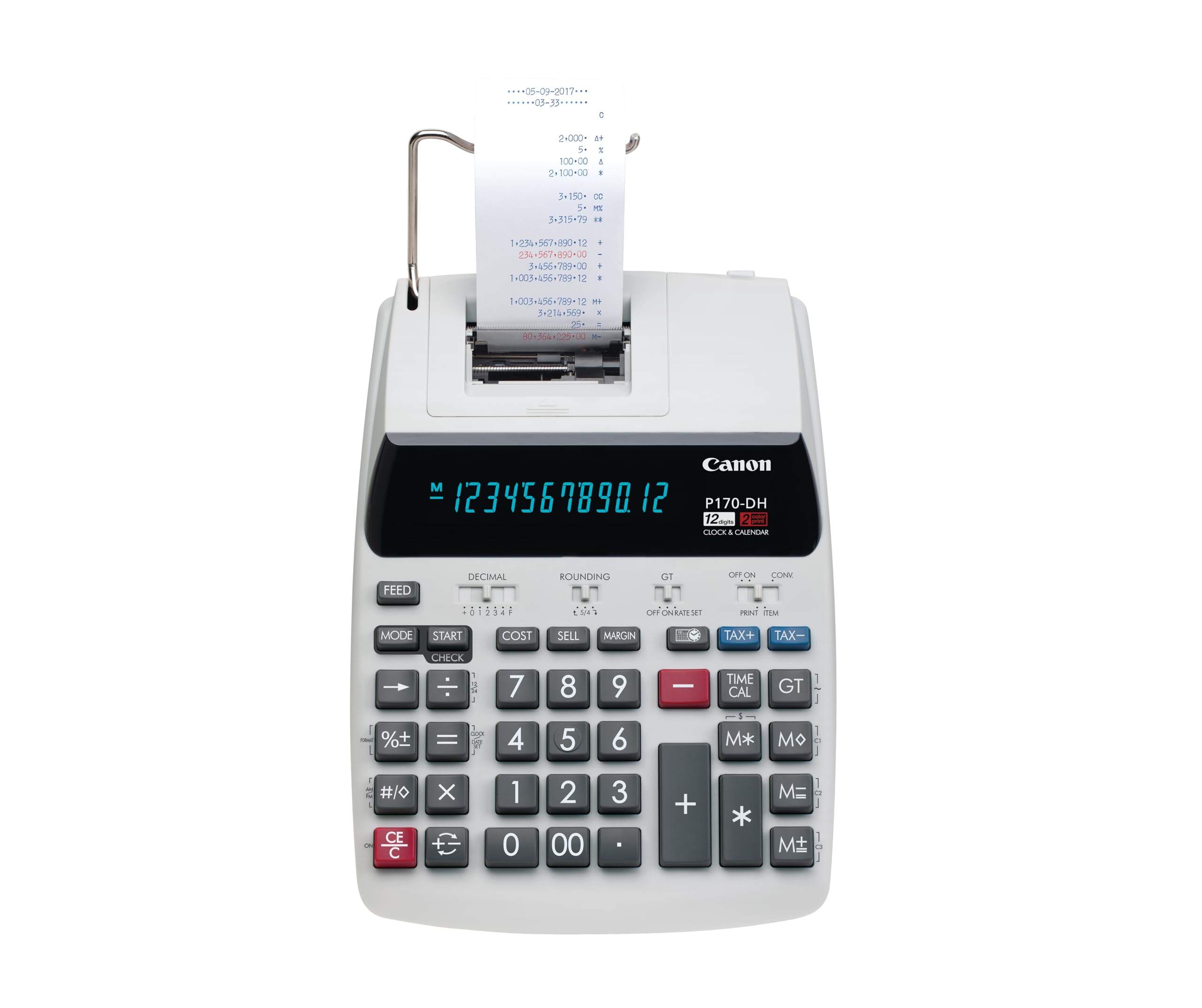
3. Canon P170-DH-3 Desktop Printing Calculator
Big numbers, bright letters, and a build that owners keep coming back to.
If squinting at a small screen is the thing that ruins a tape machine for you, this Canon answers it directly. It uses a VFD display (a bright glowing character type that stays legible at a glance) and buyers consistently call out its big, bright numbers as the reason they trust the total. That legibility doubles on the tape, and one reviewer notes you can type blind on the large keys while working estimates instead of a spreadsheet.
You get business functions for cost, selling price, and profit margin, plus a Double Check function that re-verifies a total before you move on. The build earns the most praise of any trait here — owners rate the sturdiness above everything else — and the machine carries a proper desktop footprint at 14.6 inches long and 9.6 inches wide. Canon includes a CR2032 back-up battery, instructions, and a roll of 57 x 25 mm paper in the box.
The catch is noise and speed. Some buyers report a constant high-pitched tone while it sits on, and print speed lands slower than they expect from a machine this size. Value gets debated too — it reads as a genuine bargain to some buyers and overpriced to others. It also runs a little heavier at 1.8 pounds compared with the 1-pound Canon P23-DHV-3, though most people will leave this one parked in place anyway. If quiet tape printing matters more than raw speed, the Canon MP11DX further down is the quieter alternative.
Legibility first: the bright VFD display and big tape characters are the standout, which is exactly what an estimating workflow needs when you check numbers fast.
Fair warning: the steady high-pitched sound and leisurely print speed are the two things owners bring up most often, so weigh those against your tolerance for both.
Reach for this if: a bright, easy-to-read display and sturdy construction matter more than fast tape output.
Think twice if: background noise or slow printing would grate on you during long sessions.
4. Casio HR-300RC Printing Calculator, Backlit LCD Display

A glowing screen, quiet printing, and a date stamp for anyone chasing worn-out eyes.
When the numbers on your old tape machine have faded to a ghost, this is the upgrade that stops the squinting. Casio fits a backlit LCD screen that stays readable in any lighting, and the machine prints in black and red so negative values never hide. It also stamps the current date and time directly onto the tape through its clock and calendar functions — handy for anyone keeping a dated audit trail.
The functional side is deep: re-print and correct up to 150 steps, cost/sell/margin keys for quick profit checks, and a 30-minute sleep mode with a simple CA/ON wake. A practicing CPA switched after a prior brand’s fluorescent display “faded in 15 months.” The large keys and good key spacing earn steady praise, and the bright backlit output makes long sessions easier on the eyes.
Two things to know before you commit. First, this unit has no battery power option — it runs on AC only, so it stays where the cord reaches. Second, the price of that crisp backlight is that the body runs on the larger side for a mini desktop unit. There is a compartment present on some units that buyers mistake for a battery slot, but the machine’s own spec is clear: it needs the wall outlet. If you need cordless freedom instead, the Casio HR-170RC Plus at the top of this list runs on either four AA batteries or the cord.
Screen win: the backlit LCD keeps every digit visible, so tired eyes and dim offices stop being a problem.
Buyer beware of the cord: there is no battery option here, so plan your desk around an outlet. Owners also flag the occasional sticky button, though it is the exception rather than the rule.
Made for: accountants and bookkeepers in dim rooms who want a bright, quiet, date-stamped tape.
Pass on it if: you want a machine you can detach from a power outlet.
5. Victor 12-Digit Desktop Adding Machine (1240-3A)
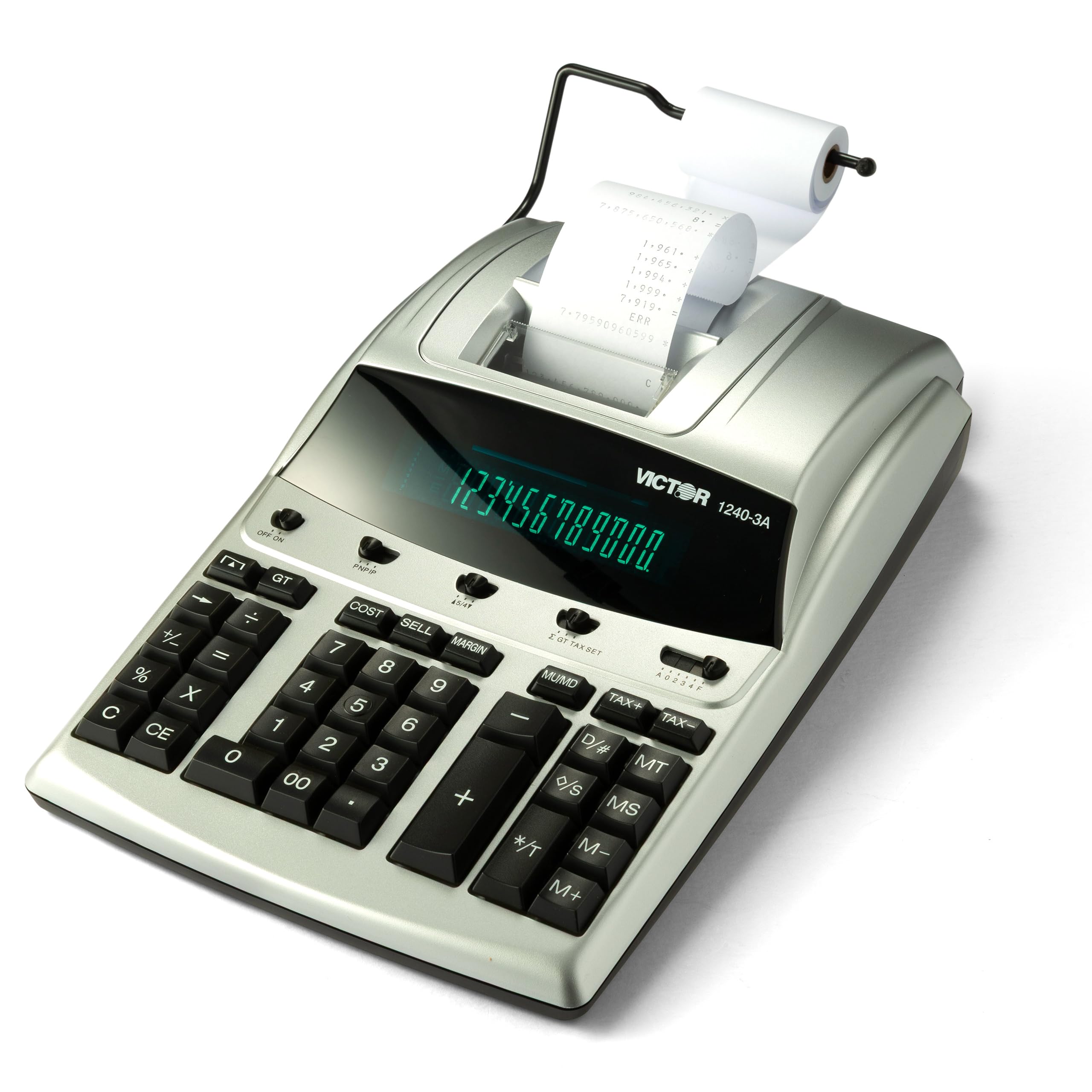
A 4.5-lines-per-second tape splitter with red ink for negatives and recycled plastic under the hood.
Speed is the headline on this Victor, and it shows up where it counts. The ribbon printer stamps two-color tape at 4.5 lines per second — roughly double the pace of the compact Casio HR-170RC Plus up top — so a long column of entries does not turn into a staring contest. Red ink marks negative totals so a wrong sign is visible the second it prints, and a backspace key lets you delete a single mistyped entry instead of starting over.
The business math is handled by cost, sell, and margin keys: enter two of the three values and the machine returns the third. A Date/Non-Add key prints the date without disturbing the running total, and an item count keeps a tally of your entries. Victor builds the enclosure from 45% recycled plastic, so the environmental angle is real rather than a sticker. There is a large 12-digit display for keeping totals straight during the work.
Owners who keep long-running machines are the ones this suits best — a ten-year-old unit that finally needed replacing is a common story among buyers of this class of machine. The genuine gripes are worth knowing: some find the screen hard to read at the bottom, and the price draws mixed feelings for what is, underneath, well-established technology. It is a heavy, 15.6-inch-wide desktop machine, so it wants a fixed spot rather than a lap.
Reasons It Earns the Desk
- 4.5 lines-per-second two-color printing speeds through long columns
- Cost, sell, and margin keys return the missing figure automatically
- Backspace key deletes the last entry for quick fixes
- 45% recycled plastic enclosure in a 15.6-inch desktop body
Things to Know Before Buying
- Bottom of the screen can be tricky to read at an angle
- Value is a matter of opinion for some at this tier
- It is a large, stationary desktop unit that wants a dedicated spot
Built for: anyone who runs steady daily tape and wants fast printing with recycled construction.
Skip if: you need a small, easy-to-move machine for a cramped desk.
6. Sharp 12-Digit Print Calculator Desktop Adding Machine (VX-2652H)

4.8 lines per second in black and red — the fastest tape on this list.
Nobody beats this Sharp on print speed. At 4.8 lines per second, it edges past the Victor 1460-4’s 4.6 and leaves the 2.0 lines-per-second Casio HR-170RC Plus well behind. Two-color printing keeps positives in black and negatives in red on standard paper rolls, so a mixed column of gains and losses reads correctly at a glance. It has a bright fluorescent display, and owners mention the commas and decimal points stay clearly visible — which matters when you are scanning a long total for a typo.
For more involved work there is real depth: a Mark Up key handles cost, sell, margin, and the machine covers automatic add-on and discounts, percent change, grand total, change sign, decimal settings, average, and rounding switches. Two independent 4-key memories handle heavier workloads, and a durable plastic enclosure keeps pace with high-volume typing while staying quiet enough for a busy office. Ink changes use standard Victor 7010 ribbons, so replacement is straightforward.
The recurring point owners make is longevity — this same model shows up in the hands of people who have used it for years and would buy it again. That durability is what you pay for at the premium end; the machine is genuinely built for the volume, not for the occasional receipt, so a light home user would be over-buying. The trade-off is a large, 2-pound desktop body that wants a permanent spot rather than a drawer.
Why It Moves Fast
- 4.8 lines-per-second two-color printing, the fastest here
- Two independent 4-key memories for heavier workloads
- Bright fluorescent display with clear commas and decimals
- Replaceable standard Victor 7010 ink ribbons
The Realistic Trade-offs
- Premium tier means the occasional user is over-buying
- 2-pound, 14.5-inch-wide body wants a fixed desk spot
- Built for volume, so light home use never taps its strengths
The match for: high-volume offices that need the fastest tape and two independent memories.
Overkill for: anyone printing just a few tapes a week.
7. Victor Extra Heavy Duty 12-Digit Commercial Printing Calculator (1460-4)
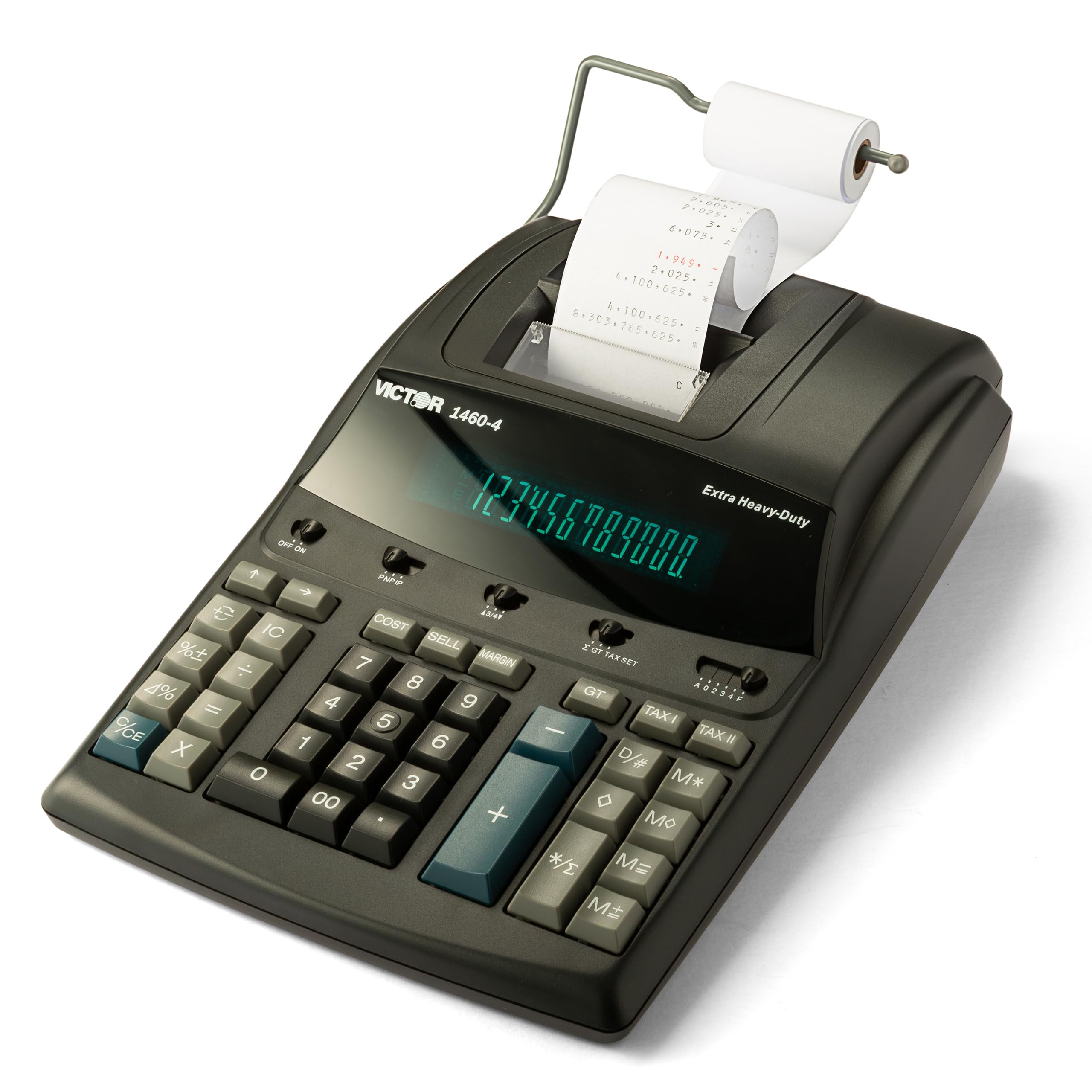
Built for the overloaded desk where tape printing never stops running.
When your workspace runs tape all day and you want it to survive that, this Victor is the machine for the job. It carries a huge 12-digit fluorescent display with 17mm tall digits — big enough to read from across the desk — paired with a heavy-duty two-color printer that stamps tape at 4.6 lines per second. Positive and negative totals land in different colors, so long columns of mixed figures stay readable without second-guessing a sign.
The construction is where it earns its place: a sturdy plastic enclosure made from 45% recycled material, built to stand up to the toughest commercial applications. It runs on continuous AC power (plugged into a wall outlet) for non-stop office use and takes standard Victor 7010 ink ribbons that are simple to swap. Owners rate the heavy-duty feel and quiet operation highly, and tax accountants pick them up specifically for paper filing work.
One drawback shows up in the print clarity as the tape gets longer. When many digits print at once, the striking pressure is spread across the printing feet, so the tape lightens up — it is not an ink-ribbon problem, and a short entry prints perfectly dark. Button response draws mixed notes as well, with the plus key occasionally needing a firmer press. At 3.7 pounds, it is the heaviest machine in this roundup apart from the Monroe, so it wants a permanent home on a solid desk.
Commercial-grade core: 17mm fluorescent digits and a 4.6-lines-per-second printer put the readability right up there with anything in its class.
Something to know: very long tape entries lighten as more digits print at once, and the plus key may need a decisive press.
Tailor-made for: commercial desks that need big, bright digits and fast printing all day long.
Not the one if: you want a compact, easy-to-tuck-away machine for light work.
8. Monroe 8130X Heavy-Duty 12-Digit Printing Calculator
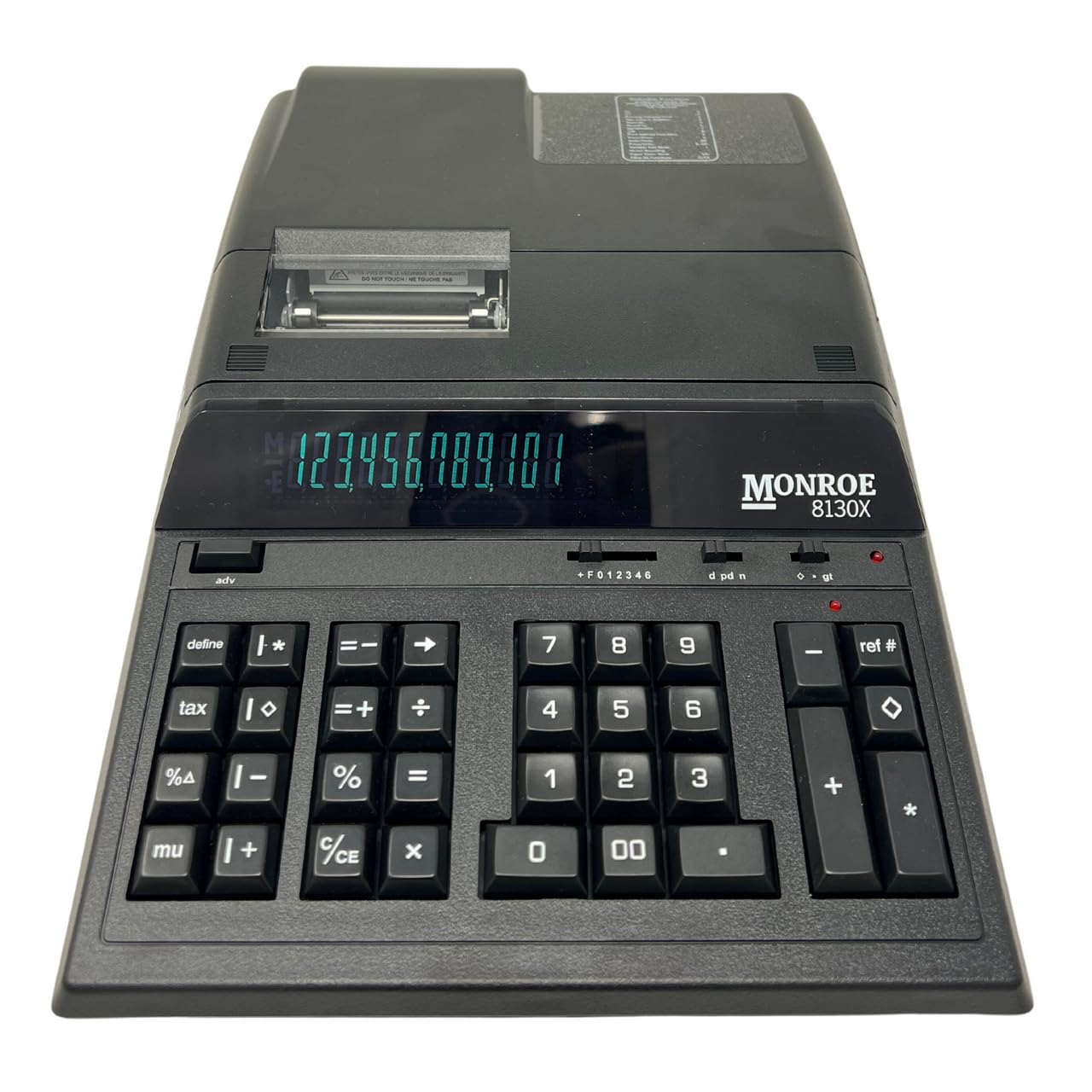
The long-haul accounting machine, with cupped keys and a five-line tape that keeps pace.
This is a heavy-duty commercial adding machine built for full-time work, and the target buyer is someone in supermarkets, casinos, or other high-demand industries who needs an audit trail in physical form. Monroe has been in business since 1912, and the design leans on that lineage: adding machine controls on the right and calculator controls on the left, so you can work the two independently or as one. It prints at 5 lines per second — the fastest rate on this entire list, ahead of both the Sharp VX-2652H and the Victor 1460-4.
The keypad uses cupped numeric keys and a light, comfortable touch to speed up entry and cut errors, and the included set covers everything a professional needs: percent change, markup, cost, sell, margin, grand total, rounding with truncate, 5/4 round off, or round up, 2 tax keys, and a 4-key independent memory. In the box you get the calculator, power cord, instruction manual, a cover, one M33X ribbon cartridge, and a Monroe 20lb bond starter paper roll. It runs on AC power (a wall outlet).
Owners tend to be career number-crunchers who have used the brand for decades, and their gripes are honest ones: the unit is loud, it takes extra ker-chunks advancing the paper, and a couple of switch covers have arrived missing on some units. In return you get the brand’s reputation for durability — one owner reports a first Monroe lasting 31 years without a problem — and free lifetime phone support. The standouts in the workflow are the red active-entry light, the hidden add roll, and a total above the cut line that is easy to read and tear off. Expect a heavy 4.1-pound machine that wants a fixed station.
What the Pros Rely On
- 5 lines-per-second printing, the fastest on this list
- Cupped, comfortable numeric keys for fast, low-error entry
- Full business function set with rounding modes and 2 tax keys
- Total sits above the cut line, easy to read and tear off
What You Accept Going In
- Noticeably loud compared with quieter units on this list
- Extra paper-advance sounds during printing
- Occasional switch covers arrive missing on some units
This is your machine if: you are a full-time accounting professional and need a paper trail that never quits.
Move along if: quiet operation or a lightweight body matters more to you than workplace longevity.
Understanding the Specs
Print Speed (Lines Per Second)
Print speed is how many rows of numbers the machine stamps onto the tape each second. A 2.0 lines-per-second unit is fine for occasional totals, while 4.5 to 5 lines per second keeps up with fast ten-key entry and long columns. Buyers should match this to their pace: an accountant running tape all day needs the higher rate, while a home office printing a few tapes a week will never notice the difference.
Two-Color Printing
Two-color printing means the machine uses black ink for positive values and red ink for negative ones. That color split lets you spot a wrong sign on the tape at a glance, which is what makes it useful for financial records. It also explains why the ink ribbon or cartridge is the part you replace over time — a machine that lists a specific ribbon model is a machine you can keep fed for years.
Display Type (LCD vs VFD vs Fluorescent)
The display is what you actually look at while entering numbers, and the type matters for legibility. A backlit LCD stays readable in any lighting, a VFD (a glowing character display) reads bright and sharp, and a fluorescent display gives the same bright look with large digits. Whichever you pick, the biggest driver of daily comfort is digit size rather than the technology behind it.
Power Options: AC vs Battery
Power choice decides where the machine can live. An AC-only unit has to stay within reach of an outlet, which suits a fixed workstation, while a machine that runs on AA batteries or a cord can move around the desk or get packed away. If you print only occasionally, batteries can be the difference between a machine you use and one you never bother unplugging.
FAQ
What paper roll does an adding machine with tape use?
How fast should a tape calculator print for daily use?
Can I run an adding machine on batteries instead of a cord?
What does the check and correct function actually do?
Why does my adding machine print in red and black?
Is a VFD display better than an LCD on a tape calculator?
How often do I need to replace the ink ribbon?
Can an adding machine handle tax and margin calculations?
What size desk does a desktop printing calculator need?
Why does my adding machine shut off on its own?
Final Thoughts: The Verdict
For most desks, the adding machine with tape to start with is the Casio HR-170RC Plus Mini — it packs a 12-digit display, 150-step check and correct, and two-color printing into a body only 6.49 inches wide, and it runs on either batteries or a cord. If you want the brightest, sturdiest tape for estimate work, step up to the Canon P170-DH-3 with its VFD display (a bright vacuum-fluorescent screen that stays readable in dim light) and big keys. And if you are a full-time accounting professional who needs a machine to run all day with a paper trail intact, the Monroe 8130X with its 5-lines-per-second printer and enclosed roll is the one to reach for. One honest nudge: the Casio at the top is the crowd favorite among tape machines for a reason, so if you are unsure where to start, that is the safest first pick.
How We Picked
We do not accept paid placement. Every pick is matched to a real buyer and a real use-case; we do not hands-on test units.
Sources & Methodology
Specifications: manufacturer listings and product documentation. Review insights: verified customer reviews, as of September 2026. Pricing: not shown on this page (it changes often); check the current price via the retailer link.
As an Amazon Associate, KitchPrep earns from qualifying purchases. This does not affect which products we feature.
Related Guides
