
Hello, fellow kitchen enthusiasts and organization aficionados! There’s a special kind of joy that comes from a perfectly labeled pantry, a meticulously organized spice rack, or a fridge where every jar has its place and purpose clearly marked. It’s not just about aesthetics; it’s about efficiency, freshness, and bringing a sense of calm to your culinary space. A great label printer can be the secret ingredient to achieving this harmonious kitchen.
I’m Mohammad Maruf — the founder and writer behind KitchPrep. With over 15 years immersed in the world of kitchen equipment and gear, my passion lies in meticulously analyzing market trends, scrutinizing thousands of real customer reviews, and dissecting product specifications to bring you the most reliable and insightful recommendations for your culinary journey.
From preserving homemade jams to organizing meal prep containers, clear and durable labels are indispensable for any home cook or culinary professional. Finding the perfect organizational tool for your pantry, fridge, or craft room can transform your kitchen, and our expert guide reveals the best label printer for jars to streamline your culinary space.
How To Choose The Best Label Printer For Jars
Selecting the right label printer for your kitchen jars involves more than just picking a pretty color. Consider these aspects to ensure your labels are as functional as they are beautiful.
Print Technology and Durability
For kitchen use, especially on jars that might go into the fridge, freezer, or be washed, thermal printing is often preferred as it doesn’t use ink that can smudge or fade easily. Look for labels that are specifically advertised as waterproof, oil-proof, and fade-resistant to stand up to the rigors of a busy kitchen environment.
Label Size and Customization for Jars
Jars come in all shapes and sizes, from small spice containers to large canning jars. Ensure your chosen printer supports a variety of label widths and lengths to accommodate your needs. An app with extensive customization options for fonts, icons, and even QR codes can elevate your organization, allowing you to include dates, ingredients, or recipes directly on the label.
Connectivity and Ease of Use
Most modern label printers connect via Bluetooth to your smartphone, offering a seamless design and print experience. Some also offer standalone keyboards or USB connectivity for desktop use. Consider how and where you’ll be using your printer most often. Portability is key if you plan to label items on the fly, while a desktop model might be better for batch printing a large inventory.
Quick Comparison
On smaller screens, swipe sideways to see the full table.
| Model | Type | Best For | Key Feature | Amazon |
|---|---|---|---|---|
| Brother PT-D610BT | Thermal | Best Overall | Wide Labels, Bluetooth/USB | Amazon |
| NIIMBOT B21 | Thermal | Wider Labels | Vintage Style, 2″ Width | Amazon |
| Phomemo M110 | Thermal | Small Business | OCR & Batch Printing | Amazon |
| Brother QL-800 | Thermal | Professional Desktop | Black & Red Printing | Amazon |
| LABELWORKS Epson LW-PX700 | Thermal Transfer | Industrial Use | Lifetime Warranty, Rugged | Amazon |
| SUPVAN T50M Pro | Thermal | Versatile Wide | Waterproof, Auto Recognition | Amazon |
| DYMO LabelWriter 450 | Thermal | High-Volume Desktop | 51 labels/min, PC-only | Amazon |
| Liene PixCut S1 | Dye-Sublimation | Creative Color | Print & Cut, AI Features | Amazon |
| Brother PT-M95 | Dot Matrix | Classic Keyboard | QWERTY, 4 Tapes Included | Amazon |
| Makeid E1 | Thermal | App & Keyboard | Dual Use, LCD Screen | Amazon |
| SUPVAN E10 | Thermal | Continuous Labels | Waterproof, 3 Tapes | Amazon |
| Nelko P21 | Thermal | Ultra-Portable | Pocket-Sized, 3600+ Icons | Amazon |
| NIIMBOT D110 | Thermal | Smart Recognition | RFID Auto-Template | Amazon |
| Phomemo D30 | Thermal | Budget-Friendly | Continuous/Fixed Labels | Amazon |
| Rongta R5 | Thermal | Entry-Level | Lightweight, NFC Tech | Amazon |
In‑Depth Reviews
1. Brother P-touch PT-D610BT

The Brother PT-D610BT stands out as an exceptional choice for anyone serious about kitchen organization. It’s a robust, professional-grade label maker that bridges the gap between powerful desktop functionality and the convenience of mobile connectivity. With its ability to print labels up to 1 inch wide, it offers ample space for detailed ingredient lists, canning dates, or even charming decorative elements for your jars.
Home chefs and culinary hobbyists alike appreciate its versatility, noting that the clear, full-color LCD display allows for precise previews before printing, reducing waste and ensuring labels look exactly as intended. The automatic label cutter is a significant time-saver, especially when batch printing for a large pantry overhaul. Users frequently highlight the seamless integration with both computers via USB and smartphones via Bluetooth, making it incredibly adaptable to various workflows, whether you’re designing complex labels on a PC or quickly printing from your phone.
This model is ideal for those who demand high-quality, durable labels for a wide range of kitchen applications, from freezer-safe meal prep containers to beautifully labeled spice jars. Its extensive template library and customization options ensure that every label can be perfectly tailored to its purpose, making it a truly indispensable tool for a well-organized kitchen.
Why it’s great
- Prints wider labels (up to 1 inch) for more detail.
- Features a clear, full-color LCD preview screen.
- Offers both Bluetooth and USB connectivity.
- Includes an efficient automatic label cutter.
- Extensive font, style, frame, and symbol options.
Good to know
- Higher price point than many portable options.
- Label cartridges can be a bit expensive.
- Requires 6 AA batteries (not included) or AC adapter.
2. NIIMBOT B21 Label Maker
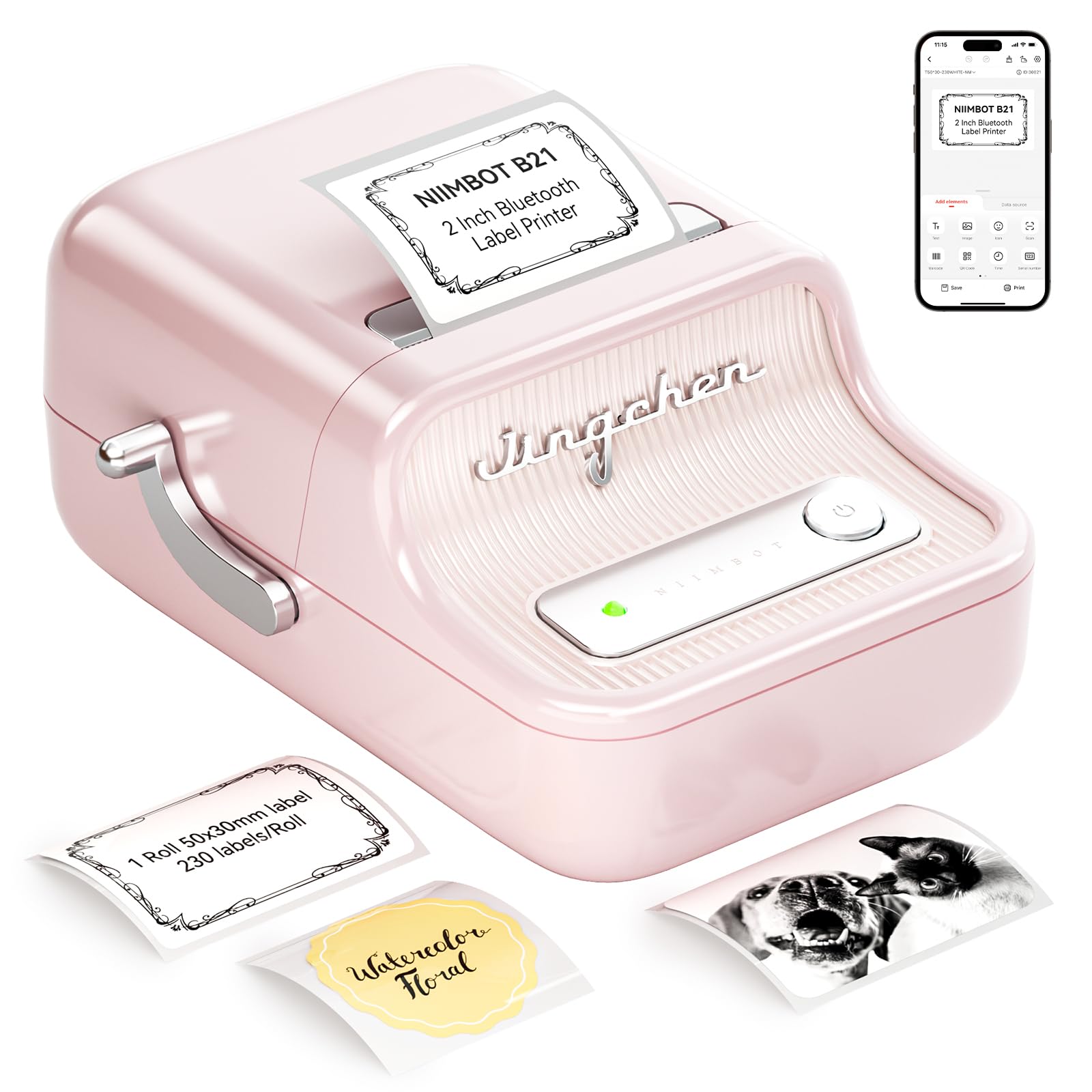
The NIIMBOT B21 is a stylish and capable label maker, perfect for culinary creators looking for wider labels to add more information or a touch of flair to their jars. With support for label widths from 0.8 to 2 inches, it offers significant flexibility for everything from large canning jars to custom spice blends. Its retro aesthetic is a charming bonus, making it a delightful addition to any kitchen countertop.
Small business owners, especially those selling homemade goods like jams or baked treats, praise its enhanced image quality and the NIIMBOT App’s intuitive design. They find the ability to print barcodes, product info, and even small logos directly onto wider labels incredibly useful. Many enjoy the quick and clear printing, noting that the inkless thermal technology saves money and avoids smudges, which is crucial for professional-looking packaging.
This label printer is an excellent choice for anyone who needs more space on their labels for detailed descriptions, branding, or larger fonts, making it suitable for both extensive home organization and small-scale culinary businesses. Its portability and long-lasting rechargeable battery mean you can take your labeling projects wherever creativity strikes.
Why it’s great
- Supports wider labels (0.8”-2”) for more content.
- Stylish retro design appeals to many users.
- Enhanced image quality for clear, professional labels.
- App features image recognition and batch printing.
- Inkless thermal printing saves on consumables.
Good to know
- Some advanced app features may require VIP access.
- Only prints in monochrome (black text).
- Customer reviews mention potential artificial print quality reduction on third-party labels.
3. Phomemo M110 Label Maker

The Phomemo M110 is a multifaceted thermal label maker designed for both home organization and small business needs, making it a strong contender for those who need more than just basic labeling. Its ability to print die-cut labels with widths ranging from 20mm to 50mm provides ample flexibility for various jar sizes and product packaging. The inclusion of OCR (Optical Character Recognition) technology is a standout feature, allowing for quick text extraction from photos.
Artisan food producers and crafters find this machine incredibly practical for creating professional-looking labels for their products. The powerful app, with its free templates and Excel batch printing capabilities, significantly boosts efficiency when labeling multiple jars or inventory items. Users appreciate the clear, smudge-free thermal prints and the convenience of not needing ink refills, which translates to lower ongoing costs and consistent quality for their culinary creations.
This label maker is particularly well-suited for entrepreneurs and organized home cooks who require robust features like OCR, batch printing, and a good range of label sizes. It’s a reliable choice for anyone looking to elevate their kitchen’s organization or streamline their small business operations with high-quality, customizable labels for jars and beyond.
Why it’s great
- Supports a wide range of label widths (20mm-50mm).
- OCR feature allows text conversion from photos.
- App offers free templates and Excel batch printing.
- Inkless thermal printing for cost savings.
- Compact and portable design.
Good to know
- Some users report issues with vertical printing.
- App may require an account for certain features.
- Print quality for very small fonts can be challenging.
4. Brother QL-800

The Brother QL-800 is a high-speed, professional-grade label printer designed for serious labeling tasks, making it an excellent choice for commercial kitchens, bustling home-based food businesses, or anyone needing rapid, high-volume output for their jars. Its standout feature is the ability to print in both black and red, adding a dynamic and professional touch to labels that can highlight warnings, dates, or branding elements.
Food service professionals and dedicated home preservers rave about its lightning-fast printing speed of up to 93 labels per minute, which dramatically improves efficiency when preparing large batches of jarred goods. The Plug & Label feature, allowing direct printing from Microsoft Word, Excel, and Outlook, streamlines the workflow for creating consistent labels. Users also appreciate the built-in auto-cutter for clean, precise label finishing, contributing to a polished look for every jar.
This printer is best suited for those who require speed, versatility, and a professional finish for their jar labels. While it’s primarily a desktop unit requiring a USB connection to a PC or Mac, its dual-color capability and robust performance make it an invaluable asset for anyone managing a significant inventory of labeled items in their culinary operations.
Why it’s great
- Prints at an impressive speed of 93 labels per minute.
- Unique black and red printing capability for emphasis.
- Plug & Label feature for direct printing from Office apps.
- Built-in auto-cutter for clean, professional labels.
- Compatible with continuous-length tapes for custom sizes.
Good to know
- Requires a wired USB connection to a computer.
- Some users report buggy software interface.
- Labels are monochrome (black and red only), not full color.
5. LABELWORKS Epson LW-PX700

The LABELWORKS Epson LW-PX700 is a heavy-duty, industrial-grade label maker that brings unparalleled durability and versatility to your kitchen or home-based food production. While it might seem like overkill for simple jar labeling, its robust construction and wide variety of compatible tapes ensure that any label you create will withstand the harshest kitchen environments, from humid canning rooms to busy commercial prep stations.
Serious culinary professionals and home preservers who value longevity and resilience in their labels appreciate its ability to print on heat shrink tube, self-laminating wrap, and vinyl, in addition to standard industrial tape. The large print preview screen helps minimize errors and tape waste, a detail often highlighted by users who frequently create custom labels. Its lifetime warranty speaks volumes about its build quality, offering peace of mind for long-term use in demanding settings.
This label maker is an ideal choice for those who need truly indestructible labels for their jars, especially if they are exposed to extreme temperatures, moisture, or frequent handling. It’s also perfect for organizing a professional kitchen or a large home pantry where labels need to last for years without fading or peeling, ensuring your culinary creations are always perfectly identified.
Why it’s great
- Compatible with a vast array of durable tape types.
- Unmatched full-service lifetime warranty.
- Large print preview screen reduces errors and waste.
- Prints labels up to 1 inch (24mm) wide.
- Rugged construction for industrial-level durability.
Good to know
- Higher initial cost compared to consumer models.
- Does not come with a rechargeable battery pack (AC adapter included).
- QWERTY keyboard interface might have a slight learning curve.
6. SUPVAN T50M Pro Bluetooth Label Maker
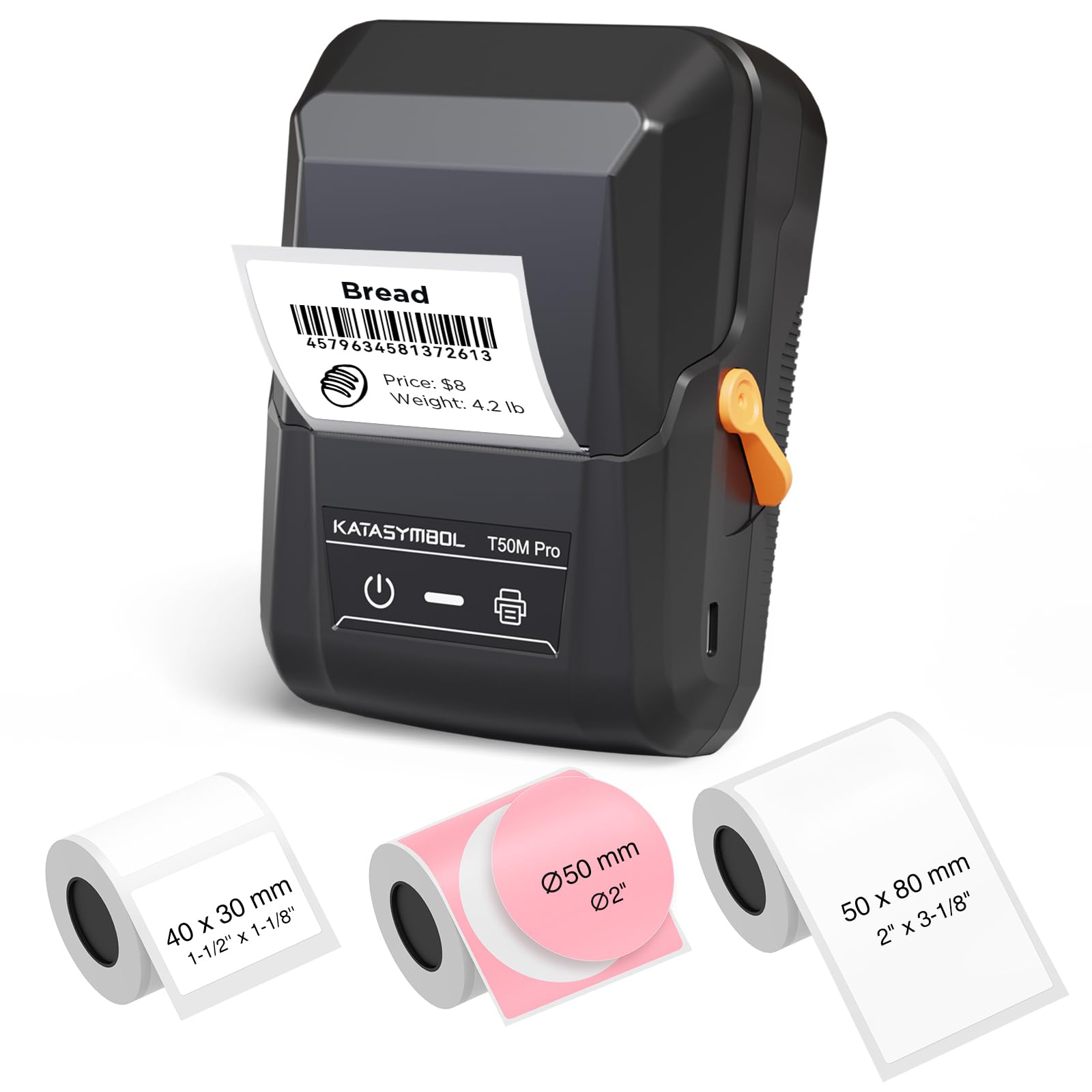
The SUPVAN T50M Pro is a versatile and user-friendly Bluetooth label maker, offering a broad range of label widths from 3/4″ to 2″. This makes it an excellent choice for home cooks and small business owners who need flexible labeling solutions for various jar sizes, from small spice containers to larger food storage bins. Its enhanced image quality ensures that your labels look crisp and professional every time.
Organized home managers and small business entrepreneurs appreciate the free and registration-free app, which makes customizing labels incredibly easy with over 30 fonts, 50 frames, and 660+ icons. The auto label size recognition feature is a particular favorite, simplifying the setup process and preventing wasted labels. Many users highlight the waterproof and durable nature of the labels, making them perfect for kitchen use where spills and moisture are common.
This printer is ideal for those seeking a balance of versatility, ease of use, and durability for their jar labels. Whether you’re labeling homemade preserves, organizing pantry staples, or creating product information labels for your culinary crafts, the T50M Pro delivers professional results with minimal fuss, ensuring everything in your kitchen is neat and clearly identified.
Why it’s great
- Supports wide labels (3/4″ – 2″) for diverse needs.
- App is free, no registration required, and rich in features.
- Enhanced image quality for clear, aesthetic labels.
- Labels are waterproof, oil-proof, and anti-scratch.
- Auto label size recognition simplifies use.
Good to know
- Only works with SUPVAN labels containing RFID tags.
- Labels may not stick well to uneven surfaces.
- Print density might need manual adjustment for optimal results.
7. DYMO LabelWriter 450

The DYMO LabelWriter 450 is a powerhouse for anyone needing to print a high volume of labels quickly and efficiently for their jars, especially in a professional kitchen or a busy home canning operation. This direct thermal printer eliminates the need for ink or toner, making it a cost-effective and low-maintenance solution for consistent labeling. Its speedy output of up to 51 labels per minute is particularly impressive.
Small business owners and avid preservers consistently praise its seamless integration with Microsoft Word, Excel, and Outlook, allowing them to pull text directly for rapid label creation. They highlight its ability to print precise quantities without waste, which is a major advantage when labeling large batches of jarred goods. The crisp, dark typeface ensures legibility, a critical factor for ingredient lists and expiration dates.
This desktop label printer is best suited for users who have a consistent, high demand for labels and primarily work from a PC. While it’s not portable, its speed, software integration, and ink-free operation make it an invaluable tool for streamlining labeling tasks, ensuring every jar is clearly and professionally marked without hassle.
Why it’s great
- Prints up to 51 labels per minute for high volume.
- Direct thermal technology means no ink or toner needed.
- Integrates with Microsoft Office applications.
- Prints precise quantities, reducing label waste.
- Clear and crisp print quality.
Good to know
- Not compatible with ARM-based processors.
- Requires a wired USB connection to a computer.
- Only works with authentic DYMO labels for best performance.
8. Liene PixCut S1 Color Sticker Printer & Cutting Machine

The Liene PixCut S1 is a revolutionary all-in-one color sticker printer and cutting machine, perfect for culinary creatives who want to add vibrant, custom, and uniquely shaped labels to their jars. Unlike monochrome thermal printers, this device uses thermal dye-sublimation to produce stunning 300 dpi prints with 16.7 million colors, making your labels truly stand out.
DIY crafters, small batch jam makers, and gift-givers absolutely adore the AI image extraction and precision cutting features, which allow them to turn any photo into a custom-shaped sticker with professional edges. The user-friendly app makes editing, printing, and cutting directly from a smartphone a breeze, transforming creative visions into tangible labels in minutes. Users frequently highlight the durable, waterproof, fade-resistant, and scratch-resistant stickers, ensuring that colorful labels on jars maintain their vibrancy even after repeated handling or washing.
This printer is an exceptional choice for those who prioritize aesthetic appeal and personalized design for their jar labels. Whether you’re branding homemade treats, creating unique gift tags for culinary presents, or simply want your pantry to pop with color, the PixCut S1 offers unparalleled creative freedom and professional-quality results.
Why it’s great
- Prints and cuts custom-shaped color stickers in one step.
- AI image extraction and precise auto-cutting.
- High-resolution 300 dpi color prints (16.7 million colors).
- Stickers are durable, waterproof, fade-resistant, and scratch-resistant.
- User-friendly app with AI art features.
Good to know
- Higher price point due to color and cutting features.
- Limited to proprietary consumables (ink cartridges and paper).
- App requires a login, which some users find intrusive.
9. Brother PT-M95 P-Touch

The Brother PT-M95 P-Touch is a classic, straightforward label maker that appeals to users who prefer a traditional QWERTY keyboard interface over smartphone apps. This lightweight and portable device is perfect for quick, on-the-spot labeling of jars and other kitchen items, offering a simple and intuitive experience without needing to connect to another device.
Organized individuals and home cooks appreciate its ease of use and the tactile feedback of a physical keyboard. Many users find it ideal for organizing drawers, storage boxes, and office supplies, highlighting that the labels print crisp and clear. The bundle comes with four label tapes, offering excellent value and ensuring you can start labeling your spices, pantry staples, and homemade preserves right out of the box.
This label maker is an excellent choice for those who value simplicity, portability, and the direct control of a QWERTY keyboard. If you’re looking for a reliable, no-frills device to quickly create clear, personalized labels for your jars and other kitchen items without relying on a smartphone app, the PT-M95 is a dependable and satisfying option.
Why it’s great
- Features a familiar QWERTY keyboard for direct input.
- Lightweight, portable, and easy to use.
- Comes with 4 label tapes for immediate use.
- Offers various type styles, frames, and symbols.
- Prints clear, easy-to-read text on durable labels.
Good to know
- Uses non-laminated ‘M’ tapes (less durable than TZe).
- No smartphone app connectivity.
- Max label width is 12mm (~½ inch), which can be limiting for larger jars.
10. Makeid E1 Portable Label Maker

The Makeid E1 offers the best of both worlds with its dual functionality: a standalone QWERTY keyboard and a Bluetooth connection to a feature-rich smartphone app. This flexibility makes it an excellent choice for diverse kitchen labeling needs, allowing quick, direct input for simple tasks or more intricate designs via your phone for elaborate jar labels.
Home organizers and culinary enthusiasts appreciate the large 4.42″ LCD screen with a backlight, which makes typing and previewing labels easy on the eyes, even in dimly lit pantries. The ability to print 9mm, 12mm, and 16mm wide labels provides good versatility for various jar sizes. Users frequently mention the superior quality of the labels, noting their resilience against water, oil, and scratching, which is essential for kitchen use.
This label maker is ideal for users who desire the convenience of both a physical keyboard and a powerful app for designing custom labels for their jars. Whether you’re quickly labeling spice jars or creating more detailed labels for homemade preserves, the Makeid E1 provides a robust and user-friendly experience that adapts to your labeling style.
Why it’s great
- Offers both QWERTY keyboard and smartphone app control.
- Large, backlit LCD screen for easy viewing.
- Prints clear, high-definition (203dpi) waterproof labels.
- Supports 9mm, 12mm, and 16mm label widths.
- Compact and portable with a built-in rechargeable battery.
Good to know
- App interface can have a slight learning curve.
- Some users report issues with charging or tape feeding over time.
- May be discontinued, impacting long-term support.
11. SUPVAN E10 Bluetooth Label Maker

The SUPVAN E10 is a vibrant and highly functional Bluetooth label maker, particularly appealing to those who appreciate the flexibility of continuous label tapes for custom lengths on their jars. Its compact size and eye-catching green color make it a fun and practical tool for kitchen organization, school projects, or office tasks.
Organized home cooks and busy parents frequently praise the SUPVAN app for its ease of use, offering a wealth of fonts, frames, and icons without any fees or registration. The waterproof, oil-proof, and anti-scratch laminated labels are a significant advantage for kitchen use, ensuring durability on jars that are frequently handled or washed. Users also appreciate the built-in cutter for clean, customized label lengths, making it versatile for various container sizes.
This label maker is an excellent choice for anyone looking for a portable, easy-to-use device that provides durable, customizable labels for their jars. Its ability to work with both continuous and die-cut labels, combined with its robust app features, makes it a valuable asset for maintaining a beautifully organized and efficient culinary space.
Why it’s great
- Works with both continuous and die-cut label tapes.
- App is free, no registration, with many customization options.
- Labels are waterproof, oil-proof, and anti-scratch.
- Built-in cutter for precise, custom label lengths.
- Comes with 3 continuous label tapes.
Good to know
- Only prints in monochrome (black text).
- Emojis might not print with optimal clarity.
- Print can fade over extended periods, especially on certain surfaces.
12. Nelko P21 Bluetooth Label Printer

The Nelko P21 is an incredibly compact and ultra-portable Bluetooth label maker, designed for on-the-go organization. Its pocket-sized form factor makes it an ideal companion for busy home cooks who want to label jars, food storage, or even meal prep containers anywhere in the kitchen or beyond. This device makes quick, clear labels without the need for ink or toner.
Meal preppers and home organizers consistently praise its ease of use, noting that the Nelko app connects quickly via Bluetooth and offers a vast array of templates, icons (3600+!), and borders for creative label designs. They appreciate the high-definition printing (203 DPI) that ensures text is crisp and legible on various fixed-length labels. Many users find it surprisingly powerful for its small size, turning mundane labeling tasks into an enjoyable organizational activity.
This label printer is perfectly suited for individuals who prioritize portability and convenience. If you need a label maker that can slip into your apron pocket and be ready to create custom, clear labels for your jars and other kitchen items at a moment’s notice, the Nelko P21 offers impressive functionality in a tiny package.
Why it’s great
- Extremely portable and compact, fits in a pocket.
- App offers 3600+ icons, 700+ borders, and 750+ templates.
- High-definition 203 DPI inkless thermal printing.
- Long-lasting built-in rechargeable battery.
- Easy Bluetooth connection to iOS & Android phones.
Good to know
- Does not support continuous label tapes.
- Not compatible with Google phones running Android 14.
- Only prints in monochrome (black text).
13. NIIMBOT D110 Label Maker Machine

The NIIMBOT D110 is a small, smart, and highly user-friendly label maker that brings efficiency to home organization. Its standout feature is the built-in RFID technology chip, which automatically recognizes the label paper you insert, eliminating the need to manually select templates. This intelligent design makes it incredibly easy for beginners to start labeling their jars and other kitchen items right away.
Organized home cooks and food storage enthusiasts frequently highlight its compact size and ink-free thermal printing, which saves money and keeps things neat. The NIIMBOT app is praised for its extensive customization options, including over 1000 symbols, 60+ frames, and a variety of fonts, allowing for creative and personalized labels for spice jars, food dates, and more. Many users find it a fun and effective tool for making their homes feel more organized.
This label printer is an excellent choice for anyone seeking a straightforward, smart, and portable solution for organizing their kitchen jars. Its automatic label recognition and rich app features make it particularly appealing to those who want a hassle-free experience with a touch of creative freedom for their culinary labeling projects.
Why it’s great
- RFID chip for automatic label template recognition.
- Inkless thermal printing saves money and time.
- Powerful app with 1000+ symbols and 60+ frames.
- Compact, portable, and rechargeable.
- Supports various label types (clear, colorful, round).
Good to know
- Only prints in monochrome (black text).
- Not compatible with laptops or iPads.
- Maximum media size is relatively small (1.18 x 0.59 inches).
14. Phomemo D30 Portable Bluetooth Label Maker
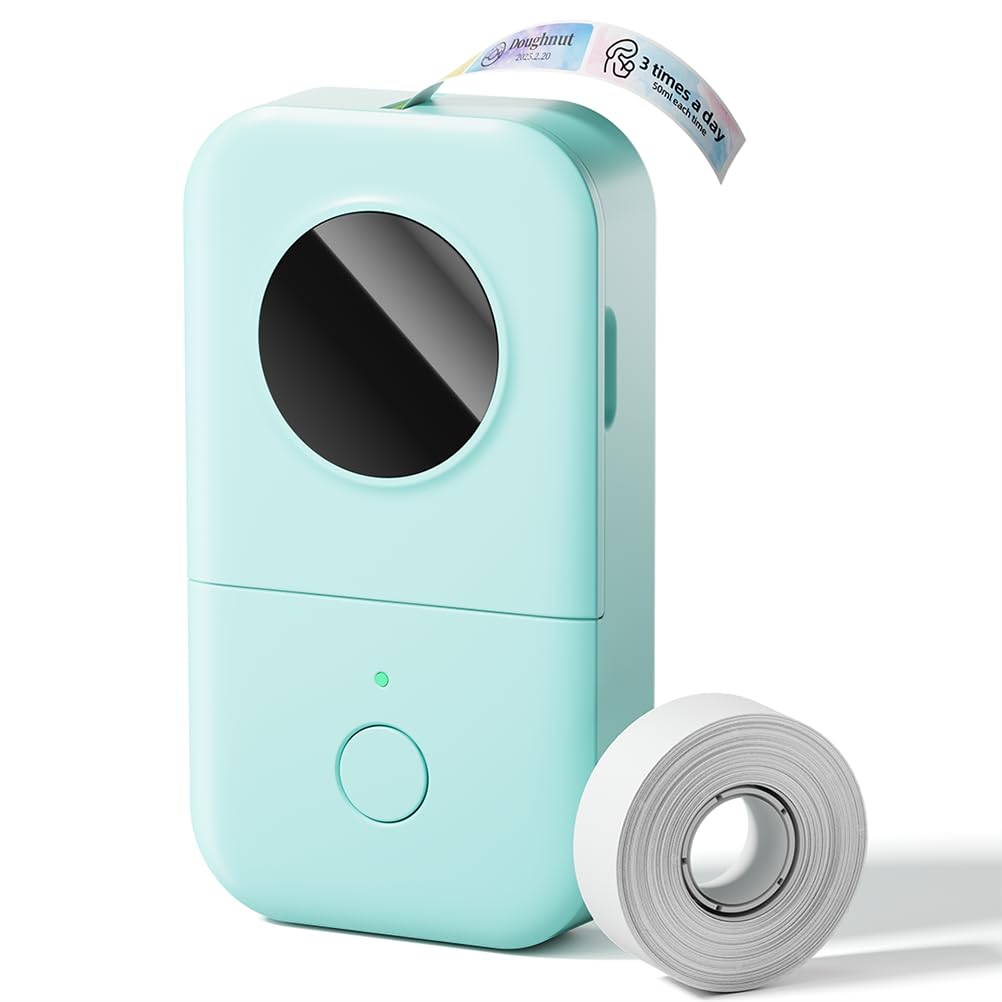
The Phomemo D30 offers an impressive blend of portability, functionality, and affordability, making it a fantastic budget-friendly option for anyone looking to organize their kitchen jars. This upgraded version supports both continuous and fixed-length label tapes, providing greater flexibility for various container sizes, all while maintaining a compact, pocket-sized design.
Home organizers and students often praise its inkless thermal printing, which significantly cuts down on long-term operating costs. The companion app is a strong point, offering a rich array of creative tools including over 1000 symbols, 60+ frames, and various font styles for personalized jar labels. Users appreciate the clear print quality and the ease of connecting via Bluetooth, making it a go-to tool for quick labeling tasks around the house, from pantry items to food expiration dates.
This label maker is an excellent choice for those seeking a highly portable and cost-effective solution for everyday kitchen labeling needs. Its versatility in label types and extensive app features make it a valuable asset for maintaining a tidy culinary space without breaking the bank, ensuring all your jars are neatly identified.
Why it’s great
- Supports both continuous and fixed-length label tapes.
- Cost-effective inkless thermal printing.
- Rich app with over 1000 symbols and 60+ frames.
- Ultra-portable, palm-sized design.
- High-speed printing at 60 ppm.
Good to know
- Only prints in monochrome (black text).
- Some users express concerns about data collection by the app.
- Labels may fade after repeated washing over time.
15. Rongta R5 Bluetooth Label Maker
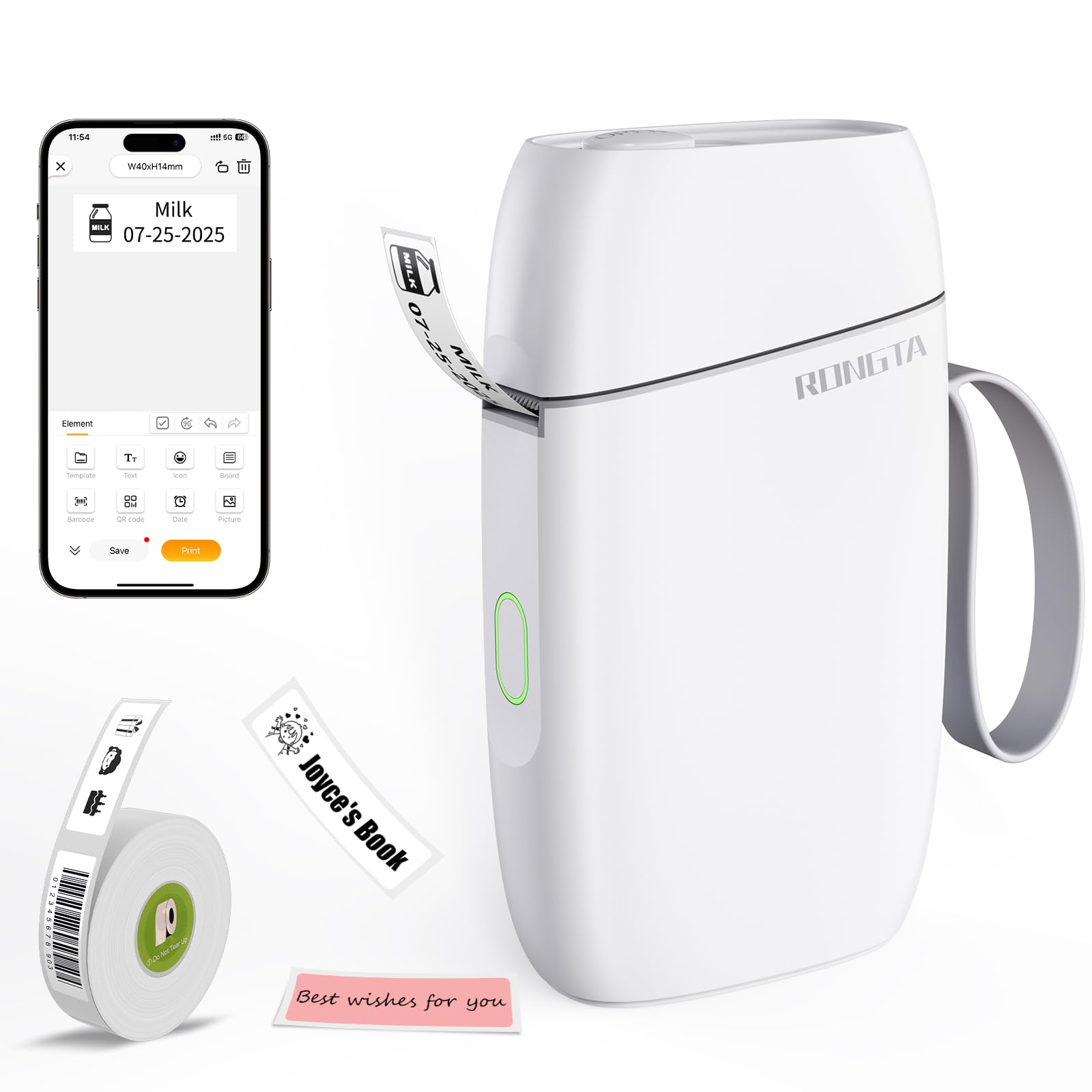
The Rongta R5 is an incredibly lightweight and budget-friendly Bluetooth label maker, making it an ideal entry-level option for anyone just starting their kitchen organization journey. Its ultra-portable design allows it to slip into your pocket, ensuring you can print labels for your jars anytime, anywhere, without fuss.
Beginner organizers and those with simple labeling needs consistently highlight its ease of use, with a straightforward app (“R Label”) that connects quickly via Bluetooth. The inkless thermal printing delivers clear, high-definition labels, and the app includes various fonts and templates for basic customization, perfect for spice jars, food storage, or even homemade preserves. Users appreciate its NFC technology for automatic paper size identification, simplifying the loading process.
This label printer is best suited for individuals seeking a very affordable, easy-to-use, and highly portable solution for basic kitchen jar labeling. If you need a simple yet effective tool to bring order to your pantry and fridge without a steep learning curve or significant investment, the Rongta R5 offers excellent value and convenience.
Why it’s great
- Extremely lightweight and portable (0.39lb).
- Very affordable, making it a great entry-level option.
- NFC technology for easy paper size identification.
- Inkless thermal printing with 203 DPI resolution.
- Simple app with 30+ fonts and various templates.
Good to know
- Only prints in monochrome (black text).
- Maximum label width is fixed at 14mm, which can be small.
- Not compatible with fast charging adapters.
Understanding the Specs
Printing Technology
Most label printers for jars utilize thermal printing, which means they use heat to activate chemicals in the label paper, creating text without ink or toner. This is ideal for kitchen environments as it prevents smudging and often results in more durable, water-resistant labels. Some advanced models might use thermal dye-sublimation for color printing, offering vibrant, long-lasting results.
Connectivity & App Features
The majority of modern label makers connect wirelessly via Bluetooth to your smartphone, where a dedicated app handles label design. These apps often come with a wide array of fonts, icons, templates, and even features like QR code generation or OCR (Optical Character Recognition). Some professional models also offer USB connectivity for use with computers, providing more extensive design software options and batch printing capabilities.
FAQ
Are thermal labels waterproof for kitchen use?
Can I print color labels with these printers?
Do these label makers require ink refills?
Can I use these label makers with my computer?
Final Thoughts: The Verdict
For most people, the best label printer for jars winner is the Brother P-touch PT-D610BT because it offers a perfect blend of wide label support, advanced connectivity, and professional-grade features for comprehensive kitchen organization. If you want more creative freedom and vibrant, custom-shaped labels, grab the Liene PixCut S1 Color Sticker Printer & Cutting Machine. And for high-volume, professional-grade labeling directly from your PC, nothing beats the Brother QL-800 High-Speed Professional Printer.
