
Specs are compiled from manufacturer listings and verified buyer reviews and can change over time — please confirm the key details on the product page before buying.
Buying your first soldering setup is mostly about one thing: whether the tip gets hot enough to actually melt solder, and stays there while you work. That is the difference between a joint that flows in one pass and a cold joint you have to redo. Below are the kits that get that part right for a beginner, with the accessories you will use and the ones you can ignore for now.
I’m Mohammad Maruf — the founder and writer behind KitchPrep. This guide is built by comparing the manufacturers’ published specifications and the patterns across verified customer reviews, so you get each pick’s real strengths and trade-offs instead of marketing spin.
The picks below are ranked by wattage, temperature range, and included tools, so you can match a kit to your first project without reading nine spec sheets.
Our Picks at a Glance

How To Choose The Best Beginner Soldering Kit
A beginner kit is really three decisions stacked on top of each other: how much power you are buying, how many tip shapes come in the box, and whether the kit includes something to hold the work while both your hands are busy. Get those three right and any of the picks below will handle years of small repairs.
Power and wattage
Wattage (how much electrical power the iron pulls, which sets how fast it can dump heat into a joint) is the number that decides your ceiling. A 60-watt iron handles thin circuit-board pads comfortably; a 100-watt or 130-watt unit recovers heat faster when you are soldering thicker wire or a larger connector. For most first projects — guitar wiring, RC car leads, a loose appliance connection — 60 watts is plenty. Reach higher only if you plan to work on chunkier wire.
Temperature control and the display
Adjustable temperature lets you dial down for delicate plastic-mounted components and up for a stubborn ground plane, so you are not cooking everything at one fixed heat. A digital readout (a small screen showing the set or live temperature) helps you repeat a setting you liked. The ability to switch between °C and °F is a small thing that becomes useful the moment you follow a tutorial filmed in the other unit.
Tips, tools, and what sits in the box
A kit with five or six tip shapes covers more ground than one with a single conical tip — pointed for fine pads, chisel or flat for larger joints. Beyond the iron, prioritize a stand or holder (so the hot tip is not resting on your bench), a desoldering pump for removing old solder, and a tip cleaner. Extras like tweezers, a small screwdriver, or a multimeter are genuinely handy but secondary to the iron itself.
Quick Comparison
| Model | Best For | Power | Temperature Range | Form | Amazon |
|---|---|---|---|---|---|
| Crtsweker 938 Soldering Station★ Best Overall | First station with full tool kit | 100 watts | 356°F – 896°F | Station with holder | Amazon |
| daGodtech Soldering Kit + MultimeterBest Bargain Bundle | Kit that skips the extras step | 60 watts | 392°F – 842°F | Pencil iron in carry case | Amazon |
| YIHUA 947-VBest for Dim Corners | Soldering in dim light | 60 watts | Dial-controlled | Pencil iron in case | Amazon |
| WEP 926LED V3 | Tight desk space | 130W MAX | 392°F – 896°F | Compact station | Amazon |
| Weller WLIRK6012A | One bare pencil iron, done right | 60W | Fixed output | Pencil iron with rest | Amazon |
| Weller WLIRPK8012A | Heavy wire and connectors | 80W | Fixed output | Power-grip pencil iron | Amazon |
| EZTOOLS 926LED V3 | Hands-free board holding | 60W | 392°F – 896°F | Compact station | Amazon |
| YIHUA 926 III | Most-reviewed first station | 60W | 194°F – 896°F | Compact station | Amazon |
| Preciva 927 IV | Fine work under magnification | 130W MAX | 194°F – 896°F | Station with magnifier | Amazon |
In‑Depth Reviews
1. Crtsweker 938 100W Digital Soldering Station Kit
Our pick — 4.5★ from 800+ verified ratings; the strongest balance of quality and price.
The 100-watt starter station that dumps heat fast and hands you the whole bench in one box.
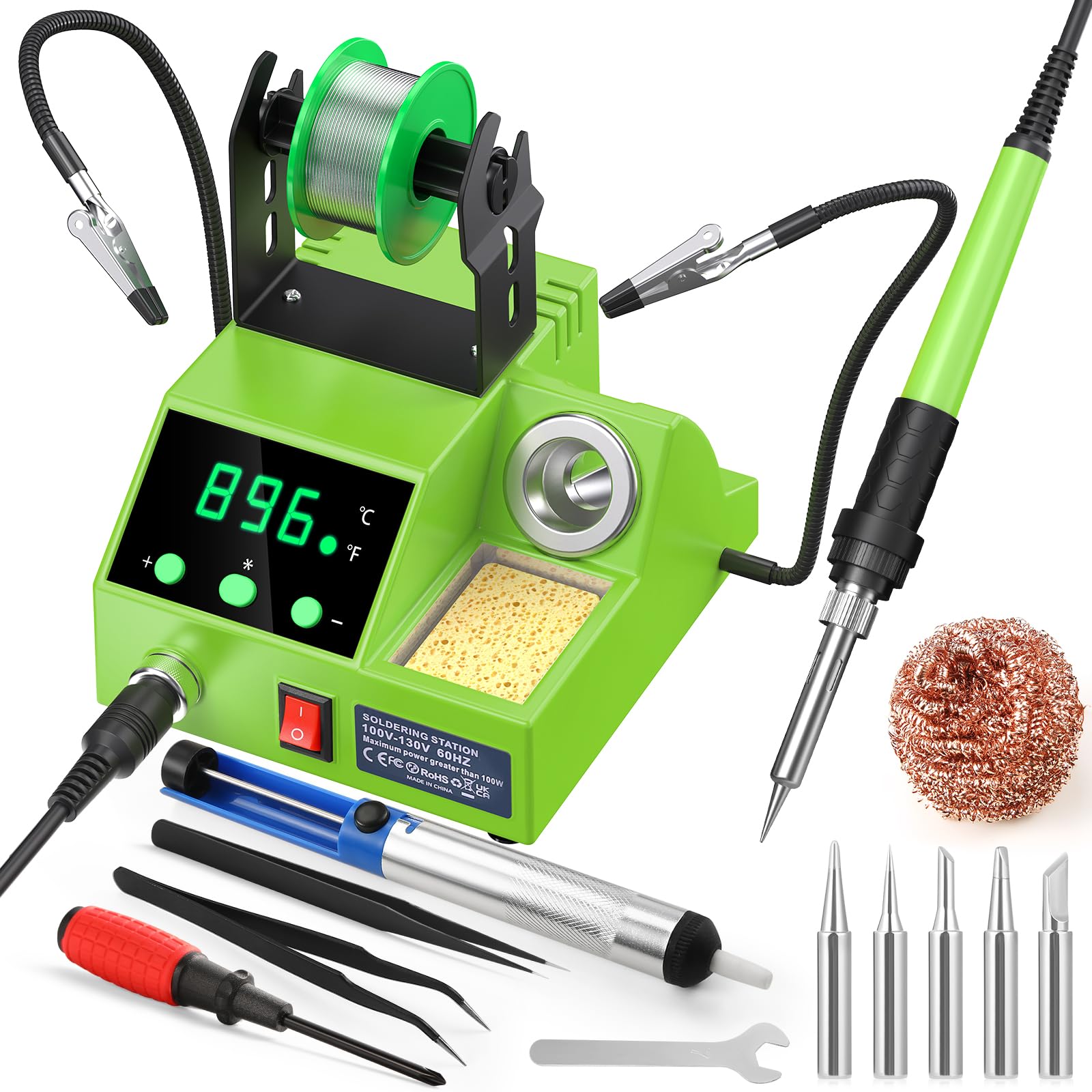
The Crtsweker 938 is the pick to open with because it solves the two things that wreck a first soldering session: not enough power and nothing to hold your work. Its 100 watts of output is the highest of the mid-range picks here — the YIHUA 947-V runs 60 watts — so it recovers heat faster when you move from a thin pad to a thicker joint. That matters in practice: a hotter iron lets you finish a joint in one pass instead of holding the tip there until the pad lifts.
Everything about it is aimed at someone setting up for the first time. You set temperature anywhere from 180°C to 480°C (356°F to 896°F) and read it on an LED display, with °C/°F switching and a calibration function to keep the reading honest. The auto-hibernate sleep mode lets the iron rest at a low temperature when you set it down, and the timer is adjustable from 0 to 600 seconds. The on/off switch is the quiet safety win — you can kill the iron without unplugging it, which also keeps small hands away from a hot tip.
The accessories are the real reason this sits at the top. You get helping hands, a solder wire dispenser, a cleaning sponge, an iron tip cleaner, five spare tips, elbow tweezers, a solder sucker, solder wire, a screwdriver, and a mini wrench. A 0.86 kg (about 30 oz) station does not slide around while you drag a wire across it, and the compact footprint leaves room for the board itself. The dual-vent steel pipe also speeds cooling between joints, so you are not hovering waiting for the iron to settle.
What earns the top spot
- 100 watts heats quickly and holds temperature steady through a full session
- Full starter bundle: helping hands, 5 tips, tweezers, solder sucker, wire, driver, wrench
- Sleep mode with a 0–600 second timer plus a physical on/off switch for safety
Where it asks for patience
- The included sponge is thin — a brass tip cleaner does the job better
- The spare tips are basic; upgrade later if you solder often
- The left-handed layout takes some getting used to
Start here if: you want a genuine station, a holder, and a full accessory load in a single buy without hunting for parts later.
One thing to plan around: keep the cord clear of the tip — it is not heat-resistant, so route it away from the iron.
2. daGodtech Soldering Iron Kit with Digital Multimeter
Two tools in one box — a soldering iron and a meter for checking the circuit before you touch it.
If your first project starts with a board that is not working, this kit lets you diagnose it and fix it with the same purchase. The daGodtech kit pairs a 60-watt ceramic-heater iron with a digital multimeter that reads AC/DC voltage, DC current, resistance, diode and transistor, all on a large LCD with a data-hold function. For troubleshooting a dead toy, an appliance connection, or a car circuit, having the meter right there saves a second trip and a second order.
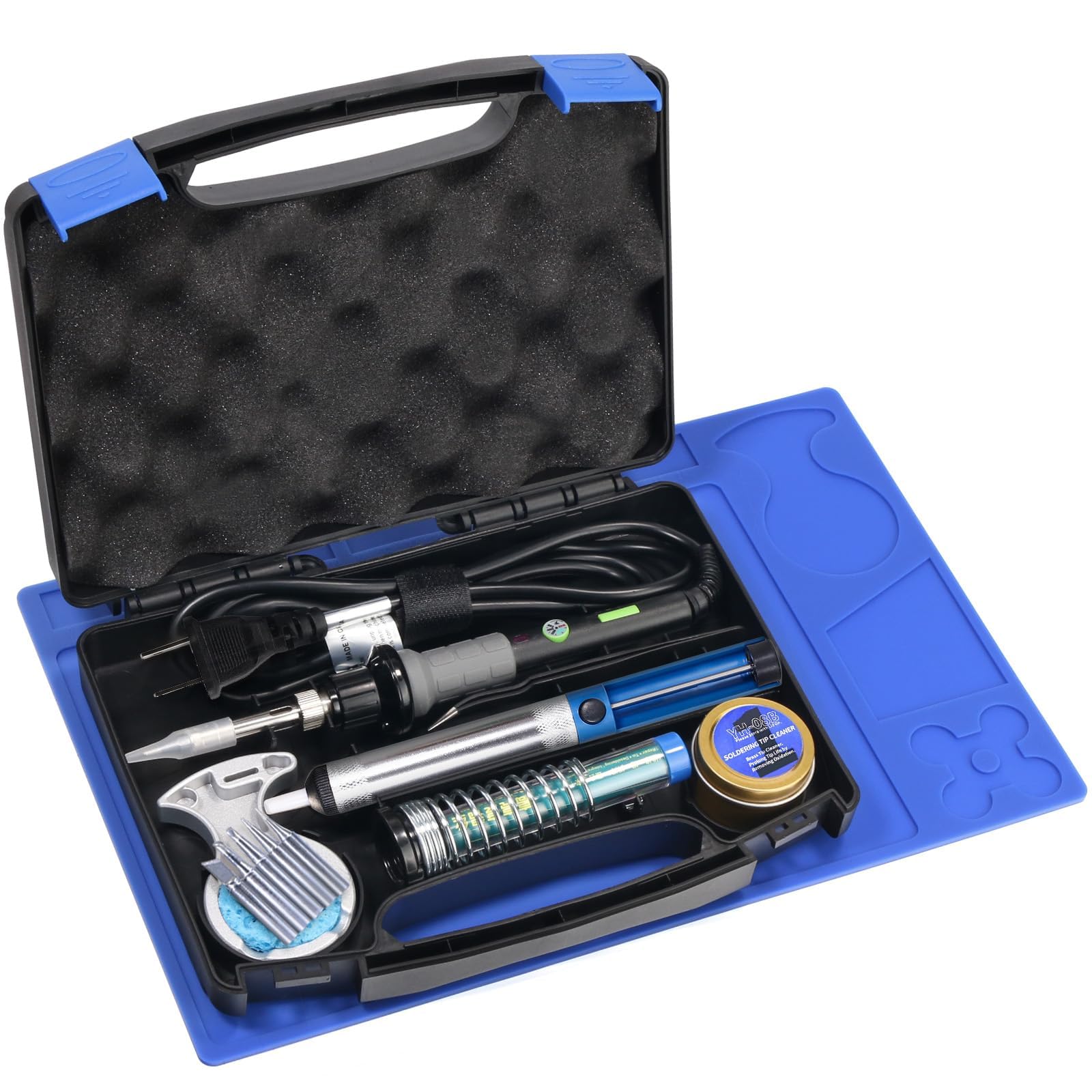
Temperature runs from 200°C to 450°C (392°F to 842°F) with an on/off switch and an anti-burn grip that stays comfortable over a long session. You also get five tip shapes — flat, pointed, angled and more — so you are not stuck with one profile for every joint. The kit ships with a desoldering pump, solder wire, an iron stand with a sponge pad, tweezers, a wire stripper, a screwdriver, and a carry case, and the lead-free solder is formulated to produce low smoke while you work.
The honest caveat sits with the heating rather than the tool count. The 4.3-star rating across roughly 97 ratings lands lower than the stations above, and some buyers report the iron does not get hot enough to melt the supplied solder at the default tip. A fresh tip and a different solder spool usually resolves that. What does cart it over the line is the tool count: the quality angle is the one buyers keep coming back to, and the 60 watts and 200°C–450°C range are the same ballpark as other pencil irons here.
What the layout gets right: a carry bag holds the iron, five tips, pump, stripper, driver and tweezers together, so the kit stays complete instead of scattering across a drawer.
Reach for this if: you are also diagnosing a fault and want the meter in the same box as the iron.
Look elsewhere if: you want a station with a built-in holder and a live temperature display — the daGodtech is a pencil iron on a stand.
3. YIHUA 947-V Soldering Iron Kit with 3 LED Lights
Built-in lighting on the iron itself, so a thin trace stays readable in a badly lit corner.
The feature that sets the 947-V apart is the trio of durable LED lights right on the iron body, plus an operation indicator that shows when the unit is live. If you solder at a desk with weak overhead light, or inside a cabinet chasing a loose connection, that light lands exactly where the tip touches the work. You can toggle the lights off when you do not need them. At 60 watts with a ceramic heating element, it runs in the same power class as the other pencil irons here, but nothing else in this line-up lights your joint for you.
The rest of the kit is built for portability. The 15-piece set packs a roll of solder, five extra tips, a desoldering pump, a cleaning sponge, an iron holder, tweezers, a tip cleaner, and a silicone pad. The iron itself is 20 centimeters long, which keeps the weight forward and controllable for nearby pads. The case has slotted inner trays that lock each accessory in place, so the kit travels without everything landing in a pile, and the master switch sits on the handle for quick shutoff between joints.
Be realistic about the temperature dial. It has two settings that feel distinct — hot and mostly hot — rather than a fine range, and the stand is the recurring weak spot, since the iron can topple off it. What wins people over here is the overall build and the completeness of the kit: the quality of the unit draws far more positive feedback than any other trait, and the LED lights and included accessories also land positively. For small, occasional jobs, the shortcomings rarely show up in the middle of a project.
Small fix worth doing: add a heavier stand or a silicone resting pad. The supplied holder is the one part that needs babying, and a solid base removes the annoyance at once.
Best match for: anyone whose workbench is short on light, or who needs a tidy kit that packs and travels.
Think twice if: you dial in precise temperatures for delicate jobs — this iron gives you coarse control, not fine.
4. WEP 926LED V3 130W MAX Soldering Station

A do-it-all station that tucks the iron holder into its own body to free up your bench.
If your soldering happens on a shared desk that doubles as a work surface, this is the one built for you. The WEP 926LED V3 folds the iron holder directly into the station’s body, so you are not chasing a separate stand that slides out of reach. The footprint comes to 4.84 by 6.3 by 4.45 inches, which is compact enough to sit beside a keyboard and still leave room for a circuit board. The holder is built from a highly temperature-resistant material, so a hot tip can rest in it without you worrying about the plastic.
Temperature is set with a control knob from 392°F to 896°F, and an LED display reads out the real-time temperature as you go. Underneath, a built-in PID microcontroller (a control chip that continuously recalculates how much heat to send to the tip) keeps the temperature steady at your setting rather than drifting, which is what separates a stabilized station from a plain pencil iron. Sleep mode kicks in after 10 minutes of disuse, holding the iron at low idle temperature to cut wear on the tip and heating element, and you can switch the readout between Fahrenheit and Celsius when following tutorials from either region.
The kit ships with a spool of solder wire, five extra soldering tips, tweezers, a desoldering pump, a tip cleaner, a soldering holder, and a solder wire dispenser across eleven items. That completeness is reflected in how owners react: the WEP’s fast heating and adjustable temperature control draw the strongest positive feedback, followed by the overall build and the value it offers, with the tip variety singled out too. It suits guitar repair, RC wiring, and general board work equally. The one recurring note is durability of the finer parts over the long haul.
Why it works on a small bench
- Integrated holder means no separate stand to knock over
- PID-controlled temperature holds steady at your setting rather than sagging
- 10-minute sleep mode protects the tip and heating element between jobs
Worth knowing before you buy
- The digital display can flicker on some units
- The housing is lightweight plastic
- Tip life over months of use is the least predictable part
The desk-space solution: pick this when the station has to share a small surface with everything else you own.
skip it if: you want a high-end build feel to match the temperature control — the housing is plastic, and it shows.
5. Weller 60W/120V Soldering Iron Kit WLIRK6012A

A single 60-watt iron from the name your grandfather soldered with, halo light and all.
This is the minimalist’s kit: one 60-watt iron, an integrated safety rest, and a 360-degree LED halo ring around the tip that lights the joint as you work. You get three tip shapes in the box — a 0.8mm conical for fine pads, a 6.4mm chisel, and a 2.4mm screwdriver — plus an iron stand, a solder aid, and lead-free rosin solder. The molded pencil grip is shaped for precision over long sessions, and swapping tips is a quick job when one wears down. For the buyer who just wants one dependable iron and nothing else to organize, that is the whole pitch.
The cord is worth a mention if you have used a stiffer iron before. It is a thin, flexible two-wire cord (UL listed, so it meets the safety standard for appliances), and it keeps the iron steady in your hand rather than fighting the cable’s memory the way a stiff cord tends to. The halo LEDs matter less in a bright shop and more as a powered indicator, but they are there when you need them. The 12.3 inch length is long enough to reach across a bench without stretching.
Here is the honest trade-off. This is a bare iron, not a station — you are not getting a temperature dial, a digital readout, or a sleep mode, so you cannot fine-tune heat the way the 926LED V3 lets you. The reliability story is also mixed: a 50-year Weller user finds the grip comfortable and the cord flexible, but the 4.3-star rating across 485 ratings reflects a product that sharpens some buyers’ loyalty and frustrates others. What wins people over is the feel in hand; the recurring complaint is about longevity, not the way it solders.
What the grip does for you: the molded handle and flexible cord make a long session on concentrated work far less tiring than a poorly weighted iron.
For the no-fuss buyer: you want one quality iron, one cable, one rest, and none of the setup fuss.
Give it a pass if: you want set-and-forget temperature control or sleep mode — this iron runs at one power level.
6. Weller 80W/120V Soldering Iron Kit with Power Grip WLIRPK8012A

The bigger Weller, built for thick wire and connectors that laugh off a small iron.
Where the 60W Weller is a generalist, the 80-watt WLIRPK8012A is aimed at bigger jobs. It carries 80 watts and ships with a 10.0mm chisel tip and a 10.0mm screwdriver tip — both large enough to lay heat across a connector or a strand of thick wire rather than dotting at it. The power grip is the headline: an ergonomic handle meant for continuous soldering, which suits laying down a line of solder in stained glass or pushing through a long run of home repairs. It weighs 9.28 ounces, a heft you feel less in the hand than in how steadily it sits in a joint.
If you have ever tried to solder a heavy connector with a small iron and ended up with the insulation melting before the joint flowed, this is the upgrade that fixes it. The 80 watts delivers heat fast enough to finish a connection before the surrounding material takes damage — though it does mean you have to work quickly, because the same heat that completes the joint will soften a connector housing if you linger. Quick tip change keeps this flexible when a job calls for a different profile, and the iron stand and lead-free rosin solder come in the box.
The range of this iron is narrower than the previous two picks — it is a fixed-output iron at 80 watts rather than an adjustable station — so plan for it as a specialist tool rather than a training kit. The 4.5-star rating across 295 ratings reflects a product that owners trust for heavy wire fittings, though some report a warm handle on the first day and a tip that burns out after a short, intense run. Consider it if your work is mostly larger connections; the pencil-fine work is better served by the WEP station.
Where it delivers
- 80 watts reaches thick wire and connectors a 60-watt iron struggles with
- Power grip handle keeps control steady through a long repair session
- 10.0mm chisel and screwdriver tips cover larger joints
Worth knowing before you buy
- One power level — no temperature dial for finesse work
- The heat means you must work quickly near a connector housing
- The tip oxidizes fast at this output; keep it tinned and wiped
Built for: the buyer whose projects run to thicker wire, coax connectors, and larger solder joints.
pass on it if: your work is small circuit-board pads — a heavy iron is the wrong tool for fine joints, and the WEP station handles that better.
7. EZTOOLS 926LED V3 60W Soldering Station
The 60-watt station that holds the board for you, so both your hands stay on the iron.
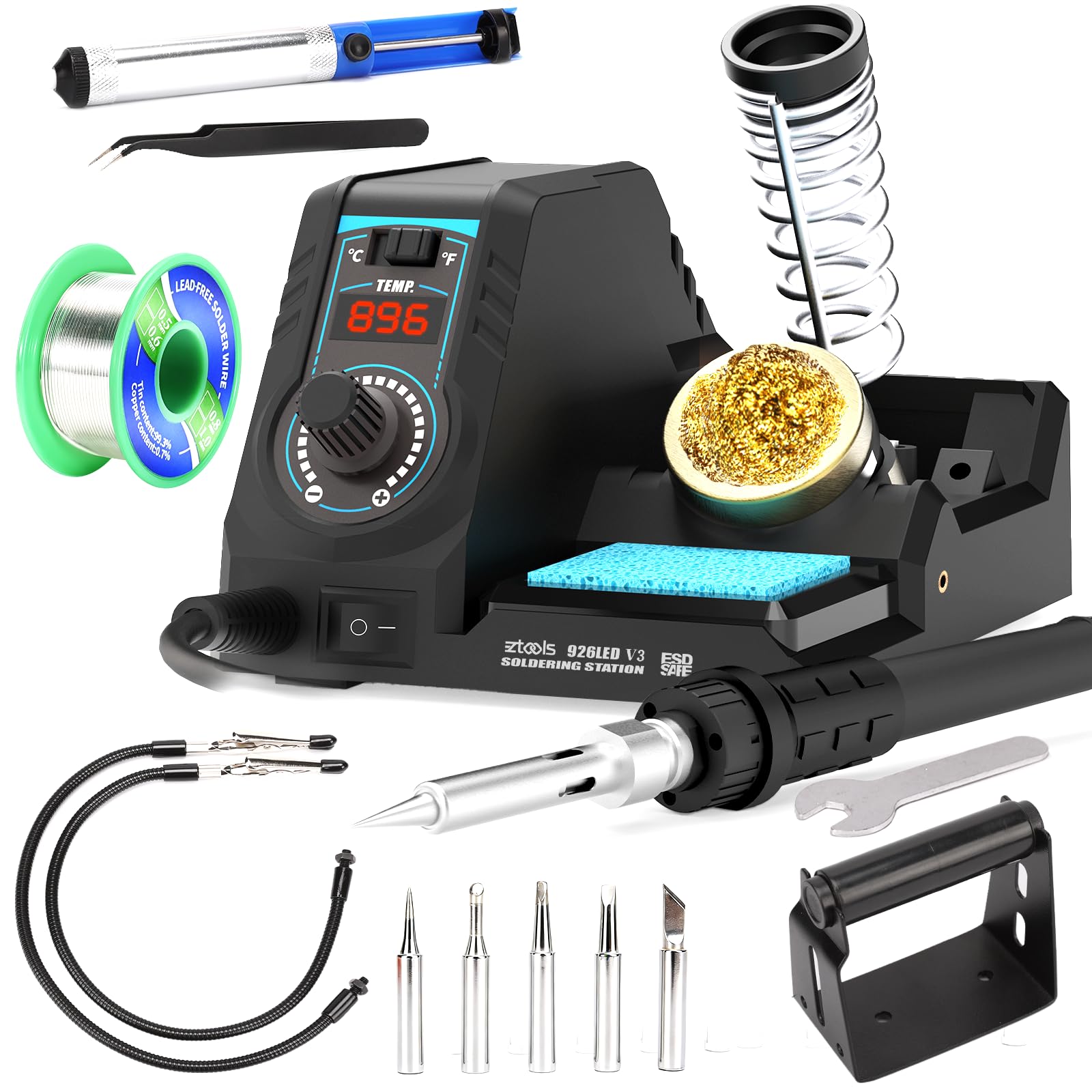
Soldering a small board with a single free hand is the beginner’s real problem, and this kit solves it with two helping hands that grip the PCB in place and cut out the wobble. Around them, the EZTOOLS 926LED V3 packs a soldering iron holder, a solder wire dispenser, a tip cleaner and a cleaning sponge into the station body, so your whole setup lives in one footprint rather than scattered across the desk. The two cleaning options — sponge for a thorough wipe, brass wool for a fast clean with minimal heat loss — mean you can get back to soldering quickly instead of waiting on a cold tip.
Temperature runs from 392°F to 896°F and holds steady at your set point using a built-in control program, with a front-panel knob to adjust and a toggle to switch between °C and °F. The station settles into sleep mode after 10 minutes of inactivity, though that interval is fixed rather than adjustable. A 60-watt iron is the sensible starting point for the surface-mount and through-hole parts a beginner meets first — SOP, DIP, SOIC and similar components are all named in the kit’s coverage. You get six tips in the box, including I, B, K, 3C, 3.2D and 2.4D profiles, plus lead-free solder, a solder sucker and ESD-safe tweezers.
Two quirks to plan around. The spool holder attaches with a single screw, so it can twist and drop the solder if you jostle it — a strip of tape or a self-tapping second screw fixes it in seconds. And temperature accuracy is the one area where feedback splits: the station heats fast and is effective for home use, but the displayed temperature does not always match the tip. Buyers also consistently describe it as reliable and good value. If you can accept that the readout is a guide rather than a guarantee, this is a well-made kit at a fair price.
The steadying factor: two alligator-clip arms hold a board in place while you work, which turns a two-handed juggling act into a single-hand operation.
Great for: a beginner who wants the station to hold the board while they get the hang of feeding solder.
One caveat to weigh: trust the tip feel over the digital readout, because the displayed temperature can drift from the real one.
8. YIHUA 926 III 60W Digital Display Soldering Station Kit

The 60-watt station with the longest track record here, and the most people to back it up.
If you want the safest bet, the YIHUA 926 III has the most owners behind it of anything in this line-up — 4.4 stars across more than 7,000 ratings. It is a 60-watt station with a wider temperature range than most of its rivals: 194°F to 896°F, controlled by a single master knob with all functions shown on the LED display. A PID temperature stabilization loop (the same chip-based control that keeps a tip at the set number rather than drifting) holds your chosen temperature, and the unit conforms to the UL Standard for appliance safety. Sleep mode is adjustable across 5, 10 or 30 minutes, and digital temperature calibration lets you dial in a true reading once the iron has warmed.
The 12-in-1 bundle covers the start-up essentials and then some: two helping hands, six soldering tips (YIHUA #1200/900M series), lead-free solder wire, a solder sucker, ESD-safe tweezers, a solder wire dispenser, a mini-wrench, and a cleaning sponge. The integrated iron holder and the protective mesh at the rear of the station — which doubles as seller-tip storage — keep the unit tidy and put the hot end out of accidental reach. °C/°F conversion, sleep mode, and the calibration function are all reached through the same knob.
What owners come back to most is the quality of the unit and how easy it is to use for small jobs; the versatility of the range is the third thing they mention. The caveats are the ones any beginner should plan for: the supplied power cord runs short, and some owners mention a wider gap than they would like between the temperature shown and the tip’s actual heat — expect to calibrate it to your own tastes. The station is aimed at casual use rather than a production bench, and at this price point that is exactly what you are buying.
What earns the trust
- Widest temperature span here at 194°F – 896°F, with PID stabilization
- 12-in-1 kit with two helping hands and six tips
- Adjustable sleep mode across 5, 10 or 30 minutes, plus digital calibration
Where to set expectations
- Power cord is shorter than most buyers want for a fixed bench
- The reading and the real tip temperature can diverge, so calibrate
- No built-in light on the iron
The low-risk first buy: pick this if you want a station with a huge body of owner experience behind it and a wide temperature range.
Look elsewhere if: you want the iron itself lit, or you work on a bench that needs a long cable — the WEP and YIHUA 947-V cover those instead.
9. Preciva 927 IV Soldering Station Kit
A magnifier and LED light over your work, plus a station that gets hot in a hurry.
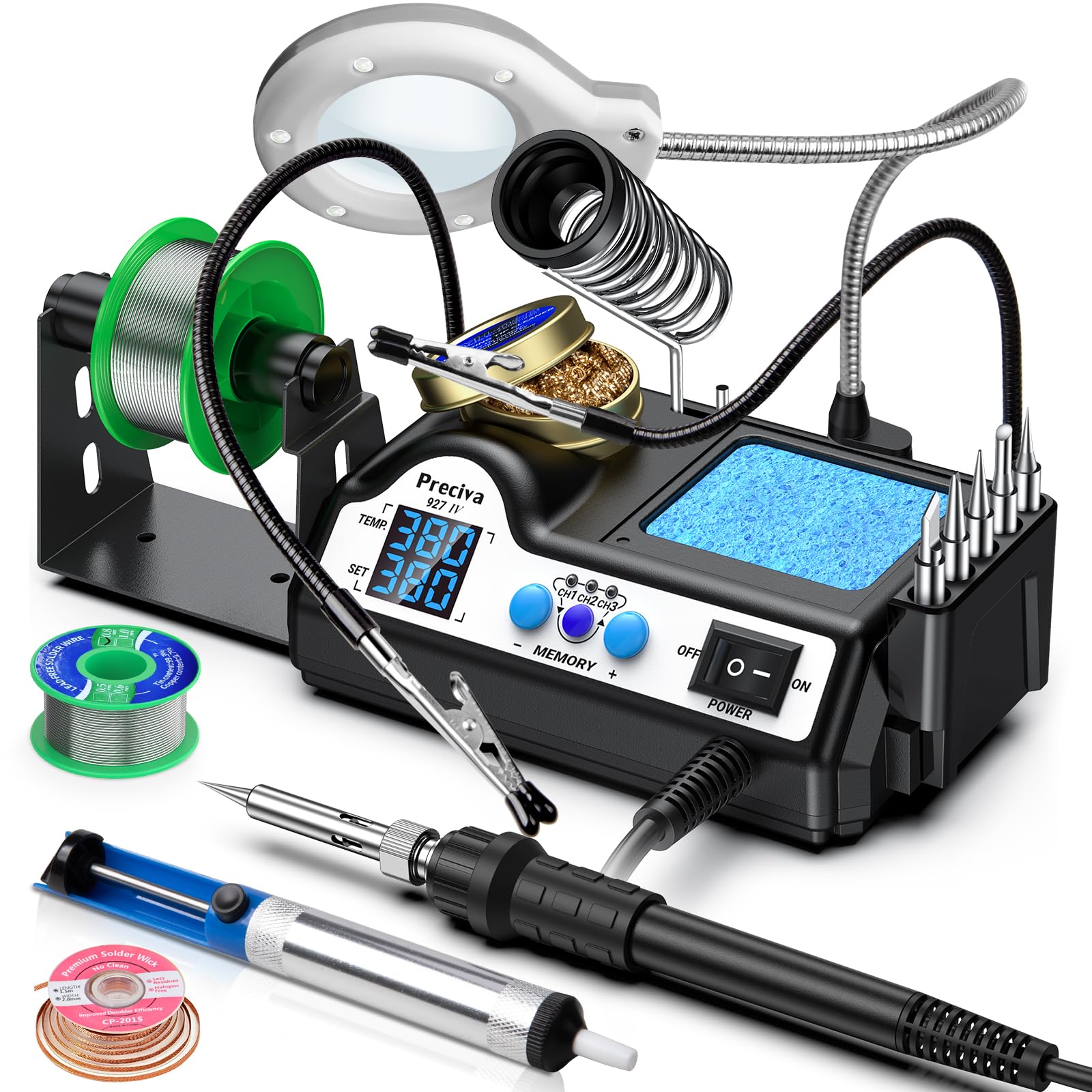
The Preciva 927 IV is the pick for anyone soldering tiny components. Its standout is a 5x magnifying glass with an LED light, mounted on the helping hands so your view of the joint is enlarged and lit at the same time. That combination turns hard-to-see work — a fine surface-mount pad, a cramped connector, a frayed wire strand — into something you can actually aim at. It is the one kit in this line-up that treats clarity as a feature, not an afterthought.
The heater is fast, with a 130-watt soldering station using a ceramic core that reaches 572°F in 15 seconds, and a temperature range you set anywhere from 194°F to 896°F. Four cooling openings at the base help the unit shed heat between jobs. What makes the temperature easy to manage is the dual display: it shows the set temperature and the actual temperature side by side, so you can watch the tip catch up to your target in real time rather than guessing. A PID control program holds that peak temperature with a stated difference of ±2°C between the displayed and actual readings. Three preset slots let you save your most-used temperatures and jump between them with one touch, and the auto sleep timer runs from 0 to 99 minutes to lower the tip when you step away.
The 18-piece accessory set covers everything: five extra tips, two helping hands with alligator clips, the magnifier, lead-free solder, solder wick, a solder sucker, a sponge, a tip cleaner, tip storage slots, and the assembly screws. In practice, owners find it a solid replacement for an old iron, with consistent temperature hold and simple controls, and the recurring nit is small — the spool holder shaft lacks a locking mechanism and can get knocked off track. At 4.4 stars it holds its ground; quality and value are what owners keep naming.
Built for precision: a lit 5x magnifier over your work is the difference between soldering by feel and actually seeing the joint go clean.
Choose this if: your projects involve small, tightly packed boards where magnification and a lit view matter most.
Consider the cheaper stations first if: your work is larger and you would not use the magnifier — you would pay for a feature you skip.
Understanding the Specs
Wattage and Heat Recovery
Wattage is how much power the iron pulls, and more of it means the tip recovers heat faster after each joint. A 60-watt iron suits thin board pads; a 100-watt or 130-watt station holds its temperature better when you are soldering thick wire that pulls heat away from the tip. For a beginner’s first projects, 60 watts covers most repairs. Move up only when your work runs to heavier gauge wire or larger connectors.
Temperature Range and the Display
An adjustable range lets you drop heat for delicate plastic-mounted parts and raise it for stubborn joints — 356°F to 896°F is common on stations, while some pencil irons offer a fixed output. A digital display shows the set or live temperature so you can repeat a good setting. Watch for calibration: the number on the screen can drift from the actual tip temperature, so a large reading is a guide, not a promise.
Sleep Mode and Tip Life
Sleep mode lowers the iron’s idle temperature when you set it down, cutting oxidation on the tip and wear on the heating element. The delay before it kicks in varies — 5, 10, 30 minutes or an adjustable window. Treat it as a free way to extend the life of your tip between sessions without unplugging the iron. Pair it with the on/off switch for the moments you are stepping away for good.
Tips, Helping Hands, and Other Kit Extras
Tip shape decides what you can solder: fine conical tips reach small pads, chisel and flat tips carry heat into larger joints. Five or six tips in the box cover most beginner tasks. Beyond tips, the helpers that matter are a stand or holder for the hot iron, a desoldering pump for removing old solder, and helping hands to hold the board steady while both your hands work the iron and the solder.
FAQ
How many watts does a beginner soldering kit need?
Why does the temperature on the display not match the tip?
What is the difference between a soldering station and a pencil iron?
Which soldering tip should I start with?
Can these kits run on a 220V outlet outside the US?
Do I really need the helping hands and the desoldering pump?
How do I stop the soldering iron tip from burning out?
Is a kit with a multimeter worth it for a beginner?
What temperature should I solder at?
Final Thoughts: The Verdict
For most beginners, the beginner soldering kit winner is the Crtsweker 938 100W Digital Soldering Station Kit — it brings the highest wattage of the mid-range group, a full helping-hands-and-tools bundle, and a safety switch that matters for a first station. If desk space is tight, the WEP 926LED V3 folds its holder into the body and holds temperature with a PID loop, and it carries the largest spread of owner feedback in this line-up. For fine work under magnification, reach for the Preciva 927 IV — its lit 5x magnifier is the feature that pays off on small boards. Whichever you pick, match the wattage and tip shape to the joints you will actually solder, not the accessory count.
How We Picked
We do not accept paid placement. Every pick is matched to a real buyer and a real use-case; we do not hands-on test units.
Sources & Methodology
Specifications: manufacturer listings and product documentation. Review insights: verified customer reviews, as of September 2026. Pricing: not shown on this page (it changes often); check the current price via the retailer link.
As an Amazon Associate, KitchPrep earns from qualifying purchases. This does not affect which products we feature.
Related Guides
