
Specs are compiled from manufacturer listings and verified buyer reviews and can change over time — please confirm the key details on the product page before buying.
An automatic button pusher is a small motorized arm that sticks onto a wall switch, coffee maker, or appliance and physically presses the button for you — on a schedule, from an app, or with your voice. The real question for most buyers is simple: which one actually pushes reliably every single time, and which needs a separate hub to do more than sit next to the switch?
I’m Mohammad Maruf — the founder and writer behind KitchPrep. This guide is built by comparing the manufacturers’ published specifications and the patterns across verified customer reviews, so you get each pick’s real strengths and trade-offs instead of marketing spin.
Find the right automatic button pusher by matching its arm reach, app, and hub needs to the exact switch in your home.
Our Picks at a Glance

How To Choose The Best Automatic Button Pusher
Before you buy, you need to know what kind of switch or button you are pushing. A wide rocker switch, a small round button on a coffee maker, and a recessed power button on a generator all demand different arm lengths and swing angles from the bot.
Match the pusher to your switch type
Most of these devices handle rocker switches and one-way push buttons, but not toggle switches, touch panels, or stiff aged buttons. If your switch is recessed or needs a long reach, look for a model that lets you swap or adjust the arm — some accessory kits add different finger lengths.
Decide if you need a hub
Bluetooth control works when you are nearby, but voice control through Alexa or Google Assistant and remote control from away usually need a separate hub. Check whether the hub is included or sold separately, and confirm it uses 2.4 GHz Wi-Fi rather than 5G before you commit.
Quick Comparison
| Model | Best For | Connectivity | Current Rating | Power Source | Amazon |
|---|---|---|---|---|---|
| SwitchBot Fingerbot (Rocker) | Rocker switches with app schedules | Bluetooth, Matter, Wi-Fi | 1 A | CR2 battery | Amazon |
| SwitchBot Smart Switch Fingerbot | Proven mass-market pick | Bluetooth | 50 mA | CR2 battery | Amazon |
| MOES Fingerbot Plus | Touch button control | Bluetooth | 15 A | CR2 battery | Amazon |
| MoesGo Fingerbot Plus 2nd Gen | Modular arm swaps | Bluetooth | — | CR2 battery | Amazon |
| MOES Zigbee Fingerbot Plus | Zigbee smart home setups | ZigBee | — | Battery | Amazon |
In‑Depth Reviews
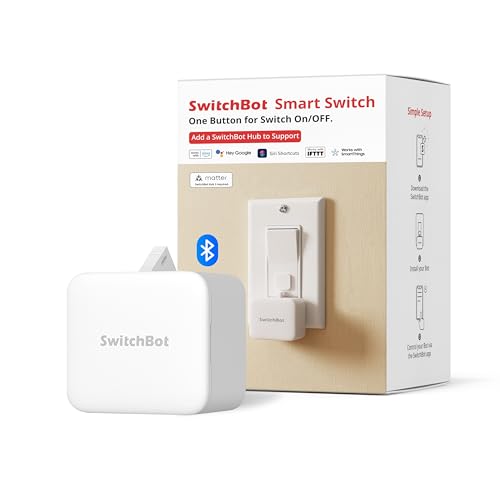
1. Switchbot Bluetooth Fingerbot Button Pusher for Rocker Switches
The rocker-switch specialist that wins owners over with build quality you can feel.
This pusher lets you turn bedroom lights, fans, and appliances on and off from your phone without any rewiring. It supports rocker switches and one-way buttons — not toggle or mini switches — so check your wall plate before ordering.
Its defining advantage is connectivity. Alongside standard Bluetooth, it works with Matter and Wi-Fi, and the compatibility range is wide — coffee makers, AC units, garage doors, and general appliances are all in the official list. You get built-in timers that keep running in the SwitchBot app even when your phone is not nearby and no hub is attached.
You get a strong adhesive and easy setup that buyers report make daily use a win, even though the maker claims a 15.0x current-handling gap over the older model — rated at 1 A here versus just 1 A on the other SwitchBot unit. Owners single out how well it works with fan remotes and Alexa voice scenes, praising the quality. The recurring gripe is setup complexity: voice control and away access need the optional SwitchBot Hub, and the hub software gets called unintuitive, especially for Apple Home. On flush rockers, some owners found the arm dips and can pull off the wall — so treat flatter switches cautiously.
What wins people over
- Strong adhesive holds well on clean, dry surfaces
- Rated 1 A for switching capability
- Bluetooth, Matter, and Wi-Fi connectivity
Reality check
- Voice and remote control require a separate SwitchBot Hub
- Occasional arm misalignment on flush rocker switches
The pick for: Anyone with standard rocker switches who wants dependable app timers for coffee or lights without a hub.
Think twice if: Your switches sit flush and flat — the arm fit can be finicky there, and voice control demands an extra hub purchase.
2. Switchbot Smart Switch Button Pusher (Bluetooth)
A massive owner base and rock-solid automation make this the crowd favorite.
This is the SwitchBot variant of the button pusher that runs on Bluetooth with a 50-milliamp current rating — a fraction of the higher-current model above — and it has earned a massive following. It is a pearl-white push-button actuator aimed at air conditioners and one-way buttons, with physical contact switching.
Owners praise the deep integrations most, and you get Apple automations and scenes from the start — owners mention using it to fire a sauna power button from anywhere. The 1-year warranty with free replacement for quality issues adds genuine confidence that cheaper rivals do not match.
The catch is the ecosystem push. The most common buyer complaint calls the basic app functionality “crippled” unless you add the separate SwitchBot Hub — widgets, Siri, Google Home, and IFTTT all sit behind that + purchase. Customers note the unit can be unreliable on rocker switches until you adjust the arm swing, though the same owner notes customer service was excellent and offered a refund. This is best understood as a Bluetooth-first device for single-button automation, not a full smart-switch replacement without extra hardware.
Highlights
- Deep Apple Home and automation scene integration
- 1-year warranty with free replacement
- Established reliability across a huge owner base
Watch out for
- Widgets and voice need the separate Hub
- Rocker switches may need arm adjustments
Best suited to: Apple home users who want scene automation for basic buttons and value the warranty support.
Not ideal if: You refuse to buy the hub — this one pushes you toward it harder than the competition.
3. MOES Fingerbot Plus Smart Button Pusher

This MOES unit adds a touch button on the device itself so you can nudge the arm by hand.
MOES positions this as the Fingerbot Plus, meaning you get a built-in touch button to run the robotic arm on demand — handy when you are right there but still want the smart scheduling. It runs on a CR2 battery that is included, and the current rating sits at a beefy 15 A, a huge jump in switching capability versus the low-current switchbot entries above.
You can use it with computers, TVs, floor robots, garage doors, and wall switches — as long as they are not touch-screen buttons. It pairs with the Smart Life app over Bluetooth, and reviewers point out clever wins: resetting a furnace boiler remotely via a smart gate, starting a 3D printer filament dryer, and reaching a Cricut power button that is otherwise awkward.
The honest trade-off is connectivity. It will not work over Wi-Fi without the Tuya Bluetooth hub, and one owner hit a hard wall trying to connect it at all, with support unable to help. A few also note the included sticky tape can fail, with one buyer resorting to a rubber band hack to keep it mounted. The battery is replaceable, but not rechargeable, so plan for periodic swaps.
Strengths
- High 15 A current rating
- Built-in touch button for manual arm control
- Broad appliance compatibility list
Limitations
- No Wi-Fi without the separate Tuya hub
- Sticky tape may need reinforcement
Reach for this if: You want the rare combination of a high current rating plus a manual touch button for quick local presses.
Look elsewhere if: Stable Wi-Fi connection is a must — this one depends on Bluetooth and an optional gateway.
4. MoesGo 2nd Generation Smart Bluetooth Fingerbot Plus

This rocker bot stands out for its modular arm, letting you swap in tool packs for different jobs.
This second-generation MoesGo unit is built around a modular design — the arm can be replaced with various tool pack options to extend its capability, which is a flexibility the fixed-arm competition lacks. It pairs over Bluetooth for direct point-to-point control, and its IP54 rating means it shrugs off dust and splashing water better than most rivals, which are often unrated.
Owners confirm it is excellent for coffee machines with round buttons — one buyer replaced a SwitchBot that failed 10-15% of presses on a Jura Z10 because this one pushes straight down reliably. Scheduling works with the timer and countdown functions, and it plays nicely with Alexa and Google Home once you add the Tuya Bluetooth hub.
The durability record is the thing to weigh. A long-term owner loved using it to pre-cool their air conditioner but saw one of two units break within a year. Others report the battery contact can lose pressure in high-vibration settings, so bending the contact forward is a known fix. It runs on CR2 batteries from any drugstore. Remember the printed warning too: it will not function in humid environments.
What stands out
- MODULAR ARM design with swappable tool packs
- IP54 rating against dust and water
- Reliable straight-down presses on round buttons
What to watch
- Lengthy durability is not guaranteed — one unit died within a year
- Not for humid environments
Choose it for: Coffee machines with round power buttons and any setup where you want to swap arm tools.
Pass if: You need a device that lasts years — the reliability record here is genuinely mixed.
5. MOES Rock Switch Fingerbot Gen 3
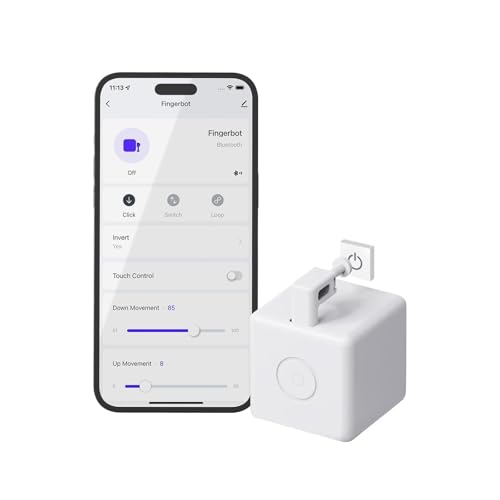
For Zigbee households, this Fingerbot skips Bluetooth and speaks directly to your smart hub.
This variant uses Zigbee rather than Bluetooth, which changes everything about how it fits your home. It is a surface-mount device with a multi-way circuit type that works on separate lights, and it demands a MOES Zigbee Gateway — this is non-negotiable, and the connection runs only on 2.4GHz Wi-Fi, never 5G.
The built-in touch button means you can still nudge the arm manually when you are in the room, and the MOES app enables scene linkage with other MOES smart products. Shoppers say it pairs cleanly with the Smart Life app and Amazon Echo devices, with easy installation using the included wire markers.
There are two genuine trade-offs here. First, you must have a constant hot and neutral wire, which not every wall box provides. Second, the reliability story is split — while many units work flawlessly, one owner who bought ten reported roughly half failing, and the device can be too large for standard electrical boxes already stuffed with thick cables. This is a niche pick for committed Zigbee users, not a first-timer’s device.
Pros
- Native Zigbee protocol for hub-based homes
- Built-in touch button for manual control
- Scene linkage with other MOES smart products
Cons
- Hard requirement for MOES Zigbee Gateway
- Needs constant hot and neutral wiring
- Mixed reliability reports on larger batches
Made for: Existing MOES or Zigbee smart home users who want another node in their mesh network.
Avoid if: You lack a Zigbee hub or your wall box lacks constant hot and neutral wires — it will not function.
Understanding the Specs
Bluetooth Range vs Hub
Bluetooth control works only when your phone is within range — typically about 10 meters — which is fine for a bedside lamp but useless from the office. A separate hub bridges the bot to your Wi-Fi network, open up voice control and remote access from anywhere. Check if the hub is included or sold separately, and confirm it needs 2.4 GHz Wi-Fi rather than 5G.
Press Mode vs Switch Mode
Press Mode handles simple one-way buttons — it pushes in and releases. Switch Mode is for rocker switches that need a push on one side and a pull on the other, which usually requires an add-on accessory. Most bots cannot do both from the start, so match the mode to your actual switch before buying.
FAQ
Will an automatic button pusher work on any switch in my home?
Why does my button pusher need a separate hub for voice control?
How long does the battery last in these button pushers?
What is the difference between Press Mode and Switch Mode?
Will this stick to my wall switch reliably?
Can I use a button pusher on a recessed or hard-to-reach switch?
What is the difference between Bluetooth and Zigbee button pushers?
Why is my button pusher missing presses on some switches?
Can I control the pusher when I am away from home?
Are these devices safe to attach to electrical switches?
Final Thoughts: The Verdict
For the majority of shoppers, the automatic button pusher winner is the Switchbot Bluetooth Fingerbot because it pairs the strong adhesive and quality feel owners rave about with Matter and Wi-Fi support for future-proofing. If you want deep Apple Home automation and a warranty, grab the Switchbot Smart Switch with its proven track record. And for whole-home setups, the MOES 2-Pack with Hub removes the single biggest friction point — the separate hub purchase — and gives you two bots plus voice control in one bundle.
How We Picked
We do not accept paid placement. Every pick is matched to a real buyer and a real use-case; we do not hands-on test units.
Sources & Methodology
Specifications: manufacturer listings and product documentation. Review insights: verified customer reviews, as of September 2026. Pricing: not shown on this page (it changes often); check the current price via the retailer link.
As an Amazon Associate, KitchPrep earns from qualifying purchases. This does not affect which products we feature.
Related Guides
