
Specs are compiled from manufacturer listings and verified buyer reviews and can change over time — please confirm the key details on the product page before buying.
If your smart home currently means six apps, three bridges, and a light that only works when the internet feels like it, you already know the real problem. A proper automated home system puts one brain in charge of all of it — lights, locks, thermostats, sensors, cameras — and runs your daily routines without you touching a phone. This guide ranks nine hubs that actually coordinate a whole house, from beginner-friendly plug-and-play boxes to deep tinkerer platforms, and tells you plainly which one fits your setup and which one will just frustrate you.
I’m Mohammad Maruf — the founder and writer behind KitchPrep. This guide is built by comparing the manufacturers’ published specifications and the patterns across verified customer reviews, so you get each pick’s real strengths and trade-offs instead of marketing spin.
Some hubs in this list run everything on your own network so your routines keep working when the internet drops, while others lean on voice assistants and cloud apps for convenience. Below you get nine honest picks, sorted so you can match one to your house before you buy, and you will see exactly which automated home system earns a permanent spot in your setup.
Our Picks at a Glance


How To Choose The Best Automated Home System
A home automation hub is the box that pulls every smart gadget in your house into one place and runs your routines. Buy the wrong one and you either outgrow it in a month or spend a weekend fighting software. Buy the right one and your lights, locks and thermostats run on one schedule without daily app-checking.
Count the devices you own before you count the features
Every hub has a practical ceiling on how many gadgets it can juggle. A beginner-friendly box that comfortably handles a few dozen devices is plenty if you are starting out. But if you already own thirty switches and sensors, you want a hub with headroom — otherwise you will be rebuilding your setup on a second device later. Check the Zigbee and Thread device limits before you commit.
Decide how much “in the cloud” you can tolerate
Some hubs run your automations on the box itself, so a dead internet line does not stop your hallway light from coming on at sunset. Others lean on cloud services, which is fine until your connection hiccups. If reliability is the point, favor a hub that processes scenes locally. Cloud-dependent designs are simpler to set up but hand more control to someone else’s servers.
Match the hub to the wall you have, not the wall you want
Wall-mounted touch panels are brilliant above a kitchen counter or by the front door, because guests and family can tap a button without learning an app. Headless plug-in hubs hide behind a TV unit and do their work invisibly. Neither is better — the question is whether the people in your house will actually open an app, or whether they need a screen they can poke.
Quick Comparison
| Model | Best For | Radios / Protocols | Setup Style | Control Method | Amazon |
|---|---|---|---|---|---|
| Home Assistant Green★ Best Overall | Beginners who want real depth | Ethernet, USB (Zigbee/Z-Wave/Thread via USB) | Plug in power + Ethernet | Home Assistant OS app and dashboard | Amazon |
| Aqara Smart Hub M200Most Versatile | Mixed Aqara, Apple and Matter setups | Matter, Thread, Zigbee, Wi-Fi, IR, PoE | Wired or wireless | Aqara Home app, voice, Matter apps | Amazon |
| Insteon Central Controller HubLegacy Pick | Existing Insteon households | Insteon with Alexa and Google Assistant | Ethernet + power cord | Director mobile app, voice | Amazon |
| Echo Hub (Like-New) | Alexa households and wall control | Wi-Fi, Bluetooth, Zigbee, Matter, Sidewalk, Thread | Wall mount or table stand | 8-inch touchscreen, voice | Amazon |
| Aeotec Smart Home Hub | Big mixed-brand device fleets | Matter, Z-Wave Plus, Zigbee, Wi-Fi | Wi-Fi or Ethernet in minutes | SmartThings app, voice | Amazon |
| MOES Smart Control Panel L | Tuya and Smart Life households | Zigbee gateway built in, Wi-Fi | Wired or wireless, TYPE-C or circuit | 5-inch touchscreen, Alexa built in | Amazon |
| Hubitat Elevation C-8 Pro | Power users leaving other platforms | Z-Wave 800 Series, Zigbee 3.0, Matter 1.5, Bluetooth | Wi-Fi or Ethernet, external antennas | Web and app dashboards, voice via ecosystems | Amazon |
| Homey Pro mini | Simple whole-home control from the start | Zigbee, Matter, Thread, Ethernet | Plug in and go | Homey app, Siri, Alexa, Google | Amazon |
| Homey Pro (Early 2023) | Multi-brand homes with every protocol | Wi-Fi, Zigbee, Z-Wave Plus, Infrared, BLE, Matter, Thread | Plug in locally, no bridge needed | Homey app and web app, Siri, Alexa, Google | Amazon |
In‑Depth Reviews
1. Home Assistant Green | Smart Home hub with Advanced Automation | Official Home Assistant Hardware
Our pick — over 4★ from 850+ verified ratings; the strongest balance of quality and price.
The quiet box that turns a pile of mismatched gadgets into one working house
Home Assistant Green is the easiest doorway into Home Assistant, the automation platform tinkerers have trusted for years. The deal is simple: plug in the included power supply and the Gigabit Ethernet cable (that is the fast wired network connection, good for a stable signal), and the software is already installed. No laptop, no flashing, no command line. It runs Home Assistant OS on a quad-core processor with 32GB of storage and 4GB of LPDDR4X RAM, which is the working memory that keeps your dashboard and automations snappy.
What wins people over is how far one small box scales. It is fanless and silent, and it pulls only a couple of watts of power. Buyers report it controlling 60+ devices flawlessly after a year, and the platform supports HACS (a community add-on store for extra features), Alexa, and a long list of integrations. If you eventually want Zigbee, Z-Wave or Thread radios, you add them later through the USB ports rather than buying a whole new system — real room to grow. Local processing means your doorbell routine and your sunset lights keep running even when your internet dies, and your data stays on the device, not someone’s server.
The catch is honest and worth knowing up front. Beginners do fine — “I found it very easy to get going with home automation having this unit,” one buyer puts it, adding that after a few weeks installing plug-ins like Node-RED they were very happy. But if your house is built on Alexa-brand switches and plugs, know that integrating 30+ existing Alexa devices can mean replacing hardware, not just adding a hub. That is a migration decision, not a defect. Budget a weekend for your first serious automation and this thing will outlast three generations of app updates.
Why It Earns The Top Slot
- Software comes pre-installed — plug in power and Ethernet and you are running, which is why it is the friendliest first step into real home automation
- Quad-core processor with 32GB storage and 4GB LPDDR4X RAM gives you headroom that cheap hubs run out of
- USB expandability adds Z-Wave, Zigbee and Thread later, so the hub grows with your house instead of getting replaced
- Runs your automations locally and keeps your home data on the device — privacy without a subscription
Where It Makes You Work
- Deep customization is the point, so the platform rewards patience — this is not a two-tap setup
- Existing Alexa-brand switches and plugs may need replacing rather than importing
Reach for this if: you want one hub that will still be relevant in five years and you do not mind learning a real platform — the crowd favorite here at 4.4 stars across 800+ ratings.
Think twice if: you want zero setup effort and only ever plan to run a handful of voice-controlled lights.
2. Aqara Smart Hub M200, Matter Controller, Featuring Aqara Zigbee, Wi-Fi, IR
A tiny hub that speaks nearly every language your devices might speak
The Aqara M200 is the pick for anyone sitting on a mix of Aqara gear, Apple Home gadgets, and older Zigbee sensors. It handles Zigbee, Wi-Fi, Thread and Matter all at once, and it can act as a Matter Controller, a Thread Border Router (the box that lets Thread devices talk to your wider network), and a Matter Bridge — which means it pulls third-party devices into the Aqara Home app and can pass Aqara-only features back out to Home Assistant, Apple HomeKit, Alexa and Google Home.
At 4.6 ounces it is a pocket-sized puck, and here is where the weight matters: the Insteon hub further down this list tips the scales at 13.6 ounces, so the M200 is roughly a third of that bulk and easy to tuck behind a shelf. Connectivity is genuinely flexible — dual-band Wi-Fi on 2.4 and 5 GHz with WPA3 security, Power over Ethernet (PoE, meaning one cable carries both data and power), and a USB-C port that can run off a power bank if you want a mini backup. That is a lot of resilience in a small package.
It supports up to 40 Aqara Zigbee devices and 40 Thread devices, which is plenty for most homes. What wins people over is compatibility — the hub plays nicely with Home Assistant, Apple Home and non-Aqara Matter devices alike, and the built-in 360° IR blaster can control a traditional air conditioner and even report back what the remote is doing. Set realistic expectations on setup, though. As one buyer summed it up: “Took some time to setup. Also frequently disconnected from the older zigbee sensors I had but after some network configuration and time it seems to have stabilized.” A quirky network or an older sensor crop can mean some fiddling before it settles.
Where it shines: turning one wall-mounted IR-controlled air conditioner into a Matter-visible device with proper temperature automation is the trick nobody else in this list pulls off so cleanly.
The fine print: some flows want IPv6 networking (a newer addressing scheme), so check your router before you commit to a lock-plus-hub combo.
Buy it if your house already runs Apple Home or Aqara gadgets and you want a small, protocol-rich bridge that earns its shelf space.
Skip the hassle if you are expecting a pure one-tap setup — this one rewards a little patience on day one.
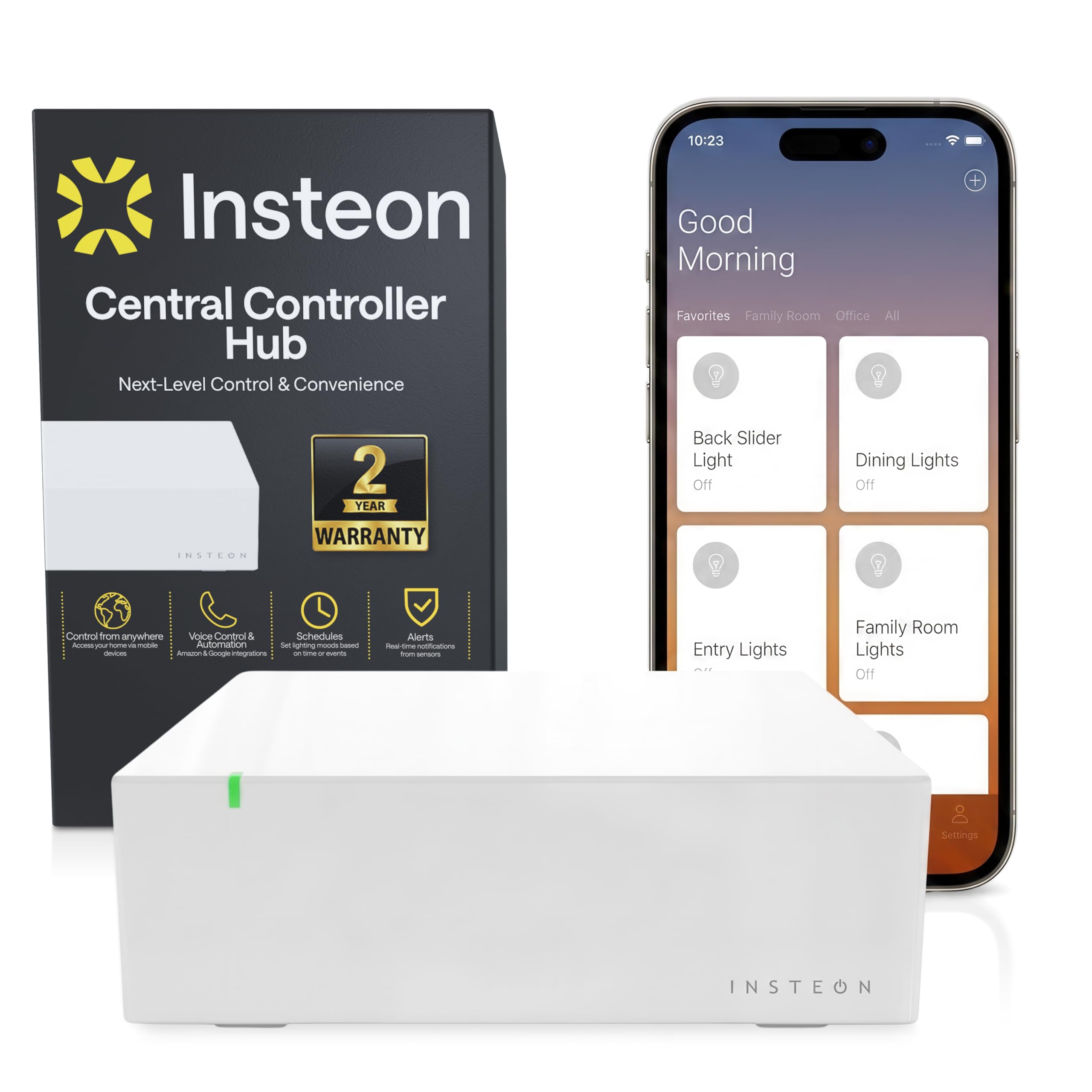
3. Insteon Central Controller Hub, Compatible with Alexa, 2245-222
For the house that already speaks Insteon and wants it to keep speaking it
If you have a drawer of Insteon switches, this is the pragmatic upgrade rather than a new ecosystem. The Hub 2 bundles Connected Home Access for the first year, so remote control through the Director mobile app works straight away, and it hooks into Alexa or Google Assistant for hands-free commands and custom routines. Scenes can trigger by time of day, by weekday, or by local sunrise and sunset with adjustable daily offsets — the kind of scheduling that makes porch lights feel automatic instead of over-engineered.
Pair it with Insteon motion sensors, leak detectors or door contacts (all sold separately) and you get real-time push alerts for motion, water and open doors. Your scenes, schedules and device setup get backed up to the cloud automatically, so a hub failure does not wipe your entire home configuration. The box itself is a small square unit with an LCD display — modest hardware that quietly does its job.
Be clear-eyed about the trade-offs. Reviews split hard: some call it excellent for small setups and first-timers, while others report the hub occasionally missing scheduled scenes or a unit dying after a couple of years. One recurring note is that the web interface is thin and the scripting options are limited to on/off style scheduling. If you own a large Insteon investment, those are annoyances you can live with. If you do not, this is probably not the platform to start on today — the Matter-native options above are a better long-term bet.
Worth it if you are already invested in Insteon switches and want voice control and remote access without ripping out your wiring.
Move on if you are starting fresh — Matter and Thread hubs give you far more forward compatibility for the same effort.
4. Like-New Amazon Echo Hub, 8” smart home control panel, Designed for Alexa+, Compatible with thousands of devices
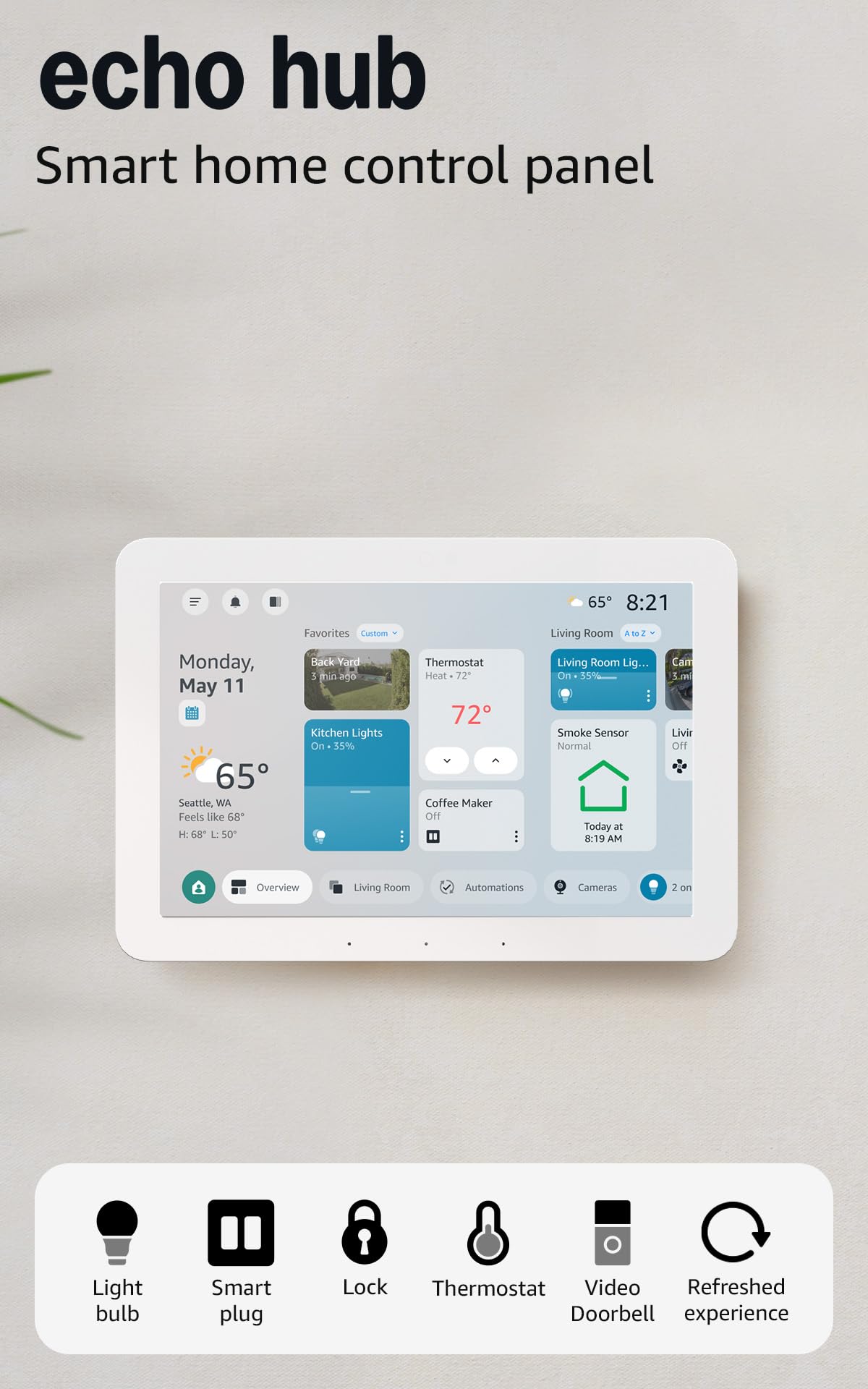
The wall panel your whole household can tap without opening a single app
This is the pick for the person who is tired of explaining the app to guests. The Echo Hub is an 8-inch touchscreen control panel built for Alexa households, and it mounts on a wall anywhere you have an outlet — or sits on a tabletop stand. Tap the display or just ask, and you can flip lights, check camera feeds, start routines, and arm or disarm a compatible security system without hunting for a phone. It talks to Wi-Fi, Bluetooth, Zigbee, Matter, Sidewalk and Thread devices, so most modern gadgets sync straight in.
Since this is Amazon’s certified refurbished “Like-New” version, you get the tested hardware with the same limited warranty as new — a smart way to put a screen in a hallway without paying brand-new money. It also supports an in-wall cable pass-through or a Power over Ethernet adapter (both sold separately) to keep the wall clean, and it is built with multiple privacy layers plus a mic-off button. Do not expect hifi, though: the built-in audio is serviceable for voice replies and not much more.
Honesty time — this one is divisive, and the reviews say so. Some households love it, reporting it solved signal dead zones across rooms and instantly recognized cheap no-name Matter shades. Others found the touchscreen unresponsive and the interface not intuitive enough. The distance from “works great” to “frustrating” is real here. The safest setup is an Alexa-heavy home that already has a few devices, where the panel is a convenience layer on top of something that already works — not the very first hub you buy.
Who it is for: Alexa-first homes with multiple devices where a wall screen helps the whole family, not just the tech person.
Where it strains: solo beginners building their first smart home will find the interface and touch response uneven.
Pick it when you want an always-visible control panel in the kitchen or by the door and your home already lives inside Alexa.
Hold off if you need a rock-solid first hub — the touch and reliability reports are simply too mixed to be the foundation layer.
5. Aeotec Smart Home Hub, Works as a SmartThings Hub, Z-Wave, Zigbee, Matter Gateway, Compatible with Alexa, Google Assistant, WiFi

The workhorse hub that swallows an entire house of mixed-brand hardware
If you have a sprawling mishmash of locks, switches and sensors, this Aeotec hub is built for you. It is certified for Matter, SmartThings, Z-Wave Plus, Zigbee and Wi-Fi — essentially every major radio you are likely to own — and manages it all through the SmartThings app. Setup runs on Wi-Fi or Ethernet and takes minutes, and many of your automations now run locally on the hub for faster response. With Z-Wave Plus frequency at 908.42 MHz, it is tuned for North American device fleets.
This is the most-reviewed pick here by a wide margin, and the reason is simple: it just works for a huge range of devices, including orphaned brands like LeakSmart whose parent company no longer exists. Pairing is usually quick — the review pages are full of setups that paired locks, switches and plugs in a single evening, with support replying fast when a stubborn Z-Wave lock needs a specific exclusion-and-re-pair routine. Importantly, Z-Wave devices do not vanish into the cloud — your automations keep running even when the internet drops.
The honest caveat is migration pain, not daily use. A few reports mention that the connected app can get sluggish or spin on certain screens, and moving an existing network over is fiddly: when you swap from an old hub, some devices must be manually cleared and reset first, and a handful of stubborn switches can be lost in that process. That is a one-time chore, not an ongoing flaw. Once you are through it, the Aeotec is a set-and-forget brain for a big home.
What makes it the safe bet
- Five certified protocols — Matter, Z-Wave Plus, Zigbee, Wi-Fi and SmartThings — in one box
- Mostly local automations mean your routines survive an internet outage
- Huge device compatibility, from mainstream locks to orphaned brands no other hub supports
What to brace for
- Migrating from an old hub can mean manually excluding and re-pairing every device, and a few may not survive the swap
- The app occasionally runs slow on certain screens and may need a restart
Best fit: large mixed-brand homes where you already own Z-Wave and Zigbee gear and want one app to tie it all together.
Reconsider if you want a daintier, entirely cloud-free platform with zero migration effort — this one is built for scale, not novelty.
6. MOES Smart Home Control Panel with Alexa Built-in, Zigbee Hub
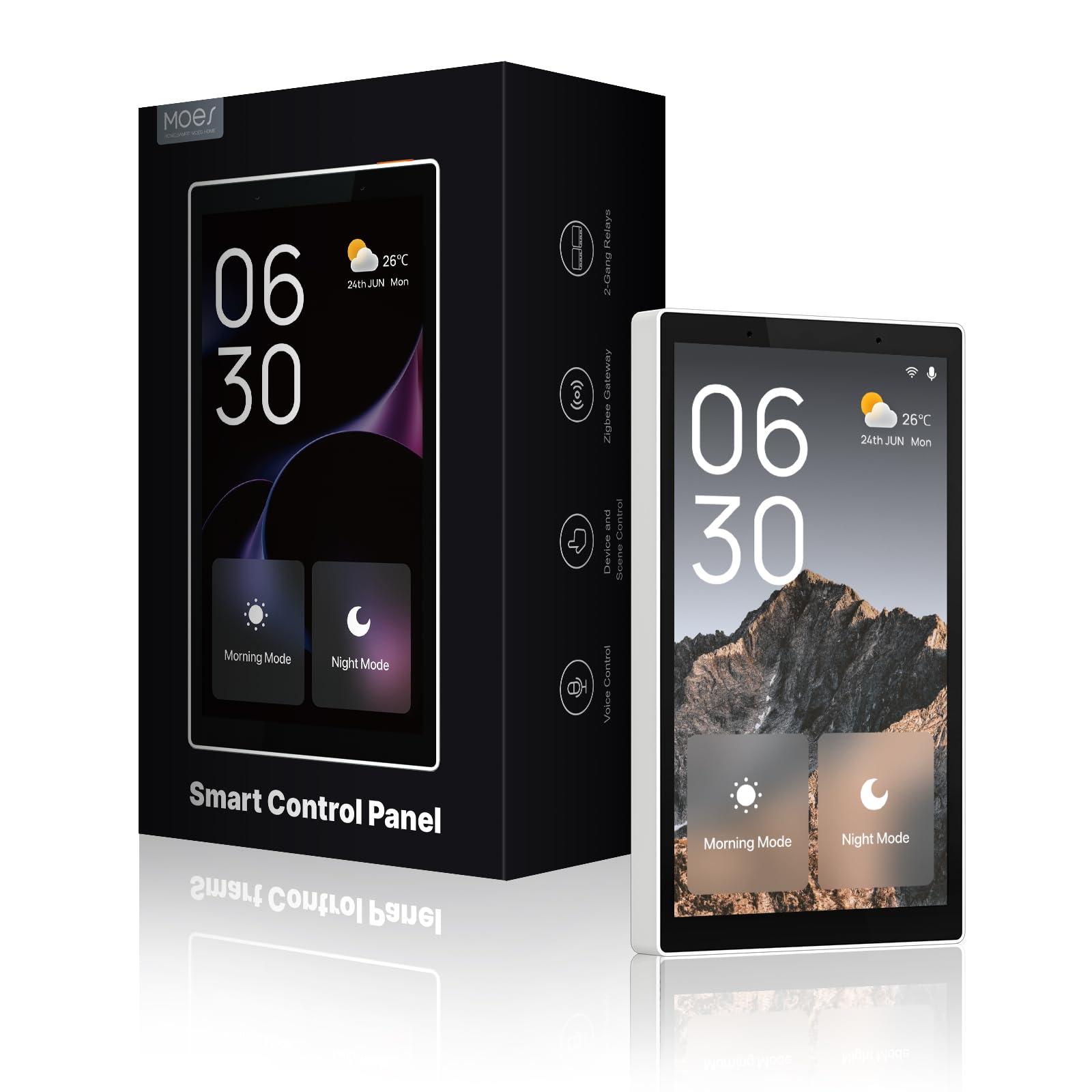
A wall panel for Tuya households that wants to double as the family light switch
The MOES Control Panel L is a 5-inch full touchscreen with a Zigbee gateway built right in — meaning it replaces the separate gateway you would otherwise need for Zigbee devices. Alexa is baked into the panel itself, so you can speak commands and control devices, scenes and skills without a separate speaker. For a Tuya or Smart Life household, this is an attractive all-in-one: you pull it from the wall box, wire it up, and it becomes both your gateway and your touchscreen controller. It supports both wired and wireless network connections, with power via TYPE-C or direct circuit connection.
For a small roster of Tuya-compatible switches, bulbs, sockets, cameras and door locks, this panel handles the daily taps well. It is genuinely well-made, and the physical buttons beneath the screen give a nice tactile click that touch-only panels lack. Setup is straightforward once you have done it once — one buyer notes there was no previous smart home experience needed, and step-by-step instructions were enough to get going.
Here is the catch, and it is the big one: this panel only displays Tuya and Smart Life devices. If you own cameras, sensors or locks from other brands, they will not show up on that screen — you will still need the separate app. That limitation is why some owners return it for a broader hub. There are also reports of the display backlight shutting off unexpectedly despite an always-on setting, and a mic that is sensitive enough to trigger Alexa from across the room. If you are all-in on Tuya, though, this is a neatly made wall panel that earns its keep.
The smart-home upside: one wired panel replaces both your gateway and your wall switch, and keeps voice control in the room without extra hardware.
The honest limit: it is a Tuya-only display, so mixed-brand homes should not buy this expecting a universal dashboard.
Your pick if your devices are already Tuya or Smart Life and you want a clean 5-inch wall panel with the gateway built in.
Not for you if your home mixes brands — the screen will only see Tuya, and you will end up back in an app.
7. Hubitat Elevation C-8 Pro Smart Home Hub, Local Control and Automations
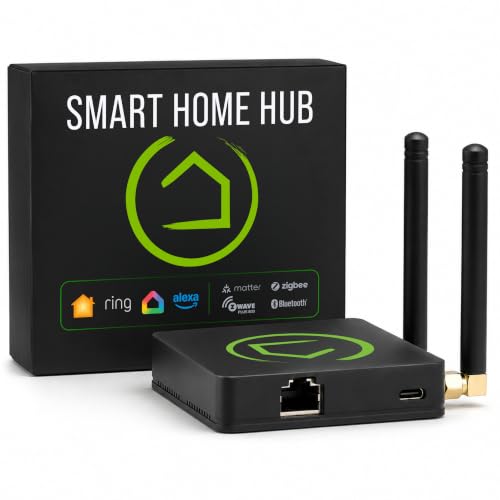
The power user’s hub — fast, local, and endlessly rule-happy, once you climb the learning curve
Hubitat Elevation C-8 Pro is for the person who outgrew easier hubs and wants automations that fire instantly, entirely on their own network. Everything runs locally — lights, locks, sensors, thermostats, security routines — even during an internet outage. Connect devices across Z-Wave 800 Series, Z-Wave Long Range, Zigbee 3.0, Matter 1.5 and supported Bluetooth, which covers 1,000+ compatible devices across 100+ brands without forcing you to replace what you already own. The 2.0 GHz processor and 2 GB RAM keep the responsiveness quick, while the external Zigbee and Z-Wave antennas help it punch through awkward placements with a strong signal.
The automation side is where it shines for tinkerers. The Visual Rule Builder lets you stack multiple triggers, conditions, schedules, presence detection and mode changes into sophisticated logic, with optional AI-assisted rule building to speed up the tedious parts. There is no mandatory monthly fee for core features, and platform updates arrive free of charge to expand compatibility over time. The active community of users sharing custom apps and drivers adds genuine value you cannot get from a closed platform.
It is fair to be wary of steepness. Reviews are mixed on setup and interface — some report it is not plug-and-play and the interface feels complex compared to newer competition — and a couple describe sluggishness under heavy simultaneous sessions. That “effort-heavy” reputation is earned, but it is exactly the same reason the veterans love it: if you want to tune every motion sensor to your own schedule, no other hub on this list gives you the same control.
Where it pulls ahead
- Local processing keeps automations instant and alive during internet outages
- Z-Wave 800 Series, Zigbee 3.0, Matter 1.5 and Bluetooth on one box covers a huge installed base
- No mandatory subscription and free ongoing updates
Where it fights back
- Setup and interface feel complex — this is not a two-tap dashboard
- Performance can dip under heavy simultaneous sessions until a restart
For the tinkerer: experienced users who want granular control over every device and no subscription fee — this is the hub that rewards you for the effort.
Not for the beginner: if you want elegant and easy, the plug-and-play picks in this list will save you a weekend of research.
8. Homey Pro mini | Smart Home Hub for Home Automation – Features Zigbee, Ethernet, Matter & Thread. Compatible with Apple Siri, Amazon Alexa & Google Home.
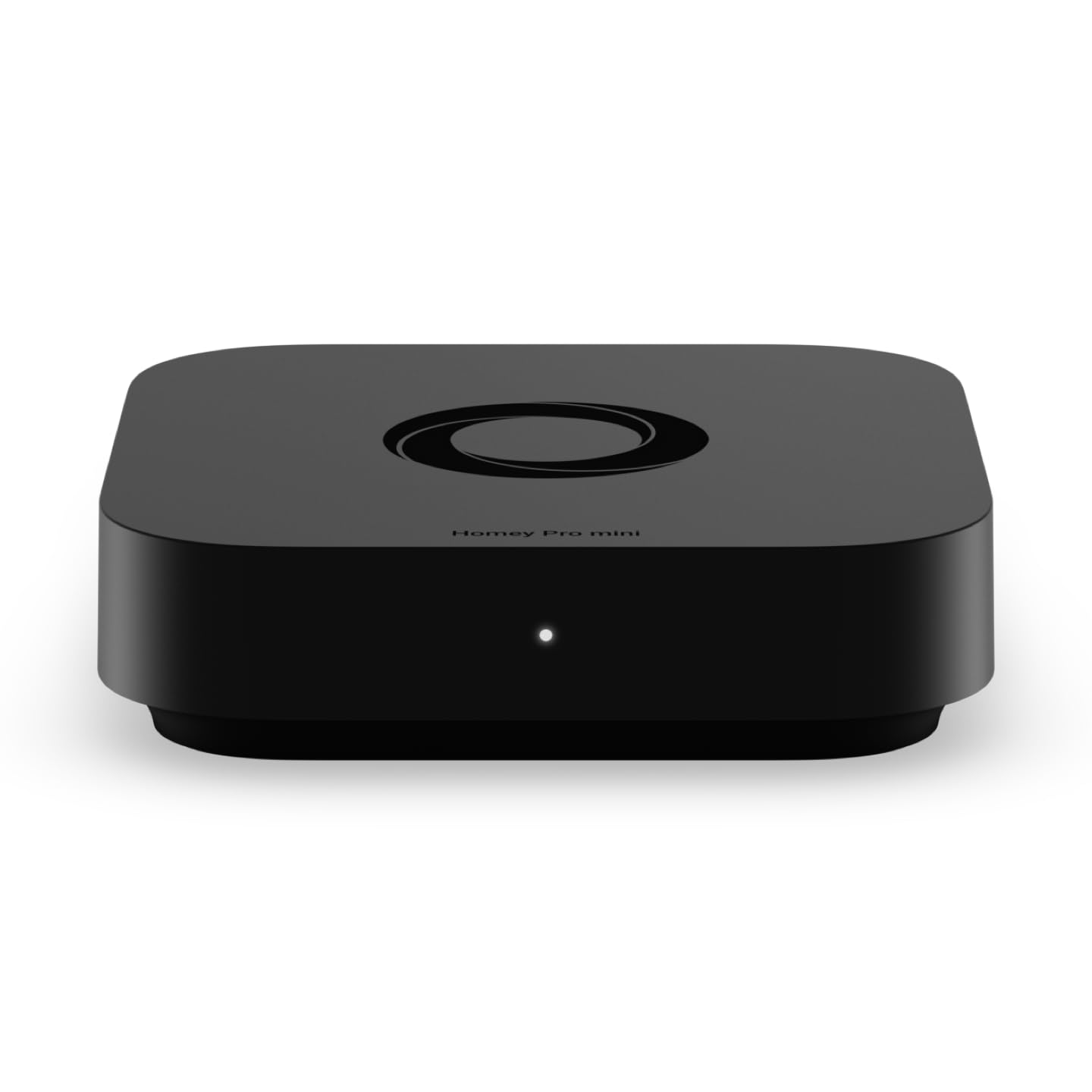
Everything Homey does best, shrunk down for people who want it to just work
Homey Pro mini is the pick if you want real home automation without the tinkerer’s manual. It runs Zigbee, Matter, Thread and Ethernet from the start, and it does all its processing locally so your habits and automations stay private and keep running when the internet is down. The pitch is simple: plug it in, open the Homey app, and start building routines with Homey Flow. Turn off every device with one tap, play music when you arrive home, or stack together a real chain of conditions — all without a server rack in your closet.
What wins people over is how gentle the learning curve is. It works with 1000+ brands including Sonos, Philips Hue, Ecobee, LG, Yale, Govee and TP-Link, and the review pages are full of people who came from more complicated platforms and stayed. A common theme among those migrating: Home Assistant is powerful but a steep learning curve, whereas Homey works well from the start and its Flows are easy to build. No subscription is required — voice assistant integrations, remote access and cloud services are all included. Local or cloud backups protect your whole setup.
The honest limits are worth knowing. Connectivity drew mixed comments, and at least one buyer found a specific TP-Link KASA switch unsupported, so check your exact device models before you buy. There is also a reported accessibility issue for screenreader users that the company has not yet addressed — worth flagging if that applies to your household. For mainstream homes, though, this is about as smooth a first serious hub as you can buy.
Why beginners like it: setup is truly plug-and-play, the app is friendly, and Flows let you build useful automations in minutes rather than evenings.
Worth checking first: confirm your exact device models work before purchasing — a few popular switches have been reported as missing.
The easy answer for a first real hub if you want smooth setup and a lifetime free platform.
Compare it against the full-size Homey Pro if you own every protocol under the sun — this mini version adds the extras via a separate bridge.
9. Homey Pro (Early 2023) | Smart Home Hub for Home Automation – Features Z-Wave Plus, Zigbee, Wi-Fi, BLE, Infrared, Matter & Thread. Compatible with Siri, Alexa & Google Home.

If your home speaks seven different radio languages, this is the box that understands all of them
Homey Pro is the maximalist option — the one that hedges every ecosystem bet. It carries Wi-Fi, Zigbee, Z-Wave Plus, Infrared, BLE, Matter and Thread all in one local-first hub, and it is fair to say no other pick in this list packs in quite so many protocols. That matters if you own an eclectic mix of gear, because Homey Pro claims support for over 50,000 devices from more than 1,000 brands, including Sonos, Philips Hue, Kwikset, Govee, Aqara, TP-Link, iRobot, Ecobee, Spotify Connect, IKEA, Yale, LG, Dyson, Withings, Shelly and Somfy. Everything is controlled locally, with your data stored on the device itself.
The automation story is a strong one. Homey Flow lets you build routines visually and quickly, from a single tap to switch off the whole home, to layered conditions that trigger lights on a smart-lock open up. Advanced Flows in the web app go deeper for those who want real complexity, and reviewers consistently rate the interface well. Energy management is a headline feature — you can automate devices against solar generation or dynamic tariffs to trim your energy bill. As one buyer put it bluntly, the response is fast and reliable and works locally offline, which is exactly what makes a hub feel trustworthy.
But it is not universally adored, and honesty demands the caveat. A recurring complaint is that support for some US-market devices is thin, and certain brands rely on community-maintained apps that can go unsupported over time. There is also a premium price for that seven-protocol flexibility, and a couple of reports describe individual device setup as tedious compared to a plug-and-play hub. If your devices are well-covered, this is a monster of a hub. Check the compatibility list first and it will still be running your home for years.
Buy it when your home genuinely mixes Zigbee, Z-Wave, Infrared and Matter hardware and you want one local brain for all of it.
Wait if your devices are mostly US-market name brands — verify each model against the compatibility list before committing.
Understanding the Specs
Radios and protocols: the languages your devices speak
A smart home hub is only useful for the devices it can talk to. Zigbee, Z-Wave and Thread are low-power radio standards (wireless signals that smart devices use instead of Wi-Fi), and Matter is a universal translator that lets hubs from different brands swap devices. If your hub lacks the radio your lock or sensor uses, that device simply cannot join. So the first spec to check is not speed — it is which radios the hub carries. Buy a hub that speaks at least the protocols your existing gear uses, and prefer one that also includes Matter for future additions.
Local versus cloud: why the processing location matters
Some hubs run your automations directly on the box, while others lean on cloud servers. Local processing means your routines keep working when the internet is down, and your data stays on your device. Cloud-dependent designs are often quicker to set up but hand over control to a server somewhere else. For a home where reliability matters — hallway lights, door locks, heating — local execution is the safer default. Check the marketing language carefully: “local” is not always literal, so read the detail on each hub.
FAQ
Will a Home Assistant Green hub still work if my internet goes down?
Does the Aqara Smart Hub M200 work with Apple HomeKit and Home Assistant?
How many Zigbee or Thread devices can the Aqara M200 handle?
Can the Hubitat C-8 Pro run automations without any subscriptions?
What is the difference between a hub like the Homey Pro mini and the full-size Homey Pro?
Is the Echo Hub a good first smart home hub for beginners?
Will the Aeotec Smart Home Hub work with my existing Z-Wave and Zigbee locks and switches?
Does the Insteon Hub 2 control devices without a cloud account?
Can the MOES Smart Control Panel control devices from brands other than Tuya or Smart Life?
Should I pick a wall-mounted panel or a plug-in hub for my smart home?
Final Thoughts: The Verdict
For most people buying an automated home system, the winner is the Home Assistant Green, because it hands you the deepest local automation platform and pre-installed software in one box you simply plug in. It is the one hub here that will still be growing with your house in five years. If you want a friendlier start with no cloud dependency, the Homey Pro mini is the gentler path. And if your home is a genuine mixed-brand pile of Zigbee and Z-Wave, the Aeotec Smart Home Hub is the one most likely to recognize every device you own. Whichever you choose, match the hub’s radios to the devices you already own — a hub that still runs your routines on day 400 beats one that only impresses on day one.
How We Picked
We do not accept paid placement. Every pick is matched to a real buyer and a real use-case; we do not hands-on test units.
Sources & Methodology
Specifications: manufacturer listings and product documentation. Review insights: verified customer reviews, as of September 2026. Pricing: not shown on this page (it changes often); check the current price via the retailer link.
As an Amazon Associate, KitchPrep earns from qualifying purchases. This does not affect which products we feature.
Related Guides
