
Specs are compiled from manufacturer listings and verified buyer reviews and can change over time — please confirm the key details on the product page before buying.
If your laptop sits flat on the desk, you spend the whole day bending your neck down to meet the screen — and that is the real reason your shoulders ache by 4 p.m. An adjustable laptop stand fixes it by lifting the screen up to your eye line and letting you tilt the keyboard deck to an angle that suits you. The catch most buyers miss: a stand only helps if the joints hold their position while you type, and that is exactly where cheap risers fail. Below are nine adjustable stands, ranked so the sturdiest, best-value picks sit at the top and the lightest travel options sit at the bottom.
I’m Mohammad Maruf — the founder and writer behind KitchPrep. This guide is built by comparing the manufacturers’ published specifications and the patterns across verified customer reviews, so you get each pick’s real strengths and trade-offs instead of marketing spin.
The list opens with the crowd favorite — 4.8 stars across 14,000+ owners — and ends with the stand built for lap and sketchbook work. Every pick here adjusts, so compare them as adjustable laptop stand options rather than fixed risers.
Our Picks at a Glance


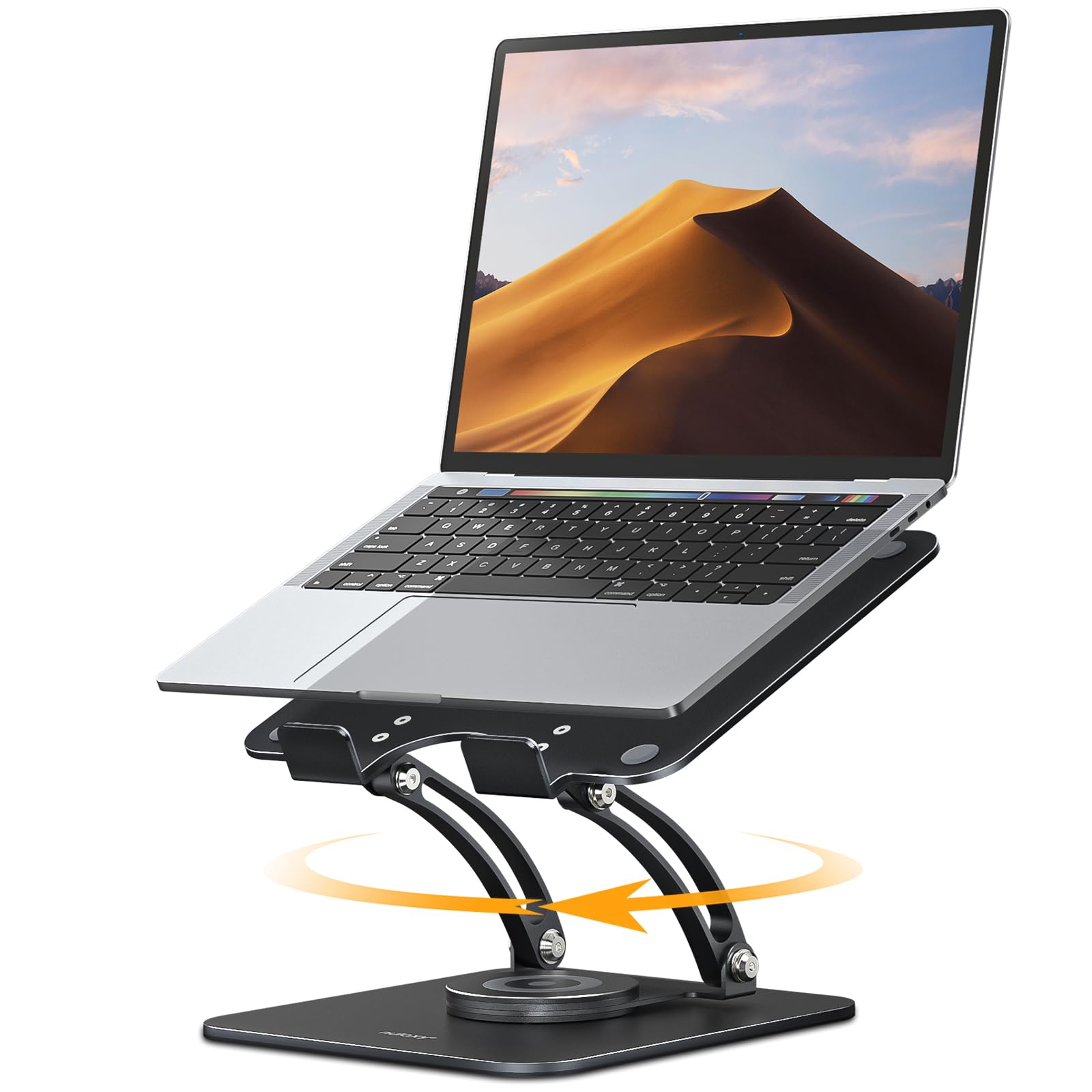
How To Choose The Best Adjustable Laptop Stand
Buying a stand is really a three-part decision: how high it goes, how much weight it holds, and whether it stays put while you type. Get those three right and the rest — colour, swivel, folded size — is personal taste.
Height range decides whether your neck actually gets relief
A stand only helps if it lifts the top of your screen close to your eye line. Some risers give you a fixed step or two; others run a proper range, such as the SOUNDANCE at 5.7 to 8.6 inches, the RIWUCT at 1.88″ to 9.88″, and the Amazon Basics at up to 7 inches. The higher the top of that range, the more likely you can use the stand while standing at your desk — the OMOTON extends to 270mm for that.
Low-range stands (around 2 inches of lift) are for people who already have a raised desk or an external monitor and just want a small tilt. High-range stands are for anyone replacing a stack of books.
Hinge stiffness, not marketing, is what stops the wobble
A stand with soft, loose joints drifts down the moment your laptop’s weight leans on it. The risers buyers trust most use stiff friction joints that need two hands to move — they feel almost too firm at first, then hold their angle forever. The BoYata is built that way, and the Amazon Basics uses very stiff joints described as set-and-forget with no tension screw. If you plan to type on the laptop’s own keyboard, expect some bounce no matter which stand you buy, and pair it with an external keyboard for a locked-down feel.
Load rating, laptop size, and portability
Check the load rating before you buy. An 11 lb stand (Amazon Basics) suits thin 13-15 inch laptops comfortably. A 20 lb frame (SOUNDANCE) or a 22 lb frame (Nulaxy) will hold a heavy gaming or business laptop without complaint. Size compatibility matters just as much: most picks fit 10-16 inch machines, the BoYata and SOUNDANCE stretch to 17 inches and 17.3 inches, and a few models (RIWUCT, tounee, Amazon Basics) cap the range lower.
If you carry the stand daily, weight is the trade-off. A 1100 g BoYata or a 1.34 kg JCZT stays put on the desk but feels heavy in a bag, while a 0.77 kg Amazon Basics folds flat and travels easily.
Quick Comparison
| Model | Best For | Laptop Size Fit | Load Rating | Weight / Portability | Amazon |
|---|---|---|---|---|---|
| BoYata Laptop Stand★ Best Overall | Desk anchor for heavy laptops | Up to 17 inches | — | 1100 g, folds flat | Amazon |
| SOUNDANCE Adjustable Laptop StandTallest Adjustment | Maximum height and airflow | 10 to 17.3 inches | 20 lbs | 1.2 kg, desk only | Amazon |
| Nulaxy 360° Rotating StandBest for Screen Sharing | Screen sharing in meetings | 10-16 inch laptops | 22 lbs | 840 g, dual-fold | Amazon |
| Amazon Basics Ergonomic Stand | Light travel and small desks | 10 to 15.6 inches | 11 lbs (5 kg) | 0.77 kg, folds to 10 x 8.7 x 1.8 in | Amazon |
| Allsop Redmond Adjustable Stand | Lap and sketchbook use | Notebook-sized | 40 lbs (horizontal) | 16 ounces, L-shape | Amazon |
| JCZT 360° Rotating Stand | Compact storage with swivel | 10-16 inch laptops | — | 1.34 kg, folds to 9.84 x 8.66 x 1.77 in | Amazon |
| RIWUCT 360° Rotatable Stand | Rotating on a tight desk | 10″-16″ laptops | 8.8 lbs | 0.88 kg, 2.3 in folded | Amazon |
| tounee 360° Rotating Stand | Heavy laptops with a swivel | 10–15.6 inches | — | 1.3 kg, desk only | Amazon |
| OMOTON Adjustable Metal Riser | Folding flat for travel | 10-17.2 inches | — | Collapses to 40mm | Amazon |
In‑Depth Reviews
1. BoYata Laptop Stand, Adjustable Multi-Angle Riser, Up to 17 Inches, Silver
Our pick — over 4.5★ from 14,500+ verified ratings; the strongest balance of quality and price.
A brushed alloy-steel riser with joints so stiff they never sag under a loaded laptop.
The number that explains why this one sits at the top is 1100 g. That is the BoYata’s all-in weight, and it is exactly why the stand stays planted instead of creeping across the desk when you lean on it. The frame is alloy steel with a brushed finish and four silicone pads (small rubber feet) under the base, so it grips a smooth desk without sliding. For a 17-inch machine or a tablet you draw on, this is the stand that simply does not move.
What buyers consistently bring up is how solid the whole thing feels. Well over a thousand owners single out the sturdiness, and the review pages describe a one-piece build that needs two hands to change angle — because the joints are deliberately tight, the stand holds whatever position you set rather than drifting back down. Owners who use it 12 to 16 hours a day say the stiff joints hold the screen at eye level all day, ending the neck strain of hunching over a flat laptop. The Z-type design lets you raise the deck and tilt it, and there is a ventilation hole in the surface so air moves under the machine instead of being trapped against the desk.
The honest catch is the weight and the logo. At 1100 g it is a desk fixture, not a bag item — this is the stand you leave on the desk. Several owners also wish the base were heavier because a very thin, very light laptop could tip back if you push hard on the top edge, and the prominent BoYata branding is hard to miss. Neither stops it being the best all-round pick. The alloy steel construction also means it holds its brushed look rather than flaking, and the fitted profile suits MacBook, HP and Lenovo machines up to 17 inches.
What owners keep talking about
- Sturdiness is the headline — over a thousand owners call it out, and the stiff joints are the reason it never sags.
- Adjustability is the second most-praised trait, letting you set both height and angle for eye-level viewing.
- Folds flat and fits laptops up to 17 inches, including a 17-inch LG Gram tablet setup buyers mention.
- Four silicone pads keep it from sliding, and the surface hole keeps the laptop cool underneath.
Where it asks for a little patience
- At 1100 g it is too heavy to carry daily — plan to leave it on the desk.
- The joints need real force to move, so adjusting takes two hands every time.
- A very light laptop can tip back if you press hard on the top edge — the base could be heavier.
If your workday lives at one desk: the BoYata earns its place as the dependable default, holding a heavy 17-inch machine at eye level all day without a wobble.
But travel is not its job: at 1100 g it is a fixture, so if you carry your stand between offices or cafés, look at the lighter Amazon Basics instead.
2. SOUNDANCE Adjustable Laptop Stand for Desk, Computer Stand, Ergonomic Laptop Riser Holder Compatible with 10 to 17.3 Inches Notebook PC Computer, Aluminum Silver
The dual-arm riser that lifts a 17.3-inch laptop high enough to stop you hunching.
This is the stand for anyone whose problem is not tilt but height. The SOUNDANCE runs from 5.7 to 8.6 inches of lift — a genuinely tall range that puts the screen where your eyes actually rest — and its aluminum alloy frame is rated to 20 lbs, so a big 17.3-inch workhorse sits on it with no complaint. Compare that with the Amazon Basics at up to 7 inches and the RIWUCT’s 1.88″ to 9.88″ range: the SOUNDANCE sits in the tall-and-solid middle, and its lower setting is still a real step up from a flat desk.
The design is what wins people over. A dual-arm open frame leaves 360-degree airflow around the underside, and the metal itself pulls heat away from the chassis — owners upgrading from a stack of books report the fan running less on long Zoom days. Assembly is simple: most people are up and running in about ten minutes with the included tools. There is roughly 5 inches of clearance underneath, which is where your wireless keyboard and mouse go, and thick silicone pads plus a front lip keep the laptop from scratching or sliding forward.
Two things to weigh. The height adjustment works off a rear knob that you loosen to slide the arms up — one owner called the typing feel odd when the deck is tilted steeply, and another found the stand a touch heavy for moving around. Neither undercuts the point: this is the pick when the priority is a high, cool, secure perch, not a travel accessory.
The airflow advantage: the open dual-arm design moves heat out of the gap under the laptop rather than trapping it the way a solid desktop does, which is why home-office owners single out cooler running.
The tightening knob: the rear knob is how you lock your height, and it is worth snugging it after each change so the arms do not drift while you type.
Reach for this if: you want the tallest, most breathable desk riser here and own a 17.3-inch or similarly heavy machine.
Look elsewhere if: you carry your stand to cafés — the rear-knob adjustment and its heft suit a permanent desk.
3. Nulaxy 360° Rotating Ergonomic Laptop Stand for Desk, Dual Foldable Design
Spin the screen to a colleague without ever moving the laptop off its perch.
For an office where the same laptop gets turned around for meetings, the Nulaxy solves a specific annoyance: you rotate the base, not the machine. The 360-degree base spins freely without you lifting the laptop, so a shared screen or video call no longer means dragging the whole setup. Under the hood, dual hinges tested through 6000+ rotation cycles hold your height and angle firm, and the frame carries up to 22 lbs — enough for a heavy gaming or business laptop. Compare that load figure with the RIWUCT’s 8.8 lbs or the SOUNDANCE’s 20 lbs, and the Nulaxy sits at the top of the group for sheer capacity.
Owners file this under quality first and adjustability second. The 31 mentions of quality in the review pool reflect a build that feels premium in the hand — aluminum composite panel with silicone contact points — and the 360-degree rotation turns easily as needed. The damping hinges prevent the jitter and sagging that plague loose risers, and reinforced baffle hooks plus non-slip silicone hold the laptop from sliding forward. With the deck raised, there is room for a keyboard underneath, and the whole thing folds flat for storage.
Two honest notes. The first is break-in stiffness — a few owners say it takes a bit of force to pull apart and adjust, and one mentions being unsure whether to tighten a screw to ease it, though most accept the stiffness as the price of stability. The second is that, at 840 g, it is portable but not feather-light. Both are the fair trade for a rotating stand that holds its angle.
Two-fold travel design: the dual foldable structure flattens completely so it slips into a backpack for the café or the commute, keeping the desk version’s stability when you open it back up.
Heavy-laptop headroom: the 22 lb rating leaves plenty of margin, so a thick 16-inch workstation does not test it.
Best for shared desks and presentations: the 360-degree base and 22 lb load make it the most collaborative pick here.
skip it if: you want featherweight portability with soft, easy joints — the Nulaxy is stiff on purpose and heavier than the Amazon Basics.
4. Amazon Basics Sturdy and Portable Ergonomic Laptop Stand for Desk, Height Adjustable Riser with Ventilated Cooling, Foldable, Fits all Laptops up to 15.6 Inch, Silver

An aluminum riser light enough for a laptop bag yet stiff enough to hold its angle.
If you split your week between an office desk and a kitchen table, the numbers that matter here are 0.77 kg and a folded thickness of 1.8 inches. That is the Amazon Basics at its lightest and flattest, and it means the stand drops into a laptop bag without you noticing the extra weight. The frame is rust-resistant aluminum with a loading capacity of 11 lbs (5 kg), and it folds to a compact 10 x 8.7 x 1.8 inches footprint — a real travel-first design.
What buyers report is that it punches above that light weight. The joints are very stiff — set-and-forget, with no tension screw needed — so once you dial in your height the stand does not slip under a 16-inch MacBook Pro pushed to a dual-monitor setup, where the machine runs cooler and the fan rarely spins up. It adjusts up to 7 inches, putting the screen near eye level to ease neck strain, and the open underside lets heat escape. Owners happily report the frame also holds iPads and even books.
The trade-off to know before you buy is that the stiffness cuts both ways: it can be stiff to open, and one owner found typing on the laptop keyboard introduced a jiggle that they settled with a small support wedge. It also tops out at 15.6 inches, so a bigger 17-inch machine is out of scope here. Use it with an external keyboard and it behaves exactly as advertised.
Why the weight is the win
- At 0.77 kg and 1.8 inches folded, it travels like a thin folder rather than a chunk of hardware.
- Stiff, no-tension-screw joints mean the height you set is the height you keep all day.
- Rust-resistant aluminum with 11 lb (5 kg) capacity covers everything from a thin ultrabook to a 16-inch MacBook Pro.
- The open underside vents heat, and non-slip pads plus hooks keep the laptop planted.
Know this before buying
- The clamp is 15.6 inches at its maximum, so a 17-inch laptop is too wide.
- Stiff joints make it slightly awkward to open the first few times.
- Typing on the laptop’s own keyboard causes a light jiggle — an external keyboard fixes it.
Go for this one if: you want a stand that lives in your bag and still locks to eye level on any flat surface.
Step up instead if: you own a 17-inch machine or need to type directly on the laptop without any bounce.
5. Allsop Redmond Adjustable Laptop Stand, Vented Curved Sturdy Metal Ergonomic Riser, Black (ASP30498)

A curved vented tray that sits as happily on your lap as it does on a desk.
Most stands here are desk furniture. The Allsop is different: its L-shape tray lies on your lap and holds the laptop at a 0 to +27 degree tilt, so you can recline on the sofa without slouching to read the screen. At 16 ounces it is light in the hand, and in a horizontal position the same tray safely holds monitors up to 40 lbs — a load figure far above anything else on this list. The front lip keeps the notebook from sliding forward, and vent holes let the laptop breathe.
Assembly is genuinely quick. The legs snap into rails in well under a minute, a spring-loaded button locks them, and sliding rubber levelers let you tune the pitch so the stand sits flat. What owners value most is the build quality and the wide range of tilt angles you can lock in — it lands at almost any reasonable angle and stays there with no wobble. Owners use it to lift the laptop for video calls and to set an angle that suits drawing, and one notes it frees room underneath for a mouse.
Two caveats come with the design. Because it tilts rather than lifts straight up, it is not the stand for sitting a laptop alongside a second monitor — its height tends to sit above a smaller display, and buyers flag that a smaller monitor or a larger laptop throws the heights out of line. And on a desk it can sit a little high for sketching. On a lap or a low table, it hits the mark precisely.
The dual-purpose tray: the same vented surface takes a notebook at an angle or, laid flat, holds a monitor up to 40 lbs, so it does more than one job.
Lighter than it looks: 16 ounces of metal means it is easy to move between desk, lap, and coffee table.
Ideal for lap and low-table work: the locked tilt and front lip make it the most comfortable pick for reclining or drawing on a tablet.
Not the one for: a side-by-side dual-monitor desk, where its extra height throws your screens out of alignment.
6. JCZT 360° Rotating Laptop Stand for Desk, Metal Foldable Laptop Riser, Black
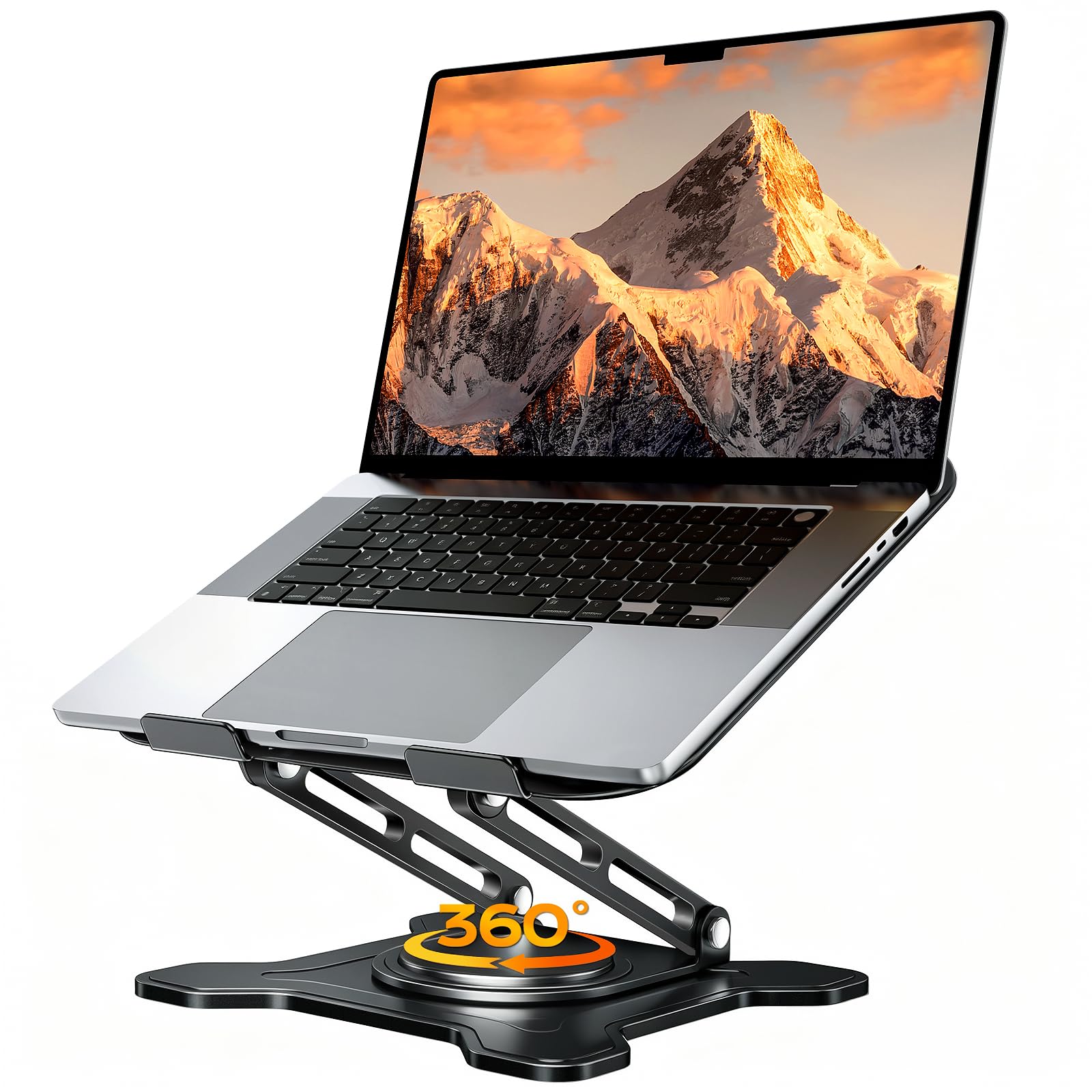
A rigid fiber-metal riser that folds down almost flat and still swivels both ways.
Built from one-piece fiber metal, the JCZT is the pick for anyone who wants a swivel stand that packs away tight. Folded, it measures 9.84 x 8.66 x 1.77 inches, so it slips into a bag without eating the space a bulkier riser would. The dual-axis base rotates the laptop 360 degrees for sharing a screen or shifting to a better angle, while the height and angle adjust to put the screen at eye level. It fits 10-16 inch laptops, from a MacBook Air up through Dell XPS and Lenovo models.
What people appreciate is the function first and the adjustability second. The swivel is the standout — owners describe it as smooth and use it to turn the screen for video calls rather than stacking books and hoping nothing topples. The open frame keeps air moving under the laptop, and anti-skid silicone holds the machine from sliding.
The main thing owners mention is the weight. At 1.34 kg, this is a sturdy, heavy stand — one owner found it too heavy for travel and noted it bounces noticeably when typing on the laptop’s own keyboard or using the trackpad, something to plan around for video conferencing. Add an external keyboard and mouse and that mostly disappears. For a fixed desk that gains space from the lift, the heft is an asset.
Where it shines
- Smooth 360-degree dual-axis swivel turns the screen for calls without moving the laptop.
- Folds to 1.77 inches thick, so it stores flat when you are not using it.
- Fits 10-16 inch laptops and its open frame keeps airflow moving underneath.
- The lift frees desk space underneath for a keyboard or mouse.
Where it asks for planning
- At 1.34 kg it is heavy to carry around — best left on one desk.
- Typing on the laptop keyboard while raised produces noticeable bounce.
- Video conferencing without an external keyboard and mouse is less comfortable.
Built for a fixed desk with swivel needs: the JCZT gives you 360-degree rotation plus flat storage in one metal body.
Not for the daily commute: its 1.34 kg weight and typing bounce suit a stationary setup, not a backpack.
7. RIWUCT 360° Rotatable Laptop Stand for Desk Adjustable Height

The widest height range here, with a base that turns through a full circle.
What sets the RIWUCT apart is the spread of adjustment: from 1.88 to 9.88 inches of height, a range that lets you drop it low for a laptop you type on directly or lift it high for a standing session. The 360-degree base turns through a full circle, which is handy when you want a second screen turned toward you or want to shift the viewing angle without moving the machine. It is compatible with 10 to 16 inch laptops, from MacBook and Surface to HP and Dell.
Owners rate the quality first and the stability second — this is a stand that feels solid rather than flimsy. The dual rod support and industrial-grade bearings are built to hold through repeated adjustments, and the review notes describe a laptop that stays securely in place, with the little hooks at the bottom stopping it from shifting while you adjust. The rotation has a soft, non-distracting click, and the non-slip silicone pad protects the finish. Users report it fits neatly on small desks, and the base is steady enough not to tip. Customers note: “Owned 1 year, used often.”
The trade-off is that it is stiff by design. The arms take some force to open — two hands rather than one — and the guide-less setup means the first adjustment can feel puzzling until you get the motion. There is a light lopsidedness noted after a stint in a backpack. Neither undermines its value: the RIWUCT is the swiveling, wide-range pick, and it stays put once you set it.
The range story: 1.88 to 9.88 inches is the broadest span on this list, covering everything from a low typing position to a standing height.
The grip detail: folding hooks at the bottom hold the laptop so it does not shift mid-adjustment, which keeps the rotation smooth.
Pick this if: you want one stand that covers low typing to high standing, plus a rotating base for angled viewing.
Consider otherwise if: you dislike stiff, two-handed adjustments — the joints need firm force at first.
8. tounee Laptop Stand for Desk, Adjustable Computer Stand Holder with 360° Rotating Base, Ergonomic Laptop Riser Compatible with MacBook Pro Air, All Laptops 10-15.6″-Black
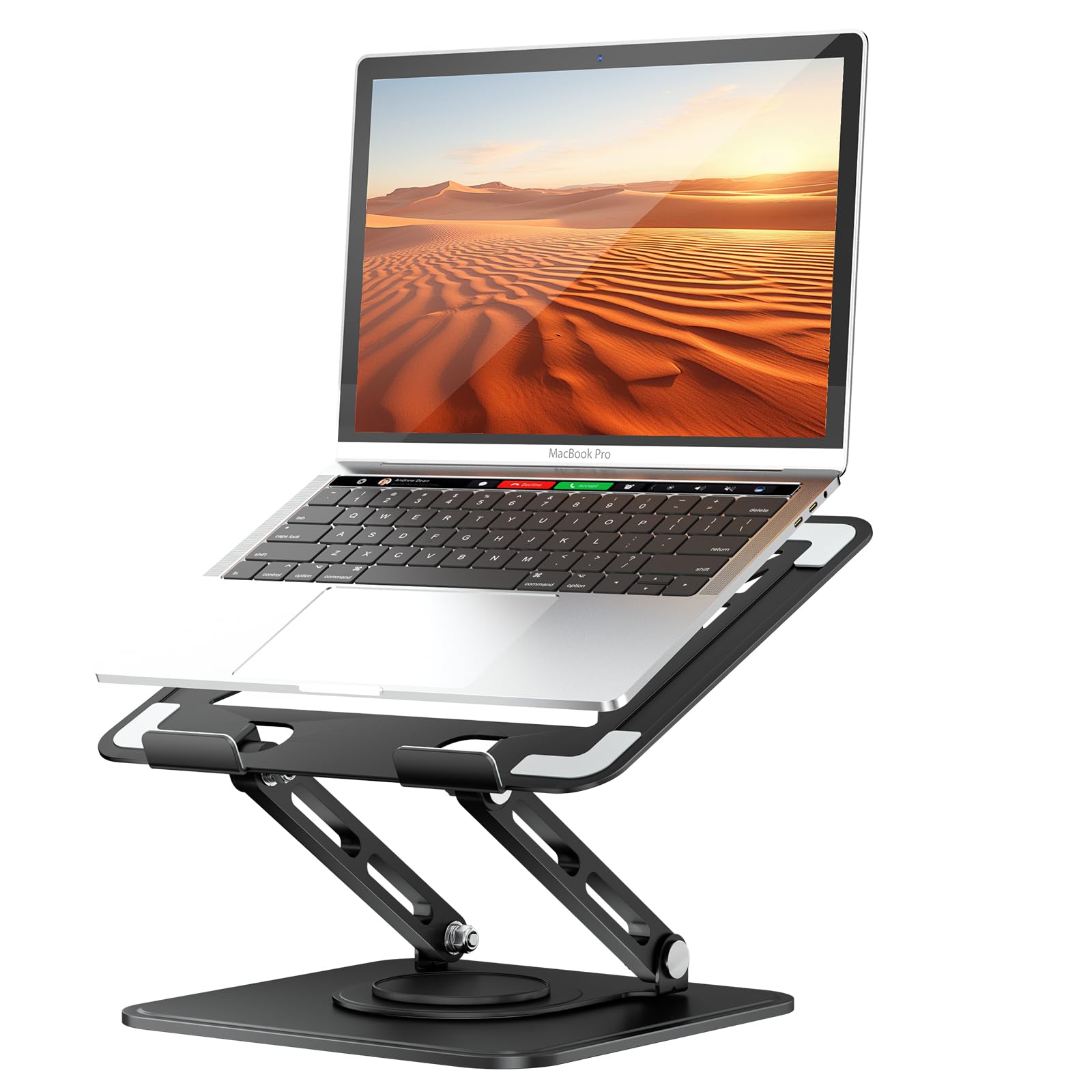
A one-piece fiber-metal base heavy enough to hold a 15-inch Air through hard typing.
At 1.3 kg, the tounee is built around one idea: stay still. Its one-piece fiber-metal body with an upgraded heavy-duty base is designed so the stand does not shake, slide, or tip even when you type hard on the laptop sitting on it. The base rotates a full 360 degrees for sharing a screen across a desk or presenting to a client, and the height adjusts to line your display up with your natural sightline. It fits 10-15.6 inch laptops, including MacBook Pro and Air, Surface, and Dell XPS.
What owners like is how secure a 15-inch MacBook Air feels on it — solid, stable, and adjustable without tools. There are no screws to loosen: you push and pull the arms to set the height and angle, and the non-slip silicone keeps the laptop from sliding. The lift leaves a gap under the machine for passive cooling, with no fan to add weight or draw power. The rotating base also lets you turn the screen without pulling the laptop off — a small thing that saves time through a working day.
The honest limit is at the top of the fit range. Because it caps at 15.6 inches, a 17-inch machine is out of scope, and underneath the lift the base is fixed rather than folding flat, so this is a stay-at-home stand. Typing aggressively on the laptop’s own keyboard shifts the machine a little; an external keyboard keeps it planted. For a fixed desk with a mid-size laptop, it is a rock.
What it gets right
- The heavy-duty metal base keeps a 15-inch laptop steady without tipping.
- Tool-free adjustment — push and pull to set the height, no screws.
- 360-degree rotation turns the screen without removing the laptop.
- Fits 10-15.6 inch laptops, from MacBook Air to Surface and Dell XPS.
What to plan around
- Maxes out at 15.6 inches, so a 17-inch laptop is too big.
- At 1.3 kg it is a desk stand, not a travel one.
- Heavy typing on the laptop’s own keyboard moves the machine a bit.
Best for a stationary desk and a 15-inch laptop: the tounee pairs a heavy base with tool-free adjustment and a full-circle swivel.
Look past it if: you need 17-inch width or a stand that folds into a bag — this one stays home.
9. OMOTON Laptop Stand, Adjustable Metal Foldable Riser 10-17.2″, Silver
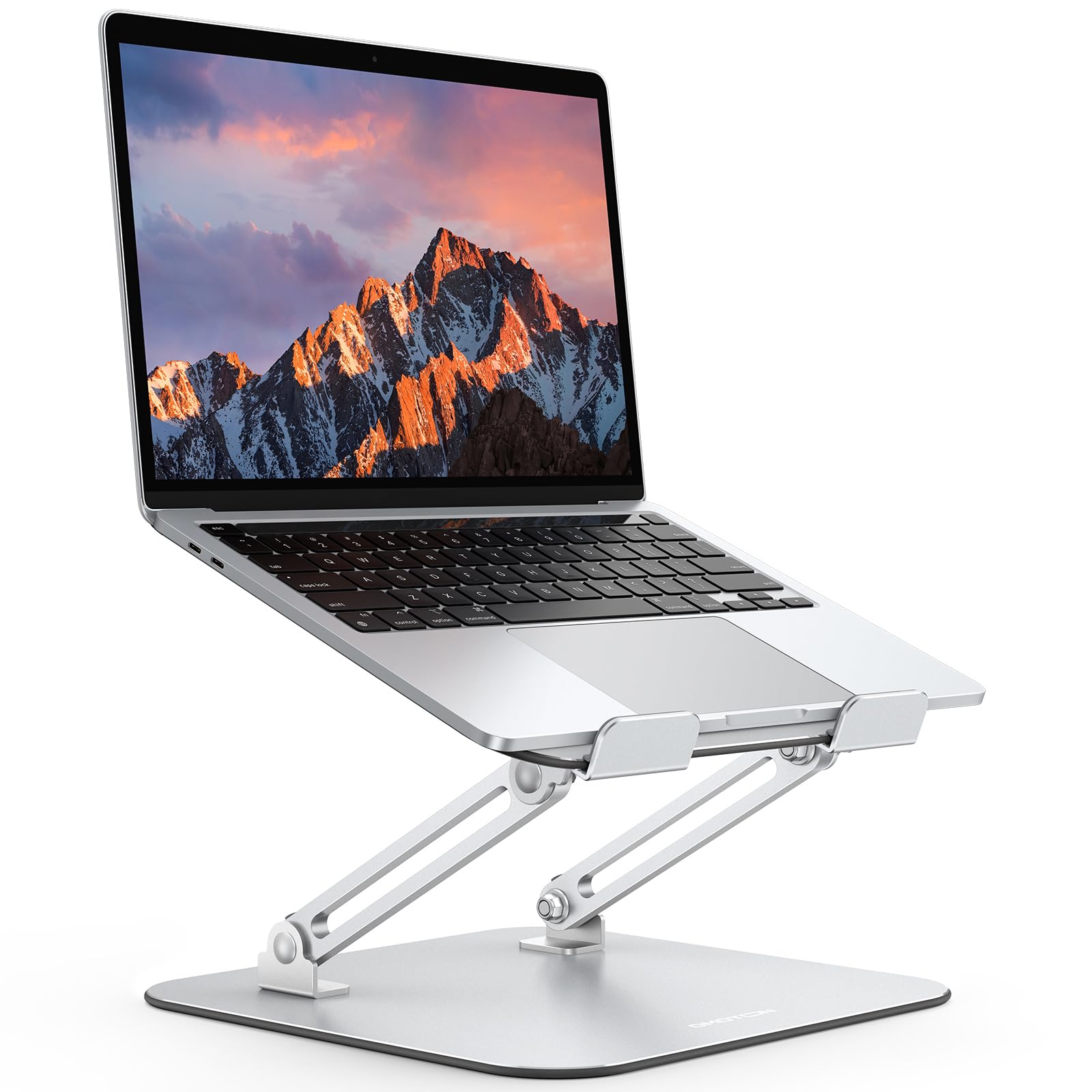
A wide-fit riser that unfolds taller than expected and folds down thinner than it should.
Two numbers tell the OMOTON story. Folded, it collapses to 40mm — thin enough to live in a backpack — and extended, it reaches up to 270mm, tall enough for standing-desk use. That combination is rare: most travel stands stop short of real standing height. It fits a wide band too, from 10 to 17.2 inch laptops, the broadest fit here alongside the SOUNDANCE’s 17.3 inches.
Owners praise the build and the flexibility. The solid metal frame with silicone pads holds a laptop securely and protects it from scratches, and the two bend points let you set both height and balance so it works across different tables and chairs. Multiple heat-dissipation holes in the base keep air moving under the machine, and the lift frees desk space by letting you tuck a keyboard or office gear underneath. It is light enough for a small backpack and quick to fold out and adjust.
The main thing to accept is typing stability. Because the frame bends at two points, it wobbles when you type directly on the laptop’s keyboard — the answer is an external keyboard, which settles it. Fit and finish are otherwise sound, and for a stand that travels tall and folds flat, it earns its budget spot.
Tall and thin at once: 270mm of extension for standing height, 40mm folded for the bag — it does both without giving up the wide 10-17.2 inch fit.
Desk-space bonus: raised on the stand, there is room underneath for a keyboard or accessories you were crowding onto the desk.
The value pick: the OMOTON covers standing height and folds flat on a budget, fitting 10-17.2 inch laptops.
Know going in: the two-point frame wobbles if you type on the laptop keyboard — pair it with an external one.
Understanding the Specs
Load rating (the weight a stand claims to hold)
This is the maximum weight the maker says the frame carries, measured in pounds or kilograms. An 8.8 lb figure (RIWUCT) suits a thin laptop; 11 lbs (5 kg) covers most ultrabooks; 20 lbs (SOUNDANCE) and 22 lbs (Nulaxy) take on heavy gaming or business machines. Match the rating to your laptop’s weight with a little margin, because a stand working at its limit tends to bounce more.
Height range and what it means for your neck
This is how high the stand lifts the laptop, usually given in inches or millimetres. A low range like 1.88 to 9.88 inches (RIWUCT) or 5.7 to 8.6 inches (SOUNDANCE) lets you dial the screen toward eye level, while a range reaching 270mm (OMOTON) can suit standing. The top of the range is the number to check — it decides whether you sit tall or lean down.
Hinge stiffness (why some stands sag and others do not)
Stiffness describes how much force the joints need to change angle. Tight friction joints (the BoYata, the Amazon Basics) hold a set position under a loaded laptop; loose ones drift downward while you work. Expect a stiffer stand to feel almost immovable at first — that firmness is what keeps your screen where you put it, so it is a feature, not a fault.
Ventilation and airflow under the laptop
Stands lift the laptop so air can move under it instead of being blocked by the desk. Some do this with a surface hole (BoYata), some with an open dual-arm frame (SOUNDANCE), and some with heat-dissipation holes in the base (OMOTON). The goal is the same: keep the underside cooler so the machine behaves consistently during long sessions.
FAQ
Will an adjustable stand actually fix my neck strain?
What height range do I need to sit properly?
Why do some stands wobble when I type?
Is a 360-degree rotating stand worth it?
How much weight can an adjustable stand hold?
Will a stand work with my 17-inch laptop?
Does raising my laptop actually help it run cooler?
Are these stands portable enough to carry daily?
What is the difference between a folding riser and a rotating stand?
Final Thoughts: The Verdict
The strongest adjustable laptop stand for most desks is the BoYata Laptop Stand, because its stiff alloy-steel joints hold a loaded 17-inch machine at eye level all day without sagging — the reason so many owners describe it as a permanent fixture rather than an accessory. If maximum height and airflow matter more than swivel, the SOUNDANCE Adjustable Laptop Stand is the one to reach for with its 5.7 to 8.6 inch lift and 20 lb frame. And for anyone who splits the week between desks, the Amazon Basics Ergonomic Stand folds to 1.8 inches and travels at 0.77 kg while still locking to eye level.
How We Picked
We do not accept paid placement. Every pick is matched to a real buyer and a real use-case; we do not hands-on test units.
Sources & Methodology
Specifications: manufacturer listings and product documentation. Review insights: verified customer reviews, as of September 2026. Pricing: not shown on this page (it changes often); check the current price via the retailer link.
As an Amazon Associate, KitchPrep earns from qualifying purchases. This does not affect which products we feature.
Related Guides
