
Specs are compiled from manufacturer listings and verified buyer reviews and can change over time — please confirm the key details on the product page before buying.
The whole reason to look at a 6E router is the new 6 GHz band. That band is wide open, uncrowded by older gadgets, and it is what open up multi-gig internet plans you simply cannot use on an older router. The catch is that the 6 GHz signal does not travel as far through walls as the older bands, which is exactly why mesh systems and router placement matter more than ever. This guide compares ten tri-band models that all support the 6 GHz band, so you can match the right one to your home’s size and your internet plan.
I’m Mohammad Maruf — the founder and writer behind KitchPrep. This guide is built by comparing the manufacturers’ published specifications and the patterns across verified customer reviews, so you get each pick’s real strengths and trade-offs instead of marketing spin.
Tri-band 6E routers deliver the uncrowded 6 GHz band for faster, smoother connections across more devices, and this breakdown of the best 6E Router options walks you through coverage, speed, and ports to pick the right one.
Our Picks at a Glance


How To Choose The Best 6E Router
To get the benefit of a 6E router, you need two things: internet service fast enough to use it, and at least one device that connects to the 6 GHz band. If you are still on a 200 Mbps plan and all your gear is older Wi-Fi, a 6E router will improve stability but not peak speed.
Coverage: Single Router or Mesh System
The 6 GHz band has a shorter reach than older bands, so a single unit in the corner of a large home will leave the far rooms stuck on 5 GHz. Mesh systems with multiple nodes spread the signal so every room gets a dedicated connection, which is why the biggest coverage numbers on this list belong to multi-pack systems.
The Wired Ports Matter Too
Check the Ethernet ports before you buy. A multi-gig port (2.5 Gbps or faster) lets a wired gaming PC or NAS actually use a gigabit-plus internet plan, while older gigabit-only ports choke anything above that. If your internet is 1 Gbps or less, standard gigabit ports are perfectly fine.
Quick Comparison
| Model | Best For | Total Speed | Coverage | Top Wired Port | Amazon |
|---|---|---|---|---|---|
| TP-Link Deco XE70 Pro (3-Pack)★ Best Overall | Large homes needing smooth mesh | 4.9 Gbps | 7,200 sq ft (3-pack) | 2.5 Gbps | Amazon |
| MSI Radix AXE6600Budget Champion | Budget buyers wanting 6 GHz now | 6.6 Gbps | Wide coverage | Gigabit | Amazon |
| TP-Link Deco XE75 (1-Pack)Most Expandable | Growing a mesh network over time | 5,400 Mbps | 2,900 sq ft (per unit) | Gigabit | Amazon |
| Cudy BE11000 | Future-proofing with Wi-Fi 7 | 11,000 Mbps | 1,500 sq ft | 4x 2.5 Gbps | Amazon |
| Linksys Hydra Pro 6E | Apartment dwellers in congested areas | 5,400 Mbps | 2,500 sq ft | Gigabit | Amazon |
| Amazon eero Pro 6E | Smart homes on gigabit+ plans | 2.3 Gbps | 2,000 sq ft | 2.5 Gb Ethernet | Amazon |
| Google Nest Wifi Pro (3-Pack) | Google Home users who want simple setup | Up to 2x Wi-Fi 6 speed | 6,600 sq ft (3-pack) | Gigabit | Amazon |
| Arris Surfboard mAX 6E | Anyone comfortable with end-of-life gear | 2.5 Gbps | 5,500 sq ft | 2.5 Gbps | Amazon |
| ASUS RT-BE96U | Enthusiasts with 10G wired needs | 19 Gbps | Large homes | 2x 10 Gbps | Amazon |
| Asus ROG Rapture GT-AXE11000 | Gamers wanting deep customization | 11,000 Mbps | Extensive | 2.5 Gigabit Ethernet | Amazon |
In‑Depth Reviews
1. TP-Link Deco XE70 Pro AXE4900 (3-Pack)
Our pick — 4.5★ from 650+ verified ratings; the strongest balance of quality and price.
The whole-home mesh that turns dead zones into full-speed rooms.
If your home is large or has awkward layouts, this three-pack covers up to 7,200 square feet with one smooth network. Buyers report full speed about 80 feet from the router and half that speed at 120 feet, so far corners stay usable. It handles up to 200 devices at once, fitting busy families and smart homes where phones and cameras compete for connection.
Each Deco unit has a 2.5 Gbps port (a port that transfers up to 2.5 gigabits per second) plus two gigabit ports, so you can wire a gaming PC or NAS directly without a bottleneck. Setup is novice-friendly—owners mention finishing in under 15 minutes with no tech skills, one calling it “plug and play.” The free Deco app shows every node and device at a glance, with AI-powered roaming that pushes your device to the strongest node as you move.
Owners rave about beating older setups: one saw speeds jump from 75 Mbps on the main floor and 10 Mbps upstairs to a consistent 350-500 Mbps everywhere. Compared to the single-unit MSI Radix AXE6600 below, the Deco covers a rated 7,200 sq ft versus that router’s “wide coverage” claim, suiting a whole house better than a single strong zone.
What wins people over
- smooth whole-home coverage that fixes dead zones
- True 4.9 Gbps tri-band speed across 6 streams
- 2.5 Gbps wired port in every unit for fast backhaul
- Simple 15-minute app-based setup
Who should look elsewhere
- If your internet is under 1 Gbps, the multi-gig speeds go unused
- Some ISPs need a manual passthrough mode config during setup
Reach for this if: you have a large multi-story home and want one smooth network with no dead zones.
Think twice if: you live in a small apartment and just need one fast router — a single unit is more than you require.
2. MSI Radix AXE6600
The wallet-friendly 6E router that punches far above its price in range.
To get onto the 6 GHz band (a new, uncrowded frequency for faster speeds) without mesh-system money, this MSI single unit is among the most affordable real 6E routers. It runs three bands—2.4 GHz, 5 GHz, and 6 GHz—pushing up to 6.6 Gbps across 8 streams, higher raw speed than the TP-Link Deco XE70 Pro’s 4.9 Gbps rating. Buyers call it the cheapest proper 6 GHz option, one confirming it works flawlessly with a Meta Quest 3 for VR streaming over 6 GHz.
Range is where this unit genuinely shines. In a 1920s house covering 2,400 square feet, customers note pulling more than 150 Mbps in the far areas where their old range extenders only managed 40-50 Mbps. The 1.8 GHz quad-core processor keeps everything stable for work-from-home calls and gaming sessions on a 1 Gig fiber connection, and the AI QoS feature automatically prioritizes data packets so nobody’s video call chokes your game.
The honest trade-off is the 5 GHz band, which reviewers describe as average — it’s only a 2×2 stream setup, so the real star is the 6 GHz radio. Setup takes more patience than the Deco app, around an hour for a non-expert, and the app itself gets called tedious. You also only get gigabit Ethernet ports, so a 2.5 Gbps internet plan would be capped on wired devices.
Standout spec: the 6 GHz radio is 4×4 streams, something reviewers point out is rare at this price point, and it is what makes VR and 6E devices fly.
The catch: expect an involved setup and a mediocre 5 GHz band — this is a 6 GHz specialist, not an all-rounder.
3. TP-Link Deco XE75 AXE5400 (1-Pack)
A single-node start to a mesh you can grow room by room.
This 1-pack of TP-Link’s AXE5400 lets you start with one strong router and add more Deco units later, a smart path if you are unsure about a full system. Alone it covers up to 2,900 square feet and handles 200 devices, fully compatible with older Deco mesh models—one reviewer noted it and everything was recognized instantly. The three bands combine for up to 5,400 Mbps total speed, with the 6 GHz band reserved for Wi-Fi 6E traffic alone.
Reliability is exactly what owners emphasize most after years of use. One household has run a three-unit version of this same system for two years straight, covering a 3,200-square-foot ranch with strong signals bleeding outside onto a two-acre lot. The app is praised again here for guiding setup in minutes and letting you reboot a single node remotely when the connection dips, a fix that takes about two minutes and restores full speed.
The main debate among buyers is value, which splits opinion — some call it excellent, others feel the paid add-on features push the price up. One reviewer summed it up as a solid mesh with great features that simply feels pricey. If you are comparing against the XE70 Pro 3-pack above, note this single unit covers less area from the start but costs less to start, and you can scale up exactly as your home demands.
Why it works
- Expands into a full mesh with older Deco models
- Small, unobtrusive design that blends in
- Per-unit reboot via app fixes dips in minutes
- Strong coverage beyond its rated area in practice
Fair to note
- Value for money gets mixed feedback from buyers
- Only gigabit wired ports, no multi-gig option here
Start here if: you want one router now with the option to add mesh nodes as your home or device count grows.
Pick the 3-pack instead if: you already know you need whole-home coverage from day one.
4. Cudy BE11000

A Wi-Fi 7 bargain with serious multi-gig wired muscle.
This Cudy is technically a Wi-Fi 7 router, but it fully supports the 6 GHz band, so it belongs in any 6E conversation. It is a tri-band unit with a 1.5 GHz quad-core Qualcomm CPU and 512 MB of DDR4 RAM, built to push data through all four 2.5 Gbps ports simultaneously without slowing down. For anyone with a NAS, a gaming PC, and a streaming hub that all need wired speed, having four independent 2.5G ports instead of one is a genuine advantage over most rivals here.
Buyers who upgraded from older Asus routers saw real gains — one replaced two Asus RT-AX58U units and watched downloads jump from 780 Mbps to routinely 1 Gbps on a 1 Gig fiber plan. The Multi-Link Operation feature, which lets a single device use multiple bands at once, delivered phone link speeds of 3-4 Gbps in testing. Another owner summed it up as one of the best Wi-Fi 7 bargains around, and the 2.5 Gbps ports gave their NAS and desktop a real speed boost.
Reliability is the honest fit-note here. While many buyers get flawless performance, others report connectivity issues and even router reboots when the Wi-Fi 6 or MLO modes are enabled. The setup is easy and the app is mature, but the app lacks some web-interface features and has no dark mode. If you want to be an early adopter of the newest Wi-Fi standard on a budget, this is a compelling pick, but be ready to tinker if you hit band-related instability.
What it beats: the Cudy’s four 2.5G ports outclass the single multi-gig port on most 6E routers here, and its 11,000 Mbps rating is nearly double the Deco XE70 Pro’s 4.9 Gbps.
Who it isn’t for: anyone who wants set-and-forget stability, since MLO and Wi-Fi 6 modes have triggered reboots for some owners.
5. Linksys Hydra Pro 6E

The smart band-picker that keeps apartments fast and stable.
Living in a dense apartment block means your Wi-Fi is fighting dozens of neighbors for airtime, and that is exactly the scenario this Linksys was built for. Its smart functionality automatically picks the best band for each device, so your phone and laptop find a clear channel instead of clogging the same one as your neighbor’s streaming. One apartment-dwelling buyer called it one of the best routers they have used for exactly this reason, with every device getting a fast and stable connection despite the crowded airspace.
Speed gains are dramatic for people coming from older gear — one owner watched their connection jump from 100 Mbps to over 600 Mbps, which doubled the speed they got from their previous Asus router. It covers up to 2,500 square feet and supports 50+ connected devices, with the dedicated 6 GHz band providing a clear lane for demanding traffic like VR gaming and 4K streaming. The Intelligent Mesh technology is built in, so you can add Linksys nodes later to push coverage into a guest house or workshop.
The app does the heavy lifting for setup, though buyer feedback on it is mixed — some find it genuinely easy, while others struggle with the configuration flow. A rare negative here is worth knowing: one owner reported the unit failing after four months and needing daily power cycles, so it is not immune to hardware hiccups. But for the majority, this stays a reliable, affordable 6E entry point that shines in congested environments.
Built for apartments
- Auto band selection steers devices to clear channels
- Doubled speeds over older routers in real use
- 5 Ethernet ports for wired flexibility
The trade-off
- App setup gets mixed reviews for ease of use
- A rare unit has failed after a few months
Best for: anyone in a congested neighborhood who wants the 6 GHz band to escape the noise of neighboring networks.
skip it if: you need multi-gig wired ports, since this unit tops out at gigabit Ethernet.
6. Amazon eero Pro 6E
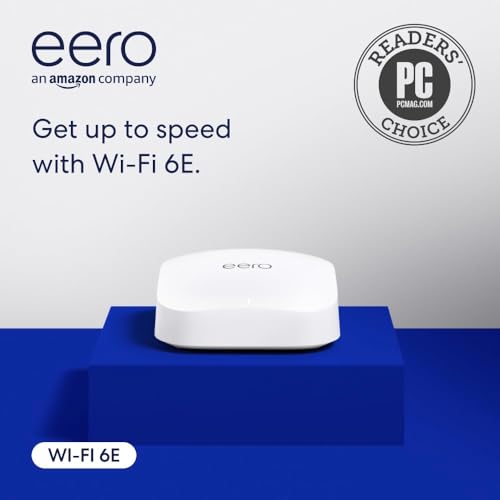
A certified refurb that behaves like new and doubles as your smart home hub.
This is a like-new refurbished eero Pro 6E, tested and certified to work like a fresh unit and covered by the same limited warranty. It is eero’s first Wi-Fi 6E router, supporting network speeds up to 2.3 Gbps with a 2.5 Gb Ethernet port for gigabit-plus internet plans.
Reliability and quality are the two things buyers praise most about this unit. The app guides you through setup in minutes, and owners repeatedly call it one of the easiest mesh systems to manage, with one self-described tech novice saying the IT support was excellent in getting them connected. It covers up to 2,000 square feet and supports 100+ devices, and eero’s TrueMesh technology intelligently routes your traffic to cut down on drop-offs and dead spots.
The standout extra is the built-in smart home hub. The eero Pro 6E controls compatible Thread and Zigbee devices with Alexa and works as a border router for Thread-enabled gear, so it pulls double duty as a network backbone and a home automation center. The honest caveat is that as a refurb, an occasional unit arrives faulty — one owner’s first unit failed setup — but the replacement worked perfectly. Speed feedback is also mixed, with some buyers seeing big gains and others finding it only average for the price.
What makes it different: no other 6E router here doubles as a Thread and Zigbee smart home hub, so Alexa households get two gadgets in one.
Note the setup: it works great as a booster or extender in an existing eero network, which one buyer used it for with excellent results.
7. Google Nest Wifi Pro (3-Pack)

Google’s tri-band mesh that fixes dead spots with a clean, simple app.
If you live in the Google ecosystem, this three-pack is the most natural fit on the list. It delivers up to 6,600 square feet of coverage across three nodes — 2,200 square feet each — and it automatically prioritizes video calls so your work meetings do not stutter when someone else is gaming. It is up to 2x faster than Wi-Fi 6, and it self-monitors, diagnosing network issues and fixing common problems on its own without you digging into settings.
Buyers coming from older hardware see dramatic improvements. One owner’s basement speed jumped from 5 Mbps to over 300 Mbps after switching, and they call it essential for fiber optic internet. The Google Home app handles everything — seeing connected devices, pausing unknown ones, and setting up a guest network with a separate password. It is built for simplicity, which is exactly what most households want from a router.
The big compatibility warning is front and center: Nest Wifi Pro is not compatible with previous generations of Google Wifi or Nest Wifi. If you already own older Google mesh gear, you cannot mix them, and one buyer learned this the hard way when their new unit would not join their old Wi-Fi 5 network. Reliability also splits opinion — most owners get rock-solid performance, but a vocal few report needing regular restarts, with one IT professional calling it unreliable after two years. This is a simple, dependable mesh for Google households, not a tinkerer’s router.
The Google advantage
- Easy setup and management through Google Home
- Huge 6,600 sq ft combined coverage
- Self-healing features fix common issues automatically
- Prioritizes video calls for stable work meetings
Know before you buy
- Not compatible with older Google Wifi or Nest Wifi gear
- Reliability reports are mixed, with some needing restarts
Choose this if: you want a Google Home-managed mesh with easy whole-home coverage and no interest in advanced settings.
Look elsewhere if: you already own older Nest Wifi gear that you hoped to keep using.
8. Arris Surfboard mAX 6E W161

A discontinued mesh with real speed potential — if you accept the risk.
Here is the honest warning up front: Arris has discontinued this product and ended all support for it, so any unit you buy may not even connect or function after the cutoff date. We are including it only because the hardware itself delivers impressive real-world speed for a two-unit mesh system covering up to 5,500 square feet, and some buyers have gotten genuine bargains. One owner found it excellent for a 2,000-square-foot home, getting gigabit speeds wired and over 700 Mbps through the satellite unit, where their old setup managed just 100-150 Mbps.
The hardware holds up well in testing — it is a tri-band Wi-Fi 6E system that handles the 6 GHz band properly and does not halve your speed the way some ISP-provided pods do. For anyone whose internet provider gave them half-duplex extenders, this is a real upgrade. One buyer with a “not very wifi friendly” house said it worked almost flawlessly once the satellites were placed correctly.
But the software is the weak link. The setup app is widely described as painful and finicky, and once configured, it offers very limited features and few ways to change settings later. Reliability reports are genuinely split — some units work better than expected, while others drop connections and resist factory resets. Given the end-of-support notice, this is strictly for buyers who enjoy tinkering and are comfortable with zero manufacturer help if something goes wrong.
The appeal: two mesh units with 5,500 sq ft of coverage and real 700+ Mbps satellite speeds at a bargain price.
The reality: discontinued, unsupported, and app-poor — only buy this knowing you are entirely on your own if it fails.
9. ASUS RT-BE96U

A future-proof Wi-Fi 7 monster with dual 10 Gbps wired ports.
This is the speed king of the list, a tri-band Wi-Fi 7 router rated at a staggering 19 Gbps with two 10 Gbps WAN/LAN ports. If you have a blazing multi-gig internet plan and a NAS that can handle it, those dual 10G ports are in a league of their own — nothing else here comes close to that wired throughput. It also supports the new 6 GHz band with 320 MHz bandwidth and 4096-QAM, which translates to a 2.4x speed increase with lower latency and less interference on compatible devices.
The coverage story is strong for large homes. Owners moving from a Netgear Nighthawk AX12 report better range and rock-solid high-resolution streaming with no drops, and the unit easily resolves gaming and streaming issues for big families with lots of connected devices. Setup is straightforward through the Asus app, and free commercial-grade AiProtection Pro security comes built in with no subscription, plus a one-tap security scan and Safe Browsing features.
The honest criticisms are about polish, not performance. It is a large, spider-like unit that takes up serious space and cannot be wall-mounted. Some shoppers say the remaining ports are only gigabit, which feels outdated alongside those 10G ports, and firmware updates have been rare. A small but vocal group hit random Wi-Fi drops and unstable USB media server performance, so reliability is not universally perfect. This is a premium tool for enthusiasts who have the wired infrastructure to justify it.
Why it justifies the premium
- Two 10 Gbps ports for true multi-gig wired speed
- 19 Gbps tri-band Wi-Fi 7, the fastest here
- Free lifetime AiProtection Pro security
- Excellent range that beats older premium routers
Where it stumbles
- Heavy, bulky design with no wall-mount option
- Mixed reliability reports from some owners
- Most ports are still gigabit, not multi-gig
Buy it if: you have a multi-gig internet plan and wired devices that can actually use 2.5 Gbps or more.
Hold off if: your plan is 1 Gbps or below — you will never touch those 10G ports, and cheaper 6E routers will handle you fine.
10. Asus ROG Rapture GT-AXE11000

The customizable battle-station router that gamers swear by.
For gamers who love tweaking every setting, this ROG Rapture is the most feature-dense 6E router here. It is tri-band with an 11,000 Mbps total rating and a 2.5 Gigabit Ethernet port for wired rigs. Buyers pushed it hard—one owner with 35 clients connected, 16-20 actively streaming, saw zero issues and speeds hitting 601 Mbps down on a 500 Mbps plan. It reliably doubled the speed of the AC1900 router it replaced.
The customization depth separates it. Manual configuration, AI Protection, WiFi Radar for scanning your airspace, and a Traffic Analyzer are built in, with RGB LED lighting customizable via the app. In real gaming, buyers report faster loads on a wired PS5, instant matchmaking, and smooth transitions in competitive titles. One reviewer tested it against other premium routers and called it the router of the year for handling FaceTime plus gaming simultaneously without a hiccup.
Coverage is genuinely impressive too — owners mention no dead spots across a 3,600-square-foot home streaming six 4K Fire Sticks at once, and strong signals even on the second floor. The one clear caveat is the 6 GHz range, which is shorter than the other bands; it works brilliantly on a Pixel 6 Pro but some users with Windows laptops have had driver issues on 6 GHz.
The verdict: the most configurable 6E router on this list, built for gamers who want control and have the devices to stress a single powerful unit.
Fair warning: 6 GHz range is limited, so think about node placement or wired backhaul for far rooms.
Understanding the Specs
Tri-Band and the 6 GHz Band
A tri-band router broadcasts on three frequencies: 2.4 GHz for long range and old devices, 5 GHz for everyday speed, and 6 GHz for the newest, fastest gadgets. The 6 GHz band is completely reserved for Wi-Fi 6E and Wi-Fi 7 devices, so it never gets congested by older gear. The trade-off is that 6 GHz has the shortest range of the three, which is why mesh systems matter for whole-home coverage.
Multi-Gig Ports Explained
A multi-gig Ethernet port runs faster than the standard gigabit port found on most routers. A 2.5 Gbps port can handle internet plans above 1 Gbps, while a 10 Gbps port is for future-proofing or local network transfers to a NAS. If your internet plan is 1 Gbps or slower, gigabit ports are completely sufficient.
FAQ
Do I need WiFi 6E devices to benefit from a 6E router?
Is the 6 GHz band worth it over regular Wi-Fi 6?
How much coverage does a single 6E router provide?
Can I use a 6E router with any internet service provider?
What is the difference between a mesh system and a single router?
Is Wi-Fi 7 worth buying over a 6E router right now?
Why is my 6 GHz signal weaker than my 5 GHz signal?
What does a 2.5 Gbps Ethernet port actually do for me?
Can I mix a new 6E router with my older mesh nodes?
How many devices can a 6E router handle?
Final Thoughts: The Verdict
The strongest pick for most households is the TP-Link Deco XE70 Pro, because its three-pack mesh covers a massive 7,200 square feet and delivers true multi-gig speed through 2.5 Gbps ports in every unit. If you want the uncrowded 6 GHz band on a tight budget, the MSI Radix AXE6600 is the cheapest proper 6E router around with impressive range. And for gamers who want maximum control and raw speed in one spot, the Asus ROG Rapture GT-AXE11000 is the feature-packed choice that has earned its reputation as the crowd favorite.
How We Picked
We do not accept paid placement. Every pick is matched to a real buyer and a real use-case; we do not hands-on test units.
Sources & Methodology
Specifications: manufacturer listings and product documentation. Review insights: verified customer reviews, as of September 2026. Pricing: not shown on this page (it changes often); check the current price via the retailer link.
As an Amazon Associate, KitchPrep earns from qualifying purchases. This does not affect which products we feature.
Related Guides
