
Specs are compiled from manufacturer listings and verified buyer reviews and can change over time — please confirm the key details on the product page before buying.
Your wall has two thermostat wires, the ones labeled R and W, and no third wire for constant power. The short answer: the Cielo Smart Thermostat Eco for Central HVAC is the one to buy, because it ships with a C-Wire adapter in the box. A C-wire is a constant-power line that feeds a thermostat steady 24-volt power around the clock, and most smart models want one. The adapter supplies that power at your furnace, so your two existing wires do the job and you get Wi-Fi scheduling and voice control without fishing a third wire through your walls. Homes built before smart thermostats existed often never ran a C-wire, so this is a common wall. The five picks below all work on a two-wire R and W setup, and each one solves the power problem a different way.
I’m Mohammad Maruf — the founder and writer behind KitchPrep. This guide is built by comparing the manufacturers’ published specifications and the patterns across verified customer reviews, so you get each pick’s real strengths and trade-offs instead of marketing spin.
Some of these run on battery power alone. Others hand you a power adapter in the box. A couple want a few extra minutes at the furnace. That one difference decides whether your install is a ten-minute job or a whole afternoon, so check it first before you buy any 2-wire smart thermostat.
Our Picks at a Glance

How To Choose The Best 2-Wire Smart Thermostat
Two wires on your wall is not a dead end. It just narrows which models are worth your money. The trick is knowing what each thermostat expects before you pull your old one off the wall plate, because a wrong pick means a return, a support call, or a hired electrician.
Start by counting your wires and reading their labels
Pull your old thermostat off its base plate and look at what is connected. A classic two-wire setup usually shows an R wire, which carries the 24-volt power, and a W wire, which tells your furnace to fire. If you also see a G wire (the fan wire) sitting unused behind the plate, some installers repurpose it as a constant-power line. That is exactly the trick one Nest owner used on a cabin heat-only system, running the unused green wire as a 24-volt C-wire at the furnace.
If you have only R and W and nothing spare, do not panic. Every pick below still works. Some run on batteries, and others include a power adapter that sits at your furnace and feeds constant power back up the existing wires.
Decide who provides the constant power
Smart thermostats need steady low-voltage power for the Wi-Fi radio (the part that connects the thermostat to your home network). On a two-wire system there are three honest ways to get it. One is batteries, which most basic programmable units use. The second is a C-wire adapter, a small module that wires in at your furnace and is included with several thermostats here. The third is a spare wire you repurpose. Confirm the model actually supports your chosen route rather than assuming — battery-only thermostats with Wi-Fi radios sometimes need to cycle the system to stay alive, and poorly fed radios are exactly why Wi-Fi drops show up in reviews.
Match the thermostat to your actual HVAC equipment
A heat pump, a gas furnace, and a plain electric baseboard system do not all behave the same way. Heat pump systems use a reversing valve, a part that switches the system between heating and cooling, which is why the thermostat needs an O or B terminal to control it. Heating-only and cooling-only systems behave differently again, and some thermostats list those as needing a C-wire or a compatible power accessory rather than working bare on two wires. Check your system type against the compatibility list on the box before you commit.
Think about app quality, not just hardware
The app matters as much as the thermostat. Some apps are simple and reliable, and some are the part owners complain about most. Ask yourself if you want scheduling, energy-use insights, a vacation mode, or voice commands. Then check that your specific model delivers those features through an app you are prepared to live with.
Quick Comparison
| Model | Best For | Power Source | Control Method | Display | Amazon |
|---|---|---|---|---|---|
| Cielo Smart Thermostat Eco★ Best Overall | Most two-wire homes overall | C-Wire adapter included | App, touch, voice | LCD | Amazon |
| Braeburn 7205Best Value | Garage and outbuilding furnaces | Battery, no common wire needed | Remote, push button | Digital | Amazon |
| Google Nest Thermostat | Google Home and Matter households | Usually no C-wire needed | Voice, button | LCD | Amazon |
| Amazon Smart Thermostat with C-Wire Adapter | Alexa households | C-Wire adapter included | App, Alexa voice | — | Amazon |
| MOES Smart Programmable Thermostat | Zoned rooms and utility-rate savings | Power module for no-C-wire homes | App, touch, voice | LED touchscreen | Amazon |
In‑Depth Reviews
1. Cielo Smart Thermostat Eco for Central HVAC, Energy Star Certified (Black)
Our pick — over 4★ from 150+ verified ratings; the strongest balance of quality and price.
A free power adapter in the box turns two old wires into full Wi-Fi control
The Cielo Eco takes the top spot for one concrete reason: it includes a C-Wire adapter at no extra charge, so your existing R and W wires carry both the switching signal and constant power. No spare wire hunting, no extra module to buy. It also handles a wide range of 24-volt hardware — gas, electric, oil, hot water, heat pump, and geothermal systems all appear on its compatibility list. That covers two heating stages, two cooling stages, a one-stage fan, and a heat pump reversing valve on the O/B terminal (the terminal that flips a heat pump between heating and cooling).
What wins people over is simply how well it works once it is up. Buyers report the setup and programming through the app as straightforward, and the thermostat earns ENERGY STAR certification, a government efficiency rating, for the efficiency side of things. The app also pulls in weather monitoring, geofencing for location-based control (it adjusts when your phone leaves or arrives), and a vacation mode that holds your home away from extreme temperatures while drawing minimal energy. If you run two units in one house, one owner confirmed you can control both from the same app — useful if your upstairs and downstairs zones were ever separate systems.
Support is the quieter strength here, and Cielo is unusually specific about it: a live person from a team reachable from 9 am to 9 pm ET on weekdays, with the brand claiming 98% of calls answered in under two minutes. That matters on install day, when a mislabeled wire turns a small job into a puzzle. The honest catch is reliability over time — one buyer who ran two of these had one unit fail inside a year and needed an HVAC visit, which is the kind of rare-outlier outcome you weigh against the much larger group happily running them.
Where the value sits
- C-Wire adapter included, so no separate purchase for a two-wire home
- Works with 24-volt gas, electric, oil, hot water, heat pump, and geothermal systems
- ENERGY STAR certified, with energy-use insights in the app
- Live phone support weekdays with a stated 9 am to 9 pm ET window
What to weigh first
- Support hours are weekdays only, so a weekend install leaves you waiting until Monday
- A vocal minority hit hardware failure, so confirm your return window before you cut the old thermostat loose
The best fit if: your wall has just R and W and you want app, touch, and voice control without buying anything extra.
Think twice if: you want a thermostat you never have to call anyone about — this one leans on its support line, and that line keeps weekday hours.
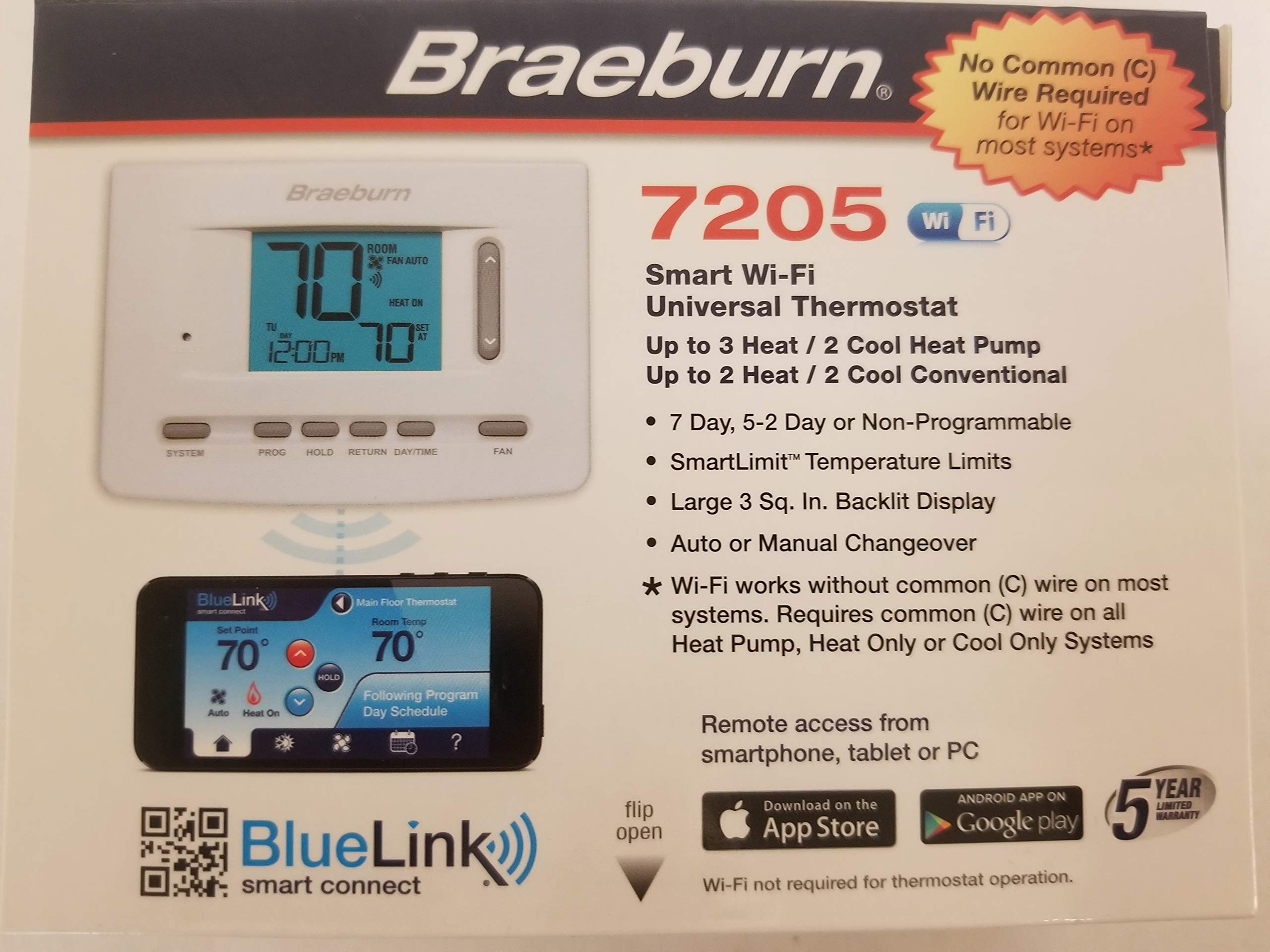
2. Braeburn 7205 Digital Programmable Wi-Fi Thermostat, White
Built for the furnace in your garage, not the hallway showpiece
The Braeburn 7205 earns its spot because it is the only thermostat on this list that runs its Wi-Fi radio (the part that connects to your home network) on conventional HVAC equipment with no common wire at all. No adapter, no spare wire, no module at the furnace. If your setup is a plain two-wire run to a garage heater or an outbuilding furnace, that is exactly the right answer, and owners mention the Wi-Fi function comes alive on those two wires alone.
What it does well is the fundamentals. Customers note the install as a straight swap, especially when replacing a same-brand unit. The price lands well below the premium picks here. It also fits neatly into an existing Braeburn household — if you already run one of these upstairs, adding a second one downstairs means controlling both from a single app. This model also supports remote system shutdown when you are away from home.
Where it falls short is the connection itself. The Cielo above pairs its radio with adapter-fed power; the Braeburn leans on batteries to keep that Wi-Fi alive, and unreliable wireless is what buyers mention most. It has trouble with 5 GHz networks, works better on 2.4 GHz, and reviewers point out it will not talk to Alexa or Google Home. The BlueLink app is basic, and the printed instructions for programming are genuinely hard to follow — one owner gave up on the manual and leaned on customer service instead, which they rated highly. Budget an unglamorous hour for programming, and consider whether a garage that drops off the network is something you can live with.
Worth knowing: the indoor sensor and 15.2-ounce body are simple and sturdy, and the display is a plain digital readout rather than a touchscreen — so there is almost nothing on the unit itself to learn.
The real limit: treat this as a Wi-Fi convenience for spaces you do not need to control from bed. If the connection matters, the adapter-powered Cielo is the stronger pick.
Reach for this if you want Wi-Fi scheduling on two wires with nothing extra to buy and no smart-home ecosystem to join.
Look elsewhere if you need an always-reliable app connection or voice control — the wireless here is the weak point.
3. Google Nest Thermostat – Smart Thermostat for Home – Programmable Wifi Thermostat – Snow

The one that learns your routines, as long as your wires cooperate
Nest earns its place with software most two-wire buyers actually want. It turns itself down when you leave, so you are not heating an empty house. It programs an efficient schedule through the Google Home app on Android or iPhone. It monitors your heating and cooling equipment and sends an alert when something looks off, plus maintenance reminders. It also works with Google Assistant and every Matter-certified voice assistant (Matter is a shared smart-home standard, so more devices talk to it), and controls from a phone, laptop, or tablet when you are away.
Design is the hook that pulls people in first. Owners call out the minimalist Snow finish and the touch bar, and describe the app setup as intuitive even if the wall unit takes a little getting used to. Temperature accuracy lands after a small adjustment — one owner adjusted theirs by four or five degrees Fahrenheit on day one to match their old thermostat. Remote control and voice commands through Google Assistant round out the day-to-day experience.
Now the part that decides your purchase. Nest is designed to work without a C-wire in most homes, but its own compatibility note says heating-only, cooling-only, zone-controlled, and heat pump systems will need a C-wire or a compatible power accessory. Two-wire buyers have solved this by repurposing a spare wire — one owner used an unused green wire as a 24-volt C-wire at the furnace — and another ran five units on older systems with an adapter cube per zone at the furnace plus a splitter at the thermostat, with the labor a real added cost per zone. If your wall has exactly two wires and no spare, check the compatibility checker before you buy, because that is where this one can trip you up.
Where it leads: the software is the reason to buy — self-adjusting schedules, equipment alerts, and Matter support all in one app.
The honest hurdle: install difficulty splits owners cleanly. Some call it very easy, others hit a snag they needed help to solve, so plan a little buffer time.
Pick this one if you are already comfortable inside the Google Home app and your system is a standard conventional setup.
skip it if you have heating-only or heat-pump equipment and no spare wire — you will need extra parts before it works.
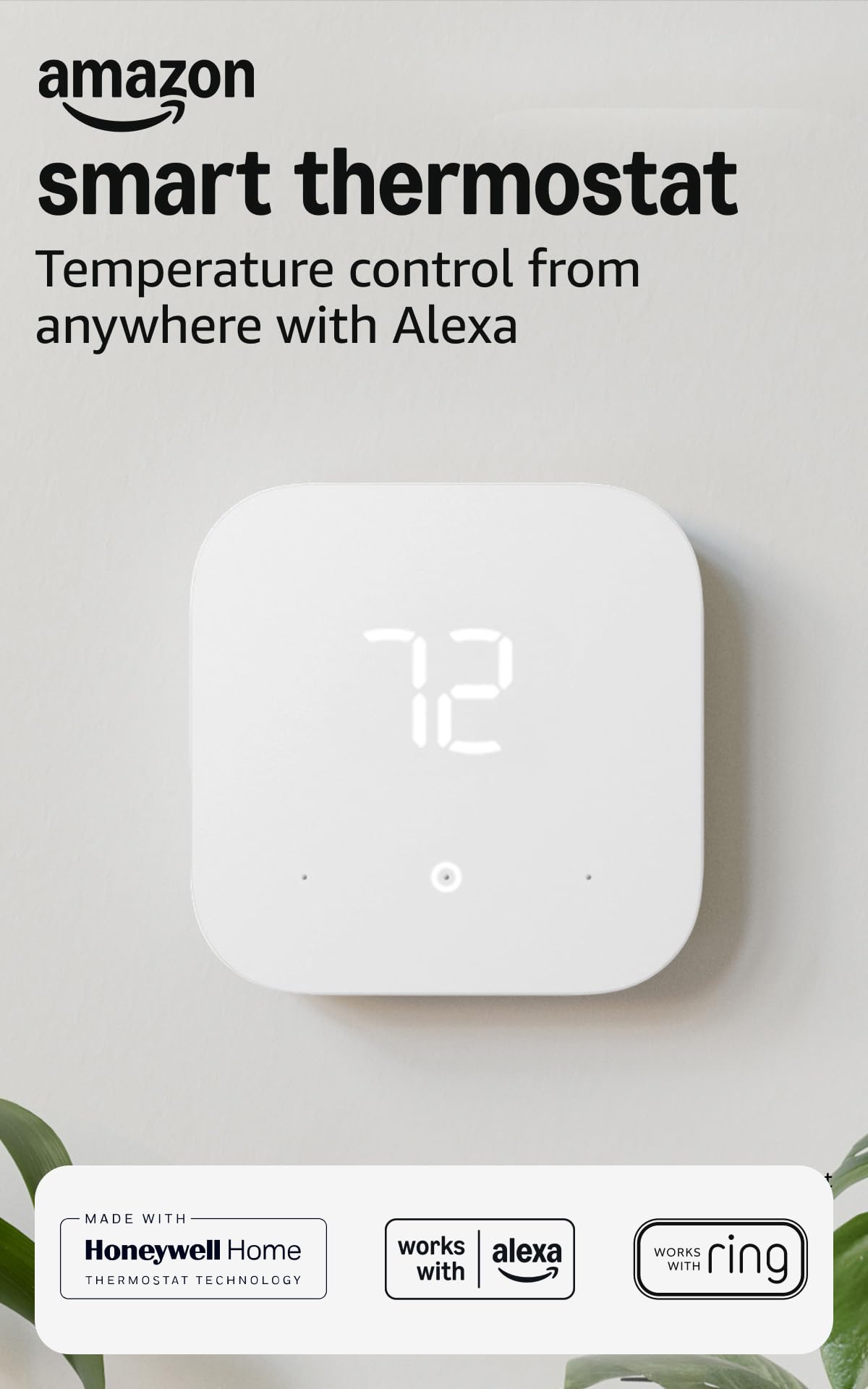
4. Amazon Smart Thermostat with C-Wire Adapter
Two wires plus an adapter and your Echo speakers become the control panel
The bundled C-Wire Power Adapter is why this one is here. A C-wire adapter is a small module that installs at your furnace and feeds constant power up your existing wires. So if your wall has R and W and no spare wire, the adapter solves the constant-power problem without a separate purchase, which puts it in the same practical lane as the Cielo above. What it adds is ecosystem pull: this is an Alexa thermostat, and it builds on Honeywell Home thermostat technology.
The clever part is comfort zoning. Connect it to select Alexa devices and the system adjusts heating and cooling based on temperature readings or presence detection in different rooms. You get programmable home, away, and sleep schedules, or you can let Alexa handle the temperature automatically with Alexa+ features, including routines built by voice. Day-to-day, the mindless-ness is the appeal — it settles into a schedule and stops asking you for anything. Setting the temperature from your phone while you are out is the feature owners reach for most.
Two practical points before you commit. First, the install is app-guided and straightforward for most people, but adding the adapter does add a step at the furnace, and a self-described non-expert found it a bit of a pain before getting it figured out — worth knowing if you have never touched a furnace panel. Second, this one leans hard on the Alexa app: there is no manual fallback if the app cannot connect, and one buyer hit exactly that wall and could not make the thermostat usable at all. That is the trade-off of a voice-first thermostat, and it is the reason to be confident in your Wi-Fi before you buy.
If nothing here scares you off, the payoff is a thermostat that reads your home’s temperature from other rooms and quietly keeps it comfortable. Amazon’s own customers noted the integration with Echo devices specifically — as owners put it, it is a surprisingly strong alternative to Nest, and they singled out the smooth pairing as the reason.
Best for: homes already built around Alexa speakers and an Echo-heavy setup that want room-by-room presence control.
Not for: anyone who wants a thermostat they can set without a phone — this one has no manual mode.
5. MOES Smart Programmable Thermostat for Home with Zone Remote Sensor and C-Wire Adapter

Seven days of scheduling with a power module for homes that lack a C-wire
The MOES packs the most scheduling flexibility on this list: 7-day programming (a different schedule for each day) with four modes. That lets you line up your heating and cooling around your household routine or a utility company’s peak rate pricing. It handles conventional two-heat, two-cool systems and heat pump setups up to four-heat, two-cool. It covers natural gas, electric, hot water, steam or gravity, gas fireplaces on 24 volts, and oil heat sources. It talks to Alexa, Google Home, and the Tuya Smart Life app, and it ships with the wall plate, screws, wire tags, a remote zone sensor, and — importantly for two-wire homes — a power module for setups with no C-wire.
The remote zone sensor changes how you can run the house. Because the sensor compensates for your body heat, the reading it sends back tracks a real room instead of the wall your thermostat happens to sit on. You can calibrate the temperature in the app if it still reads off. The install itself is where this thermostat shines: buyers rate it highest on ease among everything owners discuss, and reviewers confirm it works well with heat pump AC and heat systems. One caveat on wiring — if you power it with the C-wire adapter, you lose manual fan control, so keep a true C-wire if you want to run the fan independently.
The honest side of the ledger is temperature stability and software polish, which is where owners are split. Some love the value and the easy install; others report the temperature reads way off, with one unit reading 64 degrees in a 73-degree room and running the heat overnight. Another found it resetting the temperature for no apparent reason and not following the program. The remote sensor also drew a mixed reaction, with one owner calling it a gimmick because its range topped out near 9 feet. The value side is genuinely mixed in the eyes of buyers, so this is a pick that rewards a patient owner willing to calibrate it in the app and set it up carefully.
What’s genuinely clever: the remote sensor lets the thermostat read a room rather than a hallway wall, so the temperature it acts on matches where people actually sit.
What needs patience: budget a calibration pass in the app, because shoppers say temperature readings and schedule adherence behaving inconsistently until dialed in.
Worth a look if you want granular 7-day scheduling around peak utility rates and a zoned remote sensor that reads a specific room.
Look past it if you want the thermostat to work flawlessly from the start — this one rewards careful setup and a willingness to tweak.
Understanding the Specs
What a C-Wire Actually Does and Why Two-Wire Homes Need a Workaround
A C-wire is a constant-power wire that feeds your thermostat steady 24-volt power around the clock, separate from the wires that tell your system to heat or cool. Older homes often only ran two wires — R for power and W for the heat signal — because basic dial thermostats did not need constant power to run a Wi-Fi radio. That is the entire reason a two-wire smart thermostat needs a workaround, and there are three honest ones: run it on batteries, add a C-wire adapter that installs at your furnace, or repurpose a spare wire that is already in the wall. Confirm which route a given model supports before you buy, because a smart thermostat with a Wi-Fi radio that is poorly fed will drop off the network, and that is exactly the failure owners complain about most.
O/B Terminals, Heat Pumps, and Why System Type Changes Your Pick
The letters on your thermostat terminals tell the thermostat what hardware it is talking to. An O or B terminal controls a heat pump’s reversing valve, the part that switches the system between heating and cooling, so a thermostat without it cannot properly run a heat pump. Stage count works the same way: a two-heat, two-cool thermostat can run systems with two stages of heating and two of cooling, while a simpler system needs fewer. Heating-only and cooling-only setups are their own category, and some thermostats list those as needing a C-wire or a compatible power accessory. Pull your old thermostat and note which terminals have wires before you shop; that single photo will settle most of your questions about which model fits.
FAQ
Can a smart thermostat really work with only two wires?
Do I need an electrician to install a two-wire smart thermostat?
Will these thermostats work with my heat pump?
What happens if my house has no C-wire at all?
Why does Wi-Fi keep dropping on some of these thermostats?
Do these thermostats work with Alexa and Google Home?
Is a 7-day programmable schedule better than letting the thermostat learn my routine?
What does a remote zone sensor give me that the thermostat alone does not?
Can I run the thermostat fan manually on a two-wire setup?
Do two-wire smart thermostats work with oil, hot water, or steam systems?
Final Thoughts: The Verdict
For most two-wire homes, the 2-wire smart thermostat winner is the Cielo Smart Thermostat Eco because it includes the C-Wire adapter that solves the constant-power problem, works with a broad range of 24-volt systems, and is ENERGY STAR certified — and it holds 4.3 stars across 100+ owner ratings. If you are all-in on Alexa and want the thermostat to work alongside your Echo speakers, grab the Amazon Smart Thermostat with C-Wire Adapter. And for a garage furnace or outbuilding where you just want Wi-Fi without buying or wiring anything extra, the Braeburn 7205 is the one to reach for.
How We Picked
We do not accept paid placement. Every pick is matched to a real buyer and a real use-case; we do not hands-on test units.
Sources & Methodology
Specifications: manufacturer listings and product documentation. Review insights: verified customer reviews, as of September 2026. Pricing: not shown on this page (it changes often); check the current price via the retailer link.
As an Amazon Associate, KitchPrep earns from qualifying purchases. This does not affect which products we feature.
Related Guides
