
Specs are compiled from manufacturer listings and verified buyer reviews and can change over time — please confirm the key details on the product page before buying.
If your two monitors are still sitting on their own factory feet, you already know the problem: the stands eat a big chunk of your desk, they never sit at the same height, and you end up stacking whatever fits underneath them. A dual monitor mount fixes all three at once — it clamps to the back edge of your desk and holds both screens in the air, so the surface underneath is yours again. The catch is that not every mount fits every desk or every monitor, and the wrong one sags under a heavy screen. This guide walks you through the nine picks worth a look, what each one is genuinely good at, and which one suits your setup.
I’m Mohammad Maruf — the founder and writer behind KitchPrep. This guide is built by comparing the manufacturers’ published specifications and the patterns across verified customer reviews, so you get each pick’s real strengths and trade-offs instead of marketing spin.
Start with your monitor’s VESA hole pattern (the four screw holes on the back, usually 75x75mm or 100x100mm) and your desk thickness, then work down. The right 2-monitor mount clears the desk surface and holds both screens at matching height.
Our Picks at a Glance


How To Choose The Best 2-Monitor Mount
Three numbers decide whether a mount works in your room: the VESA pattern on the back of your monitors, the weight of each screen, and how thick your desk is. Get those three right and almost everything else — colour, cable routing, arm shape — is preference. Get one wrong and you are either returning a box or watching a screen droop.
Start with your monitor’s VESA pattern
Almost every monitor made in the last decade has four screw holes on the back in one of two layouts: 75x75mm or 100x100mm (the two numbers are the horizontal and vertical distance between the holes, in millimetres). Check your monitor’s manual or the back panel before you buy. Every mount in this guide accepts both patterns, so the real question is whether your screen is bare-back or covered by a plastic housing. Some ultrawide models hide the holes behind a removable cover, and a few large 49-inch and 57-inch screens need a small steel adapter that comes with the monitor rather than the mount.
Weight per arm beats screen size on the box
A mount rated for 32-inch screens can still fail on a heavy 27-inch panel. What matters is the load each arm carries, listed as a weight range or a maximum. A monitor that is lighter than the arm’s minimum will float upward and refuse to stay down; one that is heavier will sag or slowly drop over a long day. Weigh your monitor, or look up its shipping weight, and pick an arm whose range covers it. This is the single most common reason people end up unhappy with a mount that looked fine on paper.
Check your desk thickness and surface
Clamp mounts squeeze the back edge of your desk from above and below, and each model has a thickness window — some grip a slim 0.39-inch top, others reach past four inches. A grommet mount instead feeds a bolt through an existing cable hole and is the more secure option when one is available. One rule that holds across every pick here: clamp mounts belong on solid wood, metal or dense laminate. Glass and thin hollow-core tops are not suitable surfaces for a clamp, no matter how good the mount is.
Decide between side-by-side and stacked
Two screens next to each other is the classic layout and works with almost any desk. Stacking one above the other frees the widest possible horizontal space, which is the reason people with narrow desks or ultrawide panels choose a vertical mount. Vertical stacking needs a taller centre pole, so look for the pole height in the specs if that is the layout you want. Both styles use the same VESA plates; only the pole and arm geometry differ.
Quick Comparison
| Model | Best For | Screen Size Range | Weight Per Arm | Mounting Method | Amazon |
|---|---|---|---|---|---|
| VIVO STAND-V002 Dual Monitor Desk Mount★ Best Overall | Most desks, most monitors | 13″–30″ | Up to 22 lbs each | C-clamp or grommet | Amazon |
| AX WABER AX05TB02 Vertical Stack StandSpace Saver | Small desks and stacked screens | 13″–34″ | Up to 44 lbs total | Free-standing glass base | Amazon |
| Amazon Basics Adjustable Dual Monitor Desk MountWidest Tilt | Wide tilt range on a budget | 13″–32″ | Up to 22 lbs per arm | C-clamp or grommet | Amazon |
| WALI GSMP002N Dual Monitor Arm | Long reach and tall lift | 17″–34″ | Up to 22 lbs per arm | C-clamp or grommet | Amazon |
| Amazon Basics Gas Spring Dual Monitor Arm | Lighter panels, sit-stand desks | 15″–27″ | 4.4–15.4 lbs each | C-clamp or grommet | Amazon |
| Acer AMS002 Dual Monitor Arm | Mixed layouts, portrait mode | 17″–32″ | 4.4–19.8 lbs per arm | C-clamp or grommet | Amazon |
| Putilsen FPM80-C02X Ultrawide Vertical Mount | Stacked ultrawides in tight rooms | 24″–57″ | Up to 59.4 lbs each (flat) | C-clamp or grommet | Amazon |
| PUTORSEN MTCA-092-B Vertical Stack Arm | Tall pole, big screens | 17″–49″ | Up to 44 lbs each | C-clamp or grommet | Amazon |
| QUARX FLYTE QX-700 Dual Monitor Arm | Premium build, heavy panels | 17″–35″ | Up to 26.4 lbs per arm | C-clamp or grommet | Amazon |
In‑Depth Reviews
1. VIVO Dual Monitor Desk Mount, Holds 2 Computer Screens up to 30 inches and 22lbs Each, Heavy Duty Fully Adjustable Steel Stand with C-Clamp and Grommet, Black, STAND-V002
Our pick — over 4.5★ from 60,500+ verified ratings; the strongest balance of quality and price.
The mount most people should buy first — huge ownership base, honest steel, and two ways to attach it to your desk.
If you want the safest bet in this whole category, this is where most desks should start. It clamps to the back of your desk with a C-clamp or bolts through an existing grommet hole, and it accepts monitors from 13 to 30 inches at up to 22 lbs each. The arm moves on four axes: 90 degrees of tilt in each direction, 180 degrees of swivel, full 360-degree rotation, and height adjustment along the centre pole. That combination covers side-by-side, one screen tilted toward you, or either panel flipped to portrait. What makes it the pick of the bunch is how many people have lived with it — a crowd favourite sitting at 4.6 stars across 60,000+ owner ratings, which is the kind of number that reflects real desks, not a press sample.
Assembly is where this mount earns its reputation. The VESA bracket plates detach, so you screw them to the back of each monitor on the desk, then slide the whole plate onto the arm — no holding a 15 lb panel in the air while you thread a bolt. Cable clips run along the arms and up the centre pole, which is what stops your desk from looking like a server rack. The steel build also justifies the 3-year manufacturer warranty, and the whole thing sits comfortably in the mid-range on value.
The honest caveat is that the friction joints need attention. As one owner put it after months of use, the hex-nut joints can migrate under load and cause the screen to drift out of tilt, so plan on a final tighten with the included Allen key once both panels are hanging. Desk thickness tops out at 3.25 inches for the clamp. Compare that reach to the Acer AMS002, which stops at 3.15 inches — this one grips a slightly thicker top, and it also holds a wider screen range than the Amazon Basics gas spring arm, which caps at 27 inches.
What owners keep coming back to
- Setup is genuinely simple — detachable VESA plates and clear instructions
- Clamp and grommet options cover both solid-edge and drilled desks
- Four-axis movement: 90° tilt each way, 180° swivel, 360° rotation
- Steel construction with a 3-year manufacturer warranty
Where it asks a little more of you
- The joints settle under load, so a final Allen-key tighten is routine
- Levelling two screens takes a few minutes of small nudges
- Clamp needs solid wood, metal or dense laminate — not glass
Suits you if: you have two screens between 13 and 30 inches and want the version with the deepest track record.
Think twice if: your panels are heavier than 22 lbs each, or your desk is thicker than 3.25 inches.
2. AX WABER Dual Monitor Stand Vertical Stack Screen Free-Standing Desk Mount Arm Riser Fits Two 13 to 34 Inch Computer Monitors with Swivel,Tilt, Height Adjustable,VESA Stand 100x100mm, 75x75mm AX05TB02
The one for narrow desks — it stands on its own base and stacks your screens instead of spreading them sideways.
Stacking is the trick that saves horizontal space, and this stand is built around exactly that. It holds two monitors on a single freestanding base, so nothing is clamped to your desk edge and no drilling is involved. The footprint is one base instead of two factory feet, which is the difference between a tidy narrow desk and one where a keyboard has nowhere to live. The vertical layout also means a 34-inch panel and a smaller second screen can share the same column of air above your work surface.
Where this one stands apart from the clamped picks is raw capacity. It carries up to 44 lbs in total and tops out at 34-inch screens — that is more than double the 22 lbs the VIVO STAND-V002 carries, and it accepts screens four inches larger than the VIVO’s 30-inch ceiling. It also beats the Amazon Basics gas spring arm’s 27-inch limit by a wide margin. Articulation is deliberate rather than dramatic: plus or minus 15 degrees of tilt, plus or minus 45 degrees of swivel, and full 360-degree rotation, with height and sway adjusted at the brackets. Buyers report that it holds heavier screens without complaint — as owners put it, one stacked two 32-inch panels above two 27-inch panels and called it “Vet sturdy and very easy to put together.”
The trade-off is that tilt range. Fifteen degrees is a gentle lean, not the 90 degrees you get on the Amazon Basics adjustable mount above, so this is not the pick if you want to angle one screen sharply down toward a lower seated position. The heavy-duty base does the load-bearing work instead of friction joints, and it needs a clear desk surface rather than a wall-clamped edge. Freestanding also means you can move it without tools, which cuts both ways — it is a desk accessory first and a permanent fixture second.
Standout for small rooms: no clamp, no drill, no desk-edge real estate lost. Just set the base down and build upward.
What to weigh up: the 15-degree tilt ceiling and 2.2 kg unit weight mean it prefers a fixed spot over a desk you rearrange weekly.
Reach for this if: your desk is shallow or wall-adjacent and you would rather stack screens than spread them.
Look elsewhere if: you need steep downward tilt, which this stand simply does not offer.
3. Amazon Basics Adjustable Dual Monitor Desk Mount, Supports up to 32 inch Monitors and 22 lbs per Arm, Adjustable Tension, VESA 75×75/100×100, Black
If you want one screen angled steeply down and the other sitting level, this is the arm that will actually do it.
Tilt range is the whole story with this mount. It swings from minus 45 to plus 90 degrees, so you can aim a panel down toward your eyes and still park the second one level beside it. That matters if your screens sit at different heights, or if you are working from a chair that drops lower than a standard office seat. It is also a big jump on the AX WABER stand above, which stops at 15 degrees of tilt. You also get plus or minus 90 degrees of swivel and full 360-degree rotation, and the mount fits 13-inch up to 32-inch screens at 22 lbs per arm.
Each arm has its own tension adjustment screw, which is the feature that makes uneven loads workable. A lighter screen on one side and a heavier one on the other is fine as long as you dial each arm separately. The clamp and grommet options cover desks from 0.39 to 4.25 inches thick, which is the widest desk window in this guide. Owners mention that once it is dialled in it holds with no sag, and mounting two 24-inch panels is a straightforward job — though the box weighs 7.8 lbs and two sets of hands make assembly noticeably easier than one.
Here is the part the marketing copy will not tell you: your desk needs breathing room behind it. The 4.25-inch desk thickness range is generous, but owners of wall-backed desks note that side-by-side screens can run out of motion room once the arms extend back. Plan for a few inches of clearance. The included spacers and screw guidance are there for a reason too — monitors with recessed rear housings need the right screw length to sit flush.
Why it earns its place: 90 degrees of downward tilt and independent tension per arm make mismatched panels behave.
The numbers that matter: 13–32 inch screens, 22 lbs per arm, desks 0.39–4.25 inches thick.
The honest limit: a wall behind your desk can shorten the usable reach of the arms.
It is the right call when your two screens differ in weight or you need a steep viewing angle.
It is the wrong call when your desk sits flush against a wall with no gap behind it.
4. WALI Adjustable Dual Monitor Arm for 13-32 inch Screens, 22 lbs per Arm
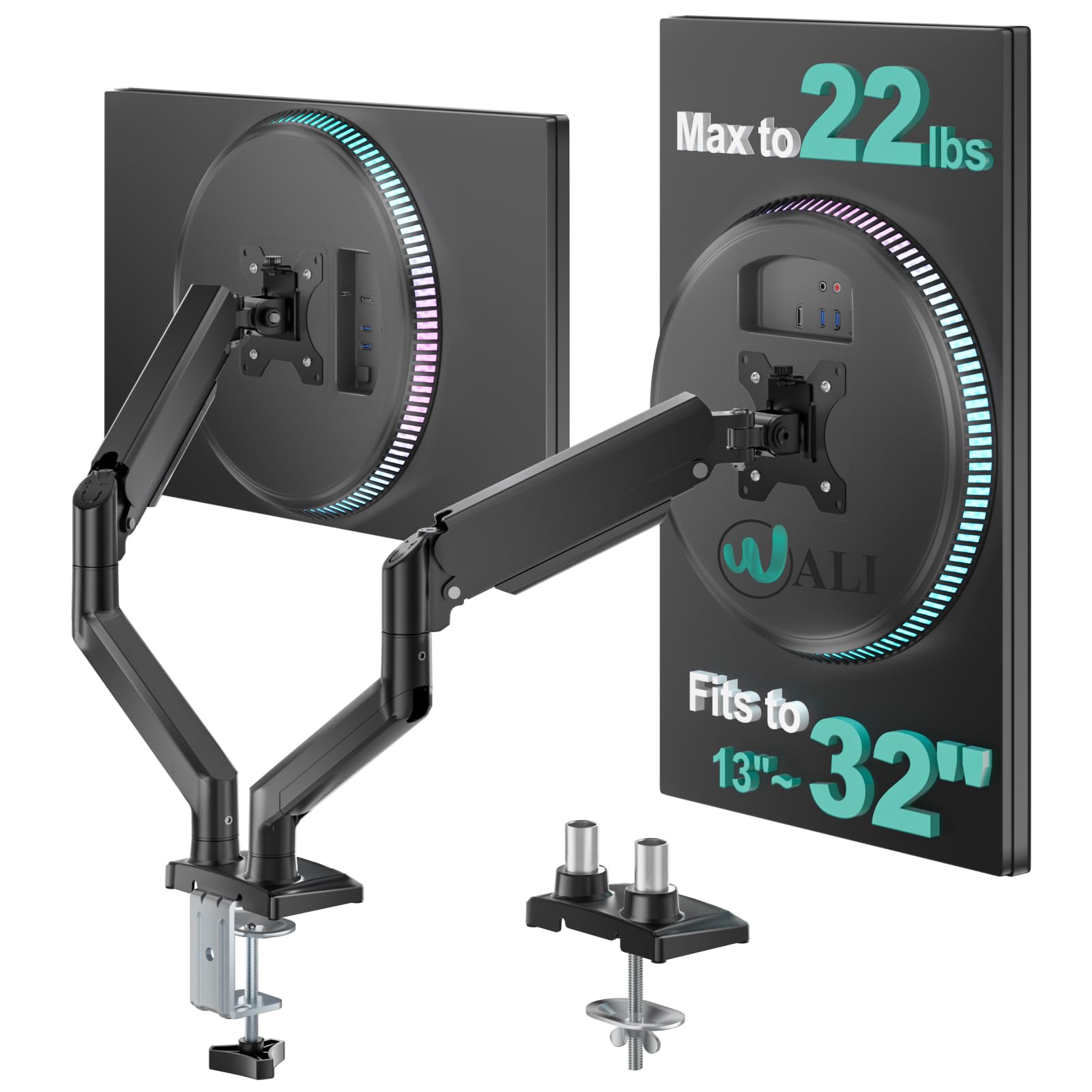
Two feet of horizontal reach and seventeen inches of lift — this arm pulls a screen right across your desk.
Reach is what separates this from the rest of the shortlist. The arm extends 19.3 inches out from the base and rises 17.3 inches above the desktop, so a screen can be pulled close for detail work and pushed back out of the way for a meeting without moving anything on the desk itself. Motion runs plus or minus 90 degrees swivel, plus 70 and minus 45 degrees tilt, and full 360-degree rotation. The VESA head is wider with a tighter-fitting panel than many rivals, which is the design choice that keeps a screen from creeping out of position over a long week.
Build testing is where WALI puts its money down: the arm’s core is tested through 20,000-plus adjustment cycles, the kind of figure that speaks to how the joints hold up rather than how the mount looks on day one. Owners lean on that too — quality is what the review pages single out, and the recurring theme is a screen that stays exactly where you leave it, with the tension set once. It handles 13 to 32-inch screens at 22 lbs per arm and goes on with a C-clamp or grommet base on desks from 0.39 to 2.76 inches. Note the 2.76-inch clamp ceiling: if your desk is thicker than that, the VIVO STAND-V002 up top goes further at 3.25 inches.
The catch worth knowing before you buy is the desk surface itself. WALI only recommends a wooden desk, ideally with no crossbeam running underneath where the clamp needs to sit. Owners also flag that a lip or moulding along the back edge of a desk makes the clamp harder to seat. It is a real limitation for built-in desks and glass tops, and it is the reason to check under your desk before scrolling past this one.
Where this arm earns its keep
- 19.3″ of extension plus 17.3″ of lift gives you real positioning freedom
- Core tested through 20,000+ adjustment cycles
- Wider VESA head and tighter panel fit resist creeping over time
- Cable guides along the arms keep wiring out of sight
What to check first
- Wooden desks only — glass and thin tops are out
- A crossbeam underneath can block the clamp
- Clamp ceiling of 2.76″ is narrower than the VIVO’s 3.25″
This is your arm if: you want screens pulled forward and pushed far back without leaving your chair.
Pick a different mount if: your desk is more than 2.76 inches thick or has a beam under the back edge.
5. Amazon Basics Gas Spring Dual Monitor Arm Desk Mount, Adjustable Tension, Fits 15–27 Inch Monitors, Supports 4.4–15.4 lbs Each Arm, VESA 75×75/100×100, Black

Gas springs do the lifting here — nudge a light screen and it floats to eye level without a fight.
Gas spring arms work on a pressurised cylinder inside the joint, which means you raise or lower a screen by pushing it rather than by loosening a bolt. That is a meaningful difference if you share a desk or shift between sitting and standing, because the screen follows your hand. The arm carries 4.4 to 15.4 lbs per arm, covers 15 to 27-inch monitors, and mounts by C-clamp or grommet on desks 0.39 to 4 inches thick. Each arm has its own tension screw so you can balance a lighter panel against a heavier one.
The weight range is the number to check before you buy. If your monitors weigh more than 15.4 lbs each, this arm is not the one — the VIVO STAND-V002 and the WALI both go to 22 lbs per arm, and the Acer AMS002 reaches 19.8 lbs. On the other side of the scale, this arm also has a floor: it will not hold much below 4.4 lbs, which is rare in smaller monitor sizes but worth knowing if you pair a small secondary panel with a large main screen. Monitors with VESA 75x75mm or 100x100mm patterns fit, and spacers are included for recessed rear housings.
One honest note on setup: the joints ship tight and the arms are pre-set for heavier loads, so the first session involves turning the tension screws gradually and testing the balance. Owners describe the process as fiddly rather than difficult, and a couple of rounds of small adjustments gets both screens sitting level. Once balanced, the screens sit at your eye level instead of below it.
Best suited to: light-to-mid weight panels where you want touch-to-move height changes rather than bolt-loosening ones.
Skip past if: your monitors exceed 15.4 lbs each — this arm’s upper limit sits well below the 22 lb arms in this roundup.
Go for it when your screens are on the lighter side and you move them often through the day.
Leave it when you are mounting heavy panels or want the widest possible weight window.
6. Acer Dual Monitor Arm, Gas Spring VESA Mount Stand for 17-32″ Screens
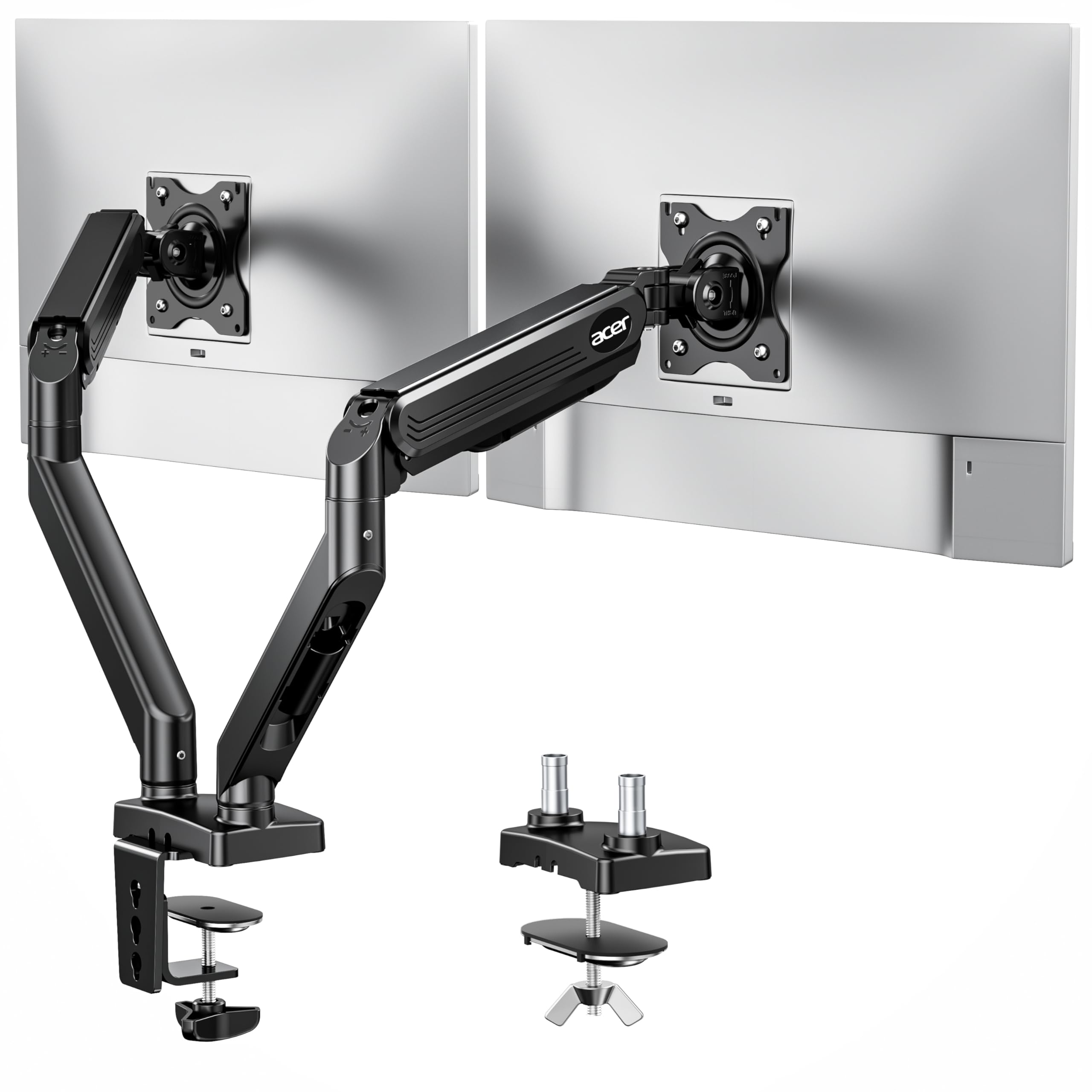
One arm, four layouts — side by side, stacked, one landscape and one portrait, or both upright.
If your ideal setup changes depending on the job, this is the arm that keeps up. It supports dual horizontal, horizontal and vertical, dual vertical, and cross horizontal arrangements, so you are not locked into one orientation when you buy. Gas spring assistance handles the lifting, and the height window is the biggest of the clamped picks here: 18.1 inches of vertical adjustment and 21.25 inches of extension from the base. Motion runs 360-degree rotation, plus 90 and minus 60 degrees tilt, and plus or minus 90 degrees swivel. This is the cheapest way in the whole list to get genuinely broad screen support, since it also takes a wide 17 to 32-inch range.
Weight handling sits at 4.4 to 19.8 lbs per arm, which is a wider window than the Amazon Basics gas spring arm’s 4.4 to 15.4 lbs and a higher ceiling than its 15.4 lb limit. The arm is tested through more than 20,000 durability cycles. Customers note it holds its position without sagging even when dialled down soft for lighter panels, and the cable management clips keep the wiring routed out of view. It shares the same clamp-and-grommet mounting as the rest of the shortlist, though it needs a grommet hole larger than 10mm if you go that route.
Two practical notes before you commit. The mount is strict about desk thickness, gripping tops between 0.59 and 3.15 inches, so a very slim 0.4-inch desk is outside its range. And while the range of motion is broad, one direction is limited — a few owners mention the screens resist tilting downward, so if a steep downward angle is your priority, the Amazon Basics adjustable arm above handles that far better.
Where it leads
- Four supported layouts including dual vertical and cross horizontal
- 18.1″ of height adjustment and 21.25″ of extension
- 4.4–19.8 lbs per arm, a wide window for different panels
- 20,000+ durability test cycles on the gas-assisted lift
Worth knowing first
- Desk thickness window starts at 0.59″ — very slim tops are out
- Downward tilt is more limited than the other picks here
- Grommet mounting needs a hole wider than 10mm
Choose it for: a setup where portrait screens or a stacked layout might become the norm later.
Look past it for: steep downward screen angles or a desk thinner than 0.59 inches.
7. Dual Ultrawide Monitor Mount for 24-57” Screens, Max Load 59.4 lbs per Arm
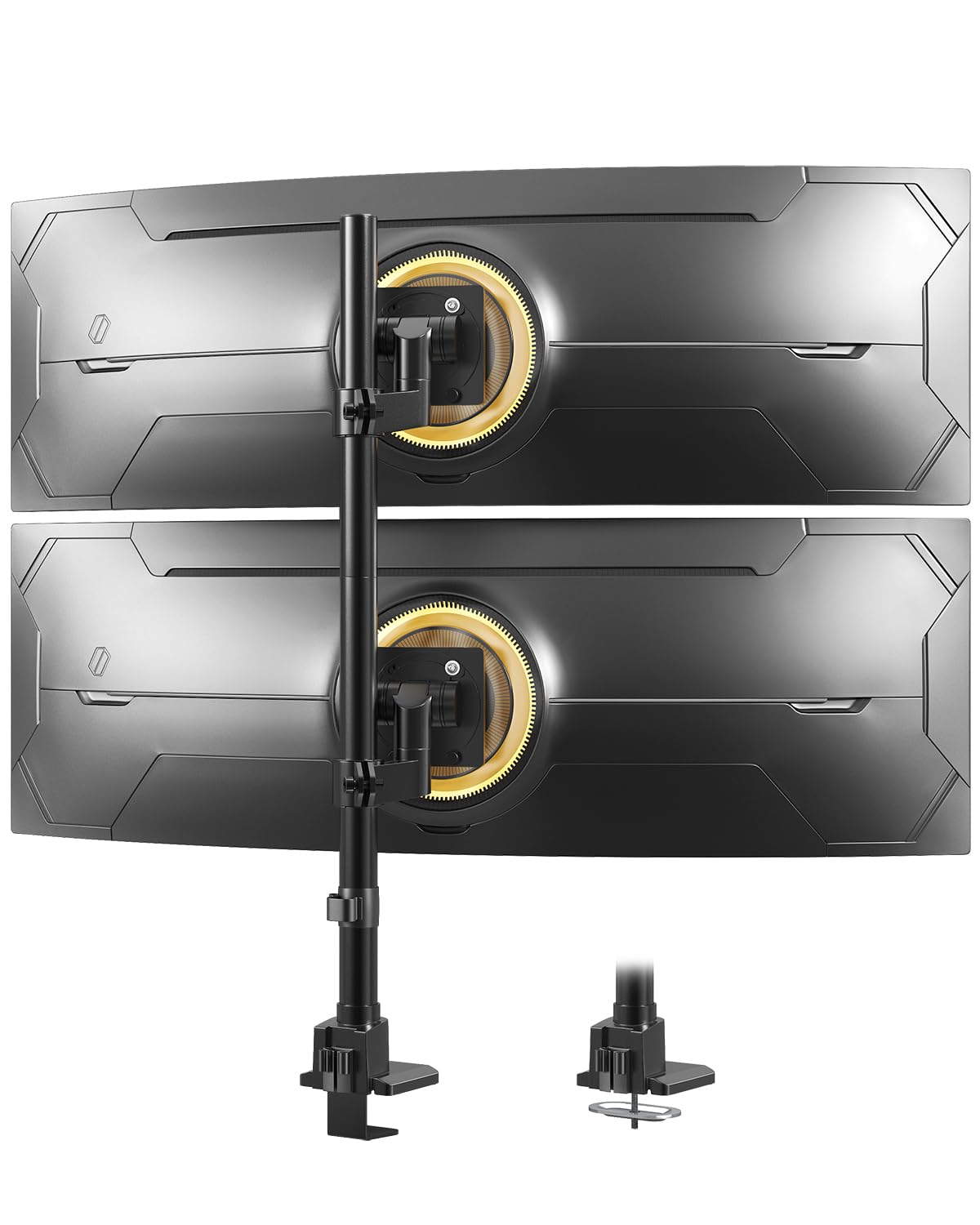
Built for the monsters — 57-inch ultrawides stacked on a pole made of alloy steel and aluminium.
Once you move past a 34-inch screen, most mounts quietly stop being an option. This one does not: it holds flat panels up to 59.4 lbs per arm or curved panels up to 48.4 lbs, and accepts screens from 24 all the way up to 57 inches. That is exactly double the 27-inch ceiling of the cheapest gas spring arm in this list and 25 inches past the 32-inch limit on the Acer AMS002. The design is a vertical stack with a topside installation base and quick-release VESA plates, and the whole point is to keep a wall-adjacent desk usable instead of letting two large panels shoulder their way outward.
It is compact on the desk and heavy in the hardware — the unit weighs 4.94 kg, which is the mass you want holding a large curved screen steady. Stability is what owners comment on most, and the recurring theme is everything locking in and staying locked, with no drift once it is tightened. A one-handed swivel and height change on a screen this size is a genuinely rare thing. It takes 75x75mm and 100x100mm VESA patterns, fits desks 0.39 to 1.97 inches thick with the clamp or 0.39 to 1.77 inches with the grommet, and the clamping bolts go on carefully enough that reviewers point out no desk damage.
Read the clamp spec before buying, because this is the pick’s one real constraint. Clamp mounting tops out at 1.97 inches of desk thickness — the narrowest window on this list — and people with sit-stand desks have had to shim the clamp or add a reinforcing plate underneath to keep it clear of an adjustable frame. Some 49, 55 and 57-inch panels also need a small steel VESA adapter that comes with the monitor rather than the mount, so check the back of your screen first.
The big picture: 59.4 lbs per arm and a 57-inch ceiling make this one of very few mounts that will hold a stacked pair of ultrawides at all.
The fine print: clamp thickness stops at 1.97 inches, and some large ultrawides need their own adapter plate.
Made for you if: you are running one or two oversized ultrawides and need a mount with the lift to match.
Step away if: your desk top is thicker than 1.97 inches or your screens lack the standard VESA holes.
8. Heavy Duty Dual Monitor Arm for 17-49″ Screens, Vertical Stack, 44lbs
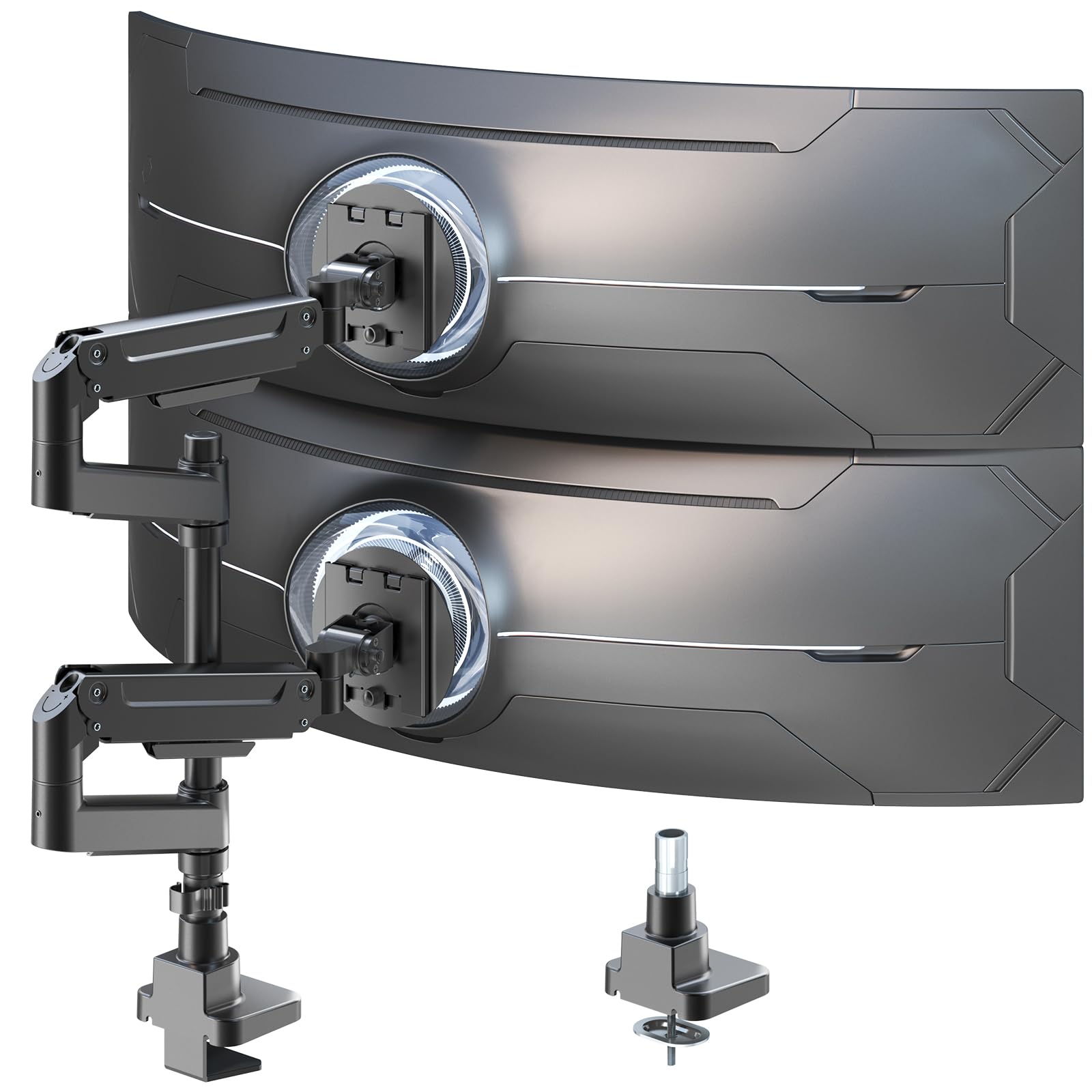
A 19.69-inch pole that turns two big screens into one clean vertical column.
The tallest stack on the list depends on one measurement: a 19.69-inch centre pole, which is what lets you hang one 49-inch screen above another without the bottom panel crowding your keyboard. Each gas spring arm carries up to 44 lbs and accepts screens from 17 to 49 inches, so the same mount that handles a pair of 27-inch panels today will still hold a large ultrawide tomorrow. Motion is plus 50 and minus 20 degrees of tilt, plus or minus 90 degrees of swivel, and full 360-degree rotation for flipping between portrait and landscape. That weight rating is double the 22 lbs the WALI and VIVO arms carry, which is the reason to step up here.
Gas springs are tuned with an included Allen wrench, so the arm can be dialled in for a light panel or a heavy one without swapping hardware. The build mixes aluminium and steel for the load-bearing parts, with cable management built along the arms for a clean run down to the desk. Owners back this up in practice: two 27-inch screens hang without any wobble, the arms hold their angle once set, and the whole thing frees real desk space rather than just rearranging it. Height, tilt and orientation adjustments are all tool-free once the initial tension is set.
The honest limit is screen width, not weight. With larger panels, a side-by-side layout gets tight, so this arm is at its best in the stacked configuration it is built for. Think of it as a vertical-first mount that can pinch-hit horizontally rather than the other way around. If you want two big screens side by side, the Putilsen ultrawide mount above handles the same class of heavy panels with a lower profile.
Why it stands out
- 19.69″ pole is the tallest here for genuine vertical stacking
- 44 lbs per gas spring arm — double the 22 lb arms in this roundup
- 17–49″ screen range covers a future upgrade
- Tilt, swivel and 360° rotation with tool-free adjustment once tuned
The realistic limits
- Side-by-side layouts get cramped with large panels
- Non-VESA monitors need a separate adapter
- Tuning the gas springs takes a few rounds of testing
Built for: anyone stacking large screens vertically who needs the pole height and weight capacity to do it properly.
Not the pick if: your plan is a wide side-by-side pair of big panels.
9. Heavy-Duty Dual Monitor Arm Desk Mount for up to 35″ Screens, Black

The machined-metal end of the market — heavy-duty clamps, snap-in VESA plates, and a ten-minute setup.
You can tell a lot about a mount by its clamp. This one is a cast aluminium jaw with a 12mm bolt, and the weight shows in how little it moves when you lean on a screen. The base is a 6-inch unit with rubber pads that sits on wood, plastic, metal or even a glass desk surface — the mount works on desks up to 2.2 inches thick, or up to 3 inches with the wider setting. Each arm carries up to 26.4 lbs, the highest per-arm rating of any clamped arm here, and the mount covers screens from 17 to 35 inches on 75x75mm or 100x100mm VESA patterns. Its ArmAdjust joint system is designed to hold a screen wherever you leave it without drift, wobble or a slow tilt over a long day.
Two things make this feel different in use. The arms arrive 90 percent pre-assembled with pre-lubricated joints, so the setup is closer to ten minutes than an evening, and the VESA plate clips onto the arm bracket instead of needing two hands and a screwdriver in mid-air. The second is the load-bearing hardware: mechanical springs rather than gas cylinders, which some owners prefer for long-term stability. Shoppers say twin 32-inch curved panels lifted clear of the desk with room underneath for a keyboard and the usual bits and bobs, and the whole package arrives with the hex wrenches you need included.
The catch with a mount this serious is the footprint behind the desk. A secured clamp and rear arm assembly need clearance at the back edge, so a desk pushed flat against a wall will feel tight. Instructions are brief, and the base arm receiver ends are unmarked, which adds a few minutes of puzzling on the first build. But the trade is a mount people describe in the same breath as far pricier arms, and it is the one to pick if you want the build quality to outlast two or three monitor upgrades.
The case for spending more: a 12mm cast aluminium clamp, 26.4 lbs per arm, and 90 per-cent pre-assembly make this a mount you set up once and forget.
The catch: the rear arm assembly wants real clearance behind the desk, and the instructions assume you will figure out the receiver ends yourself.
Worth the extra if: you are mounting heavy or curved panels and want the hardware quality to survive a few screen upgrades.
Not worth it if: your desk sits tight against a wall, or you only ever run a pair of light 24-inch screens.
Understanding the Specs
Weight capacity per arm
This is the number that decides whether a mount works, and it is the one buyers skip. Each arm has an upper limit — 22 lbs on the VIVO STAND-V002 and WALI, 26.4 lbs on the QUARX, 44 lbs on the PUTORSEN, and up to 59.4 lbs for flat screens on the Putilsen ultrawide mount. A gas spring arm also has a floor: the Amazon Basics gas spring model will not hold much below 4.4 lbs, and the Acer AMS002 starts at the same point. Weigh your monitor, or check its listed weight, and match it to the arm’s window.
VESA pattern
VESA is the standardised four-hole layout on the back of a monitor, and the numbers describe the spacing between those holes in millimetres. The two you will meet are 75x75mm and 100x100mm, and every mount here accepts both. Before buying, look at the back of your screen or its manual. If your monitor has no visible holes, it may use a removable cover or need a small adapter — several large ultrawide models in the 49, 55 and 57-inch range need one that ships with the monitor rather than the mount.
Clamp versus grommet mounting
A C-clamp grips the back edge of your desk from above and below, which is quick and needs no holes. A grommet mount instead threads a bolt through an existing cable hole for a firmer hold. Desk thickness windows vary widely here — the Amazon Basics adjustable mount reaches 4.25 inches, while the Putilsen ultrawide mount stops at 1.97 inches — so measure your desk edge first. Both methods need a solid surface; glass and thin hollow-core tops are not suitable.
Gas spring versus friction joint arms
A gas spring arm uses a pressurised cylinder to help lift and hold a screen, so you move it by hand and it stays put. A friction joint arm holds position through tightened bolts, which is simpler and, on the heavier-duty mounts here, holds more weight. Gas springs suit lighter panels and desks you share or raise and lower often; friction joints suit heavy screens and a fixed setup. Either way, expect to spend a few minutes tuning tension after you hang the monitors.
FAQ
Will a dual monitor mount hold my two screens if they are different sizes?
Do I need to drill holes in my desk to install one?
How thick can my desk be for the clamp to fit?
What is the difference between a gas spring arm and a fixed tension arm?
Can one dual monitor mount support two ultrawide screens?
Will a dual monitor mount work on a glass desk?
How much desk space does a dual monitor mount actually free up?
Do I need a wall behind my desk for a dual monitor mount to work?
What size monitors can a dual monitor mount hold?
Can I mount two monitors in portrait orientation for reading and coding?
Why do my monitors drift out of level after a while?
Final Thoughts: The Verdict
For most desks, the 2-monitor mount winner is the VIVO Dual Monitor Desk Mount STAND-V002, because it covers the widest range of real-world setups — 13 to 30-inch screens, 22 lbs per arm, clamp or grommet mounting, and full tilt, swivel and rotation — with a 3-year warranty behind it. It is also the one with the deepest pool of owner experience anywhere in this category, which tells you more about how it lives on a desk than any spec sheet can.
If your desk is shallow or you would rather stack than spread, grab the AX WABER AX05TB02 — it holds up to 44 lbs freestanding, which is exactly double the 22 lbs the VIVO arms carry.
And for two heavy ultrawides in a small room, the Putilsen FPM80-C02X is the one to reach for, with 59.4 lbs of capacity per arm for flat screens and a 57-inch screen ceiling.
How We Picked
We do not accept paid placement. Every pick is matched to a real buyer and a real use-case; we do not hands-on test units.
Sources & Methodology
Specifications: manufacturer listings and product documentation. Review insights: verified customer reviews, as of September 2026. Pricing: not shown on this page (it changes often); check the current price via the retailer link.
As an Amazon Associate, KitchPrep earns from qualifying purchases. This does not affect which products we feature.
Related Guides
