
Specs are compiled from manufacturer listings and verified buyer reviews and can change over time — please confirm the key details on the product page before buying.
Your robot vacuum is not broken. In almost every case where a Roomba or Eufy starts dying mid-room, stopping after twenty minutes, or refusing to hold a charge overnight, the vacuum’s motors and brushes are fine and the pack inside it is simply worn out. Swapping that pack is the whole fix, and it costs a fraction of a new robot. The trick is buying the right chemistry and the right connector for your exact model, because a 14.4V lithium pack will not wake up a machine wired for nickel-metal hydride, and a 500-series battery will not fit inside an i7.
I’m Mohammad Maruf — the founder and writer behind KitchPrep. This guide is built by comparing the manufacturers’ published specifications and the patterns across verified customer reviews, so you get each pick’s real strengths and trade-offs instead of marketing spin.
Every pick below is a replacement pack rather than a vacuum, with real capacity figures and the exact series each one fits. Match your model first, then treat the extra runtime as the bonus. This guide to the battery for a robotic vacuum covers every generation from the old 400 series up to the newest i, j, and e models.
Our Picks at a Glance


How To Choose The Best Battery for a Robotic Vacuum
A replacement pack only works if three things line up: the voltage, the chemistry, and the connector shape. Get any one of them wrong and the robot either refuses to charge, throws an error light, or runs for a week and quits. None of that is a defect in the battery — it is a mismatch.
Voltage and chemistry have to match the charger
Most of these packs sit at 14.4 volts, and a handful run at 14.8 volts. That difference matters because the charger in your dock is built for one specific chemistry. A lithium-ion pack needs a lithium charger, and a nickel-metal hydride (NiMH) pack needs a NiMH charger. As one long-time Roomba 400 user explains, plenty of one-star reviews blame the battery when the fault is really in the charger brick, the charging base, or an internal component. Test a new pack in a robot you know charges correctly before you write it off.
Capacity sets your runtime, weight sets your burden
Capacity is written in milliampere-hours, or mAh — think of it as the size of the fuel tank. A 2600mAh pack and a 6400mAh pack both bolt into the same bay, but the bigger one cleans longer between charges and usually weighs more. That trade-off is real: more cells means more grams sitting on your robot’s chassis.
Quick Comparison
| Model | Best For | Capacity | Voltage | Cell Type | Amazon |
|---|---|---|---|---|---|
| eufy Replacement Battery Pack★ Best Overall | Eufy RoboVac owners | 2600mAh | 14.4V | Lithium Ion | Amazon |
| Fancy Buying 4000mAh Ni-MHHighest Capacity | Older 400-series Roombas | 4000mAh | 14.4V | NiMH | Amazon |
| JGTM ABL-D1 BatteryBest Value | Roomba e, i and j series | 2600mAh | 14.4V | Lithium Ion | Amazon |
| SPARKOLE 5200mAh 900 Series | Roomba 900 and older series | 5200mAh | 14.4V | Lithium-Cobalt | Amazon |
| Dentsing 1800LI Battery | Roomba 500 to 900 series | 5200mAh | 14.4V | Lithium Ion | Amazon |
| JGTM 1800Li Battery | Roomba 600 to 900 series | 5200mAh | 14.4V | Lithium Ion | Amazon |
| NASTIMA 6400mAh Battery | Roomba 500 to 800 series | 6400mAh | 14.8V | Lithium Ion | Amazon |
| Tenergy 4500mAh NiMH | Roomba 500 and 700 series | 4500mAh | 14.4V | NiMH | Amazon |
| Dentsing ABL-F 75Wh Battery | Newer i, j and e series | 5200mAh | 14.4V | Lithium Ion | Amazon |
In‑Depth Reviews
1. eufy Accessories Replacement Battery Pack
Our pick — 4.5★ from 400+ verified ratings; the strongest balance of quality and price.
The house-brand pack that wakes a dead RoboVac without a single compatibility headache
If your Eufy RoboVac 11S has been sitting in a corner since it stopped charging, this is the pack built for exactly that machine. It is a genuine eufy 2600mAh lithium-ion cell (a milliampere-hour count that measures how much charge the pack holds) at 14.4 volts, and it fits the G40, G30, G10 Hybrid, G20, G35, G35+, and the whole 11, 11S, 11S MAX, 12, and 15C family. Owners who tried cheap third-party cells report the RoboVac powering on the moment this eufy pack went in.
The install is genuinely tool-light. You lift the battery cover, unclip the old cell, drop the new one in with the sticker facing up, and tuck the wires neatly into the compartment so the lid closes flush. What makes it the top pick is consistency: across the G-series and 11-series models it fits, buyers report it powers on immediately and matches the original runtime. At 200g it is heavier than the thin Roomba i-series pack, though the RoboVac chassis handles the extra weight fine.
Genuine eufy replacement
- Genuine-eufy cells that restore older machines the off-brands could not
- Tool-light swap — no soldering, just unclip and reseat
- Covers a wide spread of G-series and 11-series models
- Safety circuitry guards against short circuits, overcharge, over-discharge and overheating
Lower capacity than lithium
- 2600mAh is modest — expect roughly stock-level runtime, not a marathon
- Heavier than the thin Roomba i-series pack at 200g
- Mixed reports on run length, from under an hour to well over
Stick with eufy: you own a Eufy RoboVac G40, G30, 11S or 15C MAX and want a factory-fit pack with zero guesswork.
Need longer runtime: your machine is a newer Eufy that takes a different pack shape, or you need maximum runtime from a single charge.
2. Fancy Buying 14.4V 4000mAh Ni-MH Replacement Battery for Roomba 400 Series
A revival kit for the dusty Roomba 400 you almost threw out
Owners of original Roomba 400, 405, 410 through 4296 models have one problem: nobody makes packs for a machine this old. This 14.4 volt, 4000mAh nickel-metal hydride (NiMH) cell answers exactly that, and it lists 110 minutes of run time per charge. Just as important — it can only be recharged on a Ni-Cd or Ni-MH charger, so never drop it into a lithium base. For a vacuum this age, that chemistry rule is the difference between a working battery and a dead one.
The story that sells this pack comes from a long-time Roomba 400 user. Their take, and it is worth reading before you leave a bad review anywhere in this category: batteries genuinely last a year or more when the machine runs three times a week for half an hour. Many one-star ratings misattribute the failure — often it is the charger brick, the base, or an internal capacitor at fault. Test a fresh pack in a robot that already charges correctly, and you find out fast whether the battery or the machine is the real culprit. The recurring gripe is charging performance on some units, so size your expectations accordingly. At this price it revives a 400-series Roomba for far less than a new robot.
Installation is a straight drop-in, and it seats perfectly in the bay. This is not a modern i-series machine, though. It is a specialist part for genuine 400-series owners, and it will not fit anything newer. If your robot is a 500-series or above, look at the lithium picks above instead.
High 4000mAh capacity: charging reliability is a recurring theme in the feedback, and the 14.4 volt figure is paired with an older NiMH chemistry that simply holds less per gram than lithium. Owners who keep the dock powered and run the robot regularly get the years of service out of it; owners who park the Roomba for months are the ones who report flat packs.
Suits budget buyers: you have a genuine Roomba 400 series and want to keep that exact machine cleaning cat hair and litter.
Prefer lithium: your robot is a lithium-powered 500 series or newer — this chemistry is not built for it.
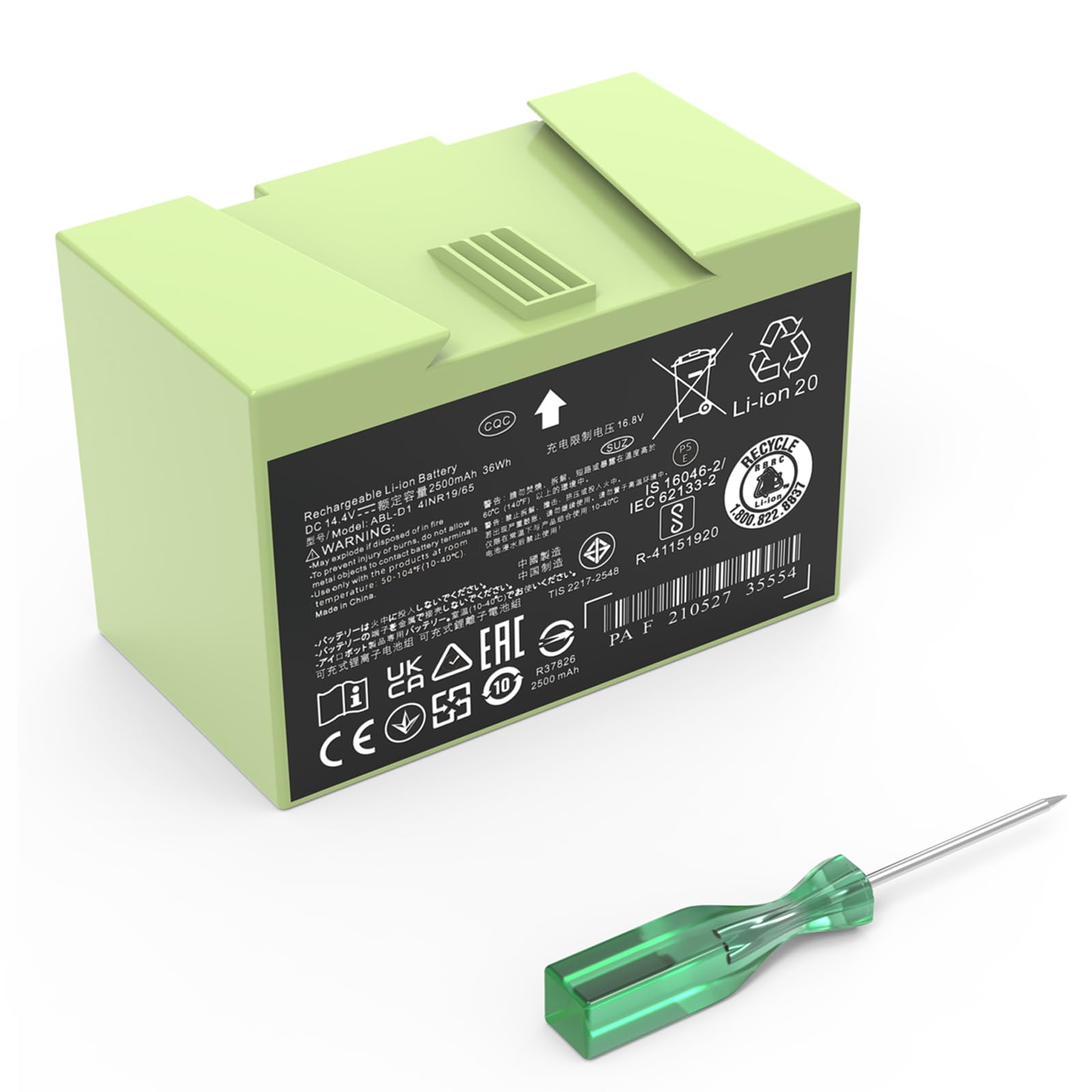
3. JGTM ABL-D1 Battery for iRobot Roomba e & i & j Series
The wide-net pack that covers almost every Roomba from the e5 to the j7
Roomba owners who do not want to squint at model numbers get the most value here, because one part covers the e5, e6, i3, i4, i7, i8, and j7 families — including their plus variants. It is a 14.4 volt, 2600mAh lithium-ion pack (the same capacity number you would find stamped on an OEM cell), and it ships with its own installation screwdriver so you are not hunting a tool mid-job. Reviewer notes on the fit are strong — this pack drops into compatible Roombas cleanly, and the included driver makes the swap a few-minute job.
The honest picture on the long haul is mixed. Some owners mention the pack holding a strong charge for a year, and one described finding a Roomba still running around the house at 6am after a 2am start. Others describe degradation inside a month, with runtime sliding down to fifteen minutes a charge. That wide spread usually points to individual cell variance rather than a batch-wide fault, which is common in commodity lithium packs. If you install this one, run a full charge-and-discharge cycle a few times before judging it, and lean on the 90-day free replacement window if it is not right.
On the practical side, the hard reset that iRobot recommends after a swap — holding the buttons for about 15 seconds until it plays a tune — is worth doing. Owners doing that report bringing a Roomba i700+ back from fifteen-minute panic sessions to roughly an hour of clean runtime per charge. The runtime gain comes from the fresh cell and the reset together, so do both.
Best for newer Roomba: your exact model is a Roomba e, i or j series and you want the broadest single-pack coverage plus the install tool in the box.
Want more capacity: you want a capacity upgrade rather than a same-as-original cell — this one matches OEM at 2600mAh instead of beating it.
4. SPARKOLE 14.4V 5200mAh Replacement Battery for Roomba 960 980 981 970 965 801

The high-capacity cell that quietly pushes a tired 900 series for hours
This package is one of the few that promises 2 uninterrupted hours on a single charge for a Roomba 900 series, and up to 2.5 to 3.5 hours of extra run time on the older 600 to 800 series models — that is the value case right there. Made from a 14.4 volt lithium-cobalt pack with a 5200mAh capacity, it also lists a 1% per month self-discharge rate (a measure of how fast a fair-charge battery loses its juice on the shelf) and a 2-year daily-use window from its 800-cycle battery. The safety side is fully covered with UL, CE and RoHS certification and built-in circuit protection against overcharge, over-discharge, over-voltage, overheating and short circuits.
What distinguishes this from the Dentsing 1800LI pack in the same length column is chemistry and runtime matching. This one is fine-tuned to sit inside a 900 series bay, and customers note long clean runs from it — one documented a 960 still holding about 40% charge after a 90-minute cycle. Owners also report the pack restoring their machine’s suction, which is the moment a fresh, higher-draw cell settles in. On the other side, one buyer’s cell degraded to a 45-minute cycle by four months, and that is the honest caveat here — lithium pack longevity tracks how hard you run it, and daily deep cycles from a big house will shorten any of these.
5200mAh extended runtime: it is the only battery here that reaches 2 hours of continuous cleaning on a single charge for the 900 series, which is exactly what deep-carpet households need.
If your machine is a 960 and you want clean-room endurance on one charge, this is the pack to get.
Stick with this: you run a Roomba 960, 980, 981, 970, 965 or 801 and want the longest single-charge runtime for that platform.
Need faster charging: your robot is a newer i or j series that needs a lightweight pack instead.
5. Dentsing 1800LI 5200mAh Replacement Battery
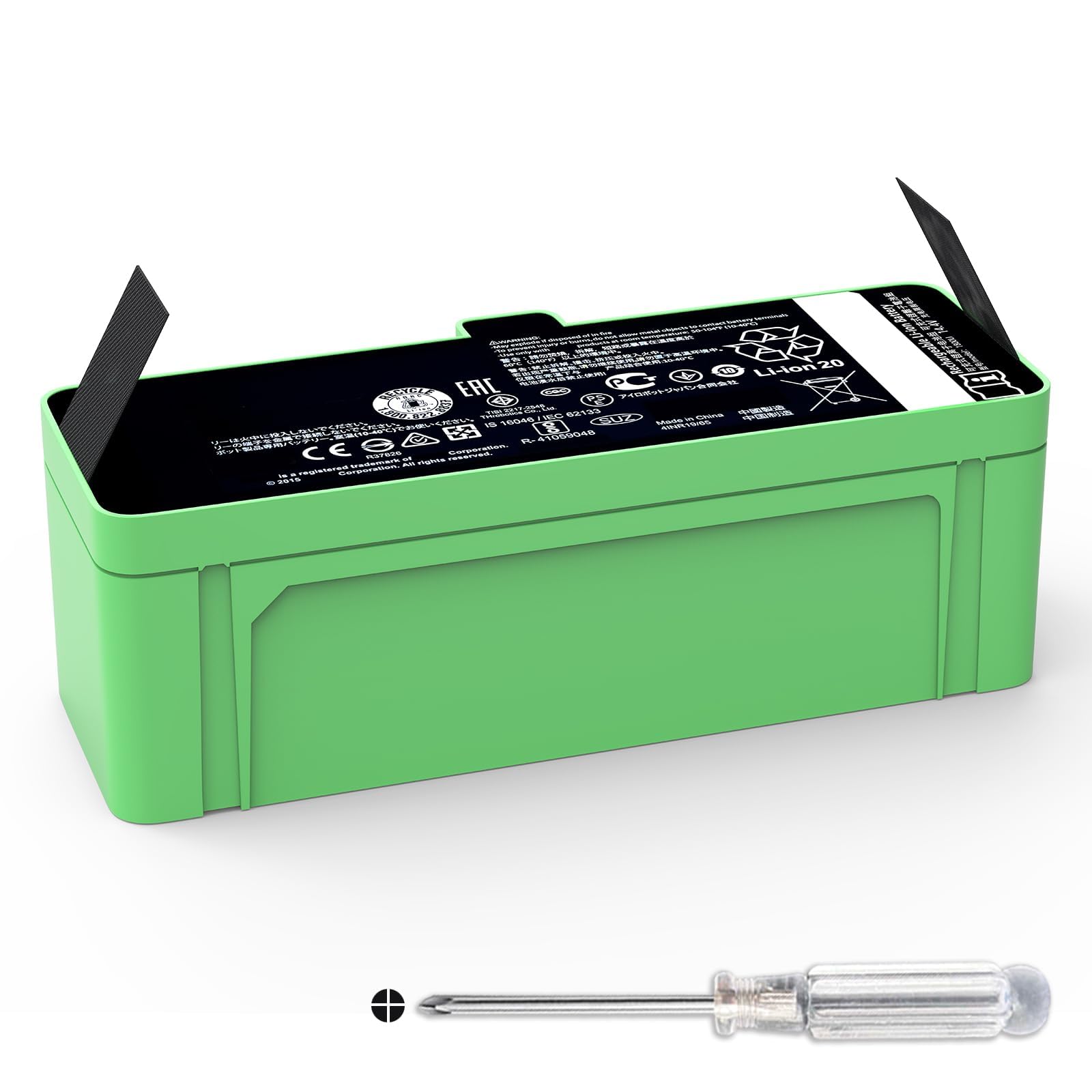
One pack that covers almost the entire Roomba back-catalog in a single box
Owners who swap between a couple of older Roombas need a pack that covers a lot — this 1800LI does. It fits the 500, 600, 700, 800, 900, and R3 series, with the model list running from the 510 right up through the 970, at 14.4 volts and a 5200mAh capacity (74.88 watt-hours of stored energy). It is a lithium-ion replacement that also acts as an upgrade for older NiMH-powered machines, with green casing to distinguish it from the base-capacity cells. Build quality is what earns it a spot at this position — the fit is clean, installation is tool-light, and reviewers point out it charging up to full power without fuss.
The install has one trick worth noting: after dropping the new cell in and re-seating the Roomba on the dock, leave it there for about three minutes to activate the battery. Owners who skipped that step report the machine seemingly not charging. The other caveat, called out in the product’s own notes, is that if your Roomba is charged via a third-party dock, you want the battery to never run below about 10% — deep discharge below that will damage the cell, and it may not accept a charge afterward. That is a lithium rule, not a defect.
There are a few genuinely long-life reports here — packs that have run for a year or more — alongside a handful that failed inside a couple of months, so plan on testing yours fully in the first few weeks and leaning on the seller’s replacement policy if something is off. At a genuine 5200mAh it is a clear step beyond the base-capacity 2600mAh packs when you want longer cleaning inside the same robot.
Good fit for 1800Li: you own a Roomba anywhere from the 500 series through the 900 series and want a higher-capacity replacement in one purchase.
Look for higher capacity: your machine is a new i, j or e series — this config is for the older 1800LI shape.
6. JGTM 1800Li 5200mAh Battery for Roomba 600 800 900 Series
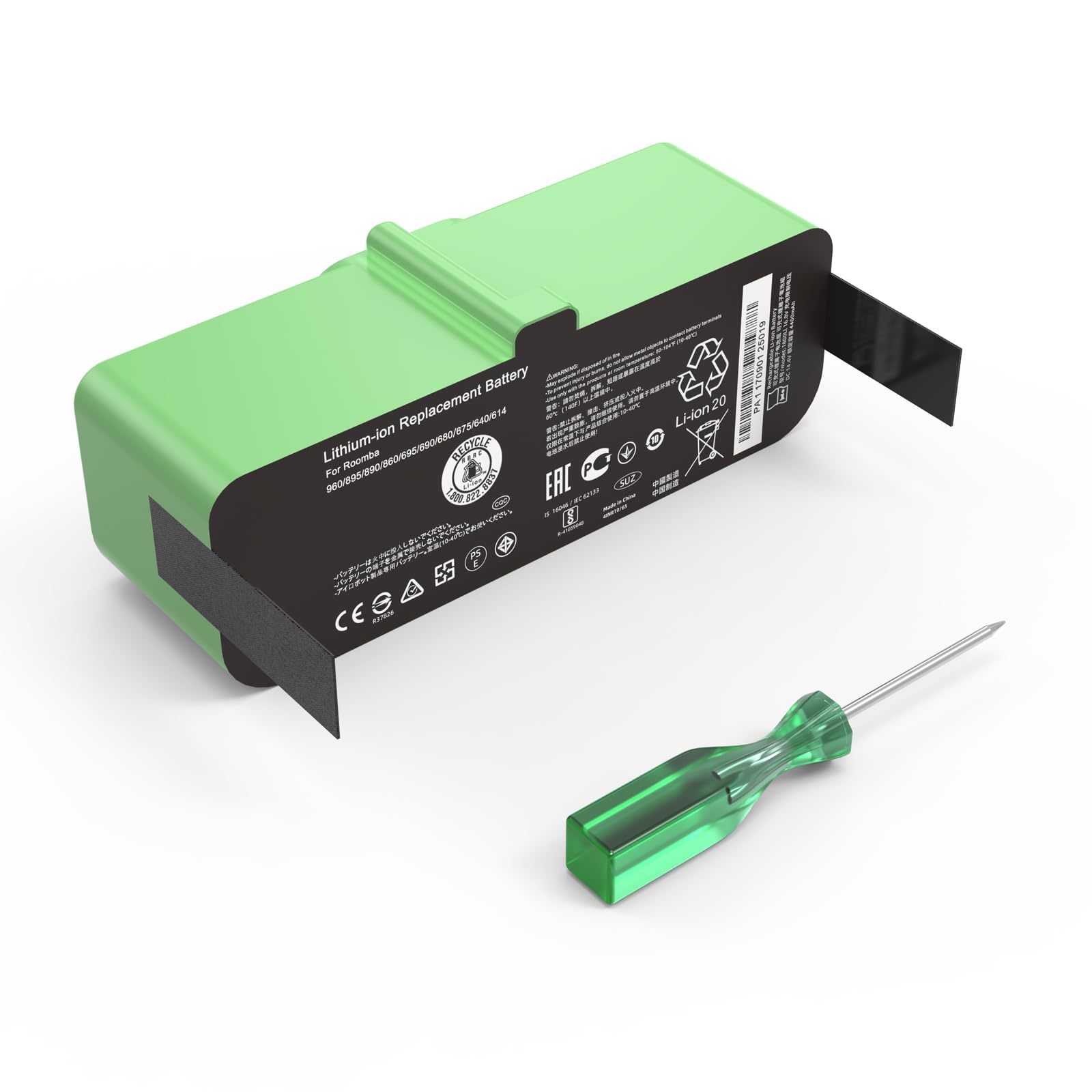
The lithium swap that turns bottom-of-the-range Roombas into bigger-capacity runners
For owners of a Roomba 614, 640, 675, or 890 running on an original 14.4 volt, 26Wh, 1800mAh standard pack, this cell is both a replacement and a step up — the JGTM replaces that slim cell with a much higher-capacity lithium unit that will get more out of each charge. Fitment to a long list of 600, 800 and 900 series models is done via the 1800Li shape, and a tool kit ships in the box along with an installation guide. The install side is the part people rave about — this is the smooth-fit pick of the group.
The important compatibility note is chemistry: this battery is only for iRobot Roomba 600, 800 and 900 series Lithium-ion models — it will not replace a NiMH pack sitting in a 500 series or an older 600/700/800. If you are unsure which chemistry your robot currently uses, check the charger before buying, because this pouch will not work in a NiMH-powered machine. Chemistry mismatch is the most common reason these packs get returned.
Long-term reliability is where to keep expectations sane. Some shoppers say strong results months in, with clean runs and no error lights. Others have seen packs die within 50 charge cycles — well under the 1000-plus cycle rating the spec sheet advertises. That gap between spec and reality is the one caveat that keeps this pick off the top spot, even with install simplicity on its side. It is a value-engineered alternative to a name-brand 1800Li pack, and most buyers get a year or more of service at that price.
Reach for this for 600 series: you own a lithium-powered Roomba 600, 800 or 900 series and want an easy-install replacement.
Avoid for newer models: your machine still runs on NiMH cells — that chemistry mismatch is what breaks the fit.
7. NASTIMA 14.8V 6400mAh Lithium Ion Replacement Battery

The biggest tank in this list, and the one that stretches a single clean past four hours
If you run a 500, 600, 700 or 800 series Roomba and want it to clean a whole floor without stopping for a mid-job top-up, the capacity math on this pack is hard to argue with. At 14.8 volts and 6400mAh, NASTIMA rates it at up to 4-4.8 hours of runtime on one charge — a jump from the 1-1.5 hours a 3000mAh NiMH stock battery delivers. That extra time is what you want in a large home with thick carpet, and the ratings are behind it — this is one of the highest-rated cells in this group. Built-in protection covers over-current, over-voltage, short circuit and overheating, and the pack claims 1000-plus charge cycles with a 1% per month self-discharge rate.
Just as important, this is a 14.8 volt lithium pack, not a 14.4 volt one. That tiny voltage bump is why it dislikes some older chargers — the product explicitly warns it will not work with the 690 and 900 series. Before you buy, check your specific Roomba model against the product’s own list, because dropping a 14.8V pack into a machine designed for NiMH can cause the low-battery error light cycle owners call the “dance of death.” When it fits, it flies. Buyers report Roomba 555 and 700 series machines running clean for 4 solid hours on one charge, versus an hour with the worn original. One reviewer noted their Roomba draws about 30 milliamps while parked in the dock, which drains the battery over a several-day idle stretch — remove the pack for long storage.
6400mAh highest capacity
- 6400mAh puts 4-4.8 hours of runtime in reach from one charge
- 1000-plus charge cycles and only 1% monthly self-discharge on the spec sheet
- Ships with 30-day refund and 12-month warranty support by email
Lithium incompatibility
- 14.8V — not compatible with Roomba 690 or 900 series
- Noticeably heavier than the OEM cells it replaces at 520g
- Owners who park the machine for days report the idle draw pulling it down
Perfect for long runs: owners of a Roomba 500, 600, 700 or 800 series who want the longest possible clean per recharge and can accept the extra weight.
Not for NiMH chargers: 690 or 900 series owners — the 14.8V spec rules those machines out.
8. Tenergy 4500mAh NiMH Replacement Battery for Roomba 500 and 700 Series

The brand-name value play that arrives with a small kit of spare parts
Owners willing to pay a little more for a known name get one concrete perk here: Tenergy bundles four replacement side brushes and a brush-cleaning comb into the box, so a worn pair of sweeper arms is a free fix alongside the new cell. It is a 14.4 volt, 4500mAh nickel-metal hydride pack, which beats a stock 3000mAh — a boost of 50% in cold-storage capacity, however it shakes out in practice. Compatible with all 500 and 700 series Roombas plus some Discovery, Dirt Dog and Create models, with 12-month warranty cover by the maker.
Installation is a straight swap, and buyers who have never opened a Roomba before report it as intuitive. One 960 owner described it as the difference between the machine dying mid-room and cleaning a full house unattended. Another long-time user of a 500 series said their robot charged immediately, threw no error lights, and ran an hour plus on the first run with the spent original. This is what makes a trustworthy NiMH pick feel worth a bit more — the extras and the made-in-the-name-brand warranty support they offer. The only honest limit is chemistry: this one is NiMH, so it slots into older and mid-range generations and not the modern lithium i or j series.
Choose for reliability: you own a Roomba 500 or 700 series, want the spare-brush bundle, and prefer a name-brand NiMH cell over a bargain lithium one.
Upgrade to lithium: if your machine takes a lithium pack, the higher-capacity 5200mAh picks above will give you longer washes between charges.
9. Dentsing ABL-F 75Wh Battery for Roomba i, e & j Series
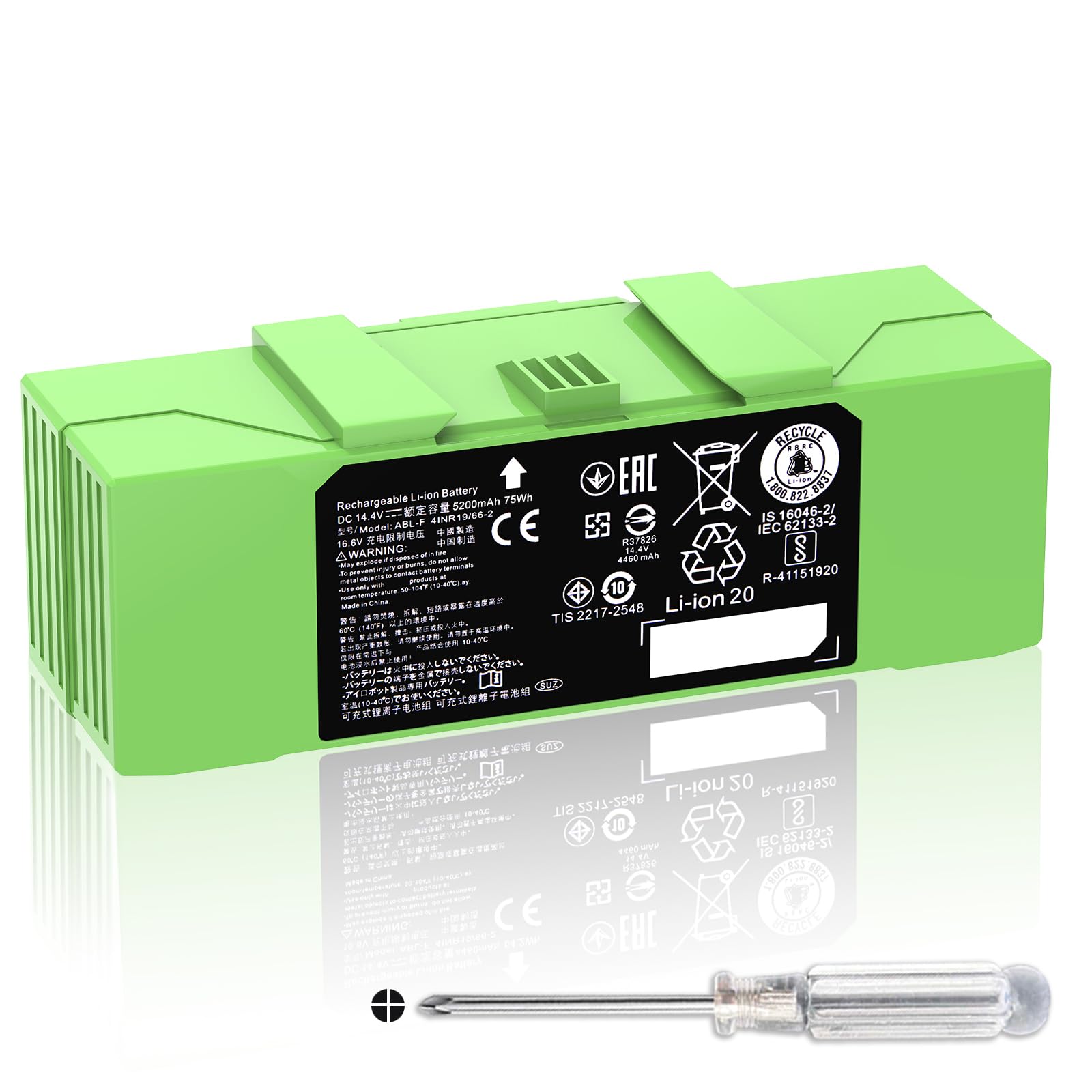
The big-tank upgrade for Roomba i, e and j machines that were born underpowered
This is the one to buy when you own a Roomba i7, i3, i4, i8, j7 or e5 and want to end the mid-job recharge forever. It runs a 14.4 volt, 5200mAh lithium-ion cell at 75 watt-hours — noticeably more stored energy than the 14.4V, 26Wh, 1800mAh pack these machines often ship with. The 1,000-cycle rating and a whole spread of protections (overcharge, overcurrent, overvoltage, overheating, short circuit) are all backed up by CE, FCC and RoHS certification, so it is a safe swap. Owners mention the runtime jump is real. One Roomba J6+ owner describes going from three hours of vacuuming with multiple charging breaks to cleaning the entire first floor in 1.5 hours with no breaks at all between charges. Existing capacity for the platform is what drives this pick to the top of the premium shelf.
The install has two steps people forget. First, the battery is physically longer than the OEM cell, so be gentle as you reseat the shell — it fits, but the tolerance is tighter. Second, after swapping, reboot the robot and re-connect it to WiFi. One J7+ owner reported the machine cleaned the main floor in about an hour straight after the swap and an iRobot hard reset, versus three to four hours with the dying original. That reset is not optional convenience; it is how the robot learns to trust the new cell’s voltage curve.
The honest caveat is the return window: the maker flags that Amazon closes returns after one month, so test this pack hard in those first few weeks. That advice applies to any lithium replacement. For a big house and a fussy i-series robot, it usually is.
75Wh high energy: 75 watt-hours in the same footprint as the OEM pack means longer cleaning per charge than any standard-capacity replacement for i and e series.
Specific models only: the 30-day refund window — if the cell does not hold up in that first month, return it rather than waiting.
Your pick for i series: you have a newer Roomba i, j or e series and the mid-job recharge breaks have become the reason you are looking for a new battery.
Not for older Roomba: your machine is a 500 or 900 series — the ABL-F shape is built for the modern platform only.
Understanding the Specs
Capacity: mAh and Wh explained
Battery capacity shows up as either milliampere-hours (mAh) or watt-hours (Wh), and they measure two sides of the same tank. mAh tells you how much current the pack can push for an hour at its rated voltage — a 5200mAh pack holds about twice the charge of a 2600mAh one. Wh is the energy figure that accounts for voltage, which is why a 14.4V 5200mAh pack lands at 74.88Wh and a 14.4V 2600mAh pack sits around 37Wh. In real terms, higher capacity means more cleaning minutes before the robot heads back to dock. It also means more physical weight, which is the trade-off nobody advertises.
Voltage and chemistry must match your charger
The three chemistries here are lithium-ion, nickel-metal hydride (NiMH) and lithium-cobalt. Lithium holds more charge per gram and self-discharges slowly; NiMH is heavier and holds less but suits machines wired for it. Voltage also varies — most packs read 14.4 volts, but a 14.8 volt pack will not sit quietly in a machine built for 14.4, and some models explicitly refuse it. The safest rule is to match the chemistry and voltage already printed on your old pack. Using a lithium pack on a NiMH charger, or the reverse, is where most early failures come from.
FAQ
How do I know which battery fits my robot vacuum?
Is a 5200mAh battery better than the stock 2600mAh one?
Why does my new battery still die after 15 minutes?
Will a third-party battery damage my Roomba?
How long should a replacement battery last?
Can I use a lithium battery to replace NiMH in an older Roomba?
Do I need to reset my Roomba after swapping the battery?
Is it worth replacing the battery or buying a new robot vacuum?
Can I charge a new replacement battery with a third-party dock?
What is the difference between a 14.4V and 14.8V battery?
Final Thoughts: The Verdict
The right replacement battery depends entirely on which Roomba or Eufy you own — that is the first filter, and capacity is the second. For the widest spread of owners, the eufy Accessories Replacement Battery Pack is the safest match. It is the strongest overall pick here, with a 4.5-star rating from a big pool of owners and a factory-fit guarantee that the off-brands cannot offer.
If you are running an i, j or e series Roomba and want to end the mid-job recharge, grab the Dentsing ABL-F 75Wh Battery — the 75 watt-hours in the same footprint is the biggest jump available on that platform. And if your machine is a 500, 600, 700 or 800 series and long runtime is the whole point, the NASTIMA 6400mAh Battery is the one to fit, as long as it is not a 690 or a 900. Match the series, match the chemistry, and the rest is routine.
How We Picked
We do not accept paid placement. Every pick is matched to a real buyer and a real use-case; we do not hands-on test units.
Sources & Methodology
Specifications: manufacturer listings and product documentation. Review insights: verified customer reviews, as of September 2026. Pricing: not shown on this page (it changes often); check the current price via the retailer link.
As an Amazon Associate, KitchPrep earns from qualifying purchases. This does not affect which products we feature.
Related Guides
