
Specs are compiled from manufacturer listings and verified buyer reviews and can change over time — please confirm the key details on the product page before buying.
You want a frame that shows new photos the moment family sends them, and you want setup to take minutes, not an afternoon. The short answer: a Wi-Fi frame with its own email address or app is the one worth buying, because anyone you invite can push pictures straight to it from their phone. The picks below are sorted by how easy they are to live with, how sharp the screen looks day to day, and whether they charge you a subscription for the privilege.
I’m Mohammad Maruf — the founder and writer behind KitchPrep. This guide is built by comparing the manufacturers’ published specifications and the patterns across verified customer reviews, so you get each pick’s real strengths and trade-offs instead of marketing spin.
Below you will find a quick comparison table, in-depth reviews of each frame, a plain-English breakdown of the specs that actually matter, and an FAQ. Our top pick earns its spot as the best automatic picture frame for most families thanks to painless setup and sharp everyday picture quality.
Our Picks at a Glance



How To Choose The Best Automatic Picture Frame
An automatic picture frame is a screen that pulls in new photos by itself, so two things decide whether you will love it: how easily other people can send pictures to it, and how good the screen looks in your room. Everything else matters less.
Sharing method: app, email, or both
Most frames here pair with a phone app where you invite family members to upload straight to the frame. Some also give the frame its own email address, so anyone with an internet connection can send a photo without installing anything. That email route matters most when the person receiving photos is not comfortable with apps. A frame that also accepts a USB stick or SD card is a good backup for grandparent setups and for loading a big archive without Wi-Fi.
Screen size versus how close you sit
A larger panel is easier to enjoy from across the room, but resolution is spread thinner across more inches. A 15.6-inch 1920×1080 screen is great at a distance yet can look softer up close, while a smaller 10-inch screen at a similar pixel count looks tighter at arm’s length. Pick the size for your viewing distance, not just the number on the box.
Subscription-free or pay monthly
Some frames include everything up front, and others push a paid plan for bulk sharing or cloud backup. Read carefully whether the features you want sit behind a monthly fee, because over a few years a subscription can add up faster than the frame itself. The picks below are split between fully free and freemium models, so you can decide what suits you.
Quick Comparison
| Model | Best For | Display Size | Storage | Resolution | Amazon |
|---|---|---|---|---|---|
| Skylight 10″★ Best Overall | Grandparents | 10 inches | 8 GB | 1280×800 | Amazon |
| JIUGEDPF Smart White 10.1″Best Value | Value pick | 10.1 inches | 16 GB | 1280×800 | Amazon |
| Flyruit Frameo 10.1″Family Favorite | Family sharing | 10.1 inches | 32 GB | 1280×800 | Amazon |
| Humblestead 15.6″ | Big display gifting | 15.6 inches | 64 GB | 1920×1080 | Amazon |
| PhotoSpring 10″ | No-fee families | 10 inches | 32 GB | — | Amazon |
| BIGASUO Frameo 15.6″ | Video sharing | 15.6 inches | 64 GB | 1920×1080 | Amazon |
| Pix-Star LUX 10.4″ | Cloud library | 10 inches | 16 GB | 1024×768 | Amazon |
| Aura Carver 10.1″ | Premium gifting | 10.1 inches | — | WXGA | Amazon |
| Pexar 11″ 2K | Sharpest picture | 11 inches | 32 GB | 2000×1200 | Amazon |
In‑Depth Reviews
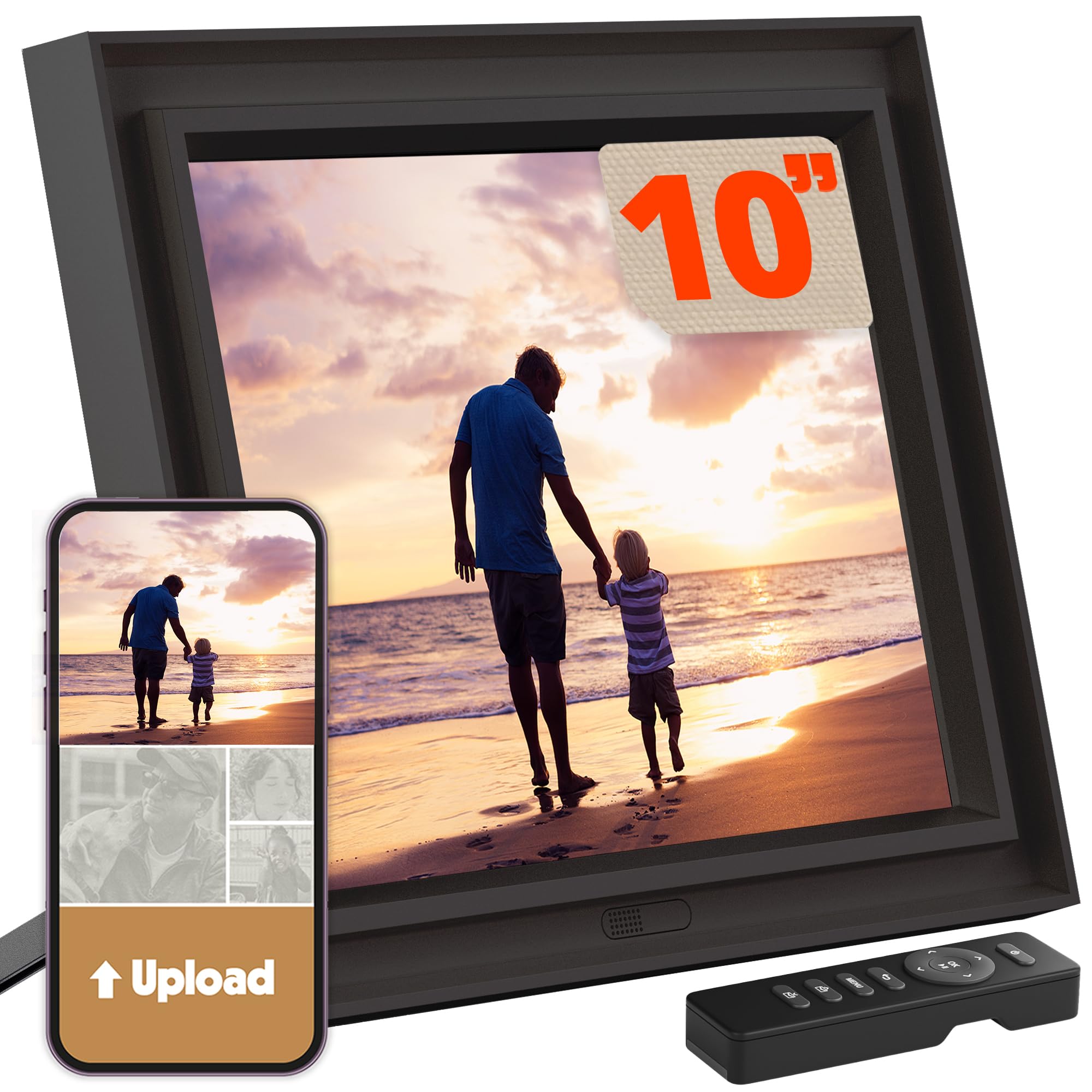
1. Skylight Digital Picture Frame, Load from Phone Capability, 10″ Black
Our pick — over 4.5★ from 27,500+ verified ratings; the strongest balance of quality and price.
The grandparent-proof frame that starts playing photos the moment it leaves the box
If the person receiving this frame has never owned a smart device, this is the one to hand them. It is a 10-inch color touch screen, so you scroll and tap the screen itself instead of hunting for buttons or a remote. Setting it up means plugging it in, joining your Wi-Fi, and picking a unique Skylight email address — that address is the whole trick, because anyone with internet access can email a photo straight to the screen without downloading anything.
The screen resolution of 1280×800 is spread across 10 inches, which keeps faces crisp at normal couch distance. Photos rotate themselves so portrait shots from a phone do not sit sideways, and the frame runs on cloud-based storage with 8 GB of built-in memory, so you are not juggling SD cards. Gift Mode lets you preload and personalize the frame before it is ever unboxed, which turns a birthday present into a working slideshow the moment it is opened. It holds 4.7 stars across 27,000+ owners, and one buyer wrote: “Loading photos straight from my phone was simple and the touchscreen is responsive.”
The honest catch is that the full experience leans on Wi-Fi. Offline mode plays photos already inside the frame, but new photos need a connection to arrive. A minority of reviewers also feel the price runs high for the feature set, which is a fair point when a couple of rivals below offer more storage for less. Neither issue gets in the way of daily use for most families.
What wins people over
- Its own email address means relatives can send photos with zero apps required
- 10-inch 1280×800 touchscreen with auto-rotate handles portrait shots cleanly
- Gift Mode preloads photos before the frame is unboxed
- Cloud storage takes SD cards out of the equation
Where it asks a little patience
- New photos need a Wi-Fi connection — offline mode only shows what is already loaded
- 8 GB of built-in storage is smaller than several rivals here
- The price feels high to some given the modest memory
Hand this to: anyone buying for a parent or grandparent who wants photos to appear without touching a thing
Second thought if: you plan to load tens of thousands of images locally — the 8 GB ceiling runs out faster than the 32 GB Frameo below
2. Smart White Digital Picture Frame WiFi Send Photos from Your Phone
Budget-friendly frame that punches well above its class on screen brightness
For a first frame or a spare for the spare room, this is the pick that delivers real screen quality without stretching the wallet. It runs a 10.1-inch IPS panel at 1280×800 with a 178-degree viewing angle, which means colors stay true even when you are sitting well off to one side of the frame. The 16:10 aspect ratio shows phone photos closer to how they were shot, with less of the awkward cropping that happens on wider 16:9 panels. You also get 16 GB of built-in memory and micro SD support up to 32 GB, and the listing claims that combination holds 40,000+ photos at roughly 3 MB each.
What wins people over is how simple sending is. Photos and clips of up to 15 seconds fly from your phone to the frame over Wi-Fi with no email address and no fees, and you can invite multiple family members to share. The frame also auto-rotates, mounts on a wall, and displays weather, time, and temperature. What makes it stand out for the money is that speed and privacy — you are not handing your pictures to a middleman service just to get them on the screen.
The recurring gripe is connectivity. Several buyers report the frame struggling to stay on Wi-Fi or failing to recognize a signal, which blocks new photos from arriving. If your router is flaky or far away, this is a real risk. Where it does connect, owners are consistently happy with the clarity and the value.
The daily reality: the 178-degree viewing angle and bright IPS panel make this look considerably more expensive than it is, especially for a frame set on a side table where you always view it off-axis.
Worth knowing: 16 GB internal storage plus a micro SD slot means you are not locked into the app for local playback, which suits anyone who prefers to keep an archive on a card.
Grab it if: you want crisp color and quick phone uploads on a tight budget and your Wi-Fi signal is rock-solid
Pass if: your frame will sit far from the router — the connectivity complaints here are the most common issue in the whole lineup
3. Frameo 10.1″ Digital Picture Frame WiFi, Smart Electronic Photo Frame, 32GB
If Wi-Fi makes your relatives nervous, this frame loads from a memory card instead
The draw here is the no-Wi-Fi escape hatch. Pop a micro SD card or a USB-C drive into the frame, or run a USB-C cable from a computer, and you can load photos with zero internet involved — a genuine difference-maker for anyone setting up a frame in a home with unreliable Wi-Fi or for a relative who resists apps entirely. It supports JPG, JPEG, BMP, and PNG images along with MP4 video. The 10.1-inch screen runs 1280×800 HD resolution with IPS technology (a panel type that keeps colors accurate from side angles), so colors hold up from an angle, and the touch screen responds cleanly to taps.
On the sharing side, this uses the Frameo app, which is among the most widely used frame platforms. That means family can push photos and videos over a 2.4GHz Wi-Fi connection (the older, longer-range band) from anywhere, and existing Frameo users can use the same app without installing anything new. With 32 GB built-in and external support up to 32 GB, the listing claims 10,000+ photos at roughly 3 MB each — several times the Skylight’s 8 GB. Extra touches include a greeting feature for themed birthday cards and a sleep mode to save power.
The trade-offs are worth naming. It only supports 2.4GHz Wi-Fi, so if your home runs solely on 5GHz networks you will need to adjust your router. The app also has a small learning curve, and video quality varies depending on the source file. What wins people over is how many families make this their everyday frame — one repeat buyer reported owning five of them and loading a month of new photos in five minutes.
A standout detail: the micro SD, USB-C drive, and USB-C cable options mean this frame works entirely offline, unlike the app-only competition — you can load photos from a computer without ever touching Wi-Fi.
The honest limit: that 2.4GHz-only Wi-Fi restriction is the spec to double-check before you buy, especially if your router hides older frequencies.
Best fit for: households where Wi-Fi is unreliable, or where the recipient will never install an app
Think twice if: your home network runs purely on 5GHz bands
4. Humblestead 15.6 Inch Digital Picture Frame, 64GB, 1920×1080 IPS FHD Touchscreen

A cinema-sized panel that turns a wall into a permanent family gallery
The moment you plug this in, the first thing anyone notices is the 15.6-inch display. That is roughly half again the width of the 10-inch frames elsewhere on this list, and it is paired with a 1920×1080 IPS FHD touchscreen so the pixel density is not sacrificed. IPS panels hold color across a wide viewing angle, which is exactly what you want when visitors glance at it from the side of the room. Combined with 64 GB of built-in storage, and a listing claim of 80,000+ photos, it holds an archive no phone could.
Sharing runs through the AiMOR app, and short clips of up to 15 seconds transfer from your phone alongside photos. The frame invites unlimited family and friends to upload, and a mounting hole on the back makes wall mounting straightforward if you want it displayed like art. Auto-rotation handles portrait and landscape shots without fuss. Where this frame really earns its keep is as a gift for someone with many grandchildren — the sheer size means faces are readable from across the room without anyone moving closer.
Two honest caveats. Close up, the 1080p resolution is spread across a big panel, so the crispest phone photos may look a touch softer than they do on a smaller screen. Owners also report a fair bit of pop-up advertising inside the app, which is unusual at this price point. Neither undermines the everyday experience, and the reliability aspect draws a mixed verdict from owners overall.
The real advantage: at 11.66 square inches more viewing area than a 10-inch frame, this is the one that reads from the couch without squinting.
Standout strengths
- 15.6-inch 1920×1080 IPS panel is visible from across the room
- 64 GB internal storage comfortably swallows a lifetime of photos
- Wall-mounting hole built into the frame back
- Unlimited invite slots for family uploads
Before you buy
- 1080p spread across 15.6 inches looks softer up close
- App pop-up ads noted by some owners
- Reliability gets a mixed verdict from buyers overall
Pick it for: a living-room wall display or a grandparent with a houseful of visitors
Choose another if: you sit close to the frame and want a pixel-perfect look, or you want an ad-free app
5. PhotoSpring No Subscription, 10in WiFi Digital Picture Frame, 32gb Touch Screen

The frame with no monthly fees and enough storage to hold a decade of birthdays
What sets this apart is what the frame refuses to do: charge you a monthly fee. There is no subscription, no premium tier required for the features you actually want, and the loading experience works whether family sends photos via app, email, or the web. With 32 GB built-in and support for importing from a USB stick or SD card, this is one of the picks that feels like it respects the buyer’s wallet. The 10-inch touchscreen runs a 16:10 aspect ratio, which suits most phone photos, and the wood frame material adds a finished look to a shelf.
Video is the other differentiator. This frame handles clips up to 1 GB, which is roughly 5 minutes each — a genuinely long format compared to the 15-second limits on several picks above. That is a real advantage for anyone who wants to see grandkids singing a whole song rather than a three-second snippet. Family members can send photos to the same frame simultaneously, and the app lets you organize photos into albums and control how they play.
A word of warning on the ports. Owners mention that SD and USB ports do not function as advertised, so plan on using the email, app, or web upload routes rather than the wired options. Connectivity gets a mixed verdict overall, though the reviews repeatedly single out the customer service as exceptional for anyone who hits trouble. For a family that values not paying monthly and wants long videos, this is still a genuinely strong pick.
Why families keep it
- Zero subscription fees, ever — everything works without paying extra
- Accepts videos up to 1 GB, roughly 5 minutes each
- App, email, and web upload routes cover every comfort level
- 32 GB built-in storage
Trade-offs worth weighing
- Some customers note SD and USB ports do not work as advertised
- No motion sensing — the frame stays on unless scheduled to sleep
- Frame sound quality is modest for video playback
Ideal for: a household that wants a subscription-free frame and sends long videos
Reconsider if: you rely on USB or SD card loading — buy the Frameo above instead
6. BIGASUO 64GB Frameo 15.6″ Digital Picture Frame WiFi

Big-screen Frameo frame where QR-code sharing lets every relative join in seconds
If you want the photo-sharing convenience of the Frameo app combined with a wall-worthy screen size, this is the pick. It runs the Frameo platform, which means anyone you invite can push photos or videos over Wi-Fi from anywhere with captions attached. The sharing flow is fast enough that owners say photos appear on the frame almost the instant they are sent. Add a 15.6-inch 1920×1080 IPS touchscreen with wide viewing angles that works on a tabletop or hung on a wall, and you have a frame that earns its spot in a busy family group chat.
Storage is a proper headline here: 64 GB built-in holds up to 100,000 photos per the listing, versus about 10,000 on the 32 GB Frameo above, and you can import media from an SD card or USB drive. That is a meaningful step up from the smaller Frameo above, which tops out around 10,000 photos with the same 32 GB ceiling. Do format any SD card or USB drive to FAT32 first, and stick to a 32 GB card, because larger cards may not play nicely with the frame’s software.
Connectivity gets a mixed verdict from owners, and setup occasionally needs a Wi-Fi tweak, but the complaints are the exception rather than the rule. The real seller is that sharing is dead simple — pass out the QR code and everyone from grandma to a college roommate can upload. For a family gift where you want the widest possible group to participate, this frame wins on that front.
Locked-in strength: the QR-code share flow means anyone with a phone is a contributor within about a minute, no account juggling required.
Realistic expectation: the 64 GB card recommendation is not a suggestion — some owners hit issues with oversized cards, so keep a smaller SD handy if you plan on local imports.
Built for: families with a big group chat who want everyone involved in the photo stream
Skip if: you want a straightforward email-to-frame setup — the Frameo app is the required route here
7. Pix-Star LUX 10.4” Wi-Fi Digital Picture Frame
A cloud-first frame with free lifetime backup and a remote that keeps fingerprints off the glass
This is the frame for the household that wants to treat photos like a proper library rather than a single slideshow. The free lifetime cloud backup is the standout: you get unlimited storage without a subscription, and from the frame’s website you can organize albums, build groups, and restore the entire collection if you ever replace the frame.
On hardware, the 10.4-inch screen runs a 1024×768 IPS panel (a panel type that keeps colors accurate from side angles) in a 4:3 aspect ratio. That ratio is the sleeper feature here — 4:3 preserves a photo’s original composition, so portraits and square shots fill the screen without black bars or awkward cropping, unlike the wide 16:9 panels on most of the picks above. It now uses Wi-Fi 6 with dual-band 2.4/5GHz support and twice the RAM of previous generations, which means faster transfers and 16 GB of internal storage. There is also an included remote, so you can navigate menus without smearing the screen.
Sharing is flexible: use the Pix-Star Snap app, email the frame directly, sync Google Photos, Dropbox, OneDrive, or Flickr, or transfer offline via USB or SD card. The honest caveats are that 10 inches can feel small for viewing from across a large room, and some owners mention that video playback may not always work. The recurring note about brightness being best on the lowest setting is worth remembering, since the panel defaults to a bright output that some find washed-out.
Why the cloud crowd loves it
- Free lifetime cloud backup, no subscription ever
- 4:3 aspect ratio preserves original photo composition
- Wi-Fi 6 with dual-band 2.4/5GHz support
- Included remote control and a website-based control panel
Trade-offs to know
- 10.4-inch screen can feel small in a large room
- Some owners mention video playback may not always work
- Brightness needs manual adjustment on some units
Made for: the family that wants a cloud-organized archive with zero recurring fees
Look elsewhere if: you need a big display you can read from across the room — go with the 15.6-inch options above
8. Aura Digital HD Picture Frame, Best Frame for Gifting, 10″ – Carver Black

The gift-ready frame that sets up in a minute and hides its hardware beautifully
The pitch here is polish. The 10.1-inch display sits inside a narrow frame that disappears into almost any room, and the panel is calibrated for color and brightness that adjusts automatically to your lighting. That auto-adjusting brightness is the difference between a photo that reads well at noon and the same photo looking right at night without you touching the settings. If you have ever tried to gift a frame to an older relative only to spend an hour on setup, the one-minute connection claim here is a real selling point.
Storage is where this frame truly separates itself from the fee-charging crowd. There is no subscription fee, and you can add unlimited photos and videos through the free Aura app, email, text, iCloud, or Google Photos. Invite family and friends and they can push photos in from anywhere. That combination of unlimited collection and easy invitation makes it a natural fit for a family that wants to move beyond scattered photos on phones. The frame also supports iOS live photos and up to 30 seconds of video with sound.
The trade-offs are honest. The 10.1-inch screen is on the smaller end, and the frame sits landscape-only — it cannot stand upright in portrait orientation. Worth mentioning too is that some owners prefer sending photos in bulk by text or USB-C rather than through the app’s email invites, which cap at a few images per message. On the whole the experience justifies the premium tier: buyers call it well-made and easy to use relative to the knockoffs.
The gifting edge: premium, gift-ready packaging plus free unlimited storage make this the frame you actually box up and hand over.
Worth flagging: landscape-only orientation is the one physical limit to factor in, so it will not suit a shelf or table where a portrait presentation is what you want.
Give this when: the recipient deserves a frame that looks as considered as it feels
Choose a different route if: you need portrait orientation or a bigger panel
9. Pexar Black 11” 2K WiFi Digital Picture Frame (Powered by Lexar)

A crisp 2K panel with an anti-glare finish for rooms that get real daylight
This is the screen-quality champion of the lineup. The 11-inch panel runs 2000×1200 resolution, which is meaningfully denser than the 1920×1080 screens on the larger 15.6-inch frames above — pixels are packed more tightly, so photos hold sharpness at closer viewing distances that expose the softer side of big panels. The anti-glare finish matters just as much: it cuts reflections from any angle, which is exactly what you want if this frame sits near a window or under a strong overhead light.
Storage is generous at 32 GB, and the listing describes that 32 GB as room for 40,000+ photos at roughly 600 KB each. You can also play photos directly from an SD card or a USB-A flash drive, which gives you an offline option. The frame is a powered unit and runs through an app for both Apple (iOS 14+) and Android (6.0+) devices, so you can add photos and videos from your phone in seconds. Smart features include auto photo rotation, weather, clock, and a sleep mode.
Two honest points to weigh. First, some owners find the app interface functional but fairly basic compared to more polished platforms. Second, the frame runs on AC power only, with no battery, so it needs an outlet nearby. The anti-glare screen and the higher pixel density still make it the pick for anyone whose priority is the sharpest possible picture on the wall.
Picture-first verdict: the 2000×1200 resolution on an 11-inch canvas is the sharpest combination in this lineup, and the anti-glare coating keeps it readable no matter what the room throws at it.
Plan around: the AC-only power and no battery mean you will want the frame positioned near an outlet.
The right call for: the photo purist who wants the crispest display for the money
Skip if: you need a bigger screen for across-the-room viewing or an app with advanced bells and whistles
Understanding the Specs
Screen Size and Resolution
Screen size is measured diagonally in inches, and resolution is the number of pixels across the width and height. A bigger screen with the same pixel count spreads those pixels thinner, which can look softer at close range, whereas a smaller screen with more pixels looks tighter up close. The Pexar 11-inch 2000×1200 screen packs more pixels per inch than a 15.6-inch 1920×1080, so photos stay crisp when you peer in closely. The 15.6-inch competition, on the other hand, reads clearly from the couch across the room.
Storage, Wi-Fi, and Aspect Ratio
Storage is the number of gigabytes the frame holds internally before it runs out. As a rough rule a typical phone photo is a few megabytes, so 8 GB holds thousands while 64 GB holds tens of thousands. Aspect ratio describes the shape of the screen: 16:9 matches widescreen TVs, 16:10 is a little taller, and 4:3 is closest to a traditional photo print, which is why the Pix-Star uses 4:3 to show original compositions without cropping. Wi-Fi is how new photos reach the frame in the first place, and 2.4GHz is the older, longer-range band while 5GHz is faster but shorter-range — some frames support only 2.4GHz, so check your router matches.
FAQ
Do I need a subscription to use an automatic picture frame?
Can family members send photos without installing an app?
How many photos will the storage actually hold?
Do these frames work without Wi-Fi?
Will an automatic frame handle portrait photos or only landscape?
Do they accept video as well as photos?
Will the frame work with my router’s 5GHz Wi-Fi?
Will a big frame look blurry compared to a smaller one?
Does an automatic picture frame need to stay plugged in?
Can I preload photos before gifting the frame?
Final Thoughts: The Verdict
For most families, the automatic picture frame winner is the Skylight 10″ Digital Picture Frame because its email-address sharing removes every barrier between the sender and the screen. If you want the budget-friendly option with strong screen quality, grab the JIUGEDPF Smart White 10.1″. And for the sharpest picture on the wall, the Pexar Black 11” 2K is the one to reach for. For a household full of relatives sharing one frame, the Aura Carver’s 4.7 stars across 13,000+ owners reflect its one-minute setup and free unlimited storage.
How We Picked
We do not accept paid placement. Every pick is matched to a real buyer and a real use-case; we do not hands-on test units.
Sources & Methodology
Specifications: manufacturer listings and product documentation. Review insights: verified customer reviews, as of September 2026. Pricing: not shown on this page (it changes often); check the current price via the retailer link.
As an Amazon Associate, KitchPrep earns from qualifying purchases. This does not affect which products we feature.
Related Guides
