
Specs are compiled from manufacturer listings and verified buyer reviews and can change over time — please confirm the key details on the product page before buying.
When your power goes out, your Wi-Fi dies with it — unless there is a small battery sitting between your router and the wall socket. That is the whole job here: a mini UPS (uninterruptible power supply, a box that switches to its own battery the instant the mains power cuts out) keeps your modem and router alive so streaming, calls, and remote work carry on. The picks below split into two clear jobs — bigger lithium batteries that last for many hours, and compact units that are easier to place in a crowded cabinet.
I’m Mohammad Maruf — the founder and writer behind KitchPrep. This guide is built by comparing the manufacturers’ published specifications and the patterns across verified customer reviews, so you get each pick’s real strengths and trade-offs instead of marketing spin.
A quick heads-up before you scroll: this list uses flexible, human-like matching, so not every pick is the exact number you typed in — the nearest same-type mini UPS or DC backup unit serves the same purpose. If you want a shortlist of the battery backup for router picks that actually hold your connection when the grid drops out.
Our Picks at a Glance
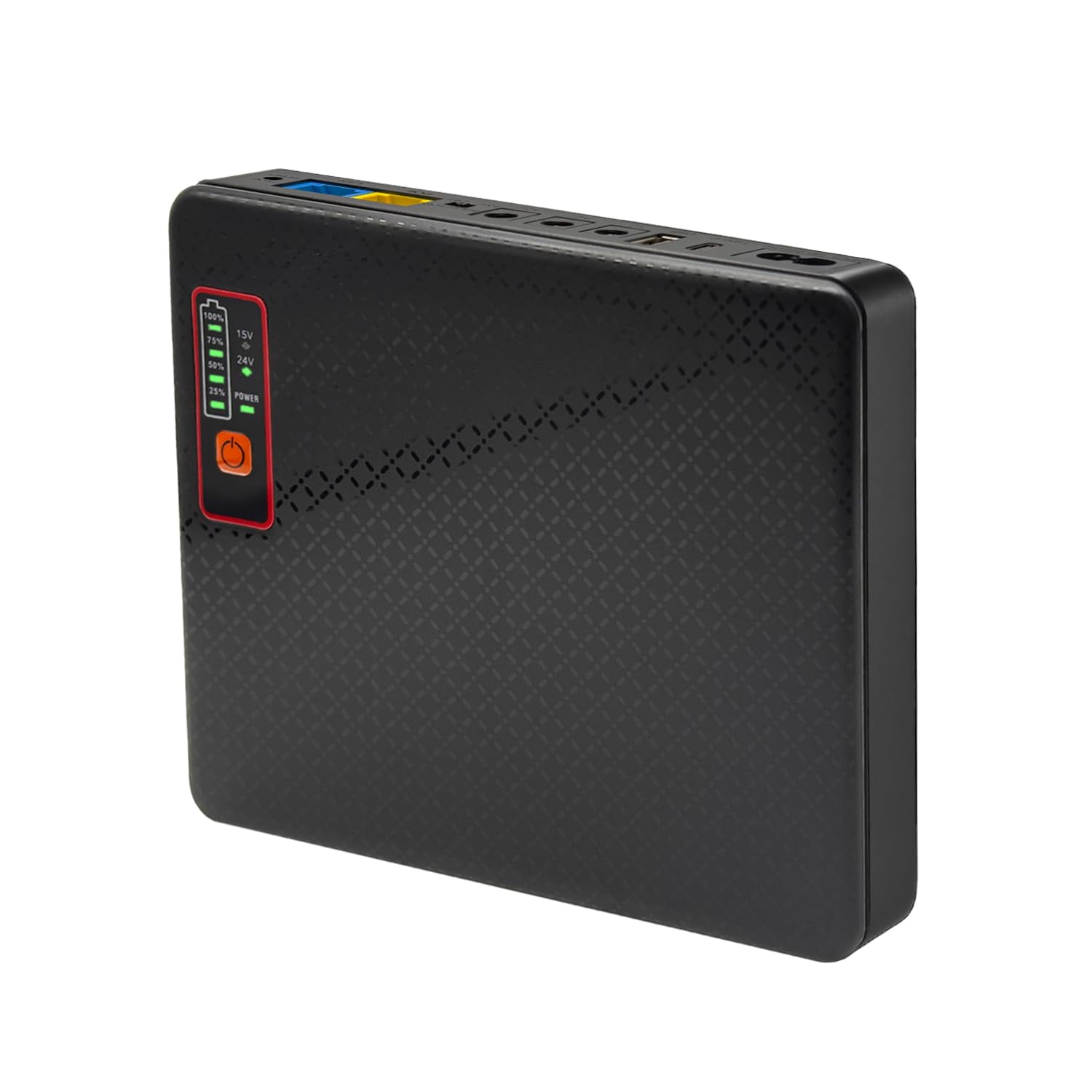
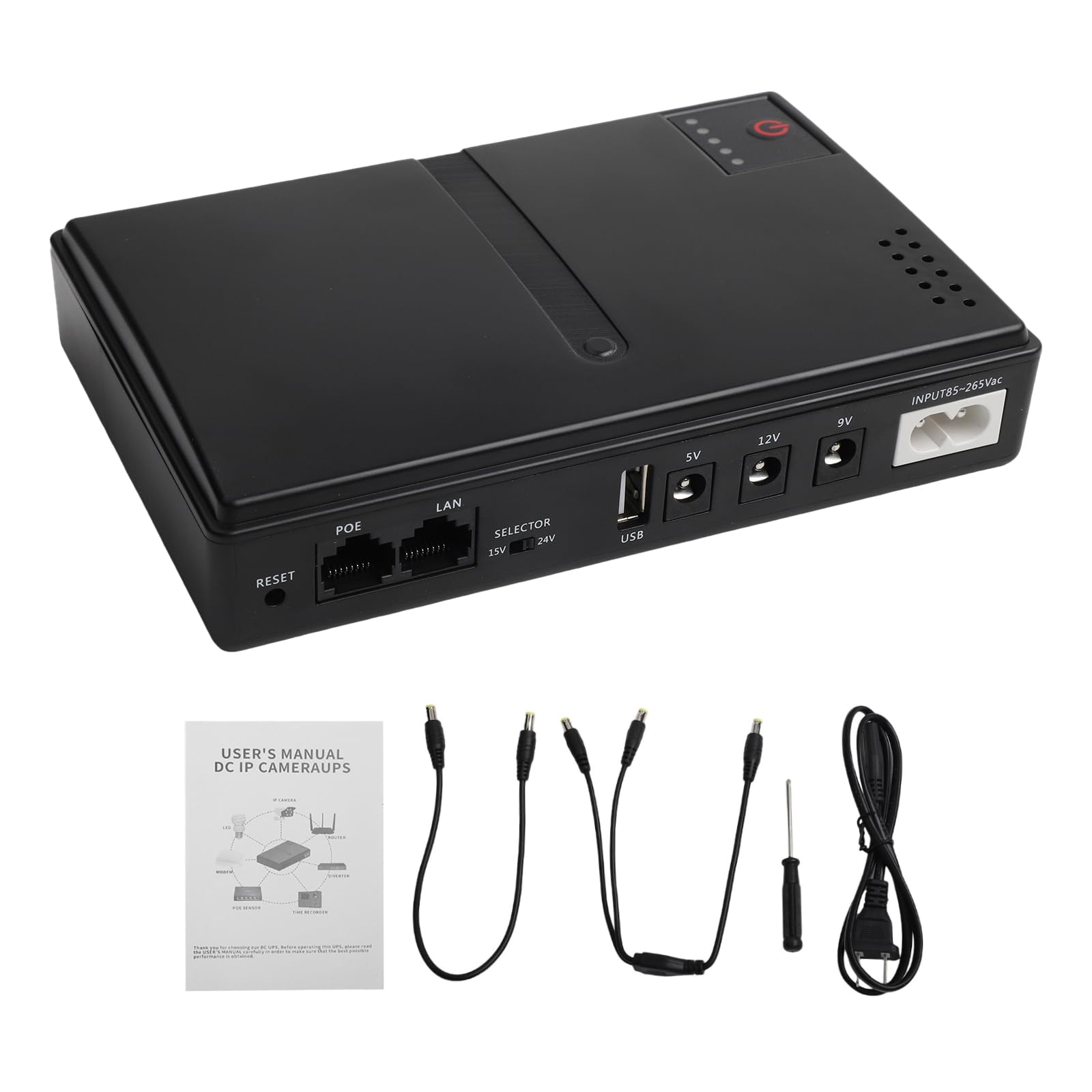

How To Choose The Best Battery Backup for Router
Three numbers decide almost everything: the output voltage your router needs, the watt-hours of the battery inside the backup, and how many watts the unit can push at once. Get those right and the rest is about where the box lives and how often you replace batteries.
Match the output voltage to your router
Most home routers and modems run on 12V DC, but some run on 9V and a few on 5V. Check the label on your router’s own power brick before buying. If the backup has a 12V output and your router wants 9V, it simply will not work — get the voltage right and everything else is easy.
Also check the barrel connector size — the little round plug at the end of the cable. The common size is 5.5 mm by 2.1 mm, and most of these units ship with a handful of barrel adapters in the box to cover the variations.
Work out your real runtime
Take the watt-hour (Wh) rating and divide by your router’s actual draw in watts. A typical router plus modem pulls somewhere around 12 to 15 watts together. A 62Wh unit running that load lands in the several-hours range, while a 97.2Wh unit running a lighter 10.5-watt load stretches much further.
This is the one number worth understanding before you buy — watt-hours is the tank size, and your router’s wattage is how fast you empty it.
Decide what you are backing up
If you only need internet to survive short flickers and afternoon outages, a compact unit with a 2-hour charge and modest watt-hours is fine. If you also want your security cameras, a network switch, or a NAS (network-attached storage — a small always-on home server) to keep running, go for the higher watt-hour units and check the maximum output wattage.
Quick Comparison
| Model | Best For | Battery Capacity | Outputs | Charge Time | Amazon |
|---|---|---|---|---|---|
| DC UPS 20800mAh★ Best Overall | Long runtime on a wall outlet | 20800mAh (62Wh) | 5V/9V/12V DC + PoE + USB-A/C | 11 hours | Amazon |
| UPS Multi-Voltage MiniBest Value | Tight budget starter | No cells included (4x 18650) | 5V/9V/12V DC + 2x PoE + USB | — | Amazon |
| Mini UPS Battery BackupFastest Recharge | Metal body, fast recharge | 10000mAh (37Wh) | 5V/9V/12V DC + USB | 2 hours | Amazon |
| Mini UPS 10400mAh | PoE cameras and IoT gear | 10400mAh (38Wh) | 5V/9V/12V DC + PoE + USB-A/C | — | Amazon |
| MARSRIVA KP3 | Instant 0ms switchover | 10000mAh (36Wh) | Multi-port DC | — | Amazon |
| TalentCell 27000mAh | Longest recognized runtime | 27000mAh (97.2Wh) | 4x 12V + 9V DC + USB-A/C PD | — | Amazon |
| Battery Backup 18000mAh | Replacing a power strip | 18000mAh (56Wh) | 5V/9V/12V DC + PoE + USB-A/C | 12 hours | Amazon |
| SKE DC20000 Plus Altair | Whole-home/router shelf | 20000mAh | 5V/9V/12V DC + USB + Type-C | — | Amazon |
| wallecube UPS for NAS 150W | NAS and server protection | Li-ion (150W class) | DC outputs, app monitoring | 4 hours | Amazon |
In‑Depth Reviews
1. DC UPS 20800mAh(62Wh) Battery Backup for Router 12V⎓1.5A 9V⎓1A, USB 5V/2A Mini UPS for WiFi Router Uninterruptible Power Supply
Our pick — 4.5★ from 50+ verified ratings; the strongest balance of quality and price.
A 62-wh tank that tucks behind the router shelf
The whole reason this sits at the top is simple: it carries the biggest usable battery in the mid-range group at 20800mAh (62Wh), and that translates into hours rather than minutes. If your router plus modem together pull somewhere around 12 watts, that is a long evening of internet when the neighborhood goes dark. Buyers report success running a single TP-Link router drawing about 12 watts and riding out a one-hour outage with no drop in Wi-Fi — a fair picture of what the tank buys you.
Flexibility is the second strong suit. You get 5V at 2A, 9V at 1A and 12V at 1.5A DC outputs, plus Power over Ethernet (PoE — a way to send power down the network cable itself) ports for security cameras. There are also USB-A and USB-C ports so the box doubles as a phone charger during an outage. Total output is capped at 18 watts with automatic power-off protection if you overload it, and a 1.5A ceiling applies to the 12V rail specifically.
That 18-watt ceiling is the honest catch. It is fine for a router, a modem, or a camera, but a 5G gateway or a Starlink Mini will exceed it and the unit will shut itself off to protect the electronics. It also takes 11 hours to fully charge — long compared to the fast-recharging units, so plan on it being topped up days before the storm, not hours.
What the 62Wh tank gets you
- 20800mAh (62Wh) lithium-ion battery delivers hours, not minutes — real owners mention a 12-watt router riding out a one-hour outage cleanly
- 5V/9V/12V DC outputs plus PoE ports cover a router, modem, camera, and a phone charger from one box
- Small footprint at 1.3 lb and a 5.08 x 6.14 x 1.26 inch body that fits on a shelf behind the router
- Ships with a full set of barrel connectors and a US charger, so most setups work straight from the start
Where it stops short
- 18-watt total ceiling means heavier gear like a 5G gateway or Starlink Mini trips the auto-shutdown
- 11-hour full charge is slow — topping up takes most of a day
- 12V output is capped at 1.5A, so a 12V device pulling more will not run
Reach for this if: you want the biggest battery in the mid-range tier and your router/modems fit inside an 18-watt budget.
Look elsewhere if: you need a fast top-up — the slow charge rules it out for storm-night scrambling.
2. UPS Uninterruptible Power Supply, Supports 5V, 9V, 12V Multi-Voltage Mini DC UPS Battery Backup for Router, Modem, Security Camera, Power Outage Protection, Home Network POE Power Backup
The bring-your-own-batteries entry into router backup
This is the only pick in the group where the cells are yours to supply — and that is exactly the point. It ships without batteries and runs on 4 rechargeable 18650 cells you drop into the compartment. Owners in Florida outages confirm it slides behind a modem and switches to battery without drama, and one long-form review measured the 9V rail holding rock-steady through partial and full discharges at roughly 95% cell watt-hour efficiency — the kind of stable output you want under a router that hates voltage flicker.
At 36 watts maximum output it out-muscles the Best Overall unit’s 18 watts, and it spreads that across 1x 5V/2A USB, 1x 5V/2A DC, 1x 9V/2A DC, and 1x 12V/2A DC, plus PoE at 15V/1A and 24V/1A for cameras. Six outputs on one small box with a 320g body and 6.3 x 4.1 x 1.4 inch footprint is a lot of coverage for the price. The main trade-off comes from reviewers who need gap-free runtime — the batteries are not included, so if you skip buying cells you are holding a paperweight.
A handful of buyers learned the compartment is fussy. Flat-top cells fit; protected cells run about 3mm too long and must be forced in, which explains the notes about the case bottom bulging. The included DC cables also run short — a couple of owners mention wanting an extension cord. Those are ergonomic quirks, not defects, and the unit remains a strong value once you have matched it with the right cells.
Biggest lever: the 36W output is double the Best Overall pick’s 18W ceiling, and the six output types cover more devices — that is where the value shows up.
Setup reality: no cells in the box means you must budget for 4x flat-top 18650 batteries, and the manual lists only 12V/1A on the 12V rail despite the 2A listing.
Pick this if: you already own or can grab flat-top 18650 cells and want the widest output spread in the group.
Wait if: plug-and-play matters more than output count — you want a unit that arrives ready to run.
3. Mini UPS Battery Backup for Router, Modem, Security Camera
Metal body, two-hour top-up, and a power-bank bonus
Where the Best Overall unit needs 11 hours to recharge, this Shanqiu unit finishes in 2 hours — that is a 5.5x gap, and it changes the routine completely. Forget to top it up before the storm, and a two-hour window has you covered before dinner. The 10000mAh (37Wh) battery pushes up to 60 watts total, distributed across 5V USB 2A, 5V DC 2A, 9V DC 2A, and 12V DC 2A — the full voltage spread a typical router or modem would ask for.
Customers note a lot of real-world mileage from a small package. One owner ran an AT&T modem plus security cameras for 3.5 hours. Another ran a TP-Link Deco M4 and an IKEA smart hub for about 4 hours. The aluminium-alloy shell adds a rigidity plastic housings lack, and the same port that powers the router also doubles as a plain USB power bank when you need it.
The honest caveat sits with long-term reliability, where owner feedback is mixed. A few mention the battery giving out inside six months, and Power output gets mixed notes too — this is a fine primary box but skipping it is reasonable if you need belt-and-braces durability for years of repeat outages. For the typical buyer who wants quick charging and a compact metal box, it does the job.
Why it wins on turnaround
- 2-hour recharge versus 11 hours on the DC UPS 20800mAh — 5.5x quicker back to full
- 60W max output and output set covers 5V, 9V, and 12V DC plus USB
- Aluminum-alloy housing at 0.49 kg keeps it rigid and cool
- Doubles as a USB power bank for your phone during longer outages
What to know before buying
- Battery lifespan feedback is mixed — a handful report it not lasting past six months
- Power output options get mixed feedback from owners wanting more variety
- 10000mAh (37Wh) tank is smaller than the Best Overall unit — expect fewer hours of runtime
Fast-fix buyer: the two-hour recharge and metal body make this the pick for anyone who wants their router covered without planning days ahead.
Cold-eyes caution: if longevity tops your list over speed, weigh the mixed durability feedback carefully.
4. Mini UPS for Wifi Router, USB 5V⎓3.6A DC UPS 12V⎓2A Battery Backup 9V⎓2A 10400mAh(32Wh)
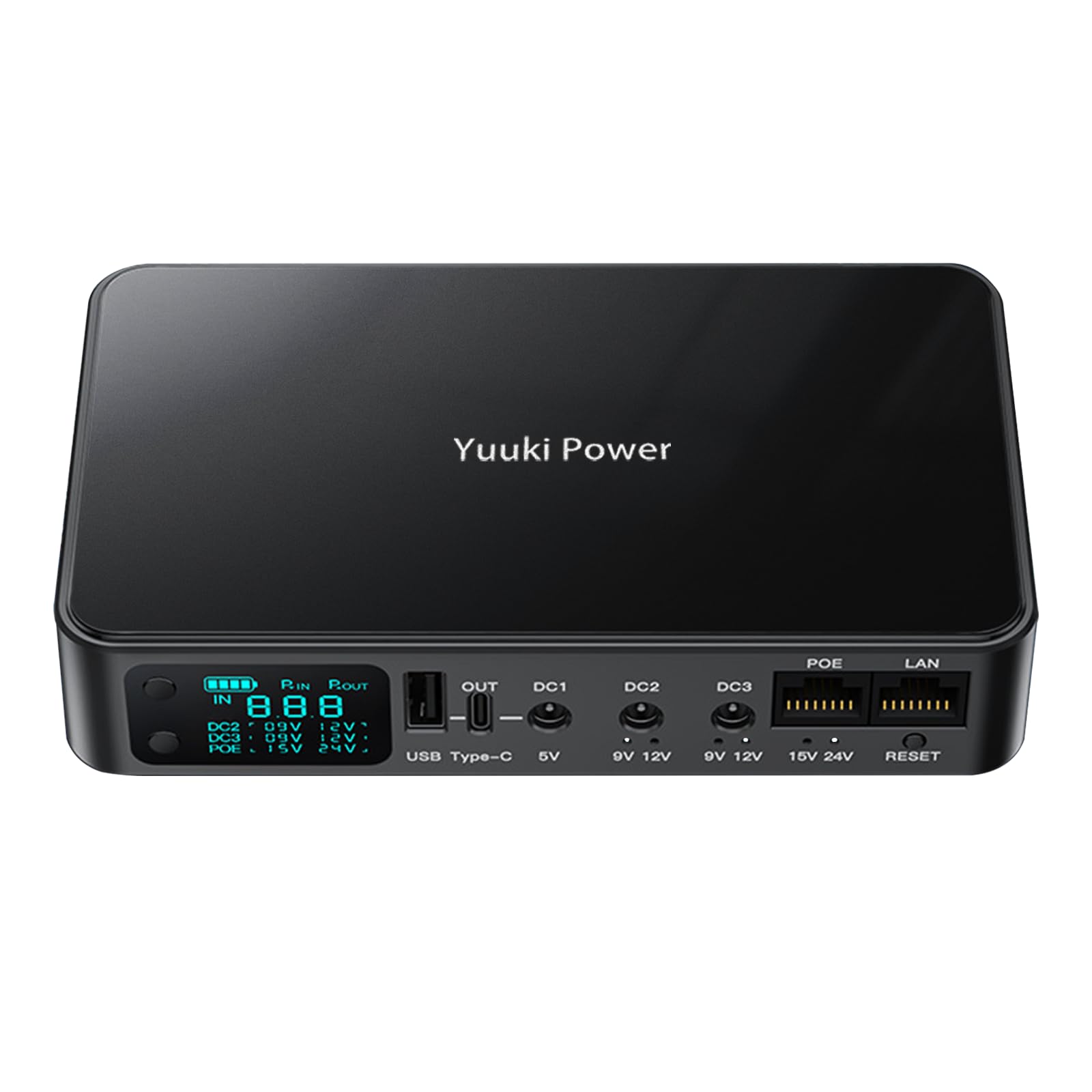
The PoE-friendly mini UPS with a live LCD readout
What gets attention on this Yuuki Power unit is the output menu — 5V at 3.6A, 9V at 2A, 12V at 2A, plus Power over Ethernet at 15V/1.3A or 24V/0.8A. That is a wider amperage spread than most of the group, and it means the box can drive small cameras and Raspberry Pi projects alongside a router. The 10400mAh (38Wh) battery carries the load, and the total is capped at 24 watts. An LCD screen shows you real-time status — the kind of thing you miss only after you have owned a unit without it.
Compatibility is broad enough that first-time UPS reviewers point out satisfaction, and the multiple voltage options add flexibility. It ships with a full barrel-adapter kit and a 12V3A US charger. Owners running Ring cameras and Raspberry Pi/ESP32 projects confirm it works for those loads. The dual USB-A and USB-C ports support PD fast charging for phones too, so the box pulls double duty.
The obvious limitation is the one thing you would want to check before buying: it does not play nicely with Amazon Eero routers. Several shoppers say the Eero 6+ bricking or refusing to run through the USB-C port, even with their own cable. If you run an Eero, either skip this or use it only for cameras and other gear. For everyone else, the split of power output and battery life is balanced well at this size.
Where it shines: the 5V at 3.6A rail handles more USB-voltage peripherals than the average pick, and the PoE lines cover small CCTV cameras cleanly.
One router to avoid: the Eero 6+ is a known non-starter through the USB-C port — a compatibility quirk rather than a fault, but worth checking before you order.
Right match: non-Eero routers, PoE cameras, and maker projects that need flexible DC and USB output.
Wrong match: Eero owners — the USB-C port has been reported as the weak link specifically for that router family.
5. KP3 Mini UPS Battery Backup for WiFi Router, 0ms Uninterruptible Power Supply for Router, Modem, CCTV Camera, 10000mAh 36Wh DC UPS During Power Outages
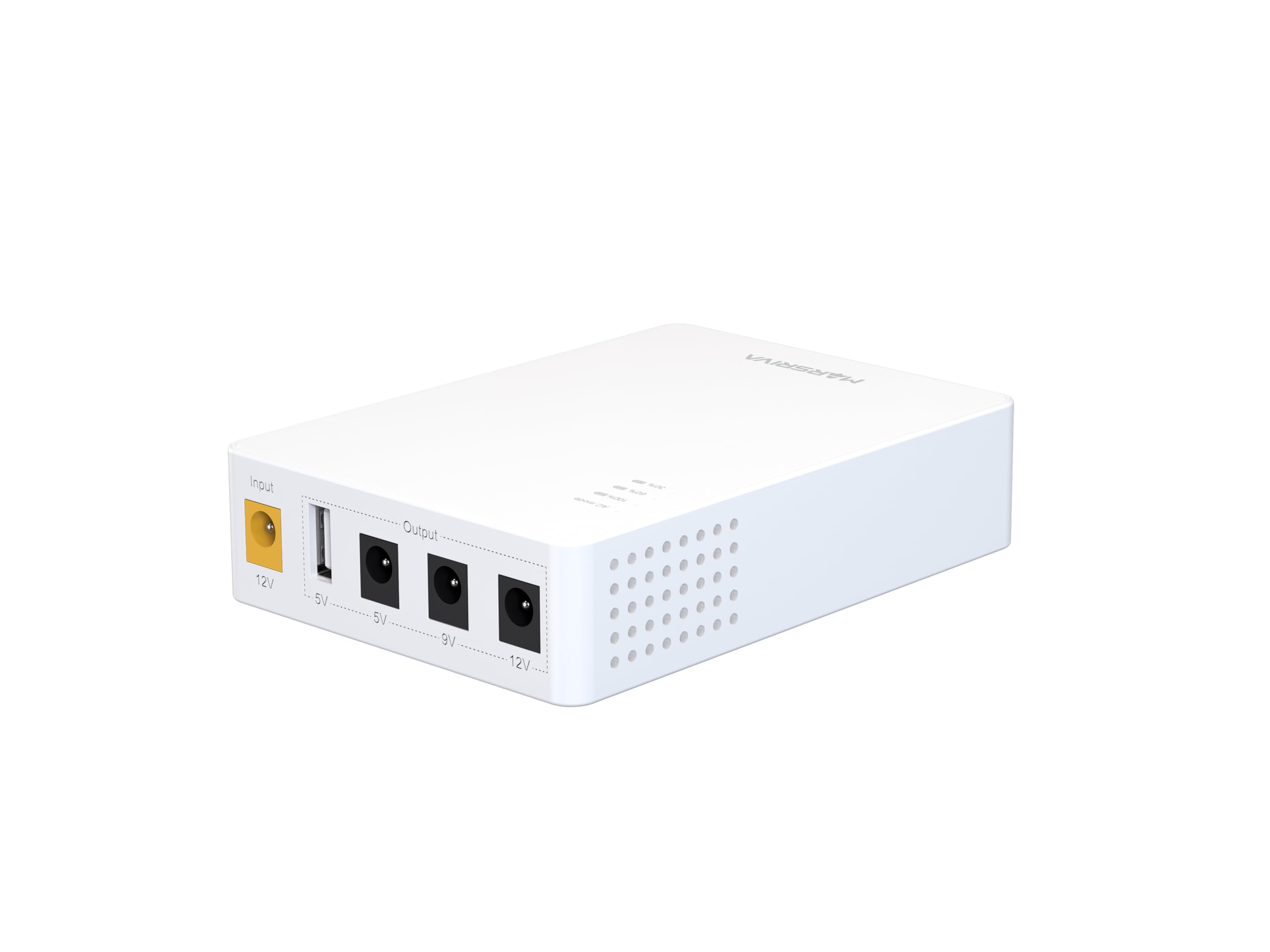
The compact 0ms switcher built for routers and ONU boxes
Instant switchover is the headline: the MARSRIVA KP3 uses 0ms power transfer, meaning your router and modem never notice the mains dropping. That matters more than raw battery size if a flicker would otherwise reset your connection — the kind of tiny reset that kills a video call or drops a NAS mount. The 10000mAh (36Wh) battery powers that zero-gap transfer, and the multi-port DC outputs handle routers, modems, ONU boxes (the fiber termination unit), LED lights, and CCTV cameras.
The 18-watt maximum output ceiling matches the Best Overall unit, and the safety stack includes overcurrent protection, voltage stability protection, short circuit prevention, overcharge prevention, deep discharge protection, and thermal management. At 10.56 ounces and 4.53 x 3.27 x 1.06 inches the footprint is small — a good fit for a crowded AV shelf or a wall outlet where a bigger unit would crowd the plug.
The honest caveat is durability feedback, and it is worth weighing. Most buyers report the KP3 quietly running an unmanaged network switch without fuss, and several note that the 10,000mAh capacity has done fine in testing. But a couple of reviews from the same product page describe a dangerous failure mode — one or two units began smoking after connection. That is a rare event, and the returns process is the right answer, but if you are buying for a critical always-on setup you may prefer a unit with a longer track record.
The 0ms promise
- Instant transfer means your router never sees the grid drop — no reboot, no dropped call
- Multi-port DC outputs cover routers, modems, ONU, and CCTV cameras
- 18W max output with a full safety stack including thermal management
- 10.56 oz and a 4.53 x 3.27 x 1.06 inch footprint slip behind most shelves
The fine print
- 10000mAh (36Wh) battery is smaller than the Best Overall unit — fewer hours per outage
- A rare dangerous failure (smoke) has been reported on a small number of units
- Amazon’s Eero 6+ is not supported via the USB-A output
Best for: buyers who cannot afford a microsecond of downtime — the 0ms transfer is the differentiator, and the compact footprint seals it.
Not for: anyone who has already seen a hardware failure they cannot afford to repeat, or who runs an Eero router.
6. TalentCell Mini UPS Uninterrupted Power Supply 27000mAh 97.2Wh Lithium ion Backup Battery Pack with DC 12V/9V and 18W USB-A/USB-C PD Output for Router/Modem/LED Light, CCTV Camera, Smartphone and more

A 97.2-wh tank built for all-day outages
When the goal is hours of internet, the numbers here leave the rest of the group behind. The TalentCell Mini UPS carries a 3.7V 27000mAh (11.1V 8800mAh) / 97.2Wh lithium-ion pack built from 12 cells — the sort of tank that lets you run a modem, router, VoIP phone, and network switch for much longer than any 10000mAh class unit could manage. The output panel is equally generous: 4x DC 12V outputs (voltage range 9-12.6V), 1x DC 9V, and 2x USB 5V, plus 18W USB-A/USB-C PD charging for phones and tablets.
Real-world numbers back it up. One owner consolidated a 5-adapter setup onto the TalentCell and got 5.5 hours at a 10.5-watt load — about 47Wh of usable output from the 98Wh label. Another owner reports over 8 hours at a 14-watt DC load (1.2A at 12V). That is a different league from the two-hour-class units.
The caveat is one worth taking seriously: to get that runtime you have to know what your router actually draws. Pushing past 37 watts will drain the battery quickly, and one buyer who overloaded it with an ONT, an Asus router, a WD NAS, and a Pi at once found the battery gone by morning. Match the load to the capacity and this is the pick to beat; overload it and even a big tank empties out.
Why the runtime wins
- 97.2Wh lithium-ion pack is more than double the 10000mAh-class units on this list
- 4x 12V outputs plus a 9V output run multiple network devices at once
- 18W USB-A/USB-C PD ports charge phones during an outage
- Owners mention 5.5-hour discharge at 10.5W and 8+ hours at 14W DC loads
Where it bites back
- Total draw above 37W drains the battery quickly — know your load before relying on it
- 3S 6A BMS with hardwired 18650 cells means they are not designed for user replacement
- No battery level or dead-cell indicator unless unplugged — you cannot see status at a glance
Long-outage buyers: if your priority is unbroken internet through an all-day blackout, the 97.2Wh tank here is the pick worth planning around.
Know your load: pull more than 37W and the runtime collapses — this is the unit for a router/modem team, not a whole home rack.
7. Battery Backup for Router CCTV 18000mAh(56Wh) 12V⎓2A DC UPS 9V⎓2A, Mini UPS USB 5V/3.6A
A six-outlet mini UPS that replaces your power strip
The pitch here is consolidation. Six outlets on one compact body — 5V at 3.6A, 9V at 2A, 12V at 2A, PoE at 15V/1.3A or 24V/0.8A, and USB-A and USB-C with PD fast charging — let you swap a power strip and the tangle of wall transformers for one backup box. The 18000mAh (56Wh) lithium-ion battery runs the lot on a 24-watt ceiling. Owners specifically like this trade: one buyer replaced their power strip outright and now powers a cable modem, a firewall, and an external PoE access point from a single unit.
Runtime is solid when the load stays modest. Customers note about 5 hours running a modem and router together at roughly 15 watts.
The trade-offs are clear-eyed and honest. One buyer measured a full recharge at about 20 hours, so the unit stays plugged in most of the time. Detailed testing found the 12V output settling around 1.4A under load instead of the labeled 2A, with measured capacity about 20% under the claim. Both are typical of budget-tier lithium hardware; plan around them, do not ignore them.
Practical upside: 6 outlets in one compact box replace a power strip and the wall-wart clutter underneath it — the “why it exists” of this pick.
Fine print from testing: expect roughly 1.4A stable on the 12V rail and a longer recharge window than the label suggests.
Good fit: someone building a small home network shelf who wants fewer boxes and more outlets in one place.
Less ideal: users with 20-hour recharge tolerance issues, or anyone pushing 12V gear near the label limit.
8. SKE DC20000 Plus Altair – Mini DC UPS 20000mAh Battery Backup & Surge Protector for Router & Modem – Compact, Portable Uninterruptible Power Supply with 5V/9V/12V Outputs, USB & Type-C Charging, WiFi

A fanless 20000mAh box that disappears into the shelf
Attention to fit and finish is the angle here. The SKE DC20000 Plus Altair uses a fanless design — no spinning fan means no whirring by the router shelf, and that is a real benefit for a unit that lives in a bedroom or an office corner. The 20000mAh lithium battery carries the load, and the outputs cover 5V, 9V, and 12V DC plus USB and Type-C charging. Build quality and quietness are what owners single out most — one buyer runs several of these and has kept them in service for years.
Automatic Voltage Regulation (AVR — a circuit that smooths incoming power before passing it through) is included, and the LED indicator lights show remaining battery. Real-world runtime reports include owners getting 8+ hours out of a Wi-Fi router, which is where the bigger battery pays off. The unit is 0.65 kg and 4.2 x 8.1 x 1.3 inches — larger than some minis on this list, but it fits a network shelf and can be wall-mounted, which the Best Overall unit cannot claim.
Where it holds back is a genuinely mixed bag on capacity claims and long-term endurance. Some buyers see the 20000mAh rating come out closer to 15Ah actual, and one unit failed at five months with no response from support — an isolated report, not the average outcome, but worth knowing. Treat it as a solid router backup with a small capacity caveat, not a battery for a full home rack.
Where the SKE shines
- Fanless design keeps it silent — a real plus for bedroom or home office placement
- 20000mAh battery with 5V/9V/12V DC plus USB and Type-C outputs
- Built-in AVR smooths incoming voltage, protecting routers from dirty power
- Reviewers point out 8+ hours of router runtime and multi-year service life
What to weigh
- Actual capacity has been measured lower than the 20000mAh label by some buyers
- Occasional failures at the 5-month mark have been reported without much support response
- 4.2 x 8.1 x 1.3 inch body is bigger than most minis here
Quiet-room buyer: the fanless build and wall-mount option make this the pick when noise and placement matter.
Capacity-truth caution: numbers-driven buyers should treat the 20000mAh label as approximate.
9. UPS for NAS 150W DC Uninterruptible Power Supply

The only pick here built with servers in mind
This is the outlier in the group and worth its own slot for one reason: it is the only unit wired for a rack. A 150W DC uninterruptible power supply rated for NAS systems (network-attached storage — the always-on home server that most people only recognize by its blinking drive lights) across Synology, Ugreen, TerraMaster, and QNAP. The switchover happens in under 1ms, which is tight enough that a NAS never sees the grid drop — the difference between an outage and an unplanned shutdown, and One buyer reports the unit carried a NAS and fiber modem through a 1-hour-20-minute outage with runtime to spare.
What separates it from every other pick is the app. Battery level, voltage, load, temperature, alerts, and system status are all visible from a phone, and the unit includes Wake-on-LAN (WOL — a way to wake a sleeping network device remotely). Setup takes about 4 hours for a full charge, the case is metal, and the fanless design keeps everything quiet. Compatible devices range from a NAS down to a router or a mini-PC — the 150W rating covers all of them.
It comes with more setup homework than the other picks. The unit sits inline between a device’s own power supply and the device — it has no built-in PSU — and you need to configure adapter amps and volts in the app before plugging in a NAS. A detailed test also noted the LiFe cells stay at 100% and the app asks for an email sign-up with a PIN passkey. That is a lot of ceremony for a router-only setup — but exactly the right level of control if a NAS sits behind it.
The <1ms edge: tighter than every other pick here for one practical reason — your NAS never sees the switch, so files do not corrupt and drives do not spin down.
Setup reality: you must open the app and set adapter amps and volts before the NAS is plugged in — plan for a dedicated setup session, not a drop-in.
For the rack: NAS owners, mini-PC users, and anyone running a home server with data they cannot afford to lose to a hard shutdown.
Overkill for: a pure router-only setup — the app and NAS-ready feature set cost more than a simple router backup needs.
Understanding the Specs
Battery Capacity (mAh and Wh)
Milliampere-hours (mAh) is the number printed on the box, but watt-hours (Wh) is the one that tells you runtime. Rough rule: a higher Wh rating with a modest load means longer uptime. A 62Wh unit running a 12-watt router typically outlasts a 36Wh unit on the same router — but only if the load stays inside the unit’s watt ceiling. Buy for Wh, not mAh, when comparing two boxes on the shelf.
Output Voltage and Load Ceiling
Match the output voltage to your router — most home routers use 12V DC, but some use 9V and a few older ones use 5V. Every unit here lists its own connector type and voltage spread, so check the router’s own power brick before ordering. Then check the total watt ceiling. An 18W unit is fine for a router and modem; a 36W or 60W unit covers more gear; anything above 37W continuous on the TalentCell will drain its battery unusually fast.
FAQ
Will a mini UPS keep my Wi-Fi router running during a power outage?
How do I know which output voltage my router needs?
Do these mini UPS units need batteries included or bought separately?
How long does a mini UPS last during a blackout?
Will a mini UPS work with my fiber ONT and modem together?
Does every router work with these mini UPS units?
Can I use a mini UPS for cameras as well as a router?
What is a barrel connector and why does the size matter?
Is it safe to leave a mini UPS plugged in all the time?
Do I need a mini UPS if I already have a surge protector?
Final Thoughts: The Verdict
For most readers chasing the battery backup for router, the pick that makes the most sense is the DC UPS 20800mAh (62Wh) — it pairs the biggest mid-range battery with a full spread of 5V, 9V, 12V DC, PoE, and USB outputs, and the customer consensus is that a router drawing around 12 watts rides out real outages without a hiccup. If runtime is the whole game and you have space for a bigger box, the TalentCell 27000mAh is the one to plan an all-day outage around, provided you keep the total load under 37 watts. And if you want the fastest recharge of the bunch, the Mini UPS Battery Backup tops up in 2 hours instead of 11 — a different daily rhythm entirely.
If your setup includes a NAS or home server, the wallecube UPS for NAS is worth the step up — the under-1ms switchover and app monitoring are built for exactly that job, and the owner consensus is that it holds a NAS and fiber modem for over an hour with charge left in the tank. On the compact end, the MARSRIVA KP3 delivers the 0ms transfer that matters when a flicker would otherwise drop a call. Whatever you pick, match the output voltage and connector to your router first — that single check matters more than any spec on the box.
How We Picked
We do not accept paid placement. Every pick is matched to a real buyer and a real use-case; we do not hands-on test units.
Sources & Methodology
Specifications: manufacturer listings and product documentation. Review insights: verified customer reviews, as of September 2026. Pricing: not shown on this page (it changes often); check the current price via the retailer link.
As an Amazon Associate, KitchPrep earns from qualifying purchases. This does not affect which products we feature.
Related Guides
