
Specs are compiled from manufacturer listings and verified buyer reviews and can change over time — please confirm the key details on the product page before buying.
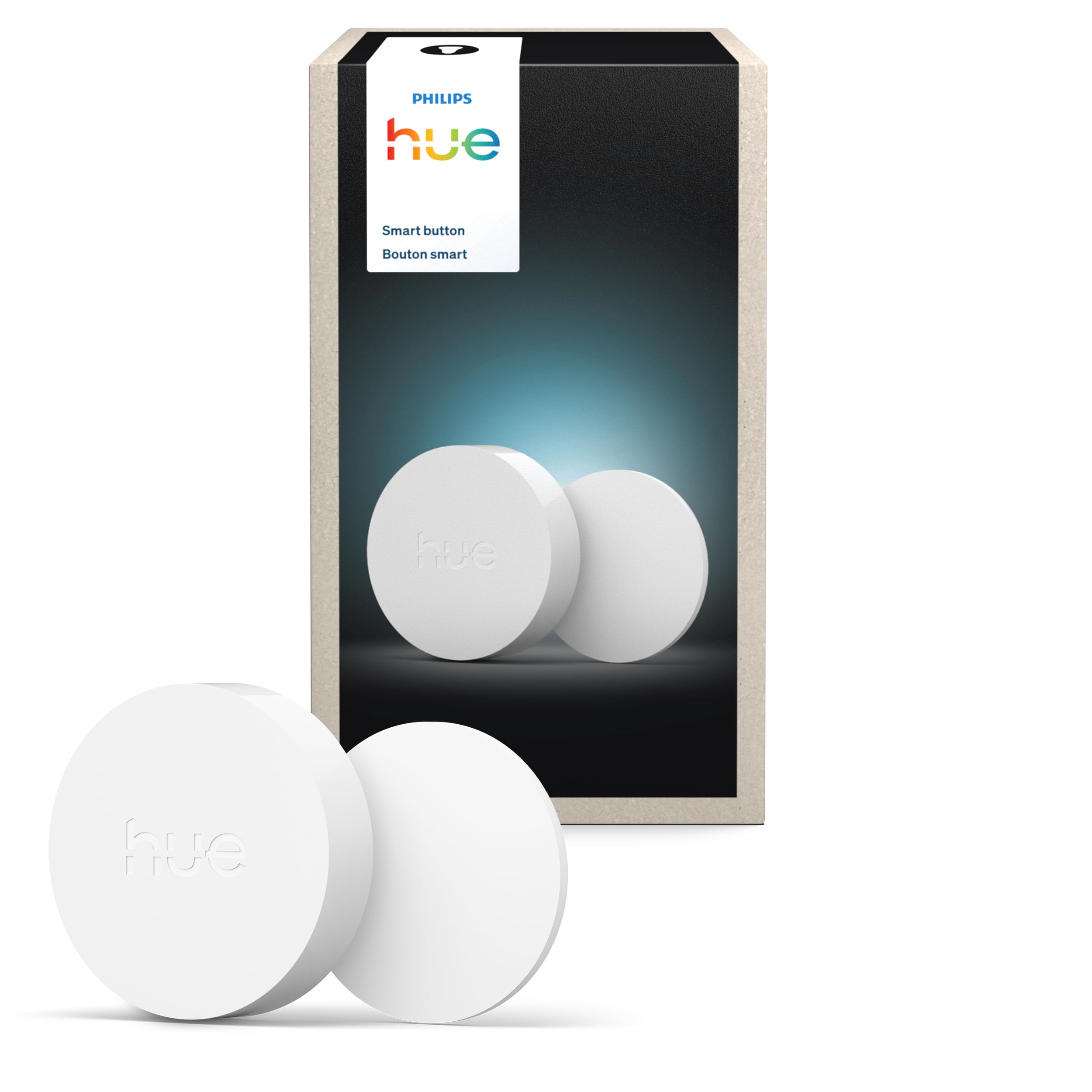
If you want a light switch on a wall that has no wiring in it, a battery-powered switch is the answer — and the one most people end up happiest with is the Philips Hue Smart Button. It sticks anywhere, runs on a battery, and taps on and off without an electrician, a neutral wire, or a hole in your drywall. The catch you need to understand up front: most of these buttons are not stand-alone switches. They talk to a hub or a bridge, and that hub is what actually controls your lights. So the real question is not “which button feels nicest” — it is “which one fits the smart system you already own or are willing to buy into.”
I’m Mohammad Maruf — the founder and writer behind KitchPrep. This guide is built by comparing the manufacturers’ published specifications and the patterns across verified customer reviews, so you get each pick’s real strengths and trade-offs instead of marketing spin.
Below you will find five wireless, battery-powered controls ranked by how well they actually work in a real home, from a Zigbee scene remote to a wire-free dimmer you can stick beside your bed. Every pick here is judged on battery type, hub requirement, mounting method, and how reliably the tap-to-light response feels.
Our Picks at a Glance

How To Choose The Best Battery Powered Light Switch
The single decision that matters most is ecosystem. A battery-powered light switch is really just a remote — it sends a signal, and something else does the switching. If that “something else” is not compatible with your button, you have bought a very nice paperweight. Check the hub requirement before you check anything else.
Hub-free bulbs or a hub-based system
Some switches talk straight to Bluetooth bulbs with no hub at all, which is the simplest path for a single room. Others need a dedicated bridge or hub that connects to your Wi-Fi and relays commands to every light in the house. The hub route handles more devices and responds faster once set up, but it is one more box and one more app. Know which camp you are in before you order.
Match the protocol, not the brand name
Zigbee, RF (radio frequency, a simple long-range signal that pushes through walls), and Sub-1G (a low-power wireless band that sips battery) are not interchangeable with each other or with your phone’s Bluetooth. A Zigbee button needs a Zigbee hub; an RF kit ships with its own receiver that wires into the fixture. Read the compatibility line on the listing and confirm it names a hub you own or will buy.
Mounting and battery type
Most of these stick on with adhesive tape, some clip to a magnetic baseplate, and a few do both. On the power side, the common coin cells are CR2032 and CR2430, and a couple of the hard-wired kits use a 23A/12V cylinder. Decent battery life here is measured in months, not weeks — look for a listed estimate rather than assuming.
Quick Comparison
| Model | Best For | Connectivity | Hub Needed | Mounting | Amazon |
|---|---|---|---|---|---|
| Philips Hue Smart Button★ Best Overall | Hue households who want one-tap scenes | ZigBee | Hue Bridge | Adhesive or magnetic | Amazon |
| Ortis Wireless Switch & Receiver KitMost Versatile | Replacing a real wall switch without rewiring | Radio Frequency (RF) | No hub — receiver included | Mounting bracket provided | Amazon |
| Tapo Smart Button S200D | Dial-style dimming in a Tapo home | Sub-1G | Tapo Hub H100 | Wall plate or double-sided tape | Amazon |
| GE CYNC Wire-Free Smart Dimmer | Sticking a dimmer beside the bed | Bluetooth, Wi-Fi | No hub required | Adhesive tape | Amazon |
| MOES Wireless Smart Scene Switch | Four buttons running twelve scenes | ZigBee | MOES Zigbee hub | Double-sided tape | Amazon |
In‑Depth Reviews
1. Philips Hue Wireless Smart Light Switch Button
Our pick — 4.5★ from 150+ verified ratings; the strongest balance of quality and price.
One tap for on, tap again for a new scene — the wall button that finally stops the phone-app fumbling.
This is the pick for anyone already living in Philips Hue, or planning to. A single press turns lights on and off and repeated presses cycle through your scenes, while a press-and-hold dims or brightens the room — all without touching your phone. It measures 2.83 x 2.83 x 1 inches and runs on ZigBee (a low-power wireless standard that connects straight to a Hue Bridge rather than your Wi-Fi router).
You get a flat face that takes a full palm tap instead of a pinched finger. Set it next to the Ortis kit’s 2 x 1 x 1 inch controller and the Hue’s footprint is the larger of the two. Mounting is genuinely flexible: an adhesive pad for a plain wall, or the magnetic back so you can lift the button off its plate and carry it. The IP20 rating (a protection score that means no dust or water resistance) means it is built for dry indoor rooms only — a nightstand, a hallway, a desk — not a bathroom or a porch.
Walk in, tap once, the light does what you want. It ships with just the one Hue Smart Button in the box, and the brass contact points and 220 milliamp current rating (a measure of how much electrical current it draws) are the kind of internals you never think about because they just keep working. The honest trade-off is the price — this is the priciest single button in this lineup, and you also need a Hue Bridge (a hub that connects Hue devices to your Wi-Fi) to make it talk to your lights, so it is a poor fit if you own no Hue gear and no bridge.
What earns it the top spot
- Tap, tap again, hold — on/off, scene cycling, and dimming from one flat button
- ZigBee connection through a Hue Bridge responds without the lag that plagues Wi-Fi switches
- Sticks with adhesive or snaps onto the magnetic back so you can pocket it
- Works in Home Assistant and Zigbee2MQTT for people running their own setup
Where it asks you to compromise
- Needs a Philips Hue Bridge, which is sold separately
- Premium-tier pricing for a single button
- IP20 means dry indoor rooms only
Reach for this if: you run Philips Hue lights and want the most polished, most reliable one-tap control money can buy.
Look elsewhere if: you have no Hue Bridge and no plans to buy one — the button simply has nothing to talk to.
2. Ortis Wireless Light Switch and Receiver Kit
The only pick here that swaps a real wall switch for a battery one — no hub, no phone, no app.
If your light fixture’s wall switch is in a terrible spot, this kit is the fix. You get both halves in the box: a battery-powered wall switch that looks like a standard decora panel (a flat, rectangular wall plate), and a receiver module that wires into the fixture itself. Press the switch, the receiver clicks the light on. The radio frequency signal (a wireless signal that travels through the air) is rated to reach up to 300ft in open areas and pushes through walls and doors — unlike the Hue above, which leans on a ZigBee mesh (a network where each device passes the signal along) and a bridge to cover the same ground.
Setup is genuinely beginner-level. People describe it as roughly a three-minute job to wire and mount, and the receiver comes pre-programmed, though a reset first is the safe habit. The kit is expandable: one switch can run several lamps, several switches can run one lamp, or a single switch can drive multiple fixtures. It even works with a pass-through wire to control two lights from one button, and it handles incandescent, halogen, fluorescent and CFL loads. Just respect the ceiling — output cannot exceed 10A or 1200W, with 1000W for tungsten and 600W for fluorescent.
Two things to plan around. The switch does need a neutral wire (the white return wire in your wall box) at the receiver, so basic electrical expertise is helpful, and the rocker returns to a middle position rather than snapping up or down, which looks a little odd at first on a standard plate. The included battery is a 23A/12V cylinder (a small cylindrical battery) rather than a coin cell, and heavier use drains it faster than the coin-cell buttons here.
The strength that carries it: this is a true switch replacement, not a scene remote. It handles real electrical loads, reaches across a whole house on RF, and asks for no hub, no app, and no account.
Buy it when: you want to physically relocate or add a switch for a fixture and you are comfortable working at the receiver end.
Think twice if: you want zero wiring at all — this one still lands a receiver in the fixture box.
3. Tapo Smart Button S200D

Tap it to switch the room, twist the dial to set the mood without ever opening an app.
You cannot install a wired switch in an apartment, so the S200D tapes or screws to the wall instead — the plate is held with double-sided tape and there is anti-slip tape in the box as well. what separates it from every other button on this list is the dial: a single tap, a double tap, and a rotation are all separate actions, so one control can handle lights plus other routines.
The dial is the draw: a twist sets brightness directly, with no menu and no app. It also handles color temperature, so you can nudge a room warmer or cooler at the dial. Tapo also builds in a doorbell-style role: paired to the hub, the button can chime with a choice of ringtones.
Now the conditions. This is a hub device, full stop. You need a Tapo H100 hub and a secured 2.4 GHz Wi-Fi network, and the hub is a separate purchase. Some users change their mind about the dial once it is on the wall — the magnetic baseplate can be knocked loose, and the slowest dimming steps sometimes take a couple of clicks. There is also a limit worth knowing before you buy: the Tapo hub will talk to Google Home, but the button itself does not expose its actions there, so it only controls Tapo devices, not third-party lights.
Why renters keep buying it
- Rotate-to-dim dial is faster than any app screen
- Single tap, double tap, and rotation each trigger different actions
- Sub-1G wireless sips battery and reaches farther than Wi-Fi
- Tapes onto the wall with no drilling and no wiring
The fine print to read first
- Tapo Hub H100 and 2.4 GHz Wi-Fi both required, hub sold separately
- Controls Tapo devices only — no third-party light support
- Magnetic baseplate can be dislodged if knocked
The right call for: Tapo households and apartment dwellers who want a real dial for brightness without a contractor.
Not your button if: your lights are from another brand — the S200D will not drive them.
4. GE CYNC Smart Dimmer Light Switch

A dimmer that sticks to the wall beside your bed and never asks for a hub.
Want a real physical dimmer where the builder never put a switch? That is exactly what the CYNC wire-free dimmer solves, and it does it without a hub. It pairs over Bluetooth to CYNC and C by GE bulbs, strips and plugs, and it works with Amazon Alexa and Google Assistant by voice too. There is no neutral wire to find and no electrical connection at all — peel the adhesive, press it to the wall, and pair it in the CYNC app.
What separates it from the Tapo and Hue buttons is the battery arrangement: instead of a coin cell, this one takes a replaceable battery rated to last over two years. It is also a 3-way dimmer, meaning you can pair it to a second CYNC switch and dim the same bulb or strip from more than one point in the house. The touch face handles on/off and brightness, and you can tweak the level from the app if you would rather not press and hold.
Setup is where it gets harder. The CYNC app has a reputation for being fussy, and the switch is picky about how your bulb is organized — if the bulb is not assigned to a “room” in the app, the switch may only end up controlling a smart plug instead. The other honest limit: press-and-hold dimming is slow, and there is no way to change the off state to a low dim, which matters if you want an overnight glow in a hallway or kids’ room.
The plain-English value: if you have ever had a guest flip a smart bulb’s wall switch and knock the whole room offline, this is the antidote — a physical button they can use without breaking your setup.
Best fit: CYNC or C by GE homes that want a wire-free dimmer with no extra hardware to buy.
skip it if: your bulbs are not CYNC-compatible or you want instant-switch dimming rather than press-and-hold.
5. MOES Wireless Smart Scene Switch Button

Four buttons, three press modes each, twelve triggers from one plate on the wall.
This is the pick for the tinkerer. A four-gang faceplate gives you four buttons, and each one supports three pairing modes, which adds up to twelve separate scenes from a single panel — away mode, movie mode, your own automations, whatever you want to fire. It runs on a CR2430 coin cell, mounts with double-sided tape, and is 1.3cm thick, so it sits close to the wall. You can also peel it off and carry it as a hand-held remote to any room the network covers.
Battery life is the quiet selling point. Buyers report the original CR2430 still holding after years, which fits the low-power ZigBee design. Home Assistant users get along with it well — community blueprints handle the automations, and it pairs over a Zigbee stick without drama.
Two things to weigh. There is no Alexa, Google Home, or Siri support here — the buttons pair to a MOES ZigBee hub (a small box that connects ZigBee devices to your network) and are meant for Home Assistant and Zigbee2MQTT users, so if you want voice control this is not your switch. And on Hubitat specifically, press-and-hold is not supported, which caps you at eight scenes instead of twelve. The deep-press requirement of about half a second is also worth knowing — these are not feather-touch buttons.
The standout, in one line: twelve scenes from one taped-on plate, with a battery that owners say keeps going for years.
Buy it if: you run Home Assistant or Zigbee2MQTT and want maximum triggers from a single wall plate.
Look elsewhere if: you need Alexa or Google Home to see your buttons — this one is deliberately hub-and-tinkerer territory.
Understanding the Specs
Hub vs. Hub-Free
A hub is a small box that sits on your network and relays commands between your button and your lights. Hue, Tapo and MOES all use one; a Hue Bridge, a Tapo H100, and a MOES Zigbee hub respectively. The GE CYNC switch skips the hub entirely and talks Bluetooth and Wi-Fi straight to your bulbs. Hubs usually mean faster, more reliable taps and support for more devices at once — the Tapo H100 supports up to 64 devices — but they are an extra purchase and an extra app. Hub-free is simpler to start and simpler to break if you switch bulb brands later.
Battery Type and Life
Battery-powered switches run on coin cells — CR2032 in the Tapo, CR2430 in the MOES — or on a 23A/12V cylinder if you go the Ortis receiver-kit route. Expect months to years depending on button presses and how chatty the wireless protocol is. The Sub-1G and ZigBee protocols are the low-power options; Wi-Fi and Bluetooth buttons draw more. The GE CYNC dimmer’s replaceable battery is rated over two years; the Tapo S200D’s over one. There is nothing to recharge in any of these — swapping a cell is the whole maintenance routine.
FAQ
Do I need a hub to use a battery-powered light switch?
Will a battery-powered light switch work with my existing bulbs?
Is a battery-powered light switch safe to use?
How long does the battery last in these switches?
How do I mount a wireless light switch without drilling?
What is the difference between RF, Zigbee and Sub-1G switches?
Can I control my lights by voice with these switches?
Can one switch control more than one light?
Do these switches work in a bathroom or outside?
What happens when the battery dies in the middle of the night?
Final Thoughts: The Verdict
For most people shopping the battery powered light switch category, the Philips Hue Smart Button is the strongest pick because one flat button handles on, off, scene cycling, and dimming without ever opening an app — and it holds a 4.5-star rating from Hue owners. If you need to replace a real wall switch rather than add a remote, grab the Ortis Wireless Switch and Receiver Kit — it is the only pick here that drives a fixture directly with no hub in the middle. And for apartment dwellers who want a dial in their hand, the Tapo Smart Button S200D is the one to reach for.
How We Picked
We do not accept paid placement. Every pick is matched to a real buyer and a real use-case; we do not hands-on test units.
Sources & Methodology
Specifications: manufacturer listings and product documentation. Review insights: verified customer reviews, as of September 2026. Pricing: not shown on this page (it changes often); check the current price via the retailer link.
As an Amazon Associate, KitchPrep earns from qualifying purchases. This does not affect which products we feature.
Related Guides
