
Specs are compiled from manufacturer listings and verified buyer reviews and can change over time — please confirm the key details on the product page before buying.
One bar on your 5G gateway while your neighbour streams in 4K usually points to one missing part: an antenna aimed at the right tower. Your gateway’s built-in aerials are tiny, and a good outdoor 5G antenna captures the signal they cannot reach. That is what turns a stuttering connection into one you can work and stream on. This guide covers seven real options, from a truck antenna that holds a lock at highway speed to a flat panel that sits on a windowsill. Each entry names the exact gain (how hard the antenna pulls signal in, measured in dBi), frequency range and cabling it ships with. You also get plain-English help matching one to your setup, your gateway’s ports, and how far you live from the nearest tower.
I’m Mohammad Maruf — the founder and writer behind KitchPrep. This guide is built by comparing the manufacturers’ published specifications and the patterns across verified customer reviews, so you get each pick’s real strengths and trade-offs instead of marketing spin.
Three small details decide whether boosting works: how many antenna ports your gateway has, which frequency bands your carrier uses locally, and whether your antenna needs aiming. The picks below are sorted so you can match one to your situation quickly. Every entry names the exact gain, frequency range and cabling it ships with, so install day holds no surprises. Below are the seven picks, sorted so you can match one to your home, truck or office in a few minutes.
Our Picks at a Glance

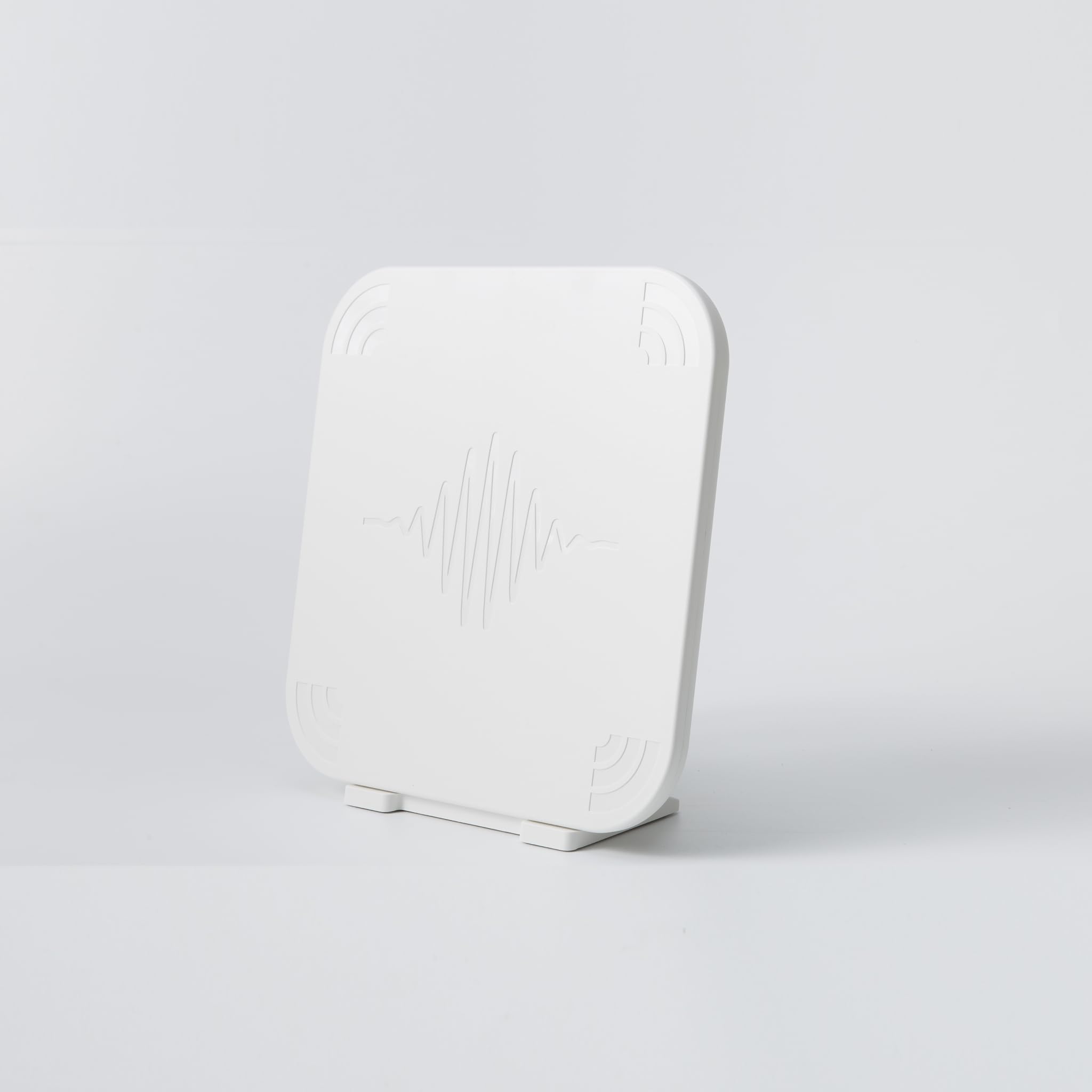
How To Choose The Best 5G Antenna
Three mistakes cause almost every disappointing 5G antenna purchase. The connector does not match your device. The antenna is mounted where it cannot see the tower. Or the antenna is aimed at the wrong band entirely. Get all three right and any antenna here will beat your gateway’s stock paddles. Get one wrong and even a 15 dBi panel can lose to the paddles screwed to your router.
Match the connector to your gateway before anything else
The connector is the physical plug on the end of the antenna cable, and a mismatch is the single most common reason an antenna gets returned. SMA, TS9, and N-type are the three plugs you will meet here. They are not interchangeable without an adapter. Several kits ship with TS9 adapters included, because many 5G home gateways and hotspots use TS9 ports. The outdoor panels from Proxicast use dual female N connectors instead, so you supply your own coax extension cables.
Count your gateway’s antenna ports too. A gateway with four ports can run 4×4 MIMO — four separate signal paths working together — which is where the biggest speed jumps hide. A 2×2 MIMO antenna kit on a 4-port gateway wastes half the hardware. Check the port count on the back of your device first, because it decides if you need a dual-port kit or a four-port system.
Decide whether you can aim it — directional versus omni
Directional antennas concentrate their pull in one direction, which delivers more gain but demands you point them at the tower by hand. Omnidirectional antennas (often shortened to omni) pull from all directions at once, so there is no aiming day at all. In a valley, behind trees, or on a moving vehicle, omni usually wins, because the signal you want may bounce off a hillside rather than arrive in a straight line.
With a clear line of sight to a tower and a fixed install, a directional panel’s tighter focus can squeeze out more bars. If your tower is hidden or you move around, omni saves you an afternoon on the roof. Both types are on this list: pick directional for a clear sightline, omni for hills, trees or a moving vehicle.
Quick Comparison
| Model | Best For | Gain | Frequency Range | Antenna Type | Amazon |
|---|---|---|---|---|---|
| weBoost Overland Antenna (Model 311248)★ Best Overall | Trucks and RVs on the move | — | — | Omni, vehicle mount | Amazon |
| Uhura 4-Port 5G FWA Omnidirectional Antenna SystemPremium Pick | 4-port home gateways indoors or out | Up to 7 dBi | 617MHz – 6000MHz | Omni, 4-port | Amazon |
| Proxicast Pro-Gain 4G/5G 2×2 MIMO Outdoor Omni (Pearl) | Rural installs with weak steady signal | 7 dBi Peak | 4G/LTE and 5G NR FR1 bands | Omni, 2×2 MIMO | Amazon |
| Waveform QuadMini (WF-QMIN-1) | 4×4 MIMO home gateways, no aiming | Up to 5.2 dBi | 4G/5G routers and gateways | Omni, 4×4 MIMO, low-profile | Amazon |
| SIGNALPLUS Omni-Directional 5G 4G LTE Antenna (698-3800MHz) | Pole-mounted rural and mountain coverage | 12 dBi | 698-3800 MHz | Omni, pole mount | Amazon |
| Proxicast Cross-Polarized MIMO Panel (ANT-129-001) | Fixed installs with clear tower sightline | 7-10 dBi | 600-960/1710-6000 MHz | Directional panel, 2×2 MIMO | Amazon |
| MOPHAMP 2×2 MIMO Log Periodic Antenna Kit | Budget MIMO kit for hotspots and routers | 15 dBi | 698 to 3800MHz | Directional log periodic, 2×2 MIMO | Amazon |
In‑Depth Reviews
1. weBoost Overland Antenna for Drive Reach Cell Phone Signal Boosters (Model 311248)
Our pick — over 4★ from 100+ verified ratings; the strongest balance of quality and price.
The truck-bed antenna that keeps a lock on the tower at highway speed.
This one earns its spot with an advertised 10,000 feet of range, so the signal does not drop every few miles as the tower changes distance and angle. It is the outside antenna built to pair with weBoost’s Drive Reach cell signal booster kits. That long capture window is what keeps a truck, RV or van locked on while you move. The housing is rated to U.S.-military and NEMA standards — durability ratings for surviving weather and vibration, not marketing gloss. It runs on a 50 ohm impedance (the standard electrical match for off-the-shelf cellular gear), so it slots into a booster setup without electrical guesswork.
It also supports all carrier networks, so you are not locked to one provider, and a fold-down design lets it lie flat when you park instead of snapping off in a low garage. The weBoost Overland beats the SIGNALPLUS antenna on the move, because omni pickup with no aiming is exactly what a vehicle needs. What wins owners over is the build quality — the housing feels solid and keeps its performance a year in, which is what you want bolted to a bed rail in all weather.
Here is the catch, and it is practical rather than a flaw: this arrives as an antenna with a 15-foot cord, not a mount. Buyers report they had to order mounting hardware separately or fabricate their own, and one owner noted they did a little grinding and cutting to get it sitting just above the cab of their truck. A handful of owners also mention connectivity trouble with the cable joint, so seat the connector firmly and inspect the run after install. Neither issue bothers most drivers, but if you want a bolt-on-and-go box, budget for the mount.
Overland mount ready
- Advertised 10,000-foot range gives a wide capture window for a moving vehicle.
- Rated to U.S.-military and NEMA standards for durability in weather and vibration.
- 5G compatible and works with all U.S. carrier networks.
- Two-year manufacturer warranty and U.S.-based support by app, chat, phone or email.
- Fold-down design clears low garages and drive-throughs.
Needs ground plane
- No mount included — buyers order one separately or fabricate it.
- Ships as an antenna with a 15-foot cord, so cable routing needs thought.
- A few owners mention trouble at the wire connection joint.
- Best results need it paired with a weBoost Drive Reach booster, not used standalone.
Truckers and campers: your signal problem travels with you — truck, RV, van or overlander — and you already run or plan to run a weBoost Drive Reach booster.
Sedan roof limits: you want an all-in-one box with a mount in it, since this kit deliberately leaves mounting hardware out.
2. Uhura 4-Port 5G FWA Omnidirectional Antenna System (B0GD1PG5Y7)
A flat white panel that quietly fixes the 5G home gateway your carrier handed you.
Four ports are what put this antenna on the list, because they can feed a full 4×4 MIMO setup (four separate signal paths working in parallel) on any gateway that exposes four external antenna connectors — where the meaningful speed gains live. It is aimed at anyone running a 5G Fixed Wireless Access gateway, the box your carrier gives you for home internet, and it is the most complete answer here for that job. Wideband coverage spans 617MHz–960MHz and 1710MHz–6000MHz with up to 90% efficiency and up to 7 dBi gain, so it captures GSM, CDMA, LTE, 5G and WiFi bands in one unit. It works with AT&T, Verizon and T-Mobile gateways and supports most LTE bands plus the majority of 5G FR1 bands (the sub-6GHz slice carriers use for most home 5G).
The design is what makes it liveable indoors. At 270mm x 270mm x 22mm it is a flat, slim panel rather than a bulky industrial mast. It mounts on a desk as the default, or on a pole or wall. Being omnidirectional, it needs no compass and no aim — mount it, connect the weather-sealed cables, and let it pull from all directions. Owners who swapped it in for their gateway’s internal antennas describe stronger, more stable connections with fewer speed swings, and it holds up outdoors in rain, snow and heat. The advertised 28-mile range with up to 7 dBi gain speaks to the whole point: reaching towers that leave your stock router showing one bar or nothing.
Four port 5G: expect stability first and sheer speed second. Owners consistently describe a cleaner, steadier connection with fewer drops rather than a dramatic speed multiplier, and one reviewer noted the speed gains were modest even though signal quality improved. Placement testing matters — window positions tended to outperform desk placement. So treat this as an antenna that makes an unreliable connection dependable, not one that turns a slow line into a fast one.
Fixed wireless homes: a 5G home gateway with four antenna ports and a signal that is inconsistent rather than absent.
Single router users: you run a cable or fibre router — this antenna only helps cellular gateways, as four-port owners using it confirm.
3. Proxicast Pro-Gain 4G/5G 2×2 MIMO Outdoor Omni-Directional Antenna (Pearl, ANT-127-05P)

The heavy, serious antenna for a rural property that other hardware gave up on.
Owners have pushed this 2×2 MIMO omnidirectional antenna past 350 Mbps download and up to 150 Mbps upload in a MIMO configuration on appropriate hardware — figures that sound implausible for a rural install until you see them reported against a weak-signal location. It carries 7 dBi peak gain across all 4G/LTE and 5G networks, and it does not need aiming, which matters enormously when your tower hides behind a ridge. The band list is genuinely thorough: it covers 5G NR FR1 low-frequency bands n71 (T-Mobile), n5 (AT&T, Verizon), n2, n66, plus mid-band C-Bands n41 and n77. It is compatible with FirstNet and CBRS systems as well as Cisco, Cradlepoint, Netgear, Pepwave, MoFi, Digi and Sierra Wireless gear. What owners praise most, unmistakably, is the raw signal strength, and the follow-up praise for signal quality is nearly as loud — this is an antenna people buy to solve a hard problem, and it tends to solve it.
One buyer used it to replace a Panorama unit on a Cradlepoint IBR600 and took upload speed from almost nothing to a usable number. It is heavy, with a substantial base at around 2-3 lbs, so it needs a real mast — owners mount it on a 10-foot PVC pole or similar. That weight is the trade-off for a housing that shrugs off weather year after year.
Be honest about the hard cases though. It cannot conjure a signal that is genuinely not there, and on one Netgear M6 Pro MR6500 install it brought no benefit at all over the router’s own paddle antennas. Owners also note the two female N connectors require you to supply two coax extension cables yourself, and the strongest results everyone quotes come from pairing it with proper coax and a MIMO-capable router. Where a tower is genuinely reachable, this 7 dBi omni holds a steady signal that budget antennas promise but rarely deliver.
Rural cabin setups: you have a fixed rural or off-grid install, no line of sight to the tower, and want the strongest steady signal without aiming.
Apartment balconies: you want a plug-in-and-done kit — this needs your own coax cables and a mast that can carry its weight.
4. Waveform QuadMini Low-Profile Omni 4×4 MIMO Antenna, Complete Kit (WF-QMIN-1)

The slim, aim-free kit for anyone with a four-port gateway and no head for rooftops.
Customers note doubling upload speeds to 100 Mb/s and one buyer logged a 101% performance increase — that is why this 4×4 MIMO omnidirectional antenna makes the cut. It uses four signal paths at once and needs no aiming whatsoever, with gain up to 5.2 dBi in an ultra-thin profile. For households running a four-antenna-port 5G gateway, the kind T-Mobile and similar carriers hand out, this is the most thoughtfully assembled package here. It brings a complete bundle: a Window Entry Cable, UltraFlex-Quad cables, and weatherproofing boots. Mounting options are unusually broad — strong suction cups for windows, a pole adapter, a desktop stand, and direct wall mounting — so you can chase the strongest signal spot without buying a single extra part. The advertised range reaches 25 miles.
Speed tracking across owners is the story. One described going from erratic 90–320 down to a steady 220–280 indoors, then pushing to 480 down with an outdoor pole mount. Another upgraded from the directional QuadPro specifically to escape unstable speeds and settled into a consistent 180–239 megabit range. Installation is praised as straightforward, and the direct support gets credit for staying responsive for months.
Low profile 4×4: installation can be more involved than the pitch implies. Owners note that certain T-Mobile gateways need opening up to route the cables, the window cable can feel short, and some report needing an extra cable run. Plan for an hour, not ten minutes.
RV roof installs: a four-port 5G home gateway in a spot with one or two usable bars, where stability and latency matter more than chasing peak numbers.
Weak signal areas: incomplete used units have arrived missing cables, so buy new and know what is in the box.
5. SIGNALPLUS Omni-Directional 5G 4G LTE Antenna 698-3800MHz 12dBi

A long, tall omni for hilly ground — no pointing, just height and patience.
Owners who switched from a directional yagi to this antenna found the signal became consistent even though it peaked lower — the payoff of 12 dBi gain, one of the highest here for an omnidirectional design, with no aiming required. A 698–3800 MHz frequency range and a 58cm length make it a unit built to fight terrain rather than a clean line of sight. It is a pole-mount aerial with all-weather protection: waterproof housing that handles high heat and snow. It ships with a 10-metre (39-foot) RG58/50-3 cable, plus both an N male adapter and a TS-9 adapter so it can plug into either a booster or a modem-style port. It works with any North American carrier and with any brand of router, modem, gateway or booster that has an external antenna port.
One user solved a stubborn T-Mobile plus callbox reception issue outright with this antenna. Mounting hardware and cable are repeatedly singled out as high quality. The catch, as owners discovered, is that the kit does not always arrive with clear fitting instructions — so plan on working it out from the hardware itself, and use the spring washers to avoid the antenna working loose in wind. It is also simply a large antenna, which owners note but generally accept as the cost of its range.
Two practical points before you buy. This is a pole-mount unit, so you need a mast and a 10mm wrench or socket, and no pole is included. At 1.34 kg it needs solid mounting. For rural and mountain coverage where you would rather not climb up annually to re-aim a directional aerial, this delivers the steadiness a directional antenna cannot.
Multi carrier use: hilly, mountainous or wooded locations where a tower is nearby but a clean line of sight is not, and you want an install-once solution.
Indoor placement: no mount is included, so budget for a mast and a wrench before it arrives.
6. Proxicast 4G/LTE/5G Cross-Polarized MIMO Directional Panel Antenna (ANT-129-001)

A flat panel that rewards whoever is willing to point it exactly right.
Another owner, roughly a mile from an AT&T tower, more than doubled both download and upload with this 7–10 dBi panel — that focus is why it belongs on the list. It is a directional antenna, so it aims its pull in one tight direction to gain more, which makes it happiest on a determined install with a clear shot at the tower. The dual-polarized 75-degree beamwidth MIMO design spans 600–960/1710–6000 MHz, covering all 4G LTE and 5G Sub-6 cellular bands worldwide. It supports T-Mobile 5G Band 71 and the newer 3 GHz mid-band C-Band frequencies used by AT&T and Verizon. Compatibility is broad, spanning CalAmp, Cisco, Cradlepoint, Digi, InSeeGo, MoFi, Netgear, Pepwave, Proxicast, Sierra and ZTE MIMO-capable hardware.
A pole-mounted install at 25 feet, straightforward enough that many owners describe it as simple, turns a rough rural line into a usable one. The trade-off is its very nature: it must be pointed. As one buyer put it plainly, “boost signal immensely the only drawback, I wish it was omnidirectional not directional I had to find the tower and point it directly at the tower but it works perfect.”
Know two things going in. It needs two coax extension cables that are not included — this antenna ships with 12-inch pigtails and two female N connectors, so factor in a cable run. Second, a small number of owners have had rough luck, one finding no benefit at all with a Netgear M6 Pro MR6500 and another noting the bracket holes were misaligned, with light-duty clamps letting the panel sag. Those are edge cases rather than the norm — with a proper mount and the tower located, this is a serious performer. If you can point it right, the payout is real.
Long range links: you can mount it high with a clear path to the tower and are willing to aim it precisely — the payout is the strongest single-tower gain on this list.
City interference: your tower is hidden or you cannot commit to the pointing and cable work this directional panel demands.
7. MOPHAMP 2×2 MIMO Log Periodic Antenna Kit for 4G LTE/5G (Full Kit)
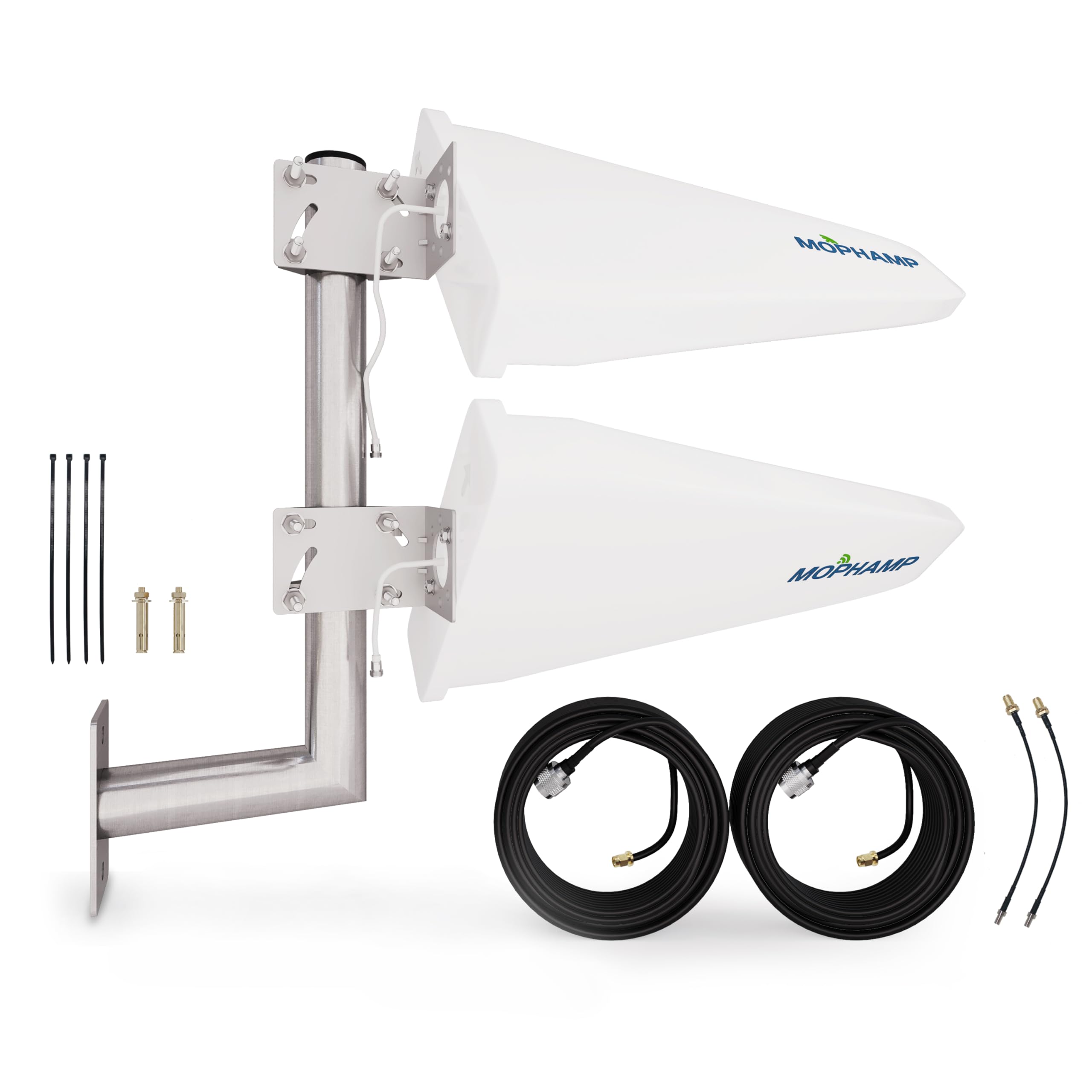
A bundle-everything kit that delivers real MIMO gain without the premium tag.
15 dBi gain is the highest figure on this whole list, and it is what makes this kit a genuinely strong pull for the money. The 698–3800 MHz range covers 4G and 5G, and the 2×2 MIMO design uses two signal paths. It ships complete: two antennas, two 32-foot low-loss coaxial cables, two TS9 adapters, an L-mount, anchors, cable ties and step-by-step installation guides. The dual low-loss coax minimises the signal bleed over that long a run, which matters when your antennas end up far from the router. The base plate is a thick stainless steel unit held by continuous welding rather than a few tack welds, so it is built to sit outdoors and stay put.
Owners who are within reasonable range of a tower report it doing its job well, and the signal quality is the backbone of the feedback. This is a directional log periodic design, so it wants aiming like any directional aerial. The one repeated weak spot is the mounting: some owners found the plate attaching to the bar flimsier than they wanted and beefed it up or re-secured it. Sort that out and the kit performs far above what its price tier suggests, especially given the cable length and adapter range you would otherwise buy separately.
Two things to weigh. The advertised 10-metre maximum range on the spec sheet is modest for a directional unit at a distant tower, so this fits best where the tower is relatively close. Second, it uses TS9 adapters, so confirm those fit your hotspot or gateway ports before you mount anything. For a first 2×2 MIMO kit with cables, TS9 adapters and mounts in the box, this is the value pick.
Band hopping rigs: a hotspot or router relatively close to a tower, where you want a full MIMO kit with cables and adapters included at an entry-level price.
Set and forget: very distant or obstructed towers — the higher-gain panel and omni options above cover that ground better.
Understanding the Specs
Gain (dBi)
Gain, written as dBi, measures how powerfully an antenna concentrates signal in one direction compared with a plain reference aerial. More gain pulls in weaker signals from farther away, but it is a trade-off: the higher the gain, the more precisely you must aim the antenna. A 5 dBi omni and a 15 dBi directional are not simply better or worse than one another — they are two different tools. On this list the range runs from up to 5.2 dBi on the QuadMini to 15 dBi on the MOPHAMP kit, and the higher-gain units are the ones you point.
MIMO Ports (2×2 and 4×4)
MIMO stands for Multiple-Input Multiple-Output — the antenna sends and receives over more than one signal path at once, which lifts real-world speed and steadiness. A 2×2 MIMO antenna uses two paths; a 4×4 uses four. The key is to match the antenna to your device. A four-port gateway paired with a 4×4 antenna like the Uhura or the QuadMini can use every path, while a two-port gateway gets no benefit from a four-port antenna. Check how many antenna connectors your gateway has before deciding.
Frequency Range
The frequency range is the span of radio bands an antenna can hear, written in MHz and GHz. Cellular 5G travels over several different bands — low bands like 617MHz reach farther through obstacles, while mid-bands carry more data over shorter distances. A wider range, such as the 617MHz–6000MHz covered by the Uhura, keeps the antenna working as carriers add and shift bands. Narrower ranges can still perform brilliantly on the bands you actually use, but a wide span is your protection against future changes.
Directional vs Omnidirectional
Directional antennas, like the two panel and log periodic designs here, concentrate all their pulling power in a single direction, so they need pointing at the tower and holding steady. Omnidirectional antennas pull from every direction at once, so you can drop them down and leave them to work. The rule of thumb: directional wins on a fixed install with a clear sightline; omnidirectional wins in mountains, behind trees, or on anything that moves. Match the type to your terrain and to how much aiming you will actually do on install day.
FAQ
Will a 5G antenna work with my T-Mobile or Verizon home gateway?
Do I really need to aim a directional antenna, or can I just mount it?
What is the difference between 2×2 MIMO and 4×4 MIMO antennas?
How much gain do I need for a tower that is several miles away?
Can a 5G antenna work with my existing cellular router or hotspot?
Will an outdoor antenna survive rain, snow and heat?
Do I need coax extension cables with these antennas, or are they included?
Is a 5G antenna worth it if I only get one signal bar?
Can I use two antennas together to get more gain or better MIMO?
Final Thoughts: The Verdict
For most buyers, the 5g antenna that wins is the weBoost Overland Antenna because it pairs durability rated to U.S.-military and NEMA standards with an advertised 10,000-foot range and all-carrier 5G and 4G LTE compatibility, making it the safest bet if your signal problem moves with you. If your home gateway has four antenna ports and you want the least fuss, the Uhura 4-Port Omnidirectional Antenna System is the one to reach for, with its 617MHz–6000MHz wideband coverage and zero-aim install. And if you are fighting trees and terrain on a fixed rural plot, the {“@context”: “https://schema.org”, “@graph”: [{“@type”: “ItemList”, “name”: “7 Best 5G Antenna”, “url”: “https://kitchprep.com/best-5g-antenna/”, “numberOfItems”: 7, “itemListElement”: [{“@type”: “ListItem”, “position”: 1, “name”: “weBoost Overland Antenna for Drive Reach Cell Phone Signal Boosters (Model 311248)”, “url”: “https://kitchprep.com/best-5g-antenna/#product-1”}, {“@type”: “ListItem”, “position”: 2, “name”: “Uhura 4-Port 5G FWA Omnidirectional Antenna System (B0GD1PG5Y7)”, “url”: “https://kitchprep.com/best-5g-antenna/#product-2”}, {“@type”: “ListItem”, “position”: 3, “name”: “Proxicast Pro-Gain 4G/5G 2×2 MIMO Outdoor Omni-Directional Antenna (Pearl, ANT-127-05P)”, “url”: “https://kitchprep.com/best-5g-antenna/#product-3”}, {“@type”: “ListItem”, “position”: 4, “name”: “Waveform QuadMini Low-Profile Omni 4×4 MIMO Antenna, Complete Kit (WF-QMIN-1)”, “url”: “https://kitchprep.com/best-5g-antenna/#product-4”}, {“@type”: “ListItem”, “position”: 5, “name”: “SIGNALPLUS Omni-Directional 5G 4G LTE Antenna 698-3800MHz 12dBi”, “url”: “https://kitchprep.com/best-5g-antenna/#product-5”}, {“@type”: “ListItem”, “position”: 6, “name”: “Proxicast 4G/LTE/5G Cross-Polarized MIMO Directional Panel Antenna (ANT-129-001)”, “url”: “https://kitchprep.com/best-5g-antenna/#product-6”}, {“@type”: “ListItem”, “position”: 7, “name”: “MOPHAMP 2×2 MIMO Log Periodic Antenna Kit for 4G LTE/5G (Full Kit)”, “url”: “https://kitchprep.com/best-5g-antenna/#product-7”}]}, {“@type”: “Product”, “position”: 1, “name”: “weBoost Overland Antenna for Drive Reach Cell Phone Signal Boosters (Model 311248)”, “image”: “https://m.media-amazon.com/images/I/41kcdFYEgVL.jpg”, “brand”: {“@type”: “Brand”, “name”: “weBoost”}, “url”: “https://www.amazon.com/dp/B0BZT5DYMW/?tag=kpmaruf-20”, “offers”: {“@type”: “Offer”, “url”: “https://www.amazon.com/dp/B0BZT5DYMW/?tag=kpmaruf-20”}}, {“@type”: “Product”, “position”: 2, “name”: “Uhura 4-Port 5G FWA Omnidirectional Antenna System (B0GD1PG5Y7)”, “image”: “https://m.media-amazon.com/images/I/51zIeaoY58L.jpg”, “brand”: {“@type”: “Brand”, “name”: “Uhura”}, “url”: “https://www.amazon.com/dp/B0GD1PG5Y7/?tag=kpmaruf-20”, “offers”: {“@type”: “Offer”, “url”: “https://www.amazon.com/dp/B0GD1PG5Y7/?tag=kpmaruf-20”}}, {“@type”: “Product”, “position”: 3, “name”: “Proxicast Pro-Gain 4G/5G 2×2 MIMO Outdoor Omni-Directional Antenna (Pearl, ANT-127-05P)”, “image”: “https://m.media-amazon.com/images/I/61+X1eTbqsL.jpg”, “brand”: {“@type”: “Brand”, “name”: “Proxicast”}, “url”: “https://www.amazon.com/dp/B08K3VH73W/?tag=kpmaruf-20”, “offers”: {“@type”: “Offer”, “url”: “https://www.amazon.com/dp/B08K3VH73W/?tag=kpmaruf-20”}}, {“@type”: “Product”, “position”: 4, “name”: “Waveform QuadMini Low-Profile Omni 4×4 MIMO Antenna, Complete Kit (WF-QMIN-1)”, “image”: “https://m.media-amazon.com/images/I/61+fnOuTLRL.jpg”, “brand”: {“@type”: “Brand”, “name”: “Waveform”}, “url”: “https://www.amazon.com/dp/B0CTSCJKYF/?tag=kpmaruf-20”, “offers”: {“@type”: “Offer”, “url”: “https://www.amazon.com/dp/B0CTSCJKYF/?tag=kpmaruf-20”}}, {“@type”: “Product”, “position”: 5, “name”: “SIGNALPLUS Omni-Directional 5G 4G LTE Antenna 698-3800MHz 12dBi”, “image”: “https://m.media-amazon.com/images/I/61vDRs5qg6L.jpg”, “brand”: {“@type”: “Brand”, “name”: “SIGNALPLUS”}, “url”: “https://www.amazon.com/dp/B0BJZ52NTN/?tag=kpmaruf-20”, “offers”: {“@type”: “Offer”, “url”: “https://www.amazon.com/dp/B0BJZ52NTN/?tag=kpmaruf-20”}}, {“@type”: “Product”, “position”: 6, “name”: “Proxicast 4G/LTE/5G Cross-Polarized MIMO Directional Panel Antenna (ANT-129-001)”, “image”: “https://www.amazon.com/images/I/51MTcc3WAZL.jpg”, “brand”: {“@type”: “Brand”, “name”: “Proxicast”}, “url”: “https://www.amazon.com/dp/B01NBSLNJ6/?tag=kpmaruf-20”, “offers”: {“@type”: “Offer”, “url”: “https://www.amazon.com/dp/B01NBSLNJ6/?tag=kpmaruf-20”}}, {“@type”: “Product”, “position”: 7, “name”: “MOPHAMP 2×2 MIMO Log Periodic Antenna Kit for 4G LTE/5G (Full Kit)”, “image”: “https://m.media-amazon.com/images/I/711veutHWOL.jpg”, “brand”: {“@type”: “Brand”, “name”: “MOPHAMP”}, “url”: “https://www.amazon.com/dp/B0CBV3M8TC/?tag=kpmaruf-20”, “offers”: {“@type”: “Offer”, “url”: “https://www.amazon.com/dp/B0CBV3M8TC/?tag=kpmaruf-20”}}, {“@type”: “FAQPage”, “mainEntity”: [{“@type”: “Question”, “name”: “Will a 5G antenna work with my T-Mobile or Verizon home gateway?”, “acceptedAnswer”: {“@type”: “Answer”, “text”: “It depends on whether your gateway has external antenna ports and which connectors they use. Several of the antennas here, including the Uhura 4-port system and the Waveform QuadMini, are designed specifically to work with major-carrier 5G FWA gateways from AT&T, Verizon and T-Mobile. Before buying, check the back of your gateway for antenna ports and their connector type. If you see TS9 ports, look for a kit with TS9 adapters included, like the MOPHAMP kit. If you see SMA or N connectors, match accordingly or budget for an adapter.”}}, {“@type”: “Question”, “name”: “Do I really need to aim a directional antenna, or can I just mount it?”, “acceptedAnswer”: {“@type”: “Answer”, “text”: “If it is directional, yes — you need to point it at the tower to get the gain. That is the whole trade-off of a directional design: it focuses signal in one direction in exchange for a tighter, stronger pull, and if it is off-target you can lose more than you gain. Omnidirectional antennas pull from every direction, so they need no aiming at all. If your tower is hidden behind a hill or you cannot easily get onto a roof to adjust, choose an omni model and save yourself the frustration.”}}, {“@type”: “Question”, “name”: “What is the difference between 2×2 MIMO and 4×4 MIMO antennas?”, “acceptedAnswer”: {“@type”: “Answer”, “text”: “MIMO is the system that uses multiple signal paths at once, and the first number tells you how many. A 2×2 MIMO antenna uses two paths; a 4×4 MIMO antenna uses four. More paths generally mean faster, steadier data when your gateway supports them. The key is matching the antenna to the device: a four-port gateway can only use all four paths if you fit a 4×4 antenna, and a two-port gateway gains nothing from a four-port antenna. So check your port count before spending on more MIMO than you can feed.”}}, {“@type”: “Question”, “name”: “How much gain do I need for a tower that is several miles away?”, “acceptedAnswer”: {“@type”: “Answer”, “text”: “More gain helps pull distant signals, but gain alone is not the whole story — antenna type and line of sight matter just as much. If you have a clear shot at a tower several miles out, a higher-gain directional panel concentrates the pull where it counts. If the tower is hidden by terrain or you are in a valley with no line of sight, an omnidirectional design with strong build quality can outperform a higher-gain directional unit that cannot be aimed well. Check the frequency coverage against your carrier’s local bands too, since range depends on which band the tower serves.”}}, {“@type”: “Question”, “name”: “Can a 5G antenna work with my existing cellular router or hotspot?”, “acceptedAnswer”: {“@type”: “Answer”, “text”: “Yes, provided the router or hotspot has an external antenna port and the connector matches. Several picks here are explicitly compatible with a wide range of brands including Cisco, Cradlepoint, Netgear, Pepwave, MoFi, Digi and Sierra Wireless, and Proxicast units also list ZTE. The MOPHAMP kit includes TS9 adapters, which fit many hotspots. What no external antenna can fix, however, is a cable or fibre router — these devices are cellular-only, so they are only useful if your internet arrives over a cellular connection.”}}, {“@type”: “Question”, “name”: “Will an outdoor antenna survive rain, snow and heat?”, “acceptedAnswer”: {“@type”: “Answer”, “text”: “The units built for outdoor use are designed to handle the weather. The SIGNALPLUS antenna carries all-weather protection rated for high temperature and snow; the Uhura system ships with weather-sealed cables and a weatherproof housing that handles rain, snow and heat; and the weBoost Overland is rated to U.S.-military and NEMA durability standards. Where seals and cable joints meet the outdoors, take care during install — a firm, correctly seated connector is what keeps water out of the run over time. If you can, route cables so they do not sit in a puddle or drip point.”}}, {“@type”: “Question”, “name”: “Do I need coax extension cables with these antennas, or are they included?”, “acceptedAnswer”: {“@type”: “Answer”, “text”: “It varies by model, so check before you buy. Some kits ship with the full cable set: the MOPHAMP kit includes two 32-foot low-loss cables, and the SIGNALPLUS antenna includes a 10-metre cable. Others deliberately assume you will choose your own cable length. Both Proxicast models — the Pro-Gain omni and the Cross-Polarized panel — use female N connectors and require you to supply two coax extension cables yourself. If cable length matters to your install, factor in that purchase alongside the antenna.”}}, {“@type”: “Question”, “name”: “Is a 5G antenna worth it if I only get one signal bar?”, “acceptedAnswer”: {“@type”: “Answer”, “text”: “One bar is exactly the situation external antennas are designed for, because an external unit mounted in the right spot sidesteps the walls, roofing and location that are soaking up your signal indoors. That said, if there is genuinely no cellular signal at your location, no antenna can manufacture one — the surrounding coverage has to exist. Start by checking whether a phone on the same carrier gets a signal anywhere outside your building. If it does, roof-mounting or pole-mounting a directional or omnidirectional antenna near that point is where the biggest improvement comes from.”}}, {“@type”: “Question”, “name”: “Can I use two antennas together to get more gain or better MIMO?”, “acceptedAnswer”: {“@type”: “Answer”, “text”: “Yes, and in some cases it is the whole point. The Proxicast Cross-Polarized panel kit, for example, is designed so that two panels — one mounted vertically and one at 45 degrees — together create a 4×4 MIMO setup. Running two antennas with matching cable and a compatible MIMO router is how owners reach the highest speeds reported on this list. Just make sure your router or gateway can accept the extra connections and that both antennas are aimed the same way, or you are splitting the gain rather than adding to it.”}}]}]}
Related Guides
