
Specs are compiled from manufacturer listings and verified buyer reviews and can change over time — please confirm the key details on the product page before buying.
You want a photo frame on a shelf with no power cord snaking across the room. The short answer: buy one built around a rechargeable lithium battery (a battery you plug in to refill, then unplug) and a Wi-Fi app (software that sends photos over your home network). The FRAMEO 10.1 Inch is the safest place to start, because it holds the highest score and by far the largest owner base in this group. Three things decide whether you will love any of these frames: how long the battery actually runs, how easy the app makes it for family to send pictures, and how good the screen looks from across the room.
I’m Mohammad Maruf — the founder and writer behind KitchPrep. This guide is built by comparing the manufacturers’ published specifications and the patterns across verified customer reviews, so you get each pick’s real strengths and trade-offs instead of marketing spin.
Below you will find five cordless frames sorted by what they do best, from a crowd-pleasing everyday option to an art-style display that runs for years on a charge. Every pick here runs on its own battery, so you never have to hunt for an outlet before you can show off a new photo — the whole point of a battery operated digital picture frame.
Our Picks at a Glance
How To Choose The Best Battery Operated Digital Picture Frame
A cordless frame is only as good as the two things you cannot see in a product photo: the battery inside and the app that feeds it pictures. Get those right and the frame earns its spot on the shelf. Get them wrong and it becomes a very expensive paperweight that lives near a charger.
Battery capacity and how long it really lasts
Battery capacity is measured in mAh, short for milliamp-hours — think of it as the size of the fuel tank. More mAh means more hours of screen time before you plug in again. The NGTeco frame here carries a 5000mAh battery, while the THOMSON and KODAK frames run 4000mAh cells, so on raw tank size the NGTeco holds more juice than the THOMSON. How you set the frame matters just as much: a sleep timer that shuts the screen off overnight will stretch any battery far longer than one that runs the slideshow around the clock.
Screen size, resolution, and viewing angle
Most of these frames use a 10.1-inch screen, which is roughly the size of a standard printed photo enlarged to fill a small shelf. Resolution is the number of dots on the screen — 1280×800 is the common standard in this group, while the KODAK pushes to 1920×1200 for noticeably finer detail. If your photos are mostly close-up faces, that extra sharpness is worth chasing. If the frame sits across the room, it matters far less than good viewing angles, which is where an IPS panel (a screen type that keeps colors steady when you look from the side) earns its keep.
Sharing by app versus loading with a USB stick
The whole appeal of a Wi-Fi frame is that family can send a picture from their phone and it appears in seconds. The trade-off is that this almost always runs through the maker’s app and account. If the person receiving the frame is not comfortable with apps, look for a model that also reads a USB drive or SD card, so photos can be loaded the old-fashioned way. A few frames in this group support both paths, which is the safest bet for a gift.
Quick Comparison
| Model | Best For | Battery | Storage | Screen | Amazon |
|---|---|---|---|---|---|
| FRAMEO 10.1 Inch WiFi Digital Photo Frame★ Best Overall | Everyday all-rounder | 5000mAh | 32 GB | 10.1-inch 1280×800 IPS | Amazon |
| NGTeco Digital Picture Frame 64GBBest for USB Loading | Biggest storage and battery | 5000mAh | 64 GB | 10.1-inch 1280×800 IPS | Amazon |
| THOMSON 10.1 Inch Digital Picture Frame | USB and SD card loading | 4000mAh | 32 GB | 10.1-inch 1280×800 IPS | Amazon |
| SwitchBot AI Art Frame 7.3” | Art display and battery life | 2000mAh | 0.64 MB | 7.3-inch 800×480 e-ink | Amazon |
| KODAK 10.1 Inch Digital Picture Frame | Sharpest screen | 4000mAh | 64 GB | 10.1-inch 1920×1200 IPS | Amazon |
In‑Depth Reviews
1. FRAMEO 10.1 Inch WiFi Digital Photo Frame
Our pick — over 4.5★ from 10,500+ verified ratings; the strongest balance of quality and price.
The cordless frame that makes sending photos to a shelf as easy as a text.
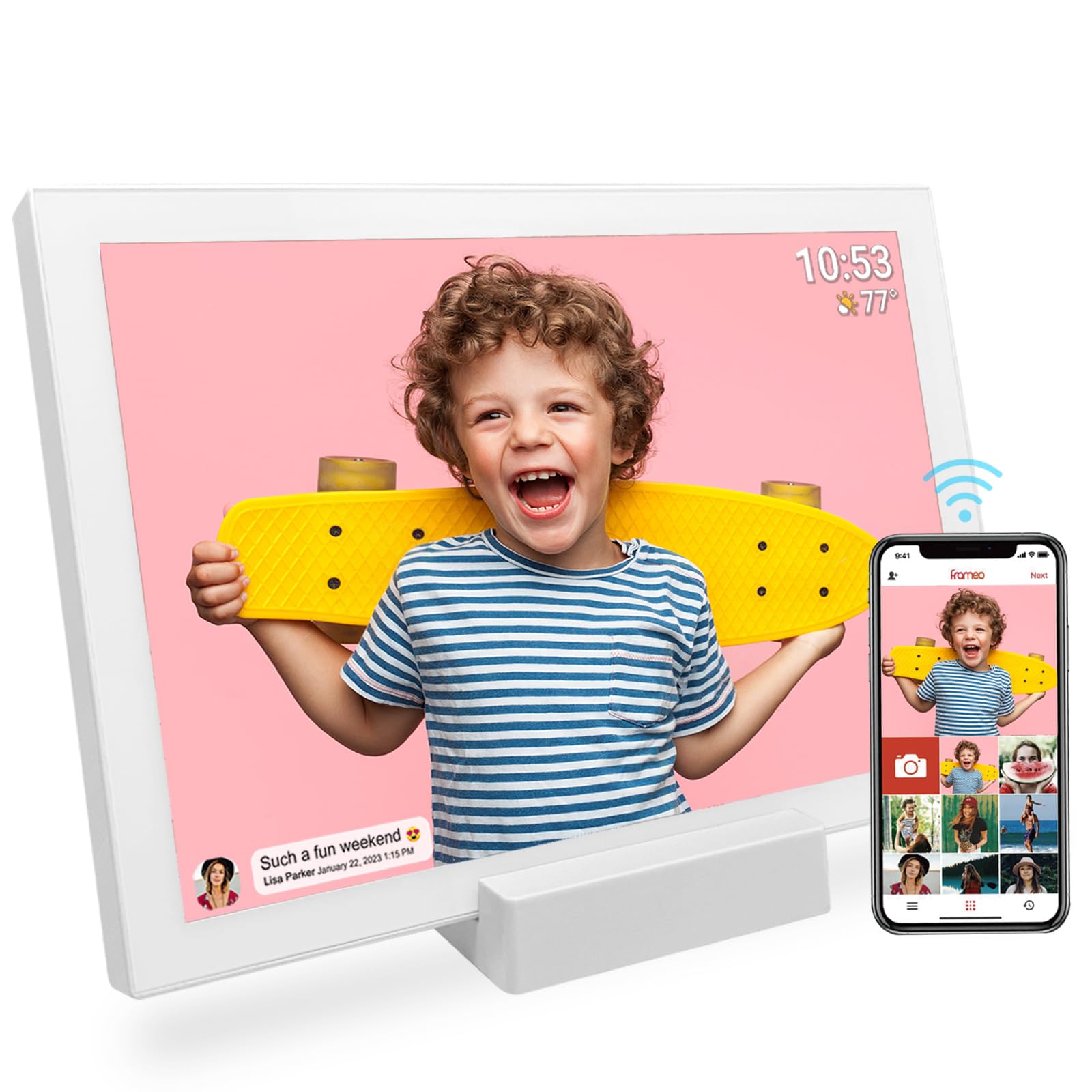
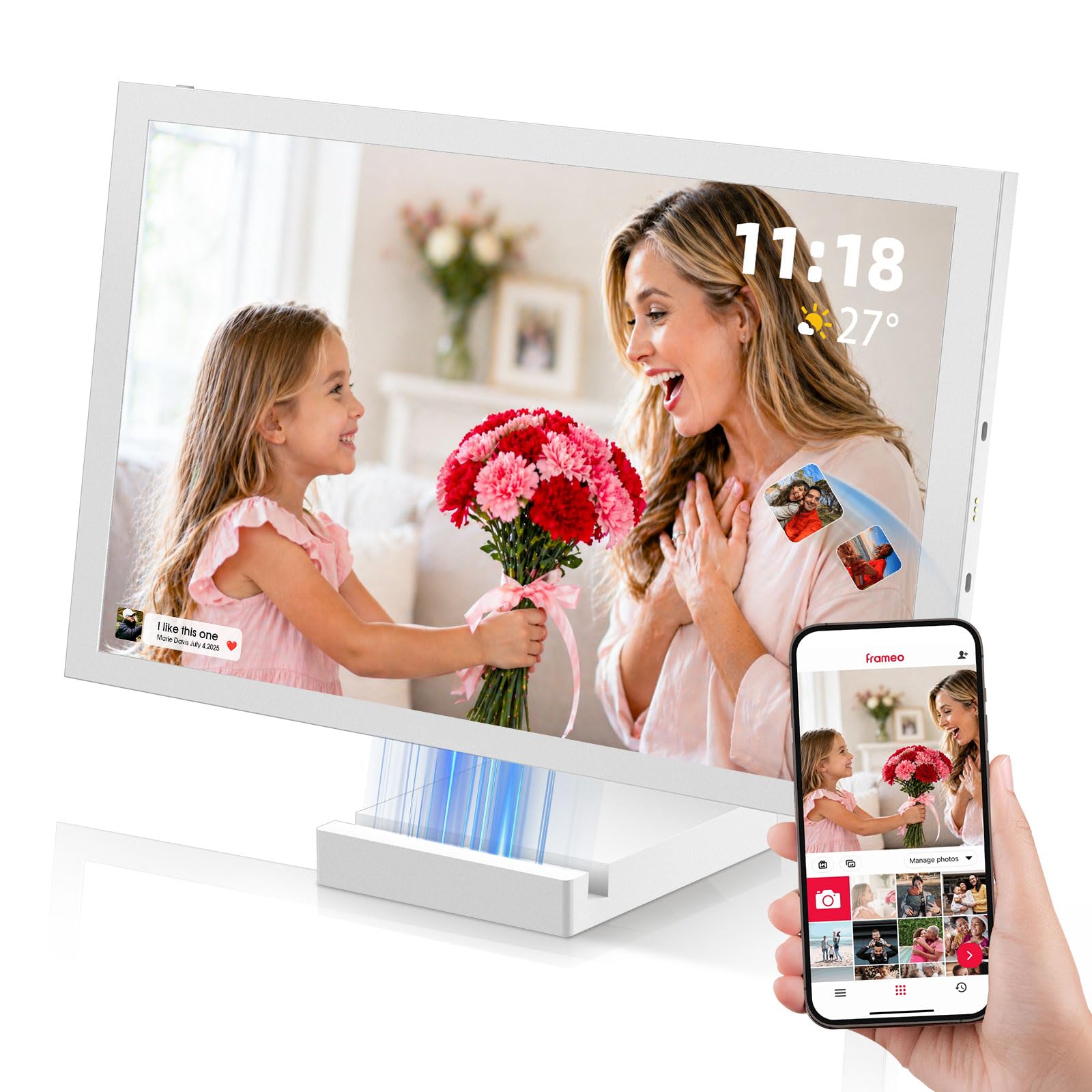
If you are buying one frame and want the least risk of disappointment, this is it. The FRAMEO runs on a 5000mAh battery — the same large cell the pricier NGTeco uses — so you can move it from the kitchen counter to the bedside table without hunting for an outlet. Plug it in only when the charge runs low, and keep the 32GB of built-in storage for photos instead of buying memory cards. It also reads and exports through a USB cable when you would rather not use the app at all.
The screen is a 10.1-inch IPS panel at 1280×800, which keeps colors steady when you look at it from the side of the couch rather than dead-on. Photos arrive through the Frameo app on iOS or Android, and short videos up to 15 seconds play right on the frame. Captions, a clock, a weather line, adjustable brightness, and a sleep mode round out the settings, and the automatic rotation flips portraits and landscapes without you touching anything. A detachable holder lets it stand in either orientation.
What earns its place
- 5000mAh battery — the biggest cell in this group alongside the NGTeco, and enough to keep the frame off the charger for days of normal use.
- 1280×800 IPS screen holds its color from an angle, so a seat at the side of the table still looks right.
- 32GB of storage plus USB import and export — no memory card required.
- Auto-rotate handles portrait and landscape photos without a menu dive.
Where it asks patience
- Bulk-deleting photos nudges you toward the app’s paid tier; clearing a large album is easier from a computer.
- The Wi-Fi sharing runs through the Frameo app, so everyone sending photos needs it installed.
Best all-rounder: choose this if you want one frame that works for a kitchen counter, a bedside table, and a gift for a not-very-technical parent.
Consider a card-based model if: the person receiving it will never install an app — the THOMSON below loads from a USB drive instead.
2. NGTeco Digital Picture Frame 64GB
Twice the storage of the FRAMEO and a magnetic stand that doubles as a charger.
Start with the number that separates this frame from the rest of the 10.1-inch field: 64GB of built-in storage. That is double the 32GB in the FRAMEO and the THOMSON, and it means you are not juggling memory cards or deleting old albums to make room. The screen is the familiar 10.1-inch IPS unit at 1280×800, and this one pairs that with a battery that holds more capacity than the THOMSON — 5000mAh versus 4000mAh.
The clever part is the base. The frame lifts off a magnetic stand that charges it through Pogo pins, so you can carry it around the house like a tablet and set it back down to top up. The maker rates cordless use at up to 5 hours, and the stand itself rotates to display the frame vertically or horizontally. Photos and 15-second videos land from the Frameo app, exactly as they do on the FRAMEO, and the frame auto-rotates to match whatever orientation you have it in.
Owners enjoy this one in a way that is hard to fake — the rechargeable base is the part everyone talks about, because lifting the frame off and passing it around is genuinely fun. You can trim and stitch video segments up to 15 seconds, add titles, and invite other people to contribute photos. The honest caveat is the battery side: the charge cycle is short enough that you will be returning it to the stand regularly, and a handful of owners found the frame feels light rather than substantial in the hand. There is also a membership tied to some of the sharing features, so read the app details before you commit.
Storage you will notice: 64GB is the headline here, and it is double the capacity in the FRAMEO and THOMSON — meaningful if you plan to load years of photos at once.
The catch to plan around: with up to 5 hours of cordless use, this is a frame you keep near its charging stand rather than one you leave on a shelf for a week.
Reach for this if… you want the most storage in a 10.1-inch frame and enjoy the idea of carrying it room to room on its magnetic base.
Look elsewhere if… you expect to charge once a week — the shorter cordless runtime means more trips back to the stand.
3. THOMSON 10.1 Inch Digital Picture Frame

For the relative who wants no part of an app — load a card and go.
The 10.1-inch screen here matches the FRAMEO’s 1280×800 IPS panel, and the picture quality is the feature owners single out most — it reads clean and bright on a bookshelf without any fuss. The frame is built from wood in a warm finish, and it stands freestanding or hangs on a wall in either orientation thanks to auto-rotation. A 4000mAh lithium battery means it needs roughly two to three hours on the charger to fill and then runs untethered.
Where this frame earns its own spot is the loading options. It carries a full-size SD/MMC card slot, a USB memory slot, and a USB port alongside the 32GB of built-in memory, so you can hand someone a card of photos and skip the app entirely. That matters for anyone who does not want to download another piece of software, and it also gives you a fallback if the Wi-Fi setup ever fights you. For remote sending, the free Thomson Smart Frame app works from iOS and Android as usual.
The trade-off worth knowing before you buy: the battery is the recurring gripe. The battery life draws mixed feedback — the frame plays all day on a schedule, but several owners find it does not stretch as far as they hoped between charges. It is a 4000mAh cell (a battery rated at 4000 milliamp-hours, a measure of stored charge) against the 5000mAh in the NGTeco, so the NGTeco lasts longer per charge. There is a practical workaround owners use: long-pressing the power button for a full shutdown when the frame is not in use, plus a sleep timer, gets you more time between charges. The other quirk is the USB port — pushing a drive in only partway may fail to register, and one buyer found a short stick works best. Owners mention: “USB recognition finicky—push depth matters; max 2-inch stick.”
Why it stands out
- SD/MMC slot, USB memory slot, and USB port let you load photos with no app at all.
- 32GB of built-in memory built in, with wood frame construction and a warm finish.
- Programmable on/off hours let the frame rest overnight and save battery.
The fair caveat
- The 4000mAh battery holds less capacity than the 5000mAh cells in the FRAMEO and NGTeco frames.
- The USB port wants a careful push and a short drive; a deep or long stick may not register.
- The printed instructions leave a lot to be desired, so budget a few minutes of trial and error.
Made for card loaders: pick this if the recipient prefers handing over a memory card to learning new software.
skip it if: you want the frame left off the charger for long stretches — the smaller battery needs more topping up than the NGTeco.
4. SwitchBot AI Art Frame 7.3”

The frame that runs up to two years on a single charge, not hours.
This is a different animal from the 10.1-inch LCD frames above, and the difference is the screen. The SwitchBot uses an electronic-ink display — the same no-glare panel type as an e-reader — which only draws power when the picture changes. With a 2000mAh rechargeable battery and one refresh a week, the maker rates the life at up to two years on a charge. Even when the battery does run flat, the image stays on the screen, so you never stare at a blank frame. It measures 7.3 inches and costs the least battery-maintenance attention of anything here.
The look is deliberately paper-like. There is no backlight and no blue light, which is the reason it suits a bedside table or a dim hallway where a glowing screen would be distracting. The trade-off is that the panel is low resolution at 800 by 480 (800 pixels wide, 480 tall), and the pixels are large, so the maker recommends viewing it from a distance rather than up close. Colors are muted compared to the bright LCD frames in this group — the reviews sum it up as “painterly” rather than photo-accurate, which is exactly what makes scanned children’s artwork and simple graphic images look good on it.
You control it through the SwitchBot app, which also works with Alexa for voice commands. The app can schedule artwork to change by time of day or holiday, and you can either upload your own photos or generate AI images — though the AI generation carries a subscription. It stores up to 10 images locally and comes with extra mats so you can hang it or stand it. The one thing to go in knowing: this is not a frame for vivid family snapshots. It is at its best as a piece of rotating wall art, and it earns that reputation honestly.
Where it wins: a 2000mAh battery (a battery rated at 2000 milliamp-hours) that the maker rates for up to two years at one refresh a week — nothing else here comes close to that little upkeep, and the image stays visible after the charge runs out.
Who it is not for: if you want bright, accurate photos of faces at 1280×800, the low-resolution e-ink panel and muted colors will disappoint — this is an art display first.
A different job entirely: the right pick for a bedside table, a hallway, or a spot where you want art that changes without a cord or a charger.
Not a photo frame in the classic sense: if your goal is showing off bright family snapshots, stay with the 10.1-inch LCD models.
5. KODAK 10.1 Inch Digital Picture Frame
The one with the sharpest screen in this group: 1920×1200 FHD.
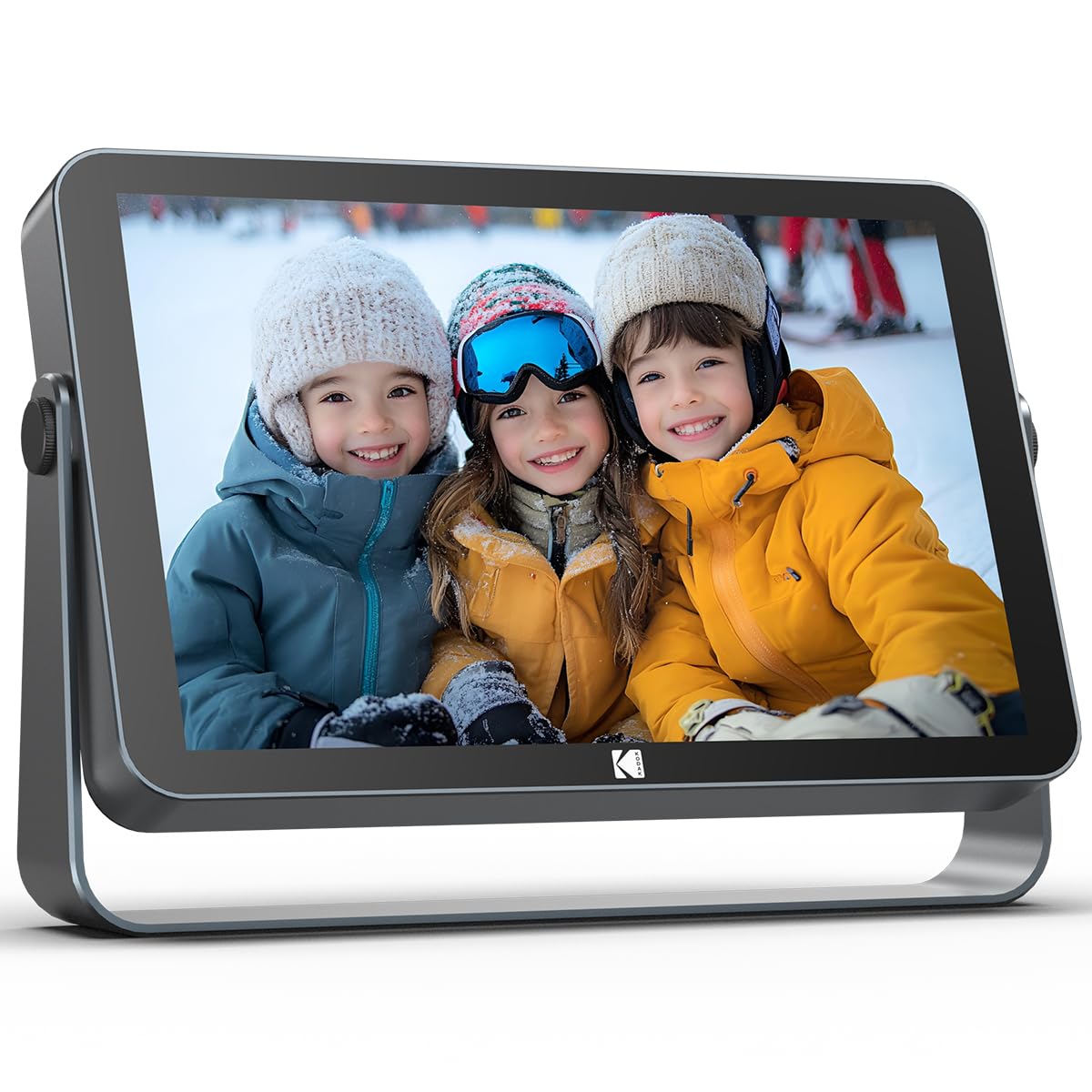
Every other 10.1-inch frame here tops out at 1280×800. This KODAK runs a 1920×1200 FHD IPS screen, which is the sharpest display in the group and the closest thing to looking at a real print. It also carries a built-in ambient light sensor that adjusts brightness to the room on its own — handy at night, and it saves battery by dimming the panel when the lights are low. The battery is a 4000mAh cell rated for up to 10 hours of continuous playback on a single charge, and storage is 64GB, twice what the FRAMEO carries.
The connectivity is the newest of the bunch. It uses Wi-Fi 6 (the current wireless standard, which handles busy home networks more smoothly) on both 2.4GHz and 5GHz bands, paired with a quad-core processor and 2GB of DDR4 RAM. In plain terms, that means the slideshow runs without stutter and photo transfers from the KODAK app land quickly even when several devices are on your network. Sharing runs through the app from anywhere in the world, and the frame also does calendar, clock, and weather duty. A 360-degree rotatable stand switches between portrait and landscape without a fuss, and the frame itself is finished in matte metal.
Buying this one is really about paying for the screen. The resolution, the auto-brightness, and the metal finish are what people respond to on sight, and the responsiveness of the dual-band Wi-Fi and the processor keep the frame feeling modern. What to weigh before you decide: the setup runs through the app and the KODAK account, so the person sending photos needs to be on board. And with 4000mAh rather than the 5000mAh in the FRAMEO and NGTeco frames, you will recharge a little more often. Neither is a dealbreaker — it is simply the trade you make for the best-looking picture in this lineup.
The sharpness-first pick: choose this if a crisp, detailed image is the whole reason you are buying a frame and you want the newest Wi-Fi inside it.
Think twice if: you want the lowest-maintenance battery — the 4000mAh cell needs more frequent charging than the 5000mAh frames.
Understanding the Specs
Battery Capacity (mAh)
mAh stands for milliamp-hours — think of it as the size of the fuel tank inside the frame. A larger number means more screen time between charges. Runtime also depends on how bright you run the screen and whether the frame sleeps overnight. A sleep timer that turns the display off late in the evening is one of the simplest ways to stretch any battery, and models with programmable on/off hours make that automatic.
Screen Resolution and Panel Type
Resolution is the number of dots the screen uses to draw a picture — 1280×800 is the standard in this group, while 1920×1200 draws a finer, more detailed image that holds up on close-up faces. The panel type matters just as much. An IPS panel keeps colors steady when you look from an angle, so a frame seen from the side of a room still looks right. An electronic-ink panel goes the other way: no backlight, no glare, extremely low power, but muted colors and a lower resolution better suited to art viewed from a distance.
FAQ
How long does a battery operated digital picture frame run on a single charge?
Do I need a memory card to load photos?
Can family members who live far away send photos to the frame?
Does the frame need to be plugged in all the time?
Will the frame play videos or only photos?
How many photos can I store on the built-in memory?
Is an electronic-ink frame better than a standard LCD frame?
Can I rotate the frame between portrait and landscape?
What size frame should I get for a bedside table?
Does the app cost anything to use?
Final Thoughts: The Verdict
For most people, the battery operated digital picture frame to buy is the FRAMEO 10.1 Inch, because its 5000mAh battery (a battery rated at 5000 milliamp-hours) and 32GB of storage cover everyday use without asking you to compromise — and it is the crowd favorite for good reason. If you want more built-in storage and a stand that charges the frame, reach for the NGTeco 64GB. For the sharpest picture in the lineup, the KODAK 10.1 Inch is the one to buy. And if a frame that runs for years between charges with no glow at night sounds like your kind of thing, the SwitchBot AI Art Frame is worth a serious look. One last nudge: if you are gifting this to a parent or grandparent who is not tech-savvy, the FRAMEO’s easy app and reliable setup make it the safest hands-off choice.
How We Picked
We do not accept paid placement. Every pick is matched to a real buyer and a real use-case; we do not hands-on test units.
Sources & Methodology
Specifications: manufacturer listings and product documentation. Review insights: verified customer reviews, as of September 2026. Pricing: not shown on this page (it changes often); check the current price via the retailer link.
As an Amazon Associate, KitchPrep earns from qualifying purchases. This does not affect which products we feature.
Related Guides
