
Specs are compiled from manufacturer listings and verified buyer reviews and can change over time — please confirm the key details on the product page before buying.
If you want keyless entry on your bedroom door, the short answer is this: buy a lock that runs on batteries alone, matches your existing door prep, and opens with a fingerprint or your palm in under a second. The tricky part is that most locks sold today are built for a front door, so check two things first — whether it fits a standard interior door, and whether it still works when your Wi-Fi drops.
I’m Mohammad Maruf — the founder and writer behind KitchPrep. This guide is built by comparing the manufacturers’ published specifications and the patterns across verified customer reviews, so you get each pick’s real strengths and trade-offs instead of marketing spin.
Below you’ll find nine locks sorted by what they actually do for a bedroom, from palm-scanning deadbolts to lever handles that fit interior doors without any drilling. If you want a lock that opens with a touch and still lets you in when your phone is dead, this best bedroom smart lock guide covers the trade-offs that matter.
Our Picks at a Glance

How To Choose The Best Bedroom Smart Lock
A bedroom lock has a different job than a front-door lock. Nobody is kicking in your bedroom door at 3 a.m. — you want quiet entry, no keys jingling in your pocket, and a lock that does not wake the house when it engages. That changes which specs matter.
Start with the door itself, not the lock
Interior bedroom doors are usually thinner and hollow compared to a solid exterior door. A lever-handle smart lock like the eufy FamiLock C32 is built specifically for interior doors and fits in about 15 minutes with a screwdriver. A full deadbolt — like the Tapo DL110 or the Wyze Palm Lock — needs a standard deadbolt bore hole already cut into your door at 1-3/8″ to 2″ thickness. Measure your door edge before you buy anything. Measure your door edge before buying — a lock that does not fit goes back.
Battery life tells you how often you will be crawling on the floor
Rechargeable packs last the longest — the Tapo DL110 runs a full year on one charge. AA-based locks are cheaper to feed but drain faster, especially when Wi-Fi is on constantly. The Wyze Palm Lock solves this with a two-battery system: a six-month main pack and a two-week backup so you are never standing outside your own room. Look for a USB-C emergency port too — that means any power bank can get you in when the cells are flat.
Fingerprint speed is the number everyone fixates on — and the one that misleads most
A 0.2-second scanner sounds meaningfully faster than a 0.3-second one, but real-world reliability depends on sensor size and how well the lock learns your print over time. A large-area array with a self-learning algorithm, like the eufy C32, tends to hold up better across family members than a small sensor that is technically quicker on paper. Palm-vein readers sidestep fingerprints entirely — the Wyze Palm Lock reads the vein pattern under your hand, so cold dry winter skin or a scraped thumb does not lock you out.
Decide if you need Wi-Fi at all
Bluetooth-only locks work fine on the same floor and cost less. Wi-Fi means remote open up, live access logs, and alerts when someone enters while you are away — genuinely useful for a rental bedroom or a guest room. Just note two locks here (the Yamiry and the Veise VE06-L) require a sold-separately gateway to reach that remote-control tier, so factor that into your plan.
Quick Comparison
| Model | Best For | open up Speed | Power Source | Entry Methods | Amazon |
|---|---|---|---|---|---|
| Tapo DL110★ Best Overall | Best overall bedroom deadbolt | 0.42 s fingerprint | Rechargeable battery, 1 year | 6 ways | Amazon |
| Wyze Palm LockPalm Tech Standout | Hands-free palm entry | Palm vein scan | Dual battery + USB-C | Palm, code, key | Amazon |
| Veise VE027-KWhole-Door Set | Whole-door makeover set | 0.2 s fingerprint | 8 AA batteries, 240 days | 8 ways | Amazon |
| Veise VE06-L | Rental and vacation bedrooms | Keypad / app / IC card | Battery, gateway for remote | 8 ways | Amazon |
| eufy FamiLock C32 | Interior doors only | 0.3 s fingerprint | 4 AA batteries, 5 months | Fingerprint, PIN, key | Amazon |
| Philips 4200 Series | Handle set included | 0.3 s fingerprint | Battery, 6 months | Fingerprint, code, key, app | Amazon |
| Philips DDL242X | Simple push-button keypad lock | Keypad / app entry | 8 AA batteries, 6 months | 4 ways | Amazon |
| Yamiry Smart Deadbolt | Budget outdoor-rated pick | AI fingerprint | Battery, gateway for remote | 5 ways | Amazon |
| eufy Smart Lock C33 | Basement, garage, side doors | Fingerprint | 8 AA batteries | Fingerprint, PIN, key | Amazon |
In‑Depth Reviews
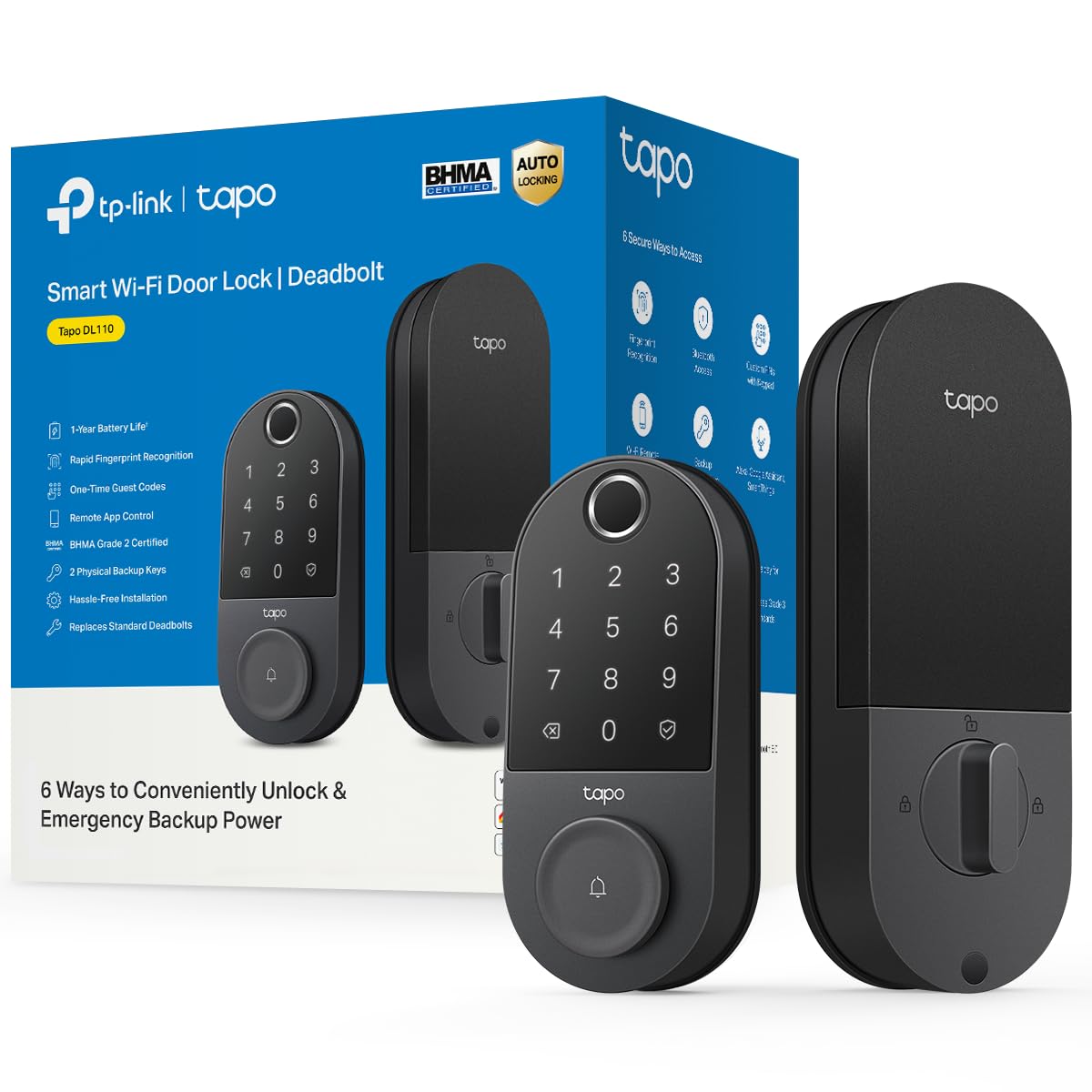
1. Tapo Smart Wi-Fi Door Lock, Deadbolt, Fingerprint Recognition, DL110
Our pick — over 4.5★ from 800+ verified ratings; the strongest balance of quality and price.
The bedroom deadbolt you charge once a year and forget about
Here is the number that decides it for most people: a full year of continuous operation on one charge from the removable, rechargeable battery. That means one USB-C top-up per year instead of a fresh set of AAs every couple of months. The Tapo DL110 is the lock to buy if you want to install it once and stop thinking about it.
Fingerprint entry lands in 0.42 seconds, and you can register up to 100 different prints at once — enough for the whole household plus the babysitter. You get six ways in total: fingerprint, custom passcodes on the keypad, Wi-Fi from anywhere, close-range Bluetooth, your smart home assistant, or the included backup keys. Guest management is genuinely useful for a bedroom you rent out or share, because you can set one-time or scheduled codes for visitors that expire on their own. Just be aware this is a heavier, chunkier piece of hardware than most — at 2.09 kg it is roughly twice the weight of the Yamiry at 1.05 kg, so make sure your deadbolt bore is properly braced.
What wins people over is build quality, and it is the most-discussed thing in the whole review stack. Owners consistently describe the mechanism as thicker, more durable plastic than the brand they replaced. As buyers put it, the fingerprint sensor “never misreads,” and one long-term owner reports the battery was still at 60% in the app after roughly a year. The most common friction is in setup: initial Bluetooth pairing sometimes needs a reset, the pre-charge takes a while from the start, and self-lock presets are more limited than people expect. Tree-cutting for a tight door fit is occasionally needed. That is normal deadbolt behavior, not a defect, but budget extra time for first-install fumbling.
The case for this one
- One charge lasts about a year — the longest battery interval in this lineup
- 0.42-second fingerprint with room for 100 registered prints
- Six ways in, including scheduled and one-time guest codes on the keypad
- BHMA Grade 2 build grade, meaning it carries a recognized durability rating from a standards body
- Wi-Fi built in — no separate gateway required for remote open up
Where it asks for patience
- 2.09 kg — noticeably heftier than the Yamiry for a lighter door frame
- Initial Bluetooth pairing can require a reset on first setup
- Self-lock presets are more limited than expected if you want fine-grained scheduling
- Replacement battery packs are not bundled if you want a swap-and-go spare
Reach for this if: you want the lowest-maintenance bedroom lock on the list — one yearly charge, six access methods, and guest codes you can expire remotely.
Look elsewhere if: your door frame is thin, or you want to tinker with self-lock timers down to the second.
2. Wyze Palm Lock, Smart Door Lock with Palm Vein Recognition
Hover your hand, don’t touch a thing — the lock that skips fingertips entirely
If your fingerprint has ever failed you on a cold morning or after a long shower, this is the pick that solves it. The Wyze Palm Lock reads the unique vein pattern beneath your palm, so you simply hover your hand instead of pressing a finger. No touch needed, no dry-skin failures. It is the only palm-vein reader in this group.
Owners also love the battery setup. A six-month main battery is backed by a two-week secondary pack, and if both drain you can use the integrated USB-C port and any power bank to get back in. That backup covers the moment both batteries die and you would otherwise be locked out of your own bedroom. A built-in gyroscope (a motion sensor that detects when the door has actually closed) locks it right then — not on a dumb timer, which avoids the classic “deadbolt tries to fire while the door is still open” jam. Owners repeatedly praise that behavior in the reviews.
The counterweight is real: the palm reader is fast for many people but can be hit-or-miss for others, and setup is fiddlier than a straightforward fingerprint lock. One owner with rheumatoid arthritis specifically found the palm method much less painful than keypress entry but noted removing the battery for charging needed assistance. It is also the priciest pick here, though buyers consistently frame it as high-end tech without high-end pricing. If a roommate or family member has trouble with fingerprints, buy this one instead.
Why it wins people over: contactless palm entry means cold hands, gloves, or small children’s fingers are no longer a reason to get locked out, and the dual battery plus USB-C emergency charging makes a total power loss almost impossible to hit.
What to plan around: palm position matters — you need to hold your hand in roughly the same place every time — and the millimetre-wave radar (a sensor that detects motion to wake the lock when someone approaches) is a feature worth learning, not a plug-and-play default.
Best for: a bedroom door where multiple people, including kids or someone with joint pain, need to get in without fumbling keys or fingerprints.
skip it if: you want the absolute simplest setup or the lowest price — this is the tech-forward choice, and it wants you to learn its rhythm.
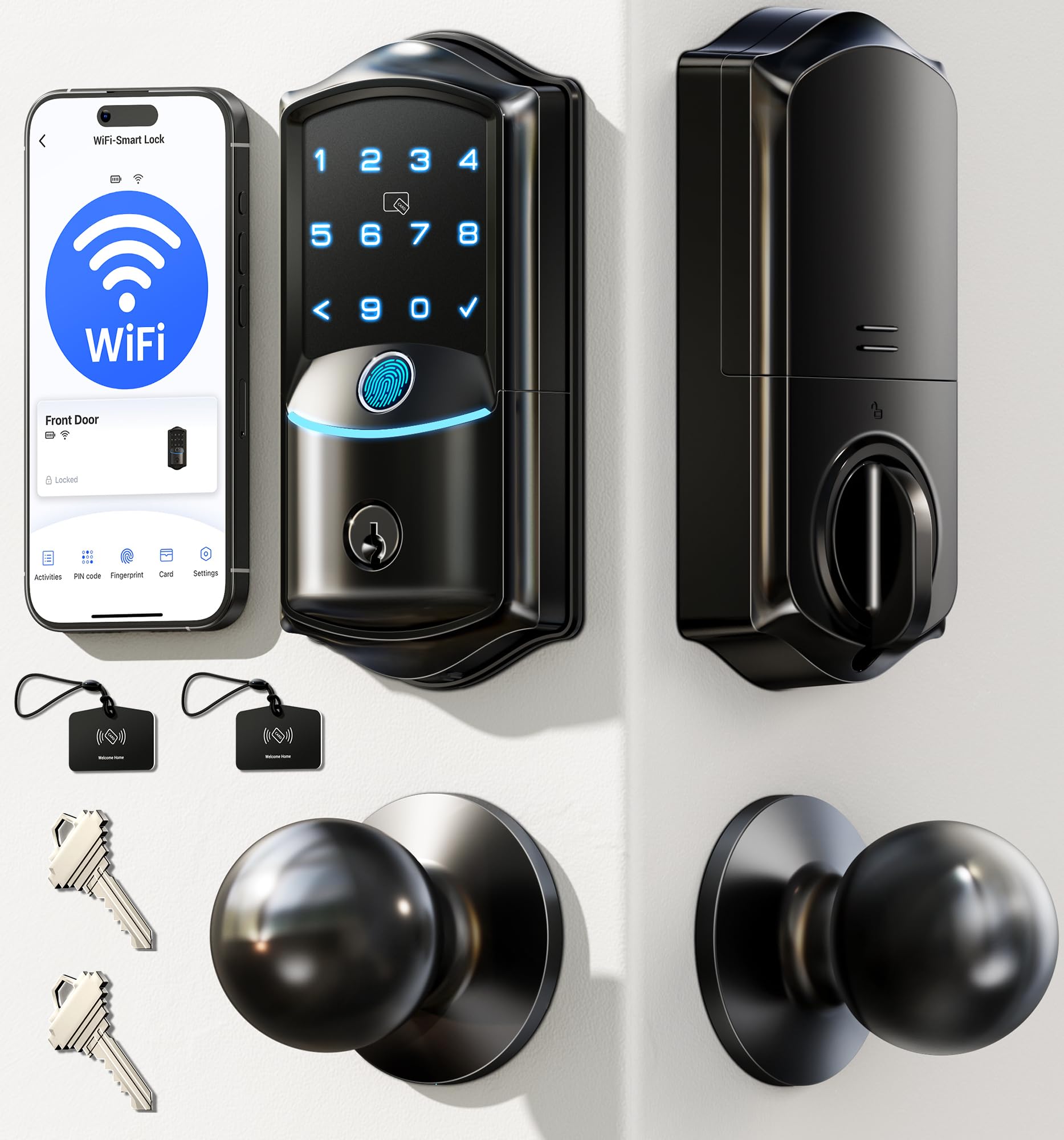
3. Veise VE027-K WiFi Smart Deadbolt Locks with 2 Knobs Set, Matte Black
Two knobs, one deadbolt, and the fastest fingerprint sensor here at 0.2 seconds
This is the pick for someone doing a whole-door upgrade at once. You get a smart deadbolt plus two matching knobs in the box, so the hardware actually looks intentional instead of mismatched. And the fingerprint sensor is the quickest in this whole group — 0.2 seconds, with 99.99% recognition accuracy claimed on a 608DPI sensor, an AI self-learning algorithm, and storage for 20 different prints.
Eight ways in: remote app, fingerprint, IC card, PIN code with room for 100+, physical key, voice via Alexa or Google, user authorization, and code sharing. Auto-lock is adjustable from 10 to 180 seconds, so it can close behind you without ever feeling rushed. Battery life is rated at up to 240 days on 8 AA batteries (not included), and the lock carries IP65 weatherproofing and a BHMA/ANSI Grade 3 rating, which is a stated durability standard from an independent certification body. There is also a “911” code option that owners specifically call out as a family safety feature.
The honest friction point is the instruction manual. Buyers describe the install video as vague and the printed guide as mediocre, and one notes the lock screws arrived packed with the knobs (and vice versa), causing about 30 minutes of confusion before a 10-minute install once sorted. It is fixable — support is well-reviewed, with named US reps walked through the setup — but it is not the plug-and-play experience the simpler picks offer. Worth knowing that the price sits at the upper end of the mid tier, though the included pair of knobs offsets that.
Strongest spec: 0.2 seconds to fingerprint-in makes this the snappiest reader in the group, and 100+ custom passcodes with a family “911” code gives real flexibility for a shared household.
Trade-off to weigh: the instructional materials are the weakest part of the package — plan on a support call if you are not comfortable winging it.
Choose this if: you want the full visual set — deadbolt plus matching knobs — with the fastest sensor and the widest entry-method menu.
Pass if: you would rather not troubleshoot a vague manual, or you just need one lock, not a matching pair.
4. Veise VE06-L Smart Deadbolt Lock with 2 Lever Handle Set, Matte Black

The landlord’s lock — codes change in minutes, tenants never get a key
If you rent a bedroom or manage a short-term rental, this is the one that pays off in saved locksmith visits. Instead of rekeying between tenants, you just create a new code in the app and delete the old one. That is minutes of work, not a service call. It also stores 250+ codes and creates permanent, scheduled, recurring, one-time, or erase-after-use codes remotely, with anti-peeping protection so a random string of digits before or after your real code masks it from anyone watching.
Hardware-wise this is a solid zinc alloy build, certified to BHMA/ANSI Grade 3, with IP54 weatherproofing and a stated lifespan exceeding 10 years. The lock disables itself for 2 minutes after five wrong attempts, and all access records and user info are encrypted locally on the lock’s chip via AES, so nothing leaves the door. Multiple open up paths include app, code, web portal, IC cards, e-key, authorized admin, physical key, and Apple Watch. Auto-lock is adjustable from 5 to 900 seconds, which is an unusually wide window — handy if you want a long grace period on the way out.
The catch: full remote open up and voice control need the separately sold G2 gateway. Without it, you get Bluetooth-range control only, which covers you inside the house but not from the office. Buyers who installed it for a rental generally accepted that trade because the code management is the real value here, but a bedroom user who wants true remote access should factor the gateway into the plan.
Where it earns its spot: 250+ stored codes, 1,000+ capacity IC cards, and erase-after-use guest codes make it the cleanest lock here for handing access to people who won’t keep it.
The honest gap: no subscription fee is a real plus, but you need the G2 gateway (sold separately) before remote open up, real-time logs, or Alexa and Google voice control actually work.
Made for: rentals, guest bedrooms, and shared houses where the access list changes and you never want to rekey.
Not for: anyone who wants remote open up straight from the start without buying an additional gateway.
5. eufy Security Smart Lock FamiLock C32, Fingerprint Keyless Lock with Handle
The rare smart lock actually built for a bedroom door, not a front door
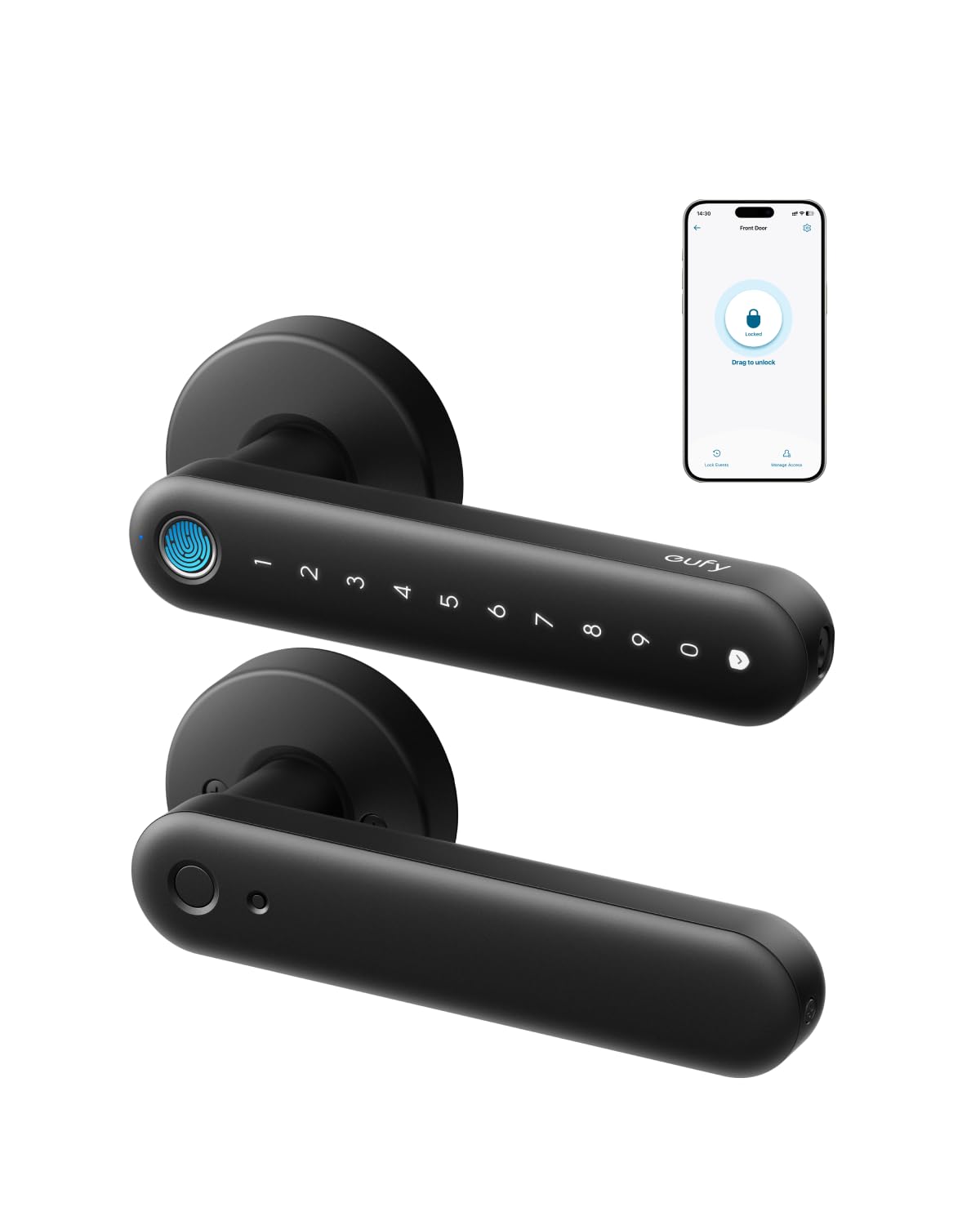
This is the one most buyers of an interior door should start with. It is a lever smart lock explicitly designed for standard interior doors — bedrooms, offices, storerooms, garage entries — and the listing itself says it is not recommended for front doors. That is unusual honesty, and it means you are buying hardware sized for a hollow-core interior door rather than fighting a deadbolt spec meant for a solid slab.
Install takes about 15 minutes with just a screwdriver, no drilling. Fingerprint open up lands in 0.3 seconds, using a large-area array with a self-learning algorithm that adapts over time and 360-degree recognition — so the same print works at any angle and for small or aging hands. Four AA batteries are included and rated for over five months of use. If they die, a USB-C cable and any power bank open up it with fingerprint or PIN, so a dead battery never becomes a locked-out situation. Built-in 2.4 GHz Wi-Fi handles remote authorization and management, and it works with Alexa and Google Assistant.
What buyers keep mentioning is the quality of the build and the ease of installation — both are strong points in the review record, and the device is often described as a great value for interior-door use specifically. That said, expect the realistic interior-lock trade-offs: battery drains faster with heavy daily use, and the exterior lights and sounds on the keypad trigger a little too easily. If you want a deadbolt for a solid exterior-style door, this is not it; if you want a smarter handle on a bedroom door, this is exactly it.
Why it fits a bedroom best
- Purpose-built for interior doors — the manufacturer explicitly recommends it that way
- 0.3-second fingerprint with a self-learning algorithm and 360-degree recognition
- USB-C power-bank emergency open up if the AA batteries run out
- 15-minute install with a screwdriver, no drilling
- Built-in 2.4 GHz Wi-Fi for remote authorization — no gateway required
What to know before buying
- Not recommended for front doors — this is an interior lock by design
- Battery can drain quickly with heavy daily use
- Keypad lights and sounds trigger easily for a quiet bedroom environment
The clear pick if: your bedroom has a standard interior door and you want a proper smart handle without drilling or fitting a full deadbolt.
Look past it if: your door needs a heavy-duty exterior-grade bolt, or you insist on absolute silence every time someone touches the keypad.
6. Philips WiFi Keypad Deadbolt with Handle, Built-in WiFi, APP Remote Control

The one to buy when the rest of your door hardware has to match too
Most smart deadbolts leave you looking at an old handle that no longer matches. This Philips set solves that in one box: matching door levers, latch assembly, and all mounting hardware included, so the whole door reads as a single deliberate upgrade. The 0.3-second fingerprint reader, a built-in 2.4 GHz Wi-Fi module with no hub needed, and a 0–180 second auto-lock timer round out the core features.
Access options include permanent, one-time, periodic, and recurring PIN codes directly aimed at households and short-term rentals, plus voice control with Alexa and Google Assistant and real-time access history in the Philips Home Access app. One design detail worth calling out: Philips uses physical buttons instead of a touchscreen, which the company says is simpler and more reliable over time. The lock runs up to six months on alkaline batteries with a low-battery alert, and the listing is specific that you should use standard 1.5V alkaline cells only — no rechargeable or high-power lithium.
A handful of buyers hit a real snag: connectivity issues during setup, and at least one unit reporting a persistent “bolt jammed” error that prevented auto-lock from working. Most of the review base reports smooth installation and functional app control, so this reads as a unit-specific problem rather than a pattern — but it is worth knowing the auto-lock is off by default and must be switched on manually in the app before you rely on it. That single step trips up a surprising number of people.
What buyers value here: the included handle set, the physical-button keypad that won’t false-trigger like a touchscreen, and the option to build multiple PIN codes for a guest or a cleaner.
One step not to skip: auto-lock ships switched off — you must open the app and turn it on, or you will wonder why the door never locks itself.
Right for: anyone replacing the whole door hardware set who wants matching levers plus a fingerprint deadbolt in a single purchase.
Think twice if: your home Wi-Fi signal is weak at the door — the listing notes a maximum of 33 ft from the router, and connectivity grumbles are the main thing buyers flag.
7. Philips WiFi Smart Keypad Deadbolt Lock, App Remote Control, No Hub Needed
No touchscreen to smudge, no fingerprint to fail — just buttons that always press
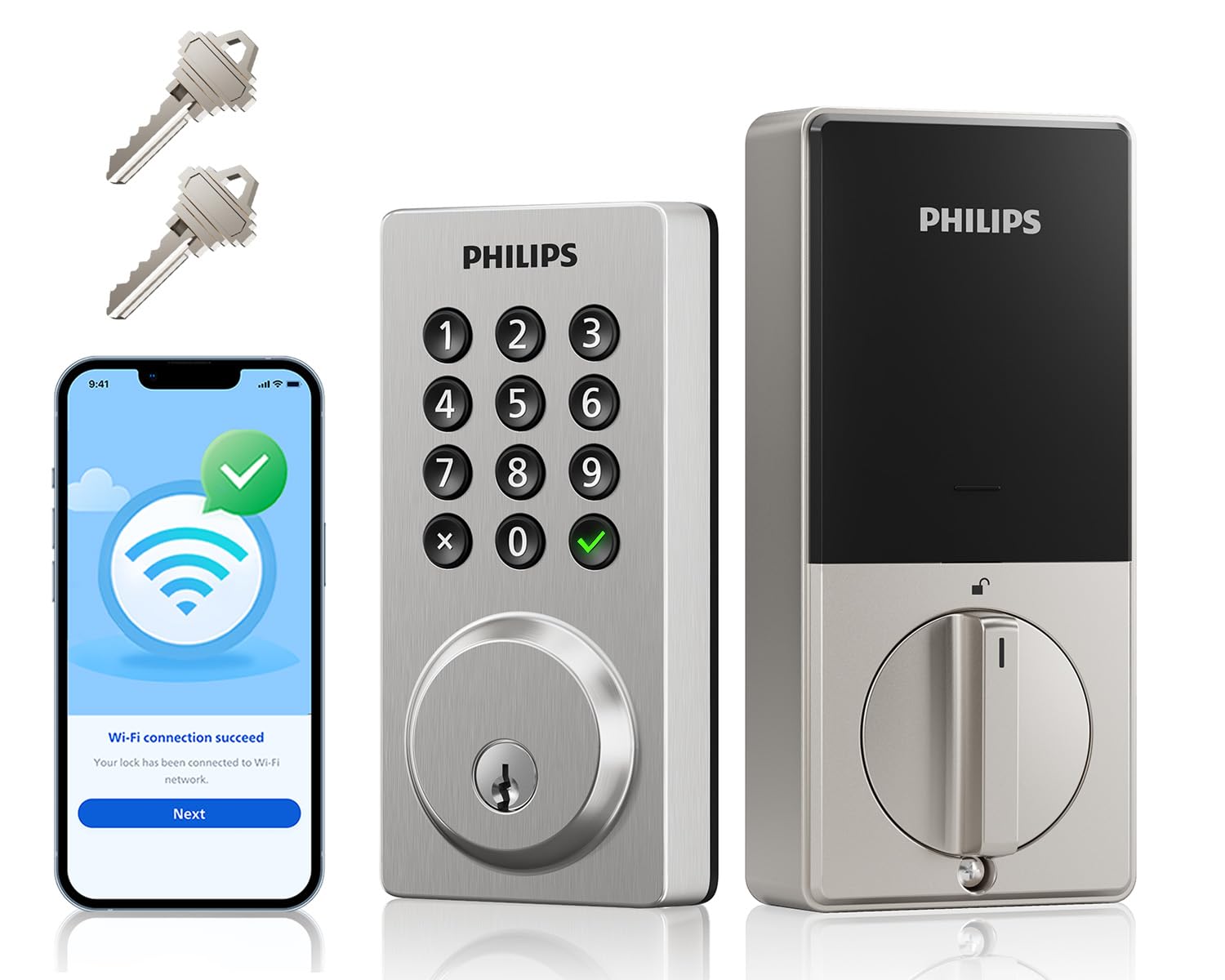
Not every bedroom needs biometrics. If you or someone in your house has trouble with fingerprints or prefers a reliability-first design, this Philips keypad lock is a solid alternative. It uses physical buttons rather than a touchscreen — Philips says that makes it simpler and more reliable — and it runs on 8 AA batteries (not included) rated at up to 6 months with heavy use of 20–30 cycles a day.
Four ways in: physical keys, passcode, the Philips Home Access app, and voice via Alexa or Google Assistant. The lock supports up to 100 custom passwords across permanent, one-time, and timed modes, which is more than enough for family, friends, tenants, and a cleaning crew. Auto-lock is adjustable from 10 to 180 seconds in the app. The lock carries IP54 waterproofing and 2200N pressure resistance, meaning it is rated for real physical stress, and it operates across a wide temperature range that suits a garage-adjacent bedroom in cold or hot climates. Repeat wrong codes trigger an alarm prompt, which is a quiet but valuable safety feature.
What buyers report most is that the app-based remote lock and open up, plus the auto-lock, work smoothly, and several note the value is genuinely good for the feature set. The most common friction: multiple buyers have needed to change the 8 AA batteries twice in roughly eight months under heavy use. A single report of a persistent “bolt jammed” error and one unit failing to auto-lock appears in the record, but it does not reflect the majority experience.
Spec worth knowing: 2200N pressure resistance and IP54 waterproofing give this lock a sturdier physical rating than you would expect at this tier, and the push-button keypad means zero fingerprint frustration.
The one thing to budget for: heavy daily use eats batteries faster than the 6-month rating suggests — factor in a couple of AA changes a year if it is opened and closed by a busy household.
Pick this for: a bedroom where biometric open up has been unreliable, or where a simpler button-only interface fits the household better.
pass on it if: your heart is set on a fingerprint reader — this lock deliberately trades that feature for button reliability.
8. Yamiry Smart Deadbolt Lock with Keypad, Fingerprint Keyless Entry Door Lock
The lightweight, weather-rated budget pick that covers the basics well
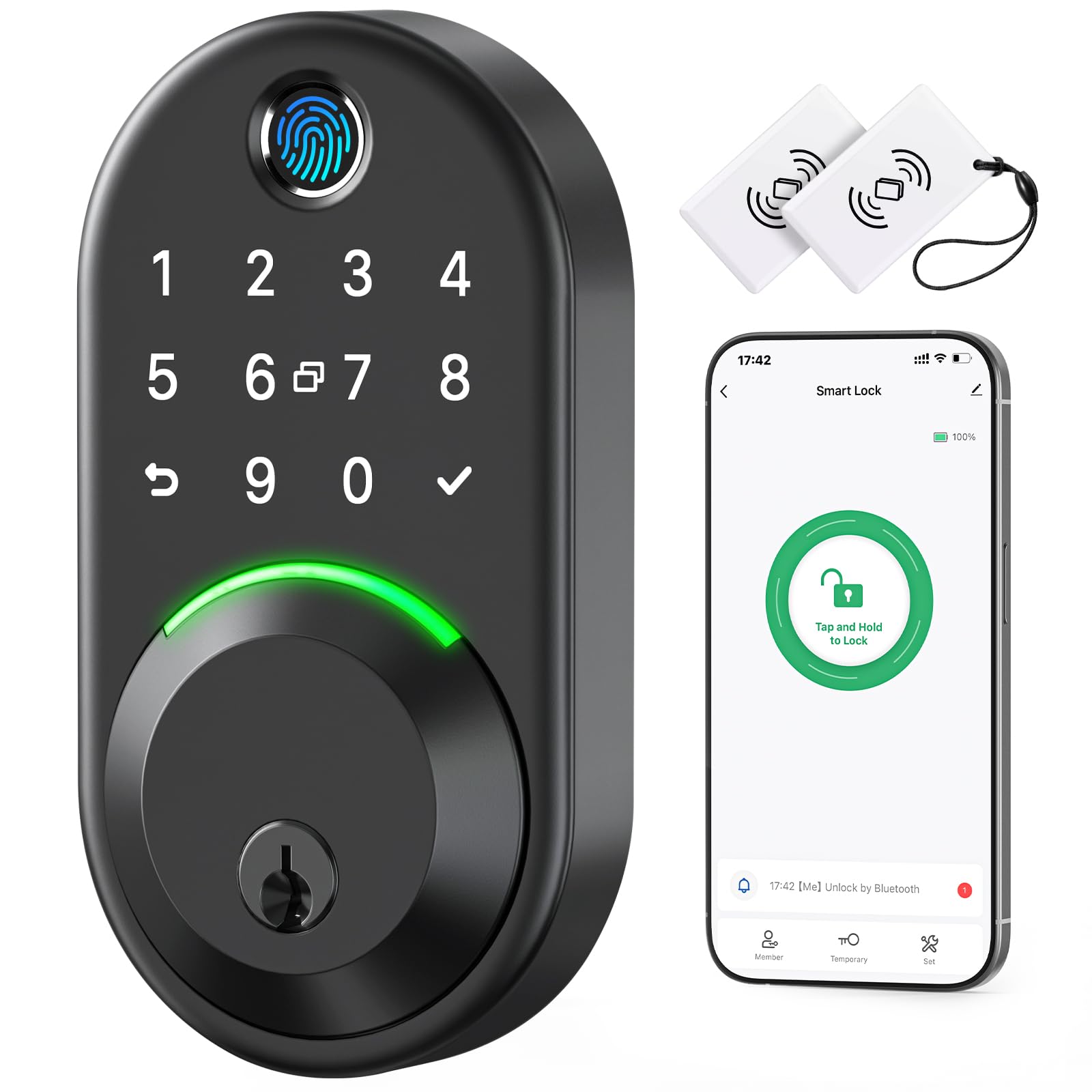
If the bedroom in question is a converted garage, a garden room, or any space where moisture and temperature swings are real, this Yamiry earns attention for one reason above the rest: an IP66 waterproof rating (the highest level of dust and water protection in this lineup), which is the highest moisture protection in this entire lineup. It is also rated to operate from -30°C to 70°C (-22°F to 158°F), which covers indoor rooms that get genuinely cold in winter or hot in summer without losing function. At 1.05 kg it is about half the weight of the Tapo, so on a lighter door frame it puts much less stress on the mounting.
Five ways to open up: app, passcode, key fob, fingerprint, and physical key. The AI fingerprint algorithm keeps two fixed fingerprints and three self-learning ones, which lets the sensor sharpen itself the more you use it. There is a rotatable knob on the inside that locks or open up in about one second, which is faster than fishing out a key fob to get out of your own room. Auto-lock, one-touch locking, passage mode, and anti-peep password protection round out the software side, and it fits most standard American wood doors with no drilling, working from just a screwdriver.
The reason it sits in the budget tier: the app connects over Bluetooth from about 6 feet without a Wi-Fi gateway (sold separately), so remote open up depends on an extra purchase. And there is a real reliability note in the review record — one owner reports the deadbolt stopped open up by roughly five months of use despite showing 70% battery. That is the kind of thing to weigh against a cheap asking price, especially if this lock is guarding a bedroom someone sleeps in every night.
Where this pick earns its keep
- IP66 waterproofing — the strongest weather protection in this lineup
- Operates from -22°F to 158°F, ideal for garages, garden rooms, and outbuildings
- 1.05 kg body is lightweight and easy on a hollow-core door
- AI fingerprint algorithm with two fixed and three self-learning prints
- Five open up methods including key fob and physical key
What to weigh before buying
- Remote access requires a separately sold Wi-Fi gateway
- Bluetooth range is about 6 feet, so app control is basically in-room
- Long-term durability has one notable failure report on record
Best suited to: a moisture-prone or temperature-variable bedroom where weather hardening matters more than tight app integration.
Worth knowing: the IP66 rating is the headline strength, but the Bluetooth-only default and the one durability report mean this is a pick to buy with full awareness of its tier.
9. eufy Security Smart Lock C33, Keypad Door Lock with Handle, Built-in Wi-Fi
The basement-and-garage companion lock — quick to fit, harder to love daily
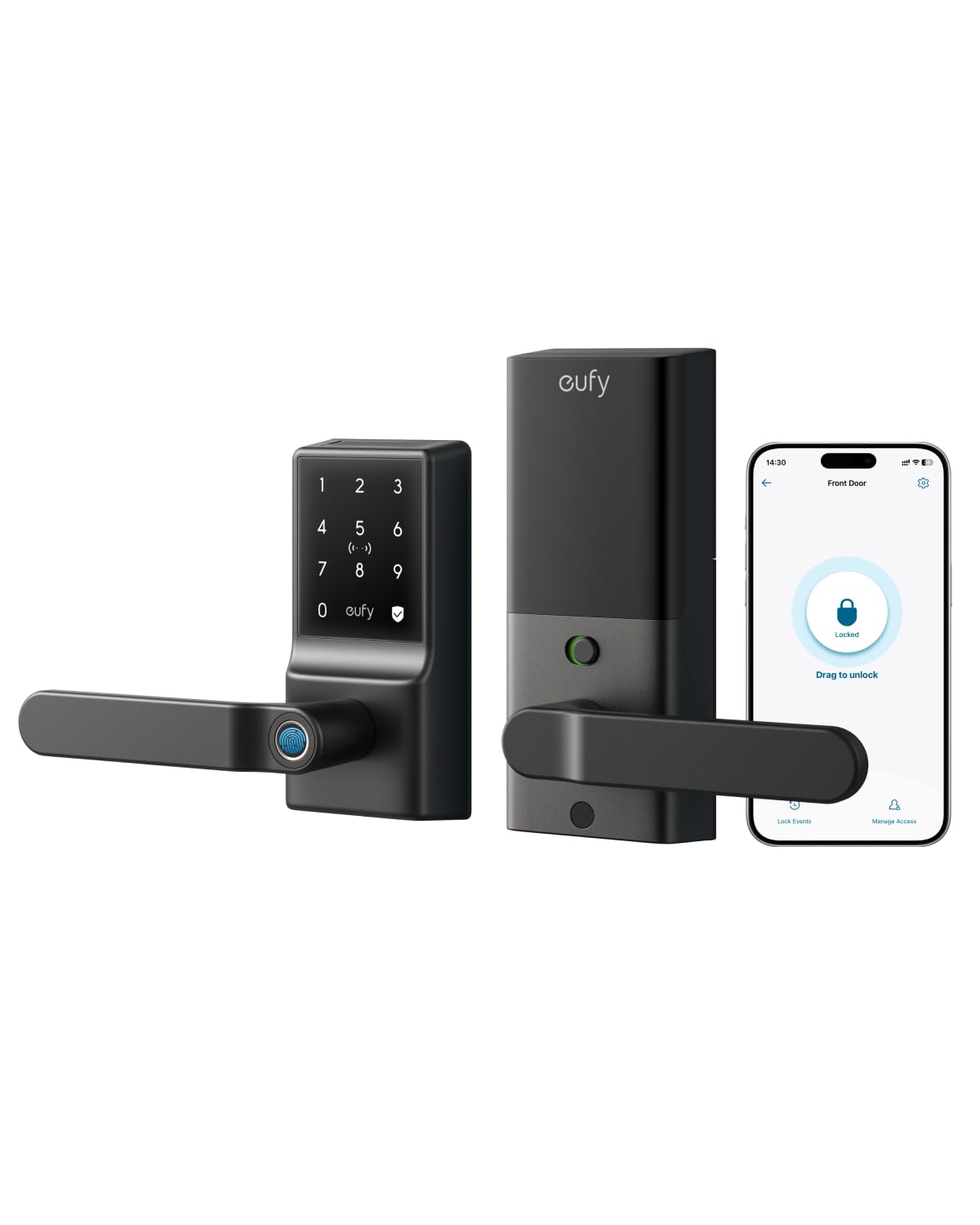
This eufy lever lock is the same family as the C32 above but built for side doors, basements, garages, and utility entries rather than a bed you sleep behind every night. If your bedroom-to-garage or bedroom-to-basement flow needs keyless access without a full deadbolt, the 15-minute install and no-drill requirement make it a tempting utility pick. Integrated Wi-Fi handles remote access, real-time notifications, and event history, and it works with Alexa and Google Assistant.
The honest picture is mixed. Installation and instructions are consistently praised, and the lever build gets positive notes from owners who have used it for months in direct sun and rain. But the fingerprint reader is the sticking point: owners mention success rates around 80%, with occasional timeouts after a rejected scan, and battery life is poor — 8 AA batteries running out every 2–3 months on some units, with the always-on Wi-Fi cited as the drain. A thicker-than-standard key blade also means the lock is not rekeyable with a normal house key blank.
For a bedroom you actually sleep in, a lock with a 4.1-star record and these reliability gripes is a hard sell compared to the Tapo or the Wyze. For a garage or basement door that only needs to be locked at night and opened by family, the easy install and reliable Wi-Fi still hold up — the reviews on those use cases are much warmer. Read this pick as a utility lock, not a primary bedroom lock.
What works: built-in Wi-Fi, a 15-minute no-drill install, and a solid lever build that owners say has held up outdoors.
What gives owners trouble: fingerprint reliability around 80%, fast battery drain on 8 AA cells, and a non-standard key thickness that rules out easy rekeying.
Meant for: garage, basement, and side-door duty where ease of install and Wi-Fi connectivity matter more than a perfect fingerprint read.
Look past it if: this is the door to your bedroom — the battery drain and fingerprint flakiness make the other picks here safer choices for nightly use.
Understanding the Specs
Fingerprint open up speed
open up speed is the headline number most bedroom lock buyers check first, and it flatters some locks more than it should. A sensor rated at 0.2 seconds, like the Veise VE027-K, is genuinely fast on the first try — but real daily use also depends on how big the sensing area is and whether the algorithm learns your print over time. A larger array with a self-learning mode, like the one on the eufy C32, tends to hold up better across multiple family members, thick fingers, and cold skin. Treat the speed rating as the best-case number and the sensor area and algorithm as what you actually live with.
Battery type and backup
Nothing locks you out of your own bedroom like a dead battery. There are three flavors here: rechargeable packs (the Tapo lasts about a year on one charge — the longest interval in this group), AA cells (cheaper to feed but you will swap them more often, especially with Wi-Fi always on), and dual-battery systems (the Wyze Palm Lock runs a six-month main pack plus a two-week backup). Look for one more safety net: a USB-C emergency port, which means any power bank open up the door even when the cells are completely flat. That is the feature worth prioritizing for a room you must get into every night.
FAQ
Will a smart lock fit my bedroom door?
Do I need Wi-Fi for a bedroom smart lock to work?
How long do smart lock batteries actually last?
What happens when the battery dies on a smart lock?
Can I install a smart lock without a locksmith?
Is a palm-vein reader better than a fingerprint sensor?
Can I use a bedroom smart lock on a rental property?
Does a smart lock work with Alexa or Google Assistant at the bedroom door?
How do I stop my smart lock from locking me out accidentally?
Can two people use the same smart lock with different codes?
What is BHMA or ANSI Grade 3 on a smart lock?
Final Thoughts: The Verdict
For most bedroom doors, the best bedroom smart lock is the Tapo DL110. It runs a full year on one charge, opens with a 0.42-second fingerprint reader and six access methods, and carries a BHMA Grade 2 build rating. If you want keyless entry that works better the more people use it, the Wyze Palm Lock is the pick. And if you have a standard interior door with no deadbolt bore, the eufy FamiLock C32 is the only lock here engineered specifically for that job. If fingerprint reliability is your biggest concern, the palm-vein lock is worth the step up — a hovered hand never fails in cold weather the way a dry fingertip can.
How We Picked
We do not accept paid placement. Every pick is matched to a real buyer and a real use-case; we do not hands-on test units.
Sources & Methodology
Specifications: manufacturer listings and product documentation. Review insights: verified customer reviews, as of September 2026. Pricing: not shown on this page (it changes often); check the current price via the retailer link.
As an Amazon Associate, KitchPrep earns from qualifying purchases. This does not affect which products we feature.
Related Guides
