
Specs are compiled from manufacturer listings and verified buyer reviews and can change over time — please confirm the key details on the product page before buying.
If you are still paying a monthly rental fee for a clunky ISP gateway, you are likely leaving money on the table and speed on the line. The right ADSL modem replaces that rental with a device you own, often delivering a more stable sync and better throughput for your phone-line internet. This guide cuts through the jargon to help you pick the modem that actually matches your DSL service, your router setup, and your patience for configuration.
I’m Mohammad Maruf — the founder and writer behind KitchPrep. This guide is built by comparing the manufacturers’ published specifications and the patterns across verified customer reviews, so you get each pick’s real strengths and trade-offs instead of marketing spin.
This guide ranks the best adsl modem options for reliability, speed, and easy setup so you can ditch the rental fee without losing connection stability.
Our Picks at a Glance

How To Choose The Best ADSL Modem
Your phone line’s modem choice depends on one thing: matching the box to the exact technology your Internet Service Provider (ISP) uses to deliver service. You also need to decide if you want a single all-in-one unit or a separate modem that pairs with your own router.
First, find out your DSL technology
This is the single most important step. ADSL, ADSL2, and ADSL2+ are older standards that cap out around 24 Mbps downstream. VDSL and VDSL2 are faster standards that can push well beyond that over shorter distances from the exchange. Many modern modem-routers support both, but some budget or legacy units only handle ADSL. If you buy an ADSL-only modem for a VDSL line, it will not sync — you will be boxing it back up within the hour.
Modem-only or modem-router combo
A modem-only box has no wireless and typically one Ethernet port. It is the right choice if you already own a good router and simply want to stop renting the ISP’s unit. A modem-router combo builds the router, Wi-Fi, and often a few LAN ports into one device, saving you from running two boxes. The trade-off is that combo units are usually less powerful than a dedicated router, and when one function fails, you replace the whole unit.
Check for bridge mode
If you plan to keep your own router, your new modem must support bridge mode. In this mode, the modem stops acting like a router and simply translates the DSL signal so your own router can handle the login and network duties. Without bridge mode, you risk a double Network Address Translation (NAT), which can cause headaches with online gaming and remote access.
Do not assume it is plug-and-play
Some ISPs require you to know your login credentials (often called PPPoE username and password) and sometimes specific settings like VPI/VCI values. Have these on hand before you begin. The devices below vary widely in setup difficulty, so pick one that matches your comfort level with configuration.
Quick Comparison
| Model | Best For | DSL Standard | Max Rate | Form Factor | Amazon |
|---|---|---|---|---|---|
| DrayTek Vigor 167★ Best Overall | Router owners wanting a pure modem | VDSL2/ADSL2+ | 300 Mbps | Modem only | Amazon |
| TP-Link Archer VR400Top Performer | Whole-home wireless coverage | VDSL/ADSL | 1167 Mbps | Modem-router | Amazon |
| TP-Link Archer VR300Best Dual-Band | Streaming and gaming over dual-band | VDSL/ADSL | 867 Mbps | Modem-router | Amazon |
| Netgear N600 DGND3700 | Heavy multi-user home networks | ADSL2+ | 600 Mbps | Modem-router | Amazon |
| Netgear N300 DGN2200 | Budget wireless with USB sharing | ADSL2+ | 300 Mbps | Modem-router | Amazon |
| D-Link DSL-520B | Simple wired setups | ADSL2+ | 24 Mbps | Modem only | Amazon |
| ASUS DSL-N10 | Small homes on a tight budget | ADSL | 150 Mbps | Modem-router | Amazon |
| Actiontec GT701D | Legacy ADSL lines with a router | ADSL | 24 Mbps | Modem only | Amazon |
| ZyXEL P660HN-51R | Rural users needing legacy gear | ADSL2+ | 24 Mbps | Modem-router | Amazon |
In‑Depth Reviews
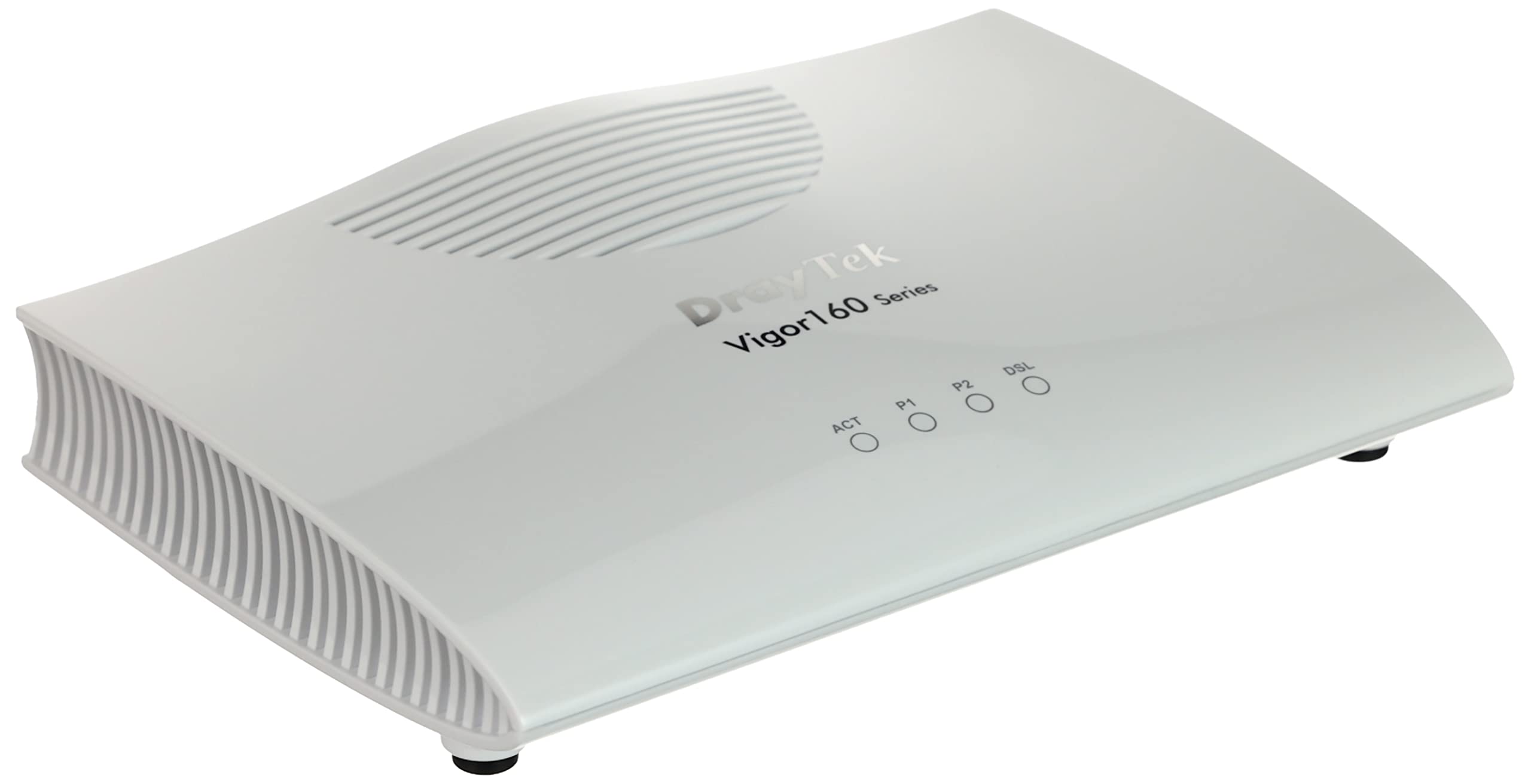
1. DrayTek Vigor 167
Our pick — over 4.5★ from 400+ verified ratings; the strongest balance of quality and price.
The modem-only specialist that hands your connection cleanly to your own router.
Owners consistently pick this as the top replacement for an ISP modem when they run their own router. It handles the full modern line-up — ADSL2+ on up through VDSL2 and Supervectoring — with a data transfer rate of 300 megabits_per_second, which is a 12.5x gap over the Actiontec GT701D’s 24 megabits_per_second. That future-proofing means if you ever get upgraded from old ADSL to a faster VDSL line, this box grows with you.
from the start it is preconfigured as a modem only, so your router handles the PPPoE dial-up. The catch is you must turn off VLAN tagging on your router to avoid double-marking the line, a detail buried in the fine print but simple once you know it. The crowd favorite rating of 4.6 stars across 400+ owners reflects how well it works as a CenturyLink modem/router replacement, with buyers reporting roughly 5% higher throughput than the ISP unit and a better bridge mode.
One owner found it plugged into a Telekom connection with a Ubiquiti UDM Pro Max without issue after a quick PPPoE setup, praising it as ideal for avoiding double-NAT. Buyers call it more reliable than the ISP modem that failed every few years, making it a solid value for own-router setups.
What wins owners over
- Full VDSL2 vectoring and ADSL2+ support means it syncs on nearly any phone-line service
- Bridge mode is done right, leaving routing to your own gear
- Buyers consistently report it outlasts and outperforms rented ISP modems
Setup details to respect
- Requires manual PPPoE configuration on your router
- VLAN tag 7 is set by default, so disabling tagging on your router is mandatory
Reach for it if: you run your own router and want a bulletproof pure modem that supports current and future DSL standards.
Look elsewhere if: you want an all-in-one with Wi-Fi — this box does not broadcast a wireless signal.
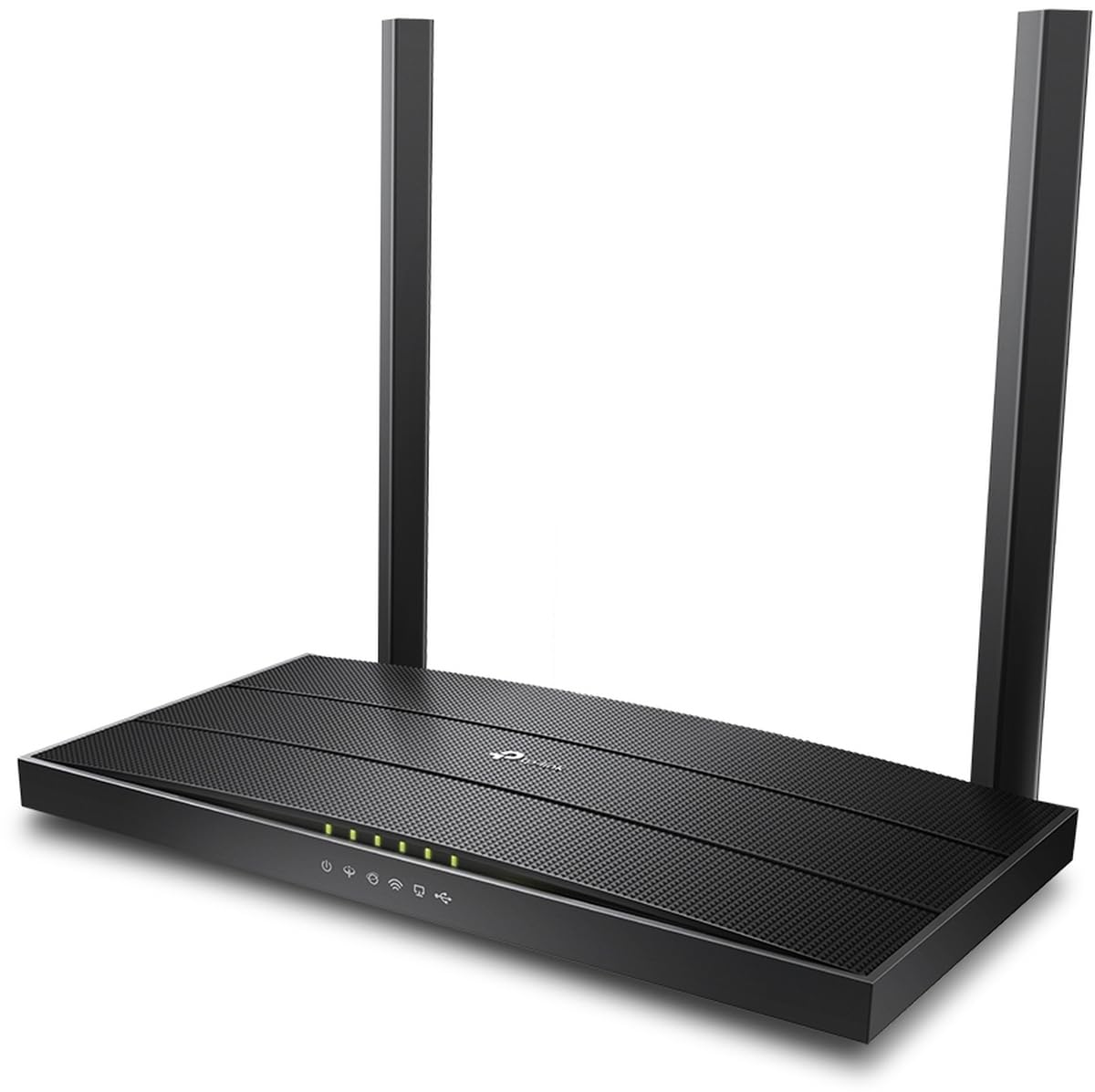
2. TP-Link Archer VR400 AC1200
A fast dual-band all-in-one that pairs VDSL/ADSL support with real wireless reach.
If you want one box to handle the modem and the Wi-Fi, this TP-Link delivers AC1200 speeds (a combined data transfer rate of 1167 megabits_per_second across its 2.4 GHz and 5 GHz bands). It supports both VDSL and ADSL connections, so it is not locked to the older standard — a significant upgrade over ADSL-only rivals like the D-Link DSL-520B, which tops out at 24 megabits_per_second and cannot match the VR400’s wireless throughput.
Buyers highlight connection stability over raw speed as the standout trait. One owner noted their previous ISP router kept dropping the line while this unit held a rock-solid connection throughout. The main trade-off is Wi-Fi range — several users found it shorter than expected, with one needing a separate extender for the upstairs before coverage was complete.
With five ports on board, you have room for wired devices without a separate switch. The auto-switching between 2.4 GHz and 5 GHz under heavy load is a feature owners appreciate, and the phone-based setup gets you online quickly. The caveat is that the 5 GHz signal strength is modest, so position it centrally.
Where it shines: the VR400 keeps a stubborn DSL line synced when other routers give up, and its AC1200 wireless is genuinely fast.
Watch out for: a Wi-Fi range that is merely average, so large homes may need a mesh node or extender.
3. TP-Link Archer VR300 AC1200
A feature-packed AC1200 gateway with external antennas for stronger, more stable coverage.
TP-Link’s VR300 is the sibling that trades a little raw speed for better wireless hardware. It delivers a data transfer rate of 867 megabits_per_second on the 5 GHz band, paired with dual-band AC1200 Wi-Fi that owners say easily covers a 90-square-meter home, pushing signal through walls without drops. The external antennas give it an edge over the internal-antenna VR400 for sheer reach and stability.
Setup is guided and straightforward, which owners repeatedly highlight, and the dual-band design keeps streaming and gaming traffic flowing without bottlenecks. It supports ADSL, VDSL, and even fiber-to-the-cabinet connections up to 100 Mbps, making it a versatile pick if your line might be upgraded later. The LAN and WAN ports plus a USB slot for shared storage round out the package.
Security is not an afterthought — parental controls, malware protection, and encryption are built in. The catch is geography: this model is tuned for European and Asian DSL standards, and buyers report it does not work on American ISPs. If you are outside the US, this is a strong value; if you are stateside, look at the VR400 or the Netgear DGND3700 instead.
Best for: owners outside the US who want a reliable dual-band gateway with strong coverage and easy setup.
Not for: American buyers — the regional standards mismatch makes it a non-starter on US phone lines.
4. Netgear N600 DGND3700
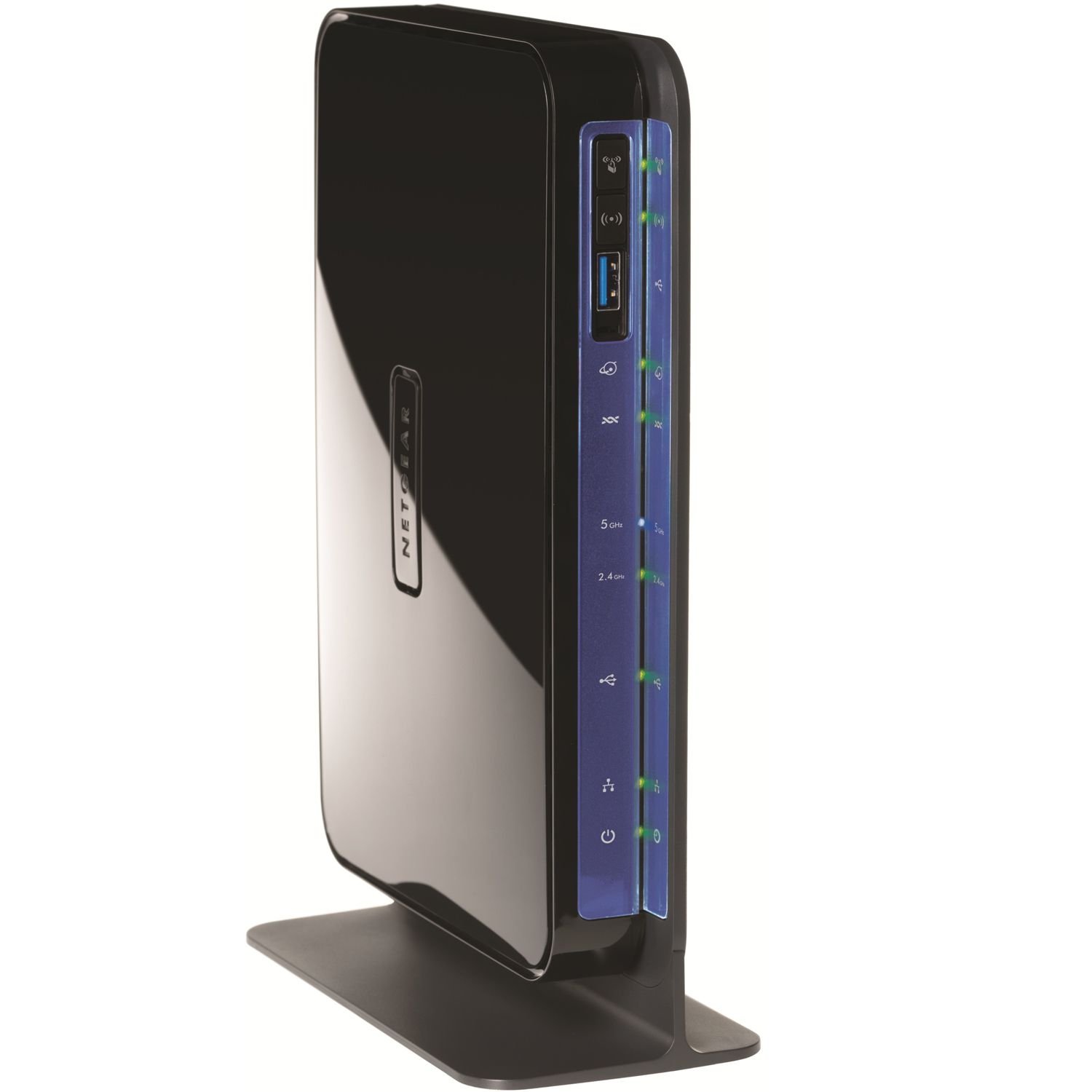
A feature-rich dual-band gateway built to handle a full house of heavy internet users.
Netgear’s N600 DGND3700 is the all-in-one for busy homes, combining a built-in ADSL2+ modem with concurrent dual-band wireless at a data transfer rate of 600 megabits_per_second. It consistently beats the ISP modem in real-world use — one owner on AT&T DSL 6.0 reported it handled four heavy users across two PCs, Netflix streaming, and gaming without a hiccup, a clear step up from the rented gateway. The gigabit wired ports keep your desktop and console transfers fast.
Owners mention a real speed boost, with one measuring ping dropping from 25-35ms down to 10-15ms after the swap, plus improved wireless range from 3 bars to 5 bars and a signal that reached the backyard. Feature-wise it is loaded: media server, QoS, VPN, port forwarding, and USB ports for shared storage and printer access. Owners praise the simultaneous dual-band capability, which lets older 2.4 GHz and modern 5 GHz devices run without slowing each other.
The honest caveat is that the DSL modem is not plug-and-play. You will need to manually configure multiplexing, VPI/VCI, DSL mode, and transfer method, often copied from your old modem’s settings. Buyers also note compatibility limits — it works with CenturyLink’s standard DSL but not their bonded or higher-speed tiers. Set it up right, and customers note no disconnects for months at a time.
Why it earns the premium tag
- Concurrent dual-band keeps old and new devices fast simultaneously
- Gigabit wired ports and USB sharing make it a true network hub
- Feature suite — QoS, VPN, media server — rivals dedicated routers
Who should pass
- Setup requires manual DSL parameters, not for total beginners
- Incompatible with bonded or higher-speed CenturyLink tiers
Right for: power users and larger households on standard ADSL2+ who want one capable box with no compromises on features.
skip it if: you have bonded DSL or want a true plug-and-play install.
5. Netgear N300 DGN2200

A dependable all-in-one that adds USB storage sharing without the premium price tag.
For a home that just needs solid, reliable DSL internet with wireless, the DGN2200 delivers N300 speeds at a data transfer rate of 300 megabits_per_second. It combines the ADSL2+ modem and router into one gateway that owners say works well with AT&T DSL, and its ReadySHARE USB port lets you plug in a drive and share files across the network. The coverage spec reaches 100-150 square meters indoors, which suits a typical medium house.
Reviewers point out it has been working great a year later, running as both modem and router without complaint. The signal is strong enough to reach a medium house, with owners noting it is slightly slower than a wired connection but faster than cellular. Live Parental Controls and guest network access are built in, and the automatic QoS keeps voice calls and gaming jitter-free even with other traffic.
The trade-off is quality control. Some units arrive with the pictured external antennas swapped for internal ones, and a few owners hit overheating or reboot loops with Wi-Fi enabled. Sparse documentation is another gripe — the front panel symbols are not clearly explained. Most buyers find it works perfectly once installed, making this a value pick rather than a premium one.
The value read: you get a modem, router, wireless, and USB sharing in one budget-friendly box that works reliably for most owners.
The honest catch: build quality is inconsistent, so check your unit’s antennas and test it early within the return window.
6. D-Link DSL-520B

A no-frills ADSL2+ modem with firewall protection for simple wired connections.
If your setup is a single computer or you already have a router handling wireless, the D-Link DSL-520B is a straightforward, budget-friendly bridge to your ADSL line. It runs at 24 megabits_per_second downstream with 2 megabits_per_second upstream, which is the ceiling for the ADSL2+ standard. The built-in firewall and QoS give you basic protection and traffic prioritization without any extra hardware.
The plain interface is a plus for some — one owner described it as spartan but complete, with all the key menus for checking line stats like SNR and attenuation. It is essentially the wired equivalent of the TP-Link TD-8816, and shoppers say it pairs flawlessly with a Linksys EA4500 router handling four computers, two printers, and four mobile devices without slowdowns. The autoconfiguration worked with PPPoE credentials for most owners.
Durability is the main catch. Buyers report it worked for 2 months then died suddenly for some, while others have run it rock solid through storms and lightning. It also only supports ADSL, not VDSL, so it is not future-proof if your ISP upgrades your line. It is a cheap, functional stopgap, not a long-term investment.
Pick it if: you want the cheapest way to get an ADSL line into your own router and you understand it is ADSL-only.
Think twice if: you want longevity guarantees or think your line might move to VDSL.
7. ASUS DSL-N10
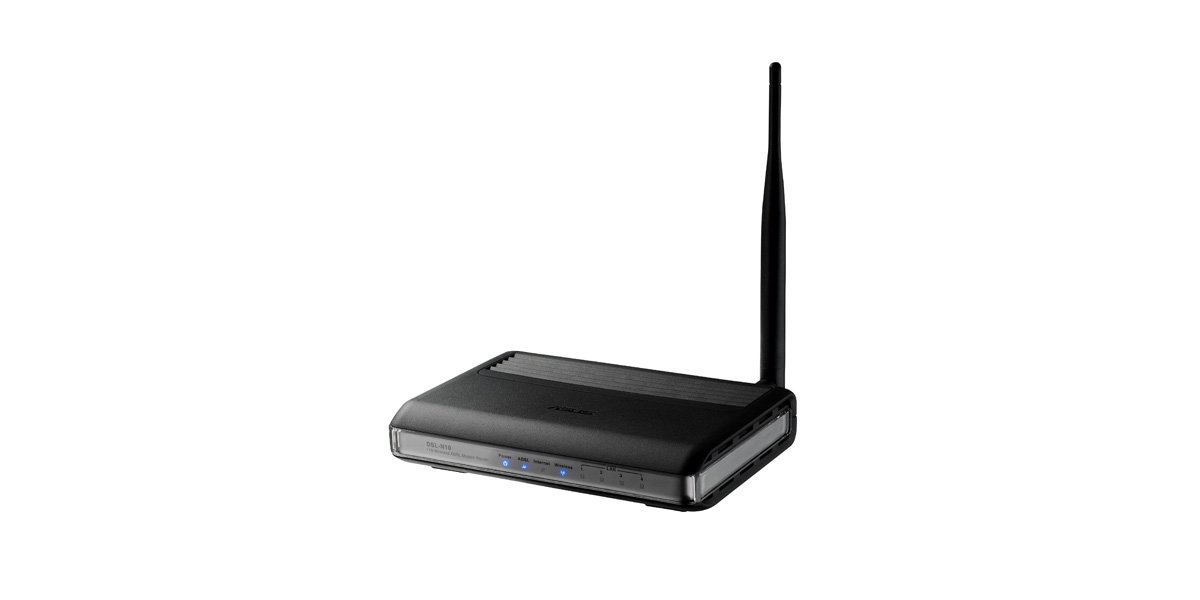
A tiny all-in-one whose detachable 5dBi antenna boosts signal for small spaces.
The ASUS DSL-N10 is a compact modem-router that replaces two devices with one small box, making it a fit for apartments and small homes. The 150 megabits_per_second wireless speed is modest by today’s standards, but as a single-band 2.4 GHz unit it is perfectly adequate for basic browsing and streaming. The detachable 5dBi antenna lets you upgrade reach, and the wireless on/off button is a handy touch for saving power or troubleshooting.
Setup wins owners over — the CD-free installation with a graphic interface gets you online in about five minutes, and owners mention good signal strength for a unit this size. One owner replaced a failed Motorola DSL modem with this and found it cheaper than the ISP’s gateway, running stable for a month straight. The value story is strong: it replaces two devices with one and saves the monthly rental fee.
The reality check is reliability. The highest-volume feedback is mixed, with some units working fine and others failing to connect or requiring weekly reboots due to Wi-Fi drops. One owner got a solid 3.5 years before it lost power, while another reported unreliable wireless that was slower than the old router it replaced. The firmware also feels dated. It is a budget stopgap best for light use, not a permanent solution.
At only 9.6 ounces, it is one of the lightest units here, and multiple SSIDs with bandwidth access control give you some traffic management. Just keep expectations realistic about long-term staying power.
The best case: easy setup, decent signal, and a bargain price for a small home that needs a simple all-in-one.
The worst case: an occasional unit needs weekly reboots, so buy from a seller with a good return policy.
8. Actiontec GT701D

A small ADSL modem that bridges cleanly to your own wireless router.
This Actiontec is a legend of the ADSL era for one simple reason: it just works as a bridge. It caps at 24 megabits_per_second downstream and a mere 1 megabits_per_second upstream — a 30x gap in upstream speed compared to the DrayTek Vigor 167’s 30 megabits_per_second. That makes it strictly a legacy choice for basic ADSL lines, not for upload-heavy use. Its one Ethernet port connects directly to your own router, which is exactly how most owners use it.
Owners consistently praise the easy setup — no software or settings required, with one reporting the device connecting within 30 seconds of plugging in. Buyers praise the build quality and cool running temperature, with one describing it as running cool “like it’s in a refrigerator.” It auto-configures to a router on AT&T DSL and works with CenturyLink too. Web site blocking and multiple security levels are built in if you use it as a standalone router.
Reliability feedback is split among owners. Customers note some units work flawlessly for years, while others arrive defective — one owner’s unit died after just 24 hours with the internet light off and no reset possible. The connectivity feedback is mixed, and that 1 Mbps upstream will frustrate if you upload files or video call. It is a product of its era for people on old-school ADSL who want a zero-fuss bridge.
Why ADSL users still buy it
- Truly plug-and-play with AT&T and CenturyLink, syncing in seconds
- Compact, cool-running, and energy-efficient design
- Perfect bridge to a Linksys or other own-brand router
The honest limits
- Strictly ADSL-only with no VDSL support for faster lines
- 1 Mbps upstream is painfully slow for uploads today
Choose it for: a simple, cheap bridge on a basic ADSL line with your own router already in place.
Avoid it if: you need upload speed or think your line might be upgraded to VDSL.
9. ZyXEL P660HN-51R
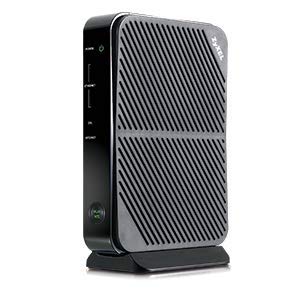
An affordable all-in-one keeping legacy ADSL alive for rural internet users.
ZyXEL’s P660HN-51R exists for a very specific buyer: someone on a legacy ADSL connection that bigger brands have abandoned. It bundles an ADSL2+ modem, router, Wi-Fi, and a 4-port switch into one box, so you get whole-home internet sharing from a single device. The built-in setup wizard and auto-detect feature handle most configuration automatically, which owners say made it work flawlessly with AT&T ADSL2 and dslextreme without changing any settings.
This is the pick for rural users who need legacy DSL hardware since other companies discontinued support. Reviewers point out it works with CenturyLink DSL at up to 10MB speeds and auto-detects the connection, contradicting some compatibility claims. The 4-port switch means no separate hub needed for wired devices, and the built-in Wi-Fi covers a typical home.
Reliability feedback is mixed, which is the honest caveat. Some shoppers say it running steadily for a long stretch, but others hit a dead unit after a few months — and ZyXEL’s support for this discontinued model is minimal. It does not support bonded ADSL, VDSL, fiber, or cable, so verify your service type first. It is a low-cost stopgap for keeping an old line alive, not a future-proof investment.
Whom it serves: rural users on plain ADSL who need a cheap all-in-one replacement for a dead modem.
Know before you buy: it is discontinued and ADSL-only, so check your line type and accept the support risk.
Understanding the Specs
Data Transfer Rate
This number, shown in megabits per second (Mbps), is the theoretical maximum your modem can push. Real-world speeds are almost always lower because your ISP caps the line and distance from the exchange degrades the signal. A modem rated for 300 Mbps does not make your 10 Mbps plan faster — it just means the modem is not the bottleneck. Focus on matching the modem’s ceiling to your line’s actual sync rate.
ADSL vs VDSL
These are different flavors of DSL technology. ADSL2+ tops out around 24 Mbps downstream. VDSL and VDSL2 are faster standards that use higher frequencies and work best over short distances, sometimes reaching 100 Mbps or more. A modem that supports both (like the DrayTek Vigor 167) is future-proof. An ADSL-only modem will not sync on a VDSL line, so this spec determines compatibility more than any other.
Bridge Mode
A modem in bridge mode stops acting like a router and simply translates the DSL signal, letting your own router handle the login and network duties. This prevents a double NAT, which can break online gaming and remote access. If you already own a quality router, you want a modem with solid bridge mode support rather than a combo unit that fights your router for control.
PPPoE and VPI/VCI
PPPoE is the login protocol most DSL providers use — you enter a username and password to connect. VPI and VCI are small numbers that tell the modem which virtual path your ISP uses. Some modems auto-detect these; others require manual entry copied from your old modem’s settings. Have your ISP login credentials ready before setup, and check if your ISP uses a different protocol like DHCP or bridge mode.
FAQ
Will any ADSL modem work with my CenturyLink or AT&T service?
What is the difference between a modem and a modem-router combo?
What does bridge mode do and why do I need it?
How long should an ADSL modem last?
Is VDSL faster than ADSL and should I care?
Why is my new modem slower than my old one?
What is the 2.4 GHz vs 5 GHz difference on a DSL modem router?
Can I use a VDSL modem on an ADSL line?
Why does my DSL modem keep disconnecting?
What do VPI and VCI mean and where do I find them?
Final Thoughts: The Verdict
If you want one dependable pick, the adsl modem winner is the DrayTek Vigor 167 because it pairs flawless bridge mode with support for every DSL standard from ADSL2+ through VDSL2 vectoring, making it the last modem you will need to buy. If you want an all-in-one with wireless and you are outside the US, grab the TP-Link Archer VR300 for its stable dual-band coverage. And for a busy US household on standard ADSL2+ that needs a feature-rich single box, the Netgear N600 DGND3700 is the one to reach for.
How We Picked
We do not accept paid placement. Every pick is matched to a real buyer and a real use-case; we do not hands-on test units.
Sources & Methodology
Specifications: manufacturer listings and product documentation. Review insights: verified customer reviews, as of September 2026. Pricing: not shown on this page (it changes often); check the current price via the retailer link.
As an Amazon Associate, KitchPrep earns from qualifying purchases. This does not affect which products we feature.
Related Guides
