
Specs are compiled from manufacturer listings and verified buyer reviews and can change over time — please confirm the key details on the product page before buying.
You found the right TV, but the picture looks washed out because of window glare, or you can’t reach the ports on the back. A 200×200 VESA wall mount fixes that by letting you pull the screen away from the wall, tilt it down, and swivel it toward your seat. This guide breaks down which mounts hold your specific TV securely, how far they extend, and which ones are actually easy for a first-timer to install.
I’m Mohammad Maruf — the founder and writer behind KitchPrep. This guide is built by comparing the manufacturers’ published specifications and the patterns across verified customer reviews, so you get each pick’s real strengths and trade-offs instead of marketing spin.
You want a wall mount that holds your TV securely, lets you angle it toward your seat, and fits your wall — without paying for features you will never use. The best 200×200 vesa wall mount for you depends on three numbers: the weight limit (how heavy your TV is), the extension depth (how far it pulls from the wall), and the tilt range (how much you can angle it down).
Our Picks at a Glance
How To Choose The Best 200×200 VESA Wall Mount
Before you look at any bracket, measure the four holes on the back of your TV. The distance between them, horizontally and vertically, in millimeters, is your VESA pattern. You need a mount that lists 200x200mm support to line up with those holes.
Check the weight, not just the screen size
A mount rated for a 65-inch TV might still fail if your specific 65-inch model is unusually heavy. Look at the maximum weight capacity in pounds and compare it to your TV’s actual weight. Buyers consistently report that checking this number first prevents the most common sizing mistakes.
Match the motion to your room
If your TV sits opposite a window, you need a mount that tilts to cut glare. If you watch from a kitchen island or an angled seat, you need swivel. Full-motion mounts offer both, plus the ability to pull the screen away from the wall so you can reach cables. Fixed mounts do none of this, so they cost less but offer no flexibility.
Confirm your wall type before buying
Every mount in this guide is built to screw into wood studs, concrete, or brick — never drywall alone. If your wall has metal studs or plaster, check the mount’s spec sheet for explicit compatibility, or plan to use a specialized anchor system.
Quick Comparison
| Model | Best For | Max VESA | Max Weight | Tilt Range | Amazon |
|---|---|---|---|---|---|
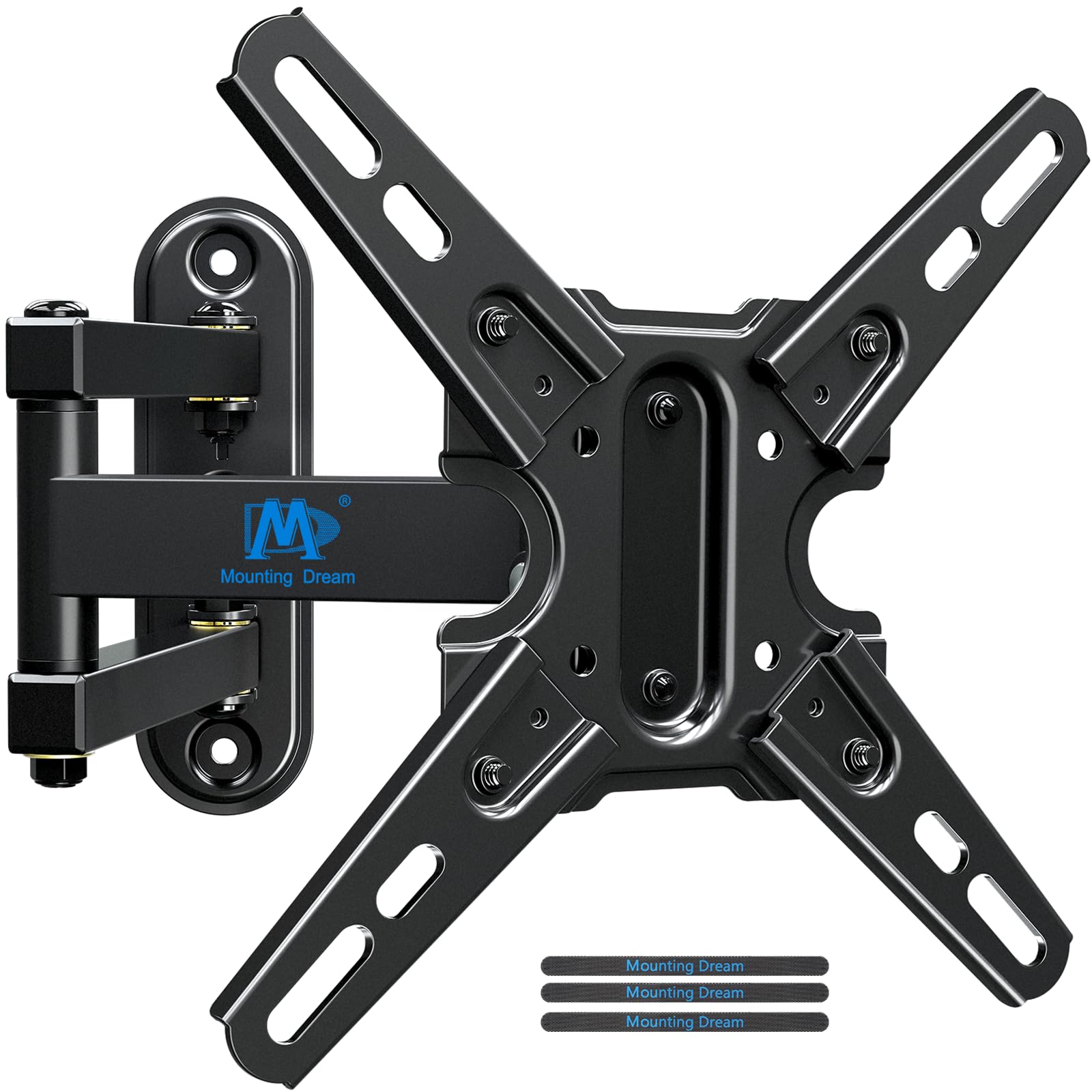
| Mounting Dream MD2465★ Best Overall | Small to mid TVs needing full motion | 200x200mm | 50 lbs | +5°/-10° | Amazon |
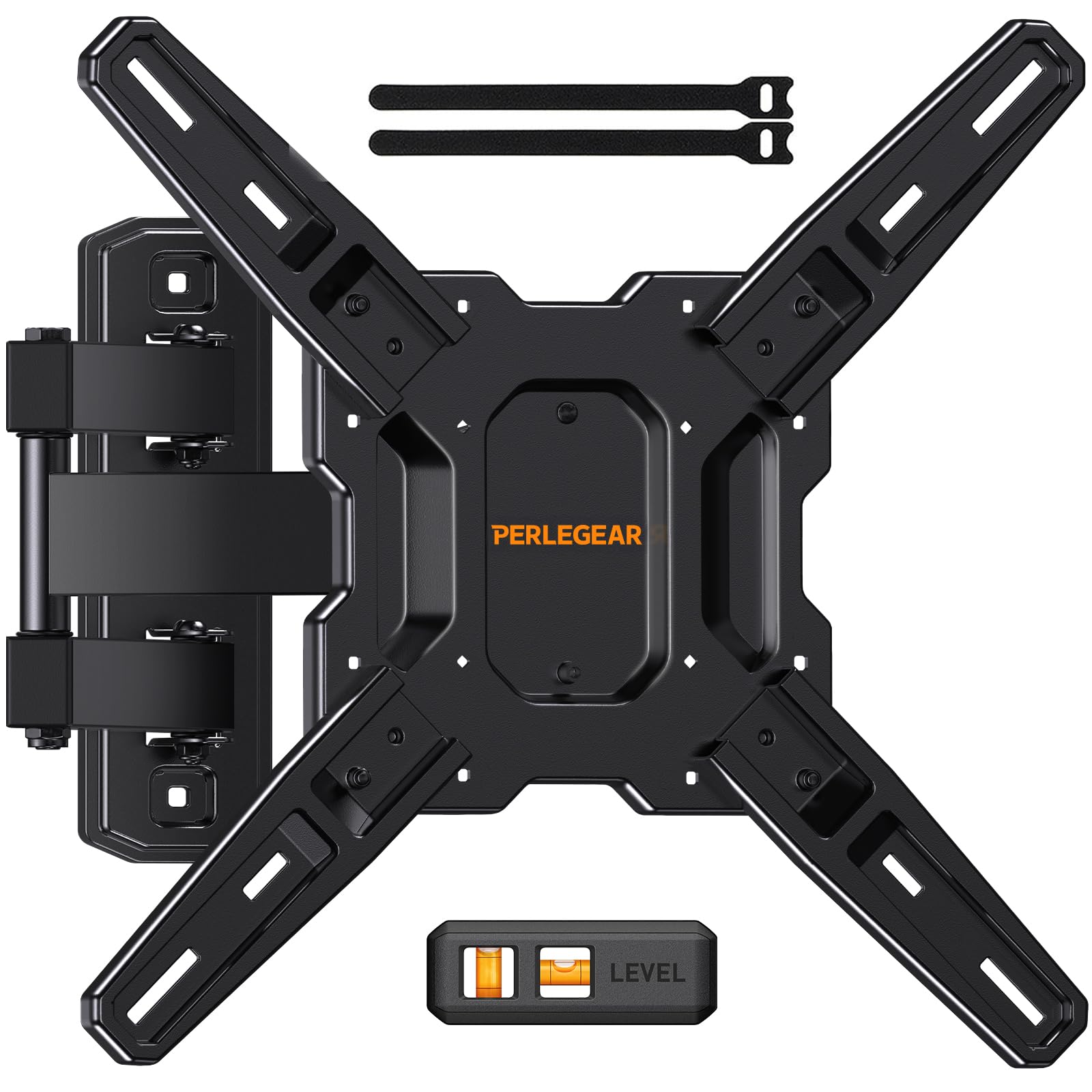
| Perlegear PGMF3Top Performer | Big screens on a single stud | 400x400mm | 82 lbs | +5°/-15° | Amazon |
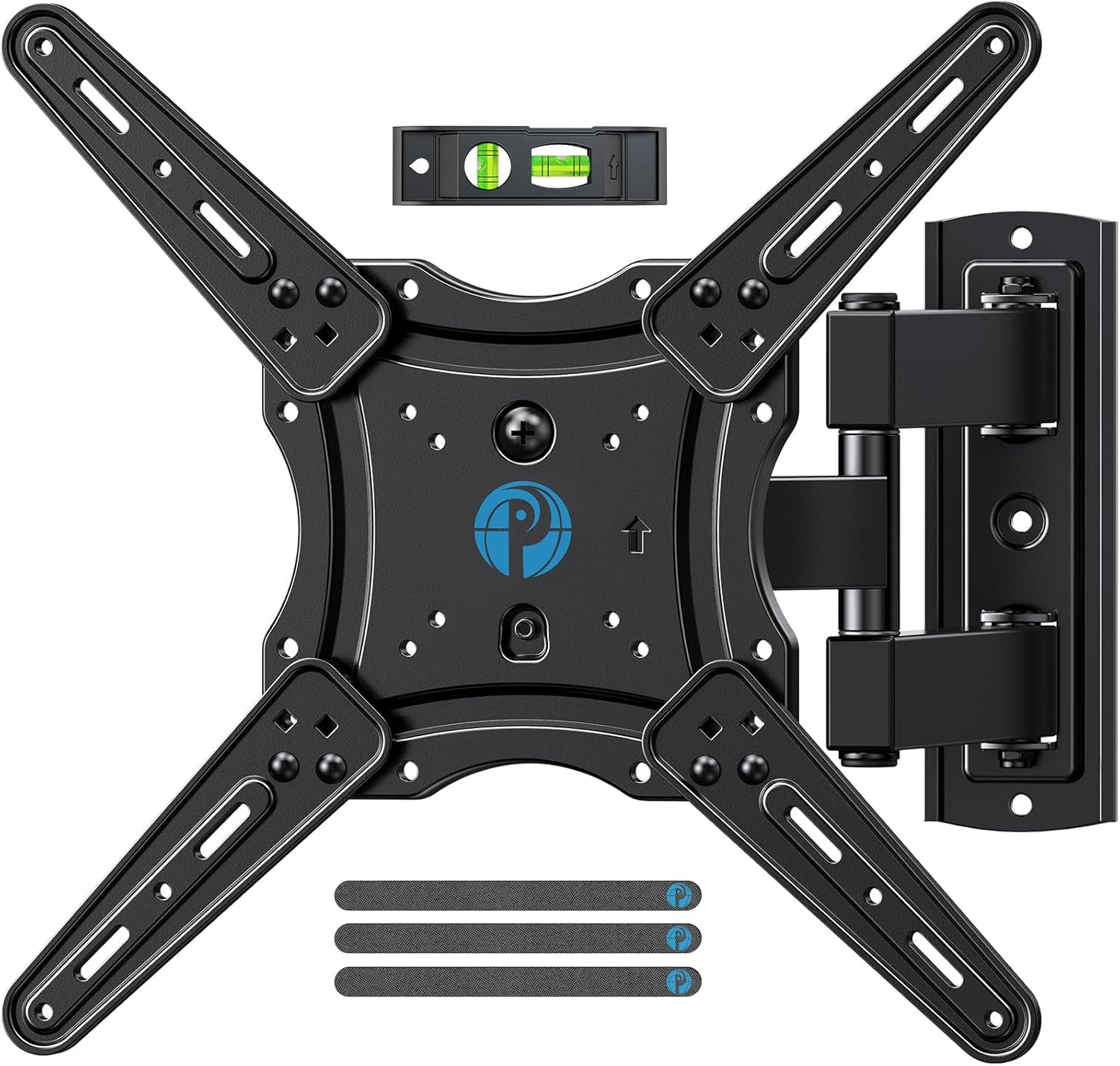
| Pipishell PIMF7Best Value | Easy install with wide motion range | 400x400mm | 77 lbs | +5°/-15° | Amazon |
| Mount-It! MI-4601 | Simple installations in tight spots | 200x200mm | 66 lbs | ±15° | Amazon |
| MOUNT PRO MPG43 | Ultrawide monitors on the wall | 200x200mm | 33.1 lbs | +90°/-90° | Amazon |
| PUTORSEN Heavy Duty | Heavy ultrawide monitors with gas spring | 200x200mm | 44 lbs | +60°/-20° | Amazon |
| Mount-It! MI-14010 | Massive TVs up to 120 inches | 900x600mm | 264 lbs | +5°/-15° | Amazon |
| monTEK HW1277BK | Extra-large screens with tool-free tilt | 900x600mm | 265 lbs | +5°/-15° | Amazon |
| Samsung WMN-B05FB | Slim profile flush against the wall | 300x200mm | — | — | Amazon |
In‑Depth Reviews
1. Mounting Dream TV Mount MD2465
Our pick — over 4.5★ from 56,000+ verified ratings; the strongest balance of quality and price.
The 4.8-star crowd favorite that proves you do not need to spend big for a rock-solid full-motion bracket.
This is the mount owners describe as performing like pricier models without the premium. Built from heavy-duty aluminum alloy and steel with robot welding, it holds up to 50 lbs and fits TVs from 13 to 42 inches. The wall plate attaches to a single wood stud, concrete, or brick — never drywall alone.
What wins people over is the range of motion for the price. It tilts +5°/-10° to cut glare and swivels +/-90° to point the screen at your seat. You can pull it out 13.7″ to reach cables, then push it back to 2.8″ for a tidy low-profile look. The +/-3° post-installation adjustment lets you level the TV after it is hanging.
The recurring gripe is the stiff articulating joints and the fact that adjusting tilt requires tools. Buyers also note the lag bolts can strip, so swapping in your own fasteners is a smart move. For most small and mid-size TVs, this is the balanced choice.
What Owners Rave About
- Quality is the top praise by far, with thousands of owners highlighting the solid build
- Installation takes about 10 minutes for most people using a stud finder
- Includes an HDMI cable, level, and multiple screw sizes in the box
Where It Falls Short
- Articulating joints start very stiff and loosen only with use
- Tilt adjustments need a hex tool rather than hand pressure
- Vertical brackets may stick out past the edges of very small screens under 32 inches
Your pick if: you have a 13-42 inch TV up to 50 lbs and want smooth full-motion flexibility without paying a premium.
Think twice if: you plan to adjust the tilt often — the tool-required mechanism is more of a set-and-level setup.
2. Perlegear Full Motion TV Mount PGMF3
A 4.7-star single-stud mount strong enough to handle 82 lbs of TV with tool-free tilt.
It fits most 26 to 65-inch flat and curved TVs with VESA patterns from 100×100 to 400x400mm, which includes your 200×200 pattern. The single-stud design means it works in corners and awkward spots where only one stud exists.
The tool-free tilt (+5°/-15°) is the standout daily feature. You can angle the screen down by hand to kill glare without hunting for an Allen wrench. It swivels +/-90° and extends to 17.3″, then retracts to 3″ off the wall. The heavy-duty steel arms passed a 4x load test, confirming they hold up to 82 lbs without flexing., which reviewers mention feel thicker than other brackets they have used.
Buyers report hanging a 55-inch TV solo and then pulling on the mount to test it — it did not move. The main caution is that thinner metal on some units still does the job fine, and installation requires basic DIY skill. It can also feel oversized for TVs under 26 inches, so confirm your screen size first.
Why It Stands Out
- Tool-free tilt lets you adjust the angle anytime without tools
- Passed a 4x load test, holding up to 82 lbs of screen securely.
- Single-stud design fits corner installations with ease
Keep In Mind
- Motion range is limited compared to dual-arm alternatives
- Installation requires some skill and a stud finder for best results
- Best suited for screens 26 inches and up
Reach for this if: you have a larger TV up to 65 inches and want hand-tool-free tilt adjustments for glare control.
Look elsewhere if: you need the widest possible extension depth — the dual-arm giants below pull out much further.
3. Pipishell Full Motion TV Mount PIMF7
The 4.6-star heavy hitter with articulating arms 33% thicker than rivals., built for game rooms and family TVs.
Pipishell made the arms on this bracket 33% thicker than other mounts, which owners feel the moment they lift it from the start. It holds up to 77 lbs and fits most 26 to 65-inch flat, curved, LED, LCD, OLED, and Plasma TVs. The VESA range spans 75x75mm up to 400x400mm, so your 200×200 pattern sits comfortably in the middle.
The range of motion is what owners call out most after the sturdy build. It tilts +5°/-15°, swivels +/-90°, and extends 17″ from the wall before retracting to just 2.36″ for that low-profile look. The single-stud design makes it easier to install than dual-arm models requiring two studs, and it comes with all the hardware including a level.
Reviews describe mounting it in under an hour with clear instructions. One owner summed it up: “The description was spot on about the great range of motion.” The honest trade-off is that tilt adjustment requires loosening a screw, which is inconvenient if you reposition the screen often. It also holds smaller, lighter TVs comfortably — a 25-30 lb screen is no strain.
Solid engineering: The thicker articulating arms and security screws are designed to hold a 77 lb TV without sagging or loosening over time.
The honest catch: Tilt changes need a screwdriver, so this suits buyers who set the angle once and leave it.
4. Mount-It! Swivel TV Wall Mount MI-4601

A single-stud full-motion mount with a 5-year warranty and 66 lbs of capacity for smaller flat screens.
This Mount-It! bracket is engineered for 19 to 42-inch TVs and monitors with VESA patterns including 75×75, 100×100, 200×100, and your 200x200mm. The max weight of 66 lbs gives you headroom over the 50 lb Mounting Dream for similar-sized screens. It installs to a single stud in minutes with all hardware and step-by-step instructions included.
Unlike the larger full-motion arms, this one keeps a tighter profile. It extends between 3.25 and 6 inches from the wall, swivels up to 30 degrees each direction, and tilts 15 degrees each way. The quick-disconnect function lets you lift the TV off the plate easily, which the maker notes makes it ideal for outdoor, public, or RV use where you might need to remove the screen.
Buyers praise the several sets of included screws that fit different TV backs and the easy mounting process. The recurring mixed feedback is stability — some find it very sturdy while others report it shakes when moved side to side. The tilt is genuinely high and satisfies buyers who needed more angle than typical mounts offer. The 5-year warranty backs it if anything fails.
The Perks
- Quick-disconnect design is ideal for RVs or spaces needing frequent TV removal
- Several screw sets included to match different TV back panels
- Generous 15-degree tilt in each direction for glare control
The Trade-offs
- Some users find it shakes when swiveling left and right
- Extends only 6 inches max, so port access is limited
- Best for TVs up to 42 inches
Good for: RV owners or anyone needing a sturdy small-screen mount where the TV comes off the wall regularly.
Not ideal if: you want a deep extension arm for frequent cable access behind the TV.
5. MOUNT PRO Monitor Wall Mount MPG43
A 4.5-star pneumatic monitor arm that swings, tilts, and rotates for ultrawide screens up to 43 inches.
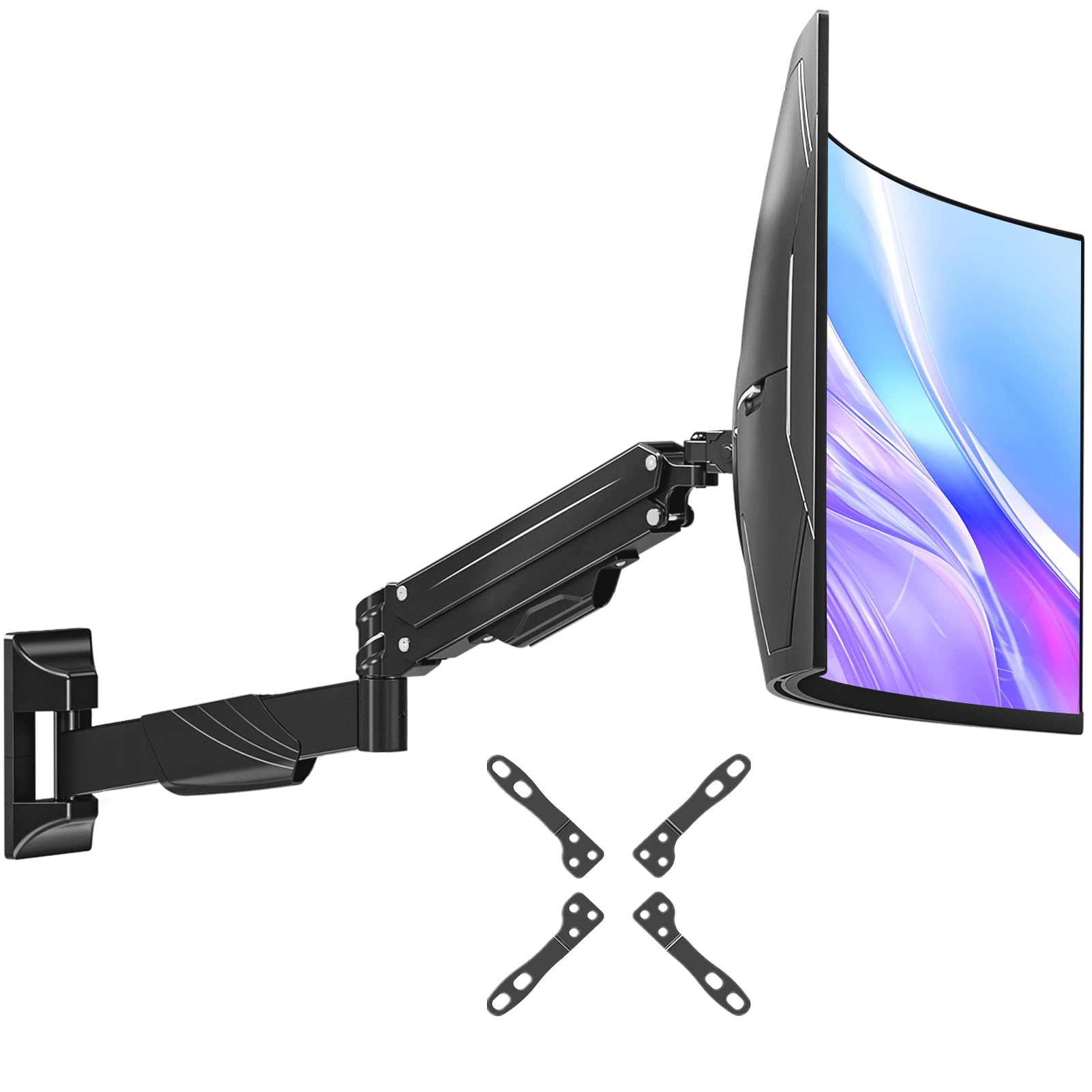
This is the wall mount that frees your desk from a heavy ultrawide monitor. It fits most 17 to 43-inch flat or curved screens weighing between 2.2 and 33.1 lbs. The VESA bracket supports 75×75, 100×100, 100×200, 200×100, and 200x200mm patterns, so your monitor’s holes line right up.
The defining feature is the pneumatic gas spring, tested to withstand 20,000 lift cycles.. It provides 13.2″ of smooth height adjustment, so you can raise or lower the screen without loosening a bolt. The arm offers 360° rotation for portrait mode, +90°/-90° tilt, and +/-90° swivel for easy screen sharing. When not in use, it retracts to just 4.09″ from the wall and routes cables through the integrated management system.
Owners highlight the sturdy spring arm and how it handles large curved monitors well. The build quality gets the most praise, followed by how simple installation is with the included level and labeled hardware. The honest caution is that the single thumbscrew attaching the plate can feel flimsy if not tightened carefully, and fitting it to some stud layouts took persistence — a few found the screws ran long and needed adjusting.
Desk space saver: The 20,000-cycle gas spring gives smooth height changes and keeps the screen stable while you work..
Who it is not for: Anyone pairing a screen heavier than 33.1 lbs, or those wanting a no-fuss single-bolt install on unusual stud spacing.
6. PUTORSEN Ultrawide Monitor Wall Mount

A 4.5-star gas spring mount that takes on ultrawide monitors up to 57 inches and 44 lbs without drooping.
Most monitor arms quit at 34 or 38 inches, but this PUTORSEN is built for the super-ultrawide crowd. It supports screens from 17 to 57 inches weighing up to 44 lbs. The VESA adapter covers 75×75, 100×100, 100×200, 200×100, and 200x200mm patterns, so your monitor mounts directly to the heavy-duty steel plate.
The gas spring arm gives you +90° to -90° swivel and +60° to -20° tilt, which is an unusually wide tilt range for glare control on curved panels. You get +90° to -90° rotation to flip into portrait mode and 10.6″ of smooth height adjustment. It extends 19.1″ from the wall for maximum flexibility, then retracts to 4″ to sit close when not in use.
Owners holding up a 57″ ultrawide report it is very sturdy with no worries about the monitor dropping. The install gets straightforward marks once you respect the gas spring tension. Owners mention the parts feel heavy and solid, and the clean finish suits a modern desk setup. The white color is the one finish option, which may not match every room.
What Makes It Strong
- Premium steel and aluminum construction holds ultrawide monitors securely
- Wide +60° to -20° tilt handles glare from high and low light sources
- Extends 19.1″ for flexible positioning near a standing desk
Watch Outs
- White finish only may clash with darker setups
- Gas spring needs careful handling during installation
- Not for screens over 57 inches or heavier than 44 lbs
Choose this for: a 49 to 57-inch ultrawide monitor on the wall, where most standard arms simply cannot hold the weight.
skip it if: your screen is under 34 inches — a lighter, cheaper arm gives you all the motion you need.
7. Mount-It! 100 Inch TV Wall Mount MI-14010

A 4.7-star monster rated for 264 lbs across 60 to 120-inch screens, load tested at four times its rating.
This is the mount you buy when the TV is the centerpiece of a dedicated home theater. It holds 264 lbs across displays from 60 to 120 inches, and Every unit is tested at 4X its 264 lb rating before shipping.. The slotted rails cover VESA patterns continuously from 200×200 to 900x600mm, so even odd sizes like 600×500 that fixed-hole plates miss will fit.
The dual articulating arms extend from 3 inches at the wall to a massive 27.7 inches out. It swivels a full 120 degrees and tilts from +5 to -15 degrees. This reach lets you pull the screen out and reconnect cables without taking anything down, or angle the picture toward the kitchen. A +/-5 degree screen adjustment levels the horizon after the TV weight is on the mount.
It installs on 16, 18, or 24-inch stud spacing and includes a template, bubble level, and illustrated guide. Customers note the quality and sturdiness are the standout features, handling 98-inch TVs without sagging. The trade-off is pure heft — this thing weighs 18.6 pounds and two people are recommended for the lift. A few find the angle adjustments hard to do by hand, preferring larger knobs to the small provided wrench, but nothing about the build disappoints.
Built for giants: The 4X load testing and slotted rails give real confidence for expensive, very large TVs..
Its cost: The 18.6 lb steel frame is heavy to handle and adjustment knobs could be bigger for hand-tightening.
8. monTEK Heavy Duty Full Motion Mount HW1277BK
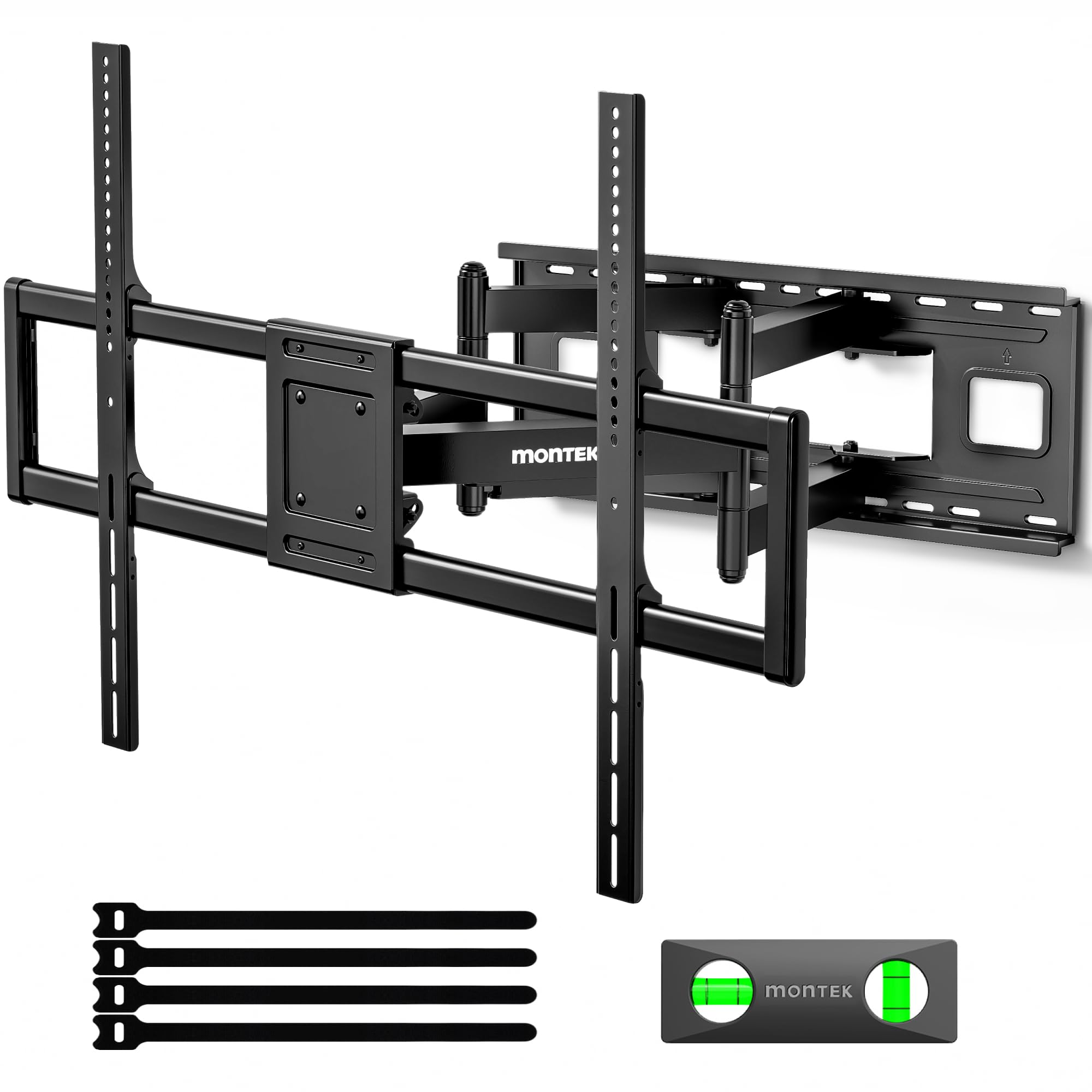
A 4.8-star tank that secures up to 265 lbs of TV with a tool-free tilt and snap-on installation.
If you have a 100-inch screen, this bracket holds it tight. The monTEK supports 265 lbs and has passed 4x load-bearing tests.. Its reinforced dual-arm structure keeps a 100-inch TV stable even when fully extended, eliminating the sagging and shaking that plagues weaker mounts. When fully retracted, the TV sits just 2.95 inches from the wall for a sleek look.
The setup is the smoothest among the XXL options. It arrives preassembled, which saves hours of wrestling with loose parts. A quick lock and release feature lets you snap the TV on or off in seconds for upgrades or maintenance. It extends 27.7″, swivels ±60°, and features a +5°/-15° tool-free tilt that adjusts without knobs or tools. The VESA range covers 200×200 to 900x600mm, so your pattern is included.
Buyers with 85 and 98-inch TVs describe it as sturdy with smooth motion and no wobble. Sturdiness is the most-praised aspect, with 80 owners calling it out. It fits wood studs at 12″, 16″, 18″, or 24″ spacing, plus concrete or brick. Two people are required given the 34.6-pound weight of the mount itself. Some note the VESA pattern markings could be clearer and M6 bolts may need a separate purchase for certain TVs.
The sturdiest of the big two: Owners with 98-inch TVs report no sagging even with the arm fully extended.
Plan for it: At 34.6 pounds this is a two-person install, and you may need your own M6 bolts depending on TV model.
9. Samsung Full Motion Slim Mount WMN-B05FB

A 4.4-star Samsung bracket that hugs the wall for a flush, gallery-style TV look in living rooms.
This is the mount for buyers who care as much about how the TV looks off as how it looks on. The Full Motion Slim design minimizes the TV-to-wall gap so the screen sits almost flush, and reviewers point out constant compliments on the clean result. It fits Samsung TVs from 42 to 65 inches and supports VESA patterns from 200×200 to 300x200mm.
The compatibility list is long and specific, covering 2021 through 2024 Samsung QLED and Neo QLED models. Owners successfully hung 85 and even 98-inch Samsung screens on it, noting it holds them firmly against the wall when their old pull-out swivel let the top sag. It adjusts left and right, tilts forward, and swivels to bring the screen closer to the viewing position.
The catch is compatibility. Shoppers say some 85-inch Samsung models simply do not fit, so check your exact model number against the list before buying. The tilt adjustment and fit get mixed feedback — some say it tilts easily while others find the range limited. Installation demands time and attention to detail, but owners agree the flush result is worth the effort.
Flush look wins: The slim profile gets constant compliments and keeps the TV solidly against the wall.
Check first: This is designed for specific Samsung models — verify your TV is on the compatibility list to avoid a poor fit.
Understanding the Specs
VESA Pattern and Screen Size
The VESA pattern is the distance between the four mounting holes on the back of your TV, measured in millimeters. A 200×200 VESA pattern means the holes are 200mm apart both horizontally and vertically. Always measure your TV’s holes and match them to the mount’s supported range, which is why mounts list patterns like 200×200 or 400×400.
Screen size alone does not tell you the VESA pattern. Two 55-inch TVs from different brands can have completely different hole spacing. The mount’s minimum and maximum supported screen size is a guideline, but the VESA pattern and weight are the real compatibility checks.
Weight Capacity and Tilt Range
The weight capacity is the maximum TV weight the mount can safely hold, and it is the most critical number to verify. Compare your TV’s actual weight against the mount’s rating, leaving some margin. Heavier TVs need mounts with higher ratings because the articulating arm bears the full load when extended away from the wall.
Tilt range is measured in degrees and controls how much the screen angles up or down to reduce glare. A tilt of +5°/-10° means the screen tips up 5 degrees and down 10 degrees. Tool-free tilt lets you adjust by hand, while tool-required tilt needs an Allen wrench or screwdriver for each change.
FAQ
Will a 200×200 VESA mount fit my TV?
What is the difference between a fixed and full motion TV mount?
Can I mount my TV on drywall without a stud?
How do I know if my TV is too heavy for a mount?
What does tilt angle do for my viewing experience?
Is a 200×200 VESA mount compatible with a 400×400 TV?
Why do some mounts need two people to install?
How far from the wall will my TV sit with a full motion mount?
What screws do I need to attach my TV to the mount?
Final Thoughts: The Verdict
For most buyers, the best 200×200 vesa wall mount overall is the Mounting Dream MD2465 — rated 4.8 stars by tens of thousands of owners — because it gives you smooth full motion and sturdy steel for TVs up to 42 inches at a price that undercuts premium rivals. If your TV is 55 to 65 inches, choose the Perlegear PGMF3 instead, which holds up to 82 lb and lets you tilt without tools. And if you want a flush, gallery-style look on a compatible Samsung TV, the Samsung WMN-B05FB is the one to pick, even though it costs more.
How We Picked
We do not accept paid placement. Every pick is matched to a real buyer and a real use-case; we do not hands-on test units.
Sources & Methodology
Specifications: manufacturer listings and product documentation. Review insights: verified customer reviews, as of September 2026. Pricing: not shown on this page (it changes often); check the current price via the retailer link.
As an Amazon Associate, KitchPrep earns from qualifying purchases. This does not affect which products we feature.
Related Guides
