
Specs are compiled from manufacturer listings and verified buyer reviews and can change over time — please confirm the key details on the product page before buying.
Stop paying for ink cartridges that dry out and wrestling with labels that stick to your fingers instead of your packages. The right label machine prints crisp, scannable labels fast, and some models even feed you the next sticker automatically. This guide covers two types: thermal printers that create labels on demand, and automatic dispensers that peel pre-printed rolls for you.
I’m Mohammad Maruf — the founder and writer behind KitchPrep. This guide is built by comparing the manufacturers’ published specifications and the patterns across verified customer reviews, so you get each pick’s real strengths and trade-offs instead of marketing spin.
Thermal printing needs no ink, but the two automation styles serve very different jobs. Here is how to pick the right auto label machine for your shipping volume, label sizes, and workspace before you spend.
Our Picks at a Glance

How To Choose The Best Auto Label Machine
Before you compare speeds and resolutions, decide which half of this category you actually need. An auto label machine is either a printer — which creates a fresh label from data on your computer or phone — or a dispenser — which takes a pre-printed roll and peels each sticker off its backing so you can grab it in one motion. Mixing the two up is the most common mistake first-time buyers make.
Printer or dispenser: match the machine to the task
If your labels change constantly — shipping addresses, barcodes, QR codes — you need a thermal printer that draws each one fresh. This saves you from pre-printed stock that goes obsolete. If you print thousands of identical stickers at a label shop and apply them by hand, an automatic dispenser that strips the backing and feeds the next label saves your fingers and your time. Some dispensers and printers also count labels for you, which matters for inventory and reorder tracking.
Check label width and roll fit before anything else
Every machine accepts a specific label width range, and dispensers add two more constraints: the inner core of your roll and the maximum outer diameter. A 4×6 shipping label printer must accept at least 4.1 inches of width; a portable maker for jars or vials only needs to handle narrow tape. Dispensers also state a core diameter range — commonly 1 to 3 inches — so measure your rolls before buying or you will be stuck hand-peeling anyway.
Speed and resolution set your ceiling
Print speed is measured in millimeters per second (mm/s) or pages per minute, and it directly sets how long you wait during a batch. A fast printer keeps your line moving, so high-volume shippers should prioritize speed first. Resolution is measured in DPI (dots per inch) and controls whether small text and barcodes stay sharp enough for scanners. A 203 DPI head is standard for shipping labels; a 300 DPI head is worth it when you print tiny fonts, QR codes, or transfer labels that must stay legible for years.
Quick Comparison
| Model | Best For | Print Speed | Resolution | Label Width | Amazon |
|---|---|---|---|---|---|
| Rollo USB 4×6★ Best Overall | High-volume shipping | 150 mm/s | 203 DPI | 1.57″ – 4.1″ | Amazon |
| SVANTTO ST425Best Value | Bluetooth shipping from phone | 180 mm/s | 203 DPI | 1.5″ – 4.2″ | Amazon |
| NIIMBOT M2Most Versatile | Durable transfer labels | 40 ppm | 300 DPI | 20 – 50 mm | Amazon |
| DYMO 550 Turbo | DYMO-brand label fans | 3 ppm | — | — | Amazon |
| Frifreego AL-1150D | Budget label peeling | 1 – 8 m/min | — | 0.16″ – 5.5″ | Amazon |
| CGOLDENWALL 1150D | Factory label stripping | Up to 8 m/min | — | 0.16″ – 5.5″ | Amazon |
| Dymo LabelWriter 550 | EU plug address labels | 65 ppm | — | — | Amazon |
| U.S. Solid Dispenser | Heavy-duty industrial peeling | 3 – 10 m/min | — | 0.24″ – 5.51″ | Amazon |
| McAuley Oil Sticker Printer | Auto shop oil change reminders | — | — | — | Amazon |
In‑Depth Reviews
1. Rollo USB Shipping Label Printer
Our pick — over 4.5★ from 16,000+ verified ratings; the strongest balance of quality and price.
The shipping-room workhorse that prints a 4×6 label every second without a single ink cartridge.
This Rollo runs on direct thermal technology, which means the heat from the 203 DPI print head darkens the label itself — no ink, no toner, no ribbon to replace. At 150mm/s, you get one 4×6 label per second, and it churns out up to 250 pages per minute when you are batch-printing. Setup takes under 30 minutes, and buyers report first-pass scans on every barcode and text print.
The big win for sellers is compatibility: it works with Fedex, UPS, USPS, ShipStation, ShippingEasy, Shippo, and marketplaces like Amazon, Shopify, Etsy, and eBay. It also doubles as a custom label maker for widths from 1.57″ to 4.1″, so you can print barcodes, product labels, thank-you stickers, and QR codes from the companion app. Support gets genuine love here — when a Dymo-label failure frustrated one buyer, Rollo’s team diagnosed it over the phone within minutes and sent free replacement labels.
At 250 ppm, it prints 67% more pages per minute than the SVANTTO’s 150 ppm, a real edge for high-volume shippers. Owners mention jam-free operation through thousands of FBA and shipping labels over months of use. The only honest caveat is that very small fonts can show minor pixelation at 203 DPI, and an occasional unit needs a quick label-realignment reset — hold the red button 5 to 7 seconds while it is on.
Why sellers stay loyal
- No ink or toner — direct thermal printing keeps consumable costs at zero
- Plug-and-play USB setup with Windows and Mac support
- Compatible with all major shipping platforms and marketplaces
The small trade-offs
- Small fonts can show minor pixelation at 203 DPI
- Rare units need a label-realignment reset with the red button
Reach for this if: you ship enough daily orders that ink costs and jams are eating your margins.
Look elsewhere if: you mainly print tiny, intricate labels where 300 DPI sharpness matters more than raw speed.
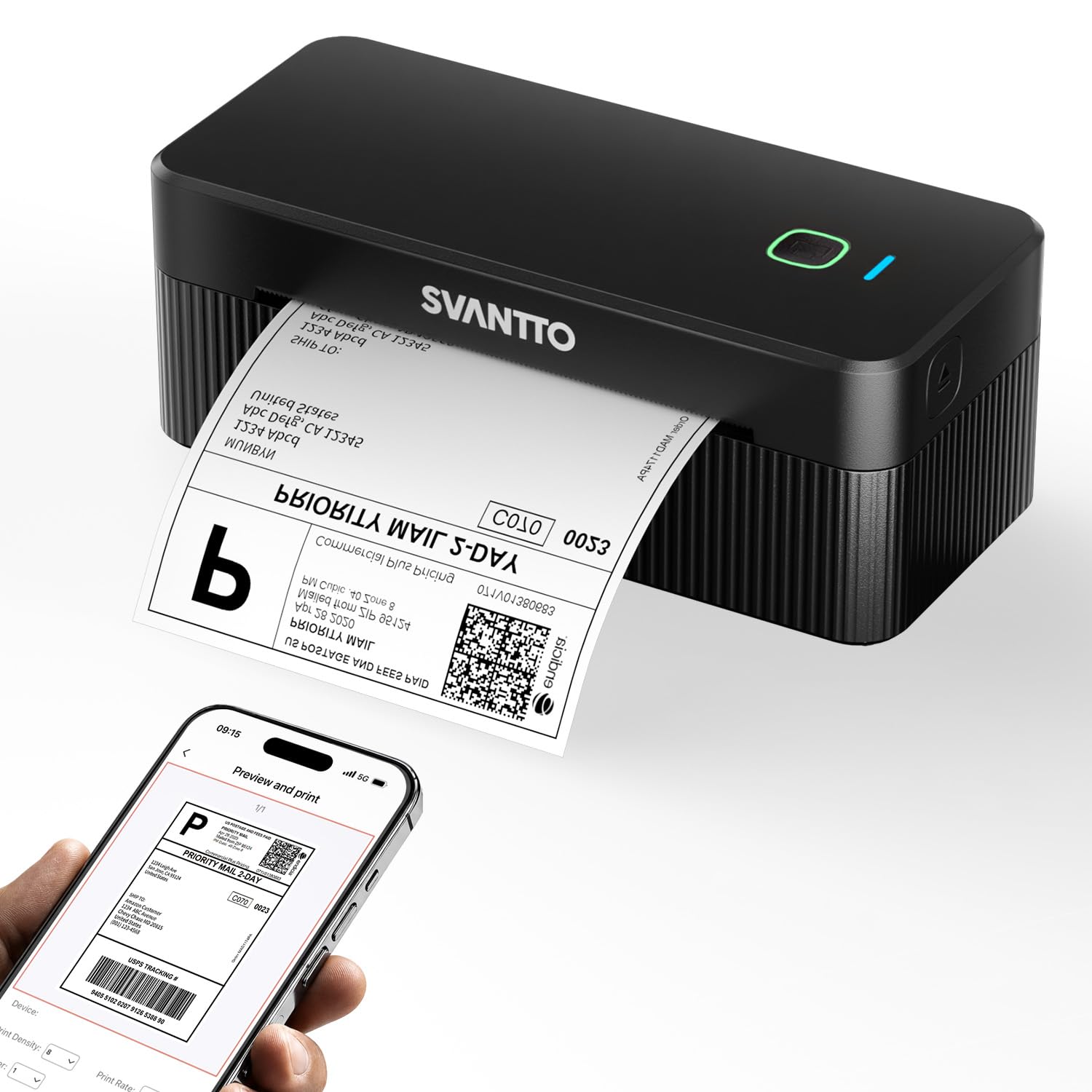
2. SVANTTO Thermal Label Printer ST425
The budget-friendly shipper that pairs to your phone in three seconds and still outruns the Rollo.
Skip the USB cable entirely with this SVANTTO. It connects over Bluetooth 4.0, so you can print straight from an iPhone, Android, Mac, or Windows PC — customers note the phone pairing is genuinely convenient for quick jobs. It hits up to 180mm/s, which prints a 4×6 label in under 2 seconds and makes it 20% quicker than the Rollo above (180 vs 150 mm/s). The 203 DPI head delivers sharp, first-pass-scannable barcodes and addresses.
The money-saver here is label freedom. It accepts any label from 1.5″ to 4.2″ wide — including fanfold, roll, and black-mark labels — and works with cheap third-party thermal paper, so you are not locked into expensive proprietary rolls. Auto-label detection and a precision paper path prevent jams, while the printhead is rated for 50km of printing. It integrates from the start with eBay, Etsy, Shopify, USPS, and FedEx.
One catch: with a 150 pages-per-minute rating it trails the Rollo’s 250 ppm for massive daily batches, and one less tech-savvy household found setup beyond them and returned it. Buyers call it compact, lightweight, and ideal for regular shippers who want clean UPS barcodes without the ink and tape routine.
Smart money move: you get near-flag-ship speed, phone printing, and third-party label freedom at a budget-tier price — the best cost-to-capability balance in this list.
Who it suits: Etsy sellers and home-office shippers processing dozens of orders daily, not warehouses running thousands.
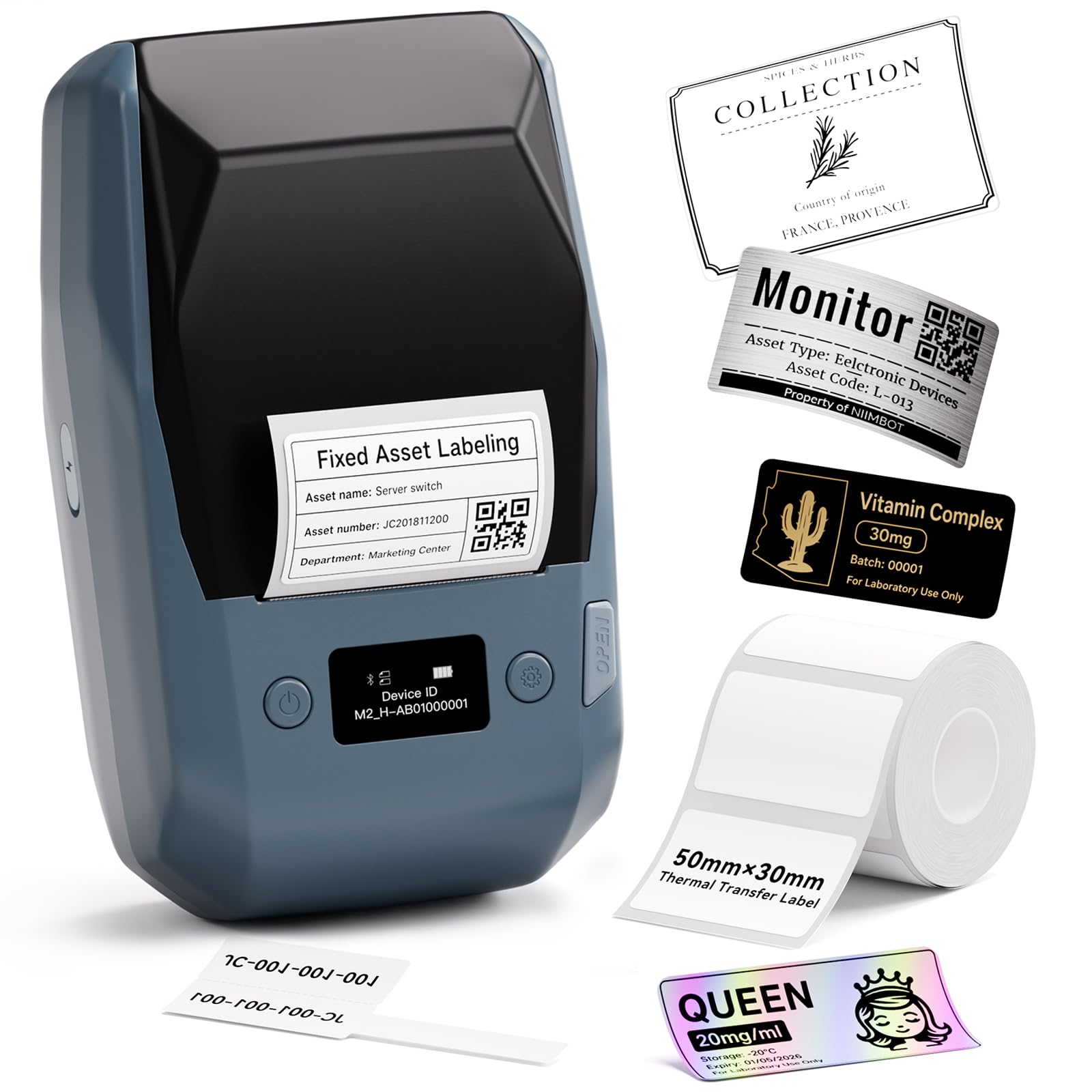
3. NIIMBOT M2 Label Maker
The crisp 300 DPI maker whose labels survive water, oil, and scratches that ruin ordinary thermal prints.
Your labels will face harsher conditions than a shipping box ever does. This NIIMBOT uses thermal transfer technology at 300 DPI — that is 48% more resolution than the Rollo’s 203 DPI head — so tiny text and QR codes print sharply on 3ml vials and small containers. The real advantage is durability: transfer labels are waterproof, oil-proof, alcohol-proof, wear-resistant, and scratch-resistant, and they withstand high and low temperatures. Owners put them on room spray bottles and plastic, glass, and cardboard, and the prints stay professional-looking where direct thermal labels would fade.
It connects over Bluetooth to the NIIMBOT app, supports 10 phones at once (3 iOS and 7 Android), and also links to a computer by USB cable for deeper editing. The app holds multi-industry templates for text, icons, tables, logos, barcodes, QR codes, and images, plus batch printing. A single ribbon prints 3 rolls of label paper, and the print width runs 20 to 50mm.
Two honest notes: it is designed only for M2-series thermal transfer labels — standard thermal rolls for other NIIMBOT models will not print correctly — and there is a minor learning curve in the app. Owners say the labels stick well and look professional, with white and gold ink options that stand out on clear labels.
Built for tough conditions
- 300 DPI prints stay sharp for small text and QR codes
- Waterproof, oil-proof, scratch-resistant labels last far longer
- Bluetooth app supports 10 phones for shared use
Compatibility limits
- Only works with M2-series transfer labels, not standard thermal rolls
- App has a minor learning curve at first
Grab it when: your labels face moisture, chemicals, or sunlight — essential-oil bottles, lab vials, refrigerated food.
skip it if: you need 4×6 shipping labels, since the 50mm print width tops out well short of that.
4. DYMO LabelWriter 550 Turbo

The direct-thermal office staple that auto-detects label size and prints through USB or your office network.
Stop adjusting settings every time you swap label stock. This DYMO prints without ink or toner and delivers professional-quality labels for shipping, file folders, name badges, and barcodes — a genuine all-rounder for office tasks. Its automatic label recognition instantly reads the label size, type, and how many remain, which removes manual settings and cuts down on printing errors. With both USB and LAN network connectivity, it fits into a shared office where several people need access.
Where it gets complicated is label compatibility. The 550 Turbo checks a chip in the roll and refuses third-party labels outright — buyers tested this and confirmed generic rolls hit a hard stop, which makes running costs higher if you are used to cheap paper. On reliability, the feedback is genuinely split: some offices have run these for years without trouble, while other units throw false “no labels” errors and have stopped working within a matter of weeks or around the 15-month mark.
Its 3 pages-per-minute rating is far below the Rollo’s 250 ppm, so this is not a high-volume shipping machine. Think of it as a tidy desktop labeler for an office that standardizes on DYMO-brand rolls and values the automatic recognition. Owners replacing an older 450 series found the upgrade worthwhile, but the lock-in is the deciding factor.
The verdict: a clean, capable office labeler — provided you accept DYMO-brand labels as a permanent cost.
Who it is not for: sellers who want the freedom to buy cheap third-party thermal rolls.
5. Automatic Label Dispenser AL-1150D

The electric label stripper that auto-counts up to 999,999 and only needs a plug to start peeling.
Stop peeling stickers one by one. This Frifreego dispenser handles labels from 0.12″ to 5.9″ long and 0.16″ to 5.5″ wide, making it a flexible peeler for trademark labels, chrome paper, self-adhesive, barcodes, and colorful stickers. A photo cell sensor detects when you remove the first label, then automatically advances the second one, and a built-in counter tracks quantities from 0 to 999,999. Speed runs 1 to 8 m/min with a separate length control knob.
Once set up, it cuts peeling time by roughly 40%, though initial setup may require minor DIY tweaks. Several buyers needed small DIY tweaks, like aligning the takeup spindle half an inch from the housing, adding a folded paper spacer under the plastic panel, or putting foam on a thin metal edge to stop the paper backing from tearing. The photo-eye itself earns praise for reliability, though one user found the machine top-heavy with large rolls and tilted the rear up an inch.
The recurring durability note is the catch: one owner running it 6 to 8 hours daily reported electronics failing after 3 to 4 months with no parts or warranty path. It does not handle transparent labels, and the structure earns “cheaply made” criticism in places. For light-to-moderate use it is a genuine time-saver at a budget price.
Best fit: small operations peeling modest daily volumes who do not mind a few minutes of initial tweaking.
Think twice if: you run a full production shift — this is built for lighter duty, not 8-hour days.
6. CGOLDENWALL Automatic Label Dispenser
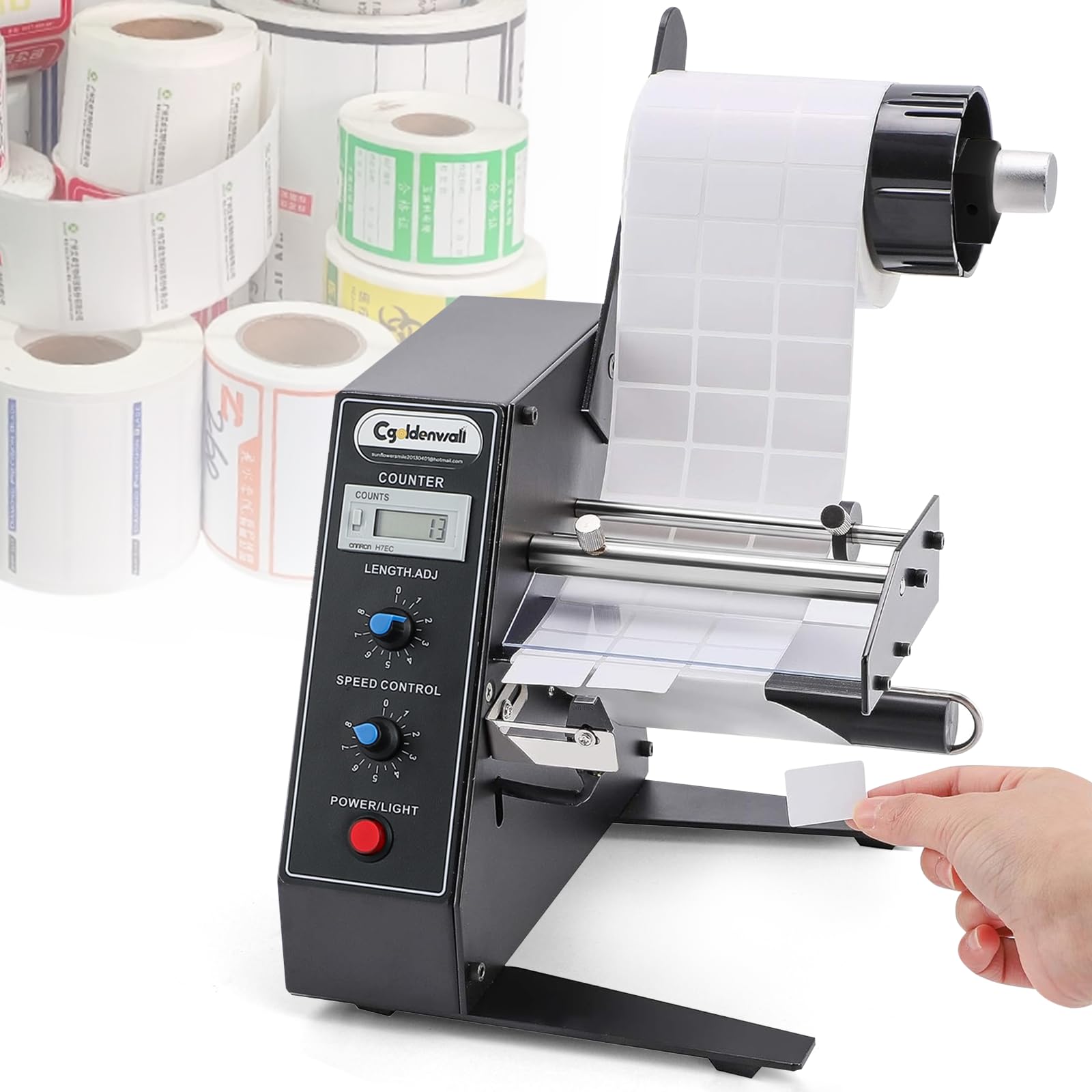
The steel-built stripper with a six-digit counter that keeps three-label packaging lines moving at speed.
Your packaging team can stop fumbling with backing paper. This CGOLDENWALL is built for factory and logistics work, with heavy-duty steel construction that makes it solid and stable on a line. The intelligent photosensor detects when you remove a label and automatically advances the next one, while rollers rewind the liner scrap so everything stays neat. Speed adjusts up to 8 m/min, and an accurate 6-digit LED counter tracks quantities from 0 to 999,999 with re-counting at the push of a button.
It accepts label lengths of 0.12″ to 5.9″ and widths of 0.16″ to 5.5″, with a core diameter of 1 to 3 inches and a max roll diameter of 9.84″. It handles single or multiple rows of labels — self-adhesive, barcode, anti-counterfeit, laser, and package labels — in round, square, or irregular shapes, though not transparent or perforated styles. Fan-fold labels without perforation lines can run without the loading roll.
Packaging teams applying three labels per package call these dispensers essential for hitting maximum productivity. The weak point is a flimsy plastic U-shaped buckle that broke on first attachment for one buyer, and the occasional unit arrives with a sensor fault or counter that will not reset. Steel body and one-hand pickup make it a dependable mid-range choice for shared workspaces.
What wins people over: the sturdy steel build and dependable photo-eye that make multi-label packaging lines far faster.
Fair warning: the plastic buckle needs gentle handling, and quality control slips on rare units.
7. Dymo LabelWriter 550 Direct Thermal Printer

The compact Dymo replacement that auto-recognizes labels and needs no ink, toner, or smudge guard.
Your old Dymo from 20 years ago finally gave up? This LabelWriter 550 uses direct thermal printing, so there is no ink or toner to buy and prints come out smudge-free right away. Automatic label recognition detects the label size and type for smooth printing without manual adjustments — owners upgrading from an unsupported 20-year-old 400 series called it a nearly perfect, efficient replacement. It also tracks how many labels remain in the roll, and the free companion software is genuinely easy to work with.
Buyers are clear that the free software is a big reason cheaper alternatives failed for them — no hidden fees, and labels load easily. The trade-off is the same proprietary lock-in as the 550 Turbo: this unit only works with Dymo-brand labels, and owners were disappointed it cannot print shipping labels. It comes with an EU plug, which matters if you are outside North American outlets. The setup is quick and it works exactly as expected for address and barcode label jobs.
Support for non-Windows systems is a real gap — there are no official Linux PPD drivers, so Linux users have to hunt for third-party options. For straightforward Windows or Mac address and file-folder labeling on Dymo rolls, this is a tidy, dependable pick at 65 pages per minute.
Where it shines: fuss-free address and barcode printing on Dymo-brand rolls with genuinely free, easy software.
Where it falls short: no official Linux drivers and no third-party label support.
8. U.S. Solid Automatic Label Dispenser

The aluminum-alloy dispenser with a memory counter that peels labels up to 394 inches per minute.
Your high-volume line needs a machine that will not rattle apart. This U.S. Solid unit is built differently from the budget dispensers: the hanger shaft and rewinder shaft are aluminum alloy rather than plastic, and the side and bottom plates are an integrated metal design that resists deformation. Dispensing speed adjusts steplessly up to 394 inches per minute — far faster than the 8 m/min ceiling on the CGOLDENWALL above. The LCD counter tracks up to 999,999 labels and retains its count when unplugged.
It accepts label lengths of 0.16″ to 7.87″ and widths of 0.24″ to 5.51″, with an inner diameter of 1 to 3 inches and a max roll outer diameter of 9.8 inches. The photosensor slides left and right so you can choose your peeling direction, and it handles single-row, multi-row, and small labels across self-adhesive, barcode, security, packaging, and anti-counterfeit styles. Without a label sensed, it stops automatically, and a stall-protection function monitors the motor.
Shops with mailers say it works well and delivers good value, and the metal construction earns praise for sturdiness. The honest notes: it looks dated — one owner compared it to a 1985 Radio Shack relic — and the sensor eye does not always fire, which means occasional manual help. A motor failure after about three months of daily use shows up in the review history, so this is best treated as a solid workhorse rather than a lifetime investment.
Built for heavy shifts
- Aluminum alloy shafts and integrated metal plates resist wear
- Stepless speed control up to 394 inches per minute
- LCD counter with memory keeps your tally after unplugging
Reality checks
- Sensor eye does not always fire reliably
- Dated appearance and occasional motor failures after months of use
Choose it for: industrial peeling at higher speeds where the aluminum build outlasts plastic rivals.
Pass it by if: you need flawless sensor reliability every single cycle or a modern-looking unit.
9. McAuley Labels Oil Change Sticker Printer
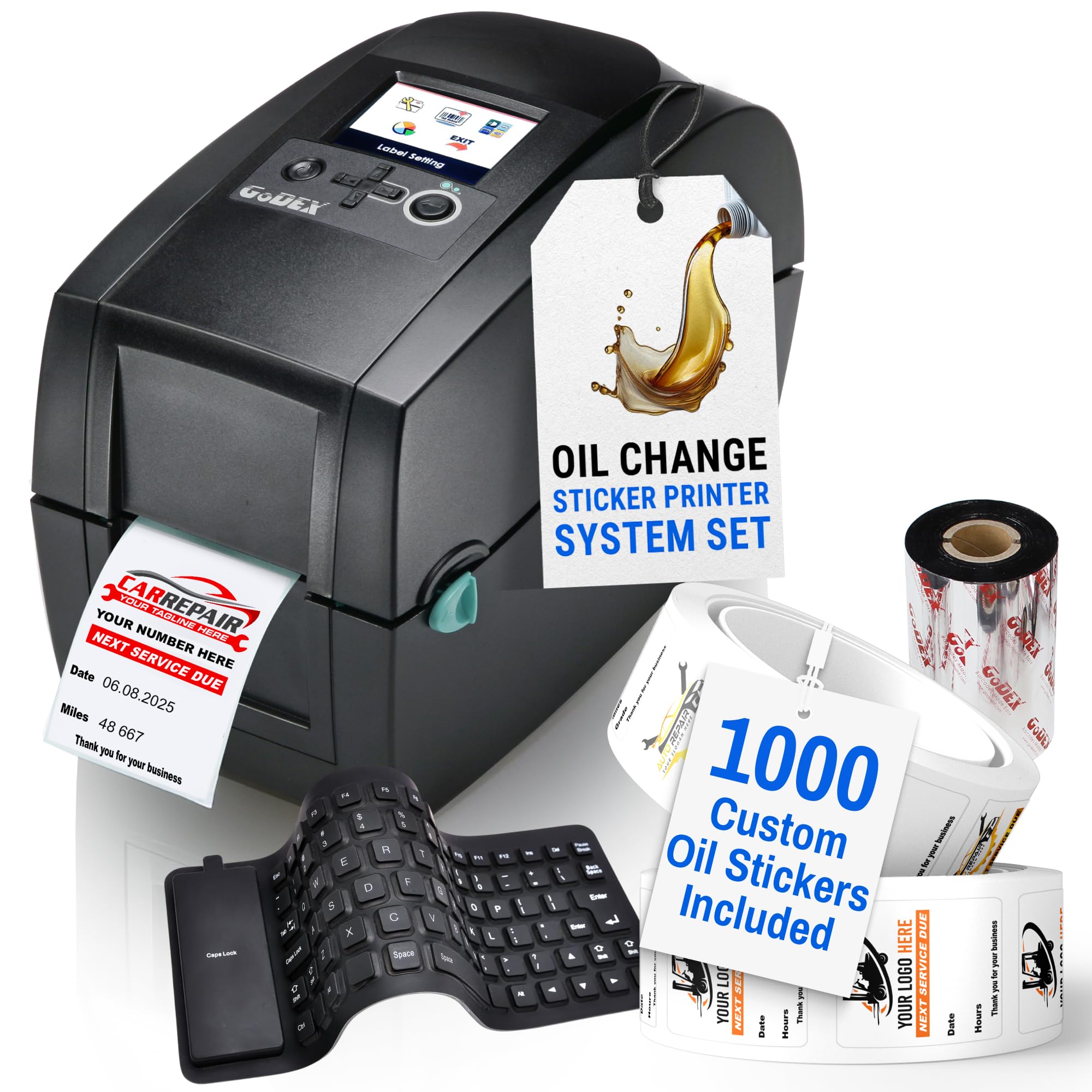
The computer-free shop printer that auto-calculates the next oil change date and mileage as you type.
Your service writers can stop doing mental math at the counter. This McAuley package is a complete oil-change station in one box: the label printer, 1,000 custom labels, ribbon ink, and a flexible waterproof USB keyboard. It is built to run without a computer — a color LED screen shows you everything, and the small footprint takes up minimal room in a service bay. The defining feature for a shop is the automatic calculation function, which works out the next due date and mileage from the vehicle’s current numbers so your records stay current without manual math.
The printer arrives pre-programmed for rapid setup, and the support story is the strongest thread in the reviews — from pre-shipment setup guidance to phone walkthroughs that resolved software issues on the spot. Owners running auto repair businesses and county fleet shops called the custom labels professional-looking, with color logos that come out sharp, and the ink is fade-resistant, smear-resistant, and scratch-resistant so reminders hold up on a windshield all year.
Buyers noted the labels stick well, leave no residue on removal, and the system auto-adds 5,000 miles and the right number of months ahead. Setup questions get answered fast, with support reps praised by name for their responsiveness. This is a specialized investment for service departments that want reminder stickers done right without tying up a computer.
The standout: automatic date-and-mileage math plus a color logo print that makes your shop look sharp.
Who it serves: auto repair shops and fleet operations, not general-purpose label users.
Understanding the Specs
Print speed, demystified
Speed is measured two ways: millimeters per second (mm/s) for label printers, or meters per minute (m/min) for dispensers that peel rolls. A printer rated at 150mm/s roughly means one 4×6 shipping label per second, while a dispenser at 8 m/min advances backing strip quickly enough to keep a hand-applier busy. If you batch hundreds of labels daily, speed directly sets how long you stand at the machine.
DPI — why resolution matters
DPI stands for dots per inch and controls how fine the print head’s marks are. A 203 DPI head is the standard for 4×6 shipping labels — barcodes and addresses scan cleanly. A 300 DPI head packs about 48% more detail, which matters when you print small fonts, QR codes, or labels that must stay readable for years. Thermal transfer at 300 DPI also survives moisture and chemicals that fade direct thermal prints.
Thermal vs thermal transfer
Direct thermal darkens the label itself with heat — no ink, ever, but the print can fade with heat or sun over time. Thermal transfer presses ink from a ribbon onto the label, which adds a consumable but produces prints that are waterproof, oil-proof, and scratch-resistant. Choose direct thermal for shipping labels you scan once; choose transfer for long-term storage or harsh conditions.
Label width, core, and roll limits
A printer’s width range tells you the widest label it accepts — 4.1″ to 4.2″ covers standard 4×6 shipping labels. Dispensers add two more numbers: the roll’s inner core diameter and maximum outer diameter. If your roll’s core is outside the stated range, the machine cannot hold it, so measure your labels and rolls before buying anything.
FAQ
What is the difference between an auto label printer and an automatic label dispenser?
Do thermal label printers need ink or toner?
Will a 4×6 shipping label printer work with third-party labels?
What label width do I need for shipping?
Why can 300 DPI printers cost more than 203 DPI ones?
Can I print labels from my phone without a computer?
How do automatic label dispensers count labels?
What label sizes can an automatic dispenser handle?
Can an auto label machine print transparent labels?
Are thermal transfer labels really more durable than direct thermal?
Final Thoughts: The Verdict
For most sellers, the auto label machine winner is the Rollo USB because it pairs zero ink costs with the broadest shipping-platform compatibility and proven long-term reliability. If you want phone printing and third-party label freedom at a lower entry cost, grab the SVANTTO, which prints 20% faster than the Rollo. And for hands that peel identical stickers all day, the CGOLDENWALL dispenser is the steel-built pick that turns a tedious job into a one-hand rhythm.
How We Picked
We do not accept paid placement. Every pick is matched to a real buyer and a real use-case; we do not hands-on test units.
Sources & Methodology
Specifications: manufacturer listings and product documentation. Review insights: verified customer reviews, as of September 2026. Pricing: not shown on this page (it changes often); check the current price via the retailer link.
As an Amazon Associate, KitchPrep earns from qualifying purchases. This does not affect which products we feature.
Related Guides
