
Specs are compiled from manufacturer listings and verified buyer reviews and can change over time — please confirm the key details on the product page before buying.
When you start automating your home, you face a maze of hubs, bridges, apps, and protocols that all claim to “connect everything.” The right system must work with your existing devices, respond instantly, and keep running during internet outages. We rank the systems that deliver on convenience, reliability, and daily usefulness.
I’m Mohammad Maruf — the founder and writer behind KitchPrep. This guide is built by comparing the manufacturers’ published specifications and the patterns across verified customer reviews, so you get each pick’s real strengths and trade-offs instead of marketing spin.
From lighting-first kits to multi-protocol powerhouses, here is the practical breakdown of the best home automation system for your needs and budget.
Our Picks at a Glance

How To Choose The Best Home Automation System
Your entire smart home experience hinges on one box. The hub is the brain that translates commands from your phone and voice assistant into actions for your lights, locks, and sensors. Match the hub’s protocols, processing style, and app to your devices and your comfort with tinkering.
Protocol Support Is Everything
Think of protocols as the languages your devices speak. Zigbee and Z-Wave are the two most common mesh standards for sensors and switches, while Matter is the newer universal language designed to let everything talk together. A hub that supports more protocols — and specifically the ones your devices use — will connect to more of your stuff without needing extra bridges or dongles.
Local Processing vs. Cloud Dependency
Some hubs run automations entirely on the device inside your home, which means instant response and continued operation even if your internet goes down. Others rely on remote servers for at least some functions, which can introduce lag and a single point of failure. If speed and privacy matter to you, lean toward a hub that processes locally.
The App and Setup Reality
A confusing app makes a powerful hub a hassle; a simple one with great software is a pleasure. Before you commit, think about whether you prefer a polished consumer app with step-by-step wizards, or a tinkerer’s platform with endless customization. Your comfort with configuration determines whether you’ll be frustrated or satisfied.
Quick Comparison
| Model | Best For | Protocols | Processing | Key Feature | Amazon |
|---|---|---|---|---|---|
| Lutron Caseta Deluxe Starter Kit★ Best Overall | Rock-solid lighting | Lutron Clear Connect | Hub (no Wi-Fi needed) | 10-year Pico remote battery | Amazon |
| Alarm System for Home SecurityFamily Security Pick | DIY family security | 2.4GHz Wi-Fi & 2G/4G | Cloud | Factory pre-paired sensors | Amazon |
| Aeotec Smart Home Hub2SmartThings Upgrade | SmartThings users | Matter, Zigbee | Local automations | Wi-Fi or Ethernet setup | Amazon |
| AC Infinity Controller AI+ | Grow tent climate | Wi-Fi | Local programs | Dual-zone VPD monitoring | Amazon |
| Philips Hue Bridge Pro | Large lighting setups | Zigbee, Matter | Local | 1.7 GHz quad-core CPU | Amazon |
| Aqara Smart Hub M3 | Aqara ecosystems | Zigbee, Thread, Matter | Local (Edge) | 360° IR blaster | Amazon |
| Go Smart Bridge | Motorized blinds | Wi-Fi | Cloud | 150ft controller range | Amazon |
| Hubitat Elevation C-8 Pro | Privacy-focused tinkerers | Matter, Z-Wave, Zigbee, BLE | Fully local | Text-to-automation AI | Amazon |
| Home Assistant Green | Beginners to HA | USB expandable | Local | 32GB storage, 4GB RAM | Amazon |
| Ring Alarm 14-Piece Kit | Whole-home security | Wi-Fi, Cellular backup | Cloud with local backup | 24/7 Professional Monitoring | Amazon |
| Homey Pro | Max protocol coverage | Z-Wave, Zigbee, Wi-Fi, BLE, IR, Matter, Thread | Local-first | 50,000+ devices supported | Amazon |
In‑Depth Reviews
1. Lutron Caseta Deluxe Smart Dimmer Starter Kit
Our pick — over 4.5★ from 2,500+ verified ratings; the strongest balance of quality and price.
Lighting that works reliably even when your Wi-Fi drops.
For most homes, lighting is the gateway to automation, and this kit is the smoothest gateway you can buy. The included Smart Hub runs on Lutron’s own Clear Connect technology instead of your Wi-Fi, which means your lights respond to commands with instant, dependable speed rather than competing for bandwidth with your streaming and gaming. Buyers report flawless operation for years, with the system handling outdoor outlets 100 feet away without range issues.
Installation is genuinely beginner-friendly because it works without a neutral wire — a common obstacle that stops many other smart switches. You can install a dimmer and mount the included Pico remote anywhere in under 15 minutes, and the remote’s battery lasts a massive 10 years before you need to replace it. It handles both Single Pole and 3-Way circuits and connects with Alexa, Apple Home, Google Home, Ring, and more, making it among the most universally compatible lighting systems available.
The catch is modest: you’ll need dimmable LED bulbs to avoid flickering, and the Lutron app is required for initial setup. Owners note that the dimming range for some LEDs is more like off/75%/100% than a smooth glide to low light, so pairing it with quality bulbs matters. For a reliable, low-maintenance foundation, this is the crowd favorite with a 4.7-star rating across 2,500+ reviews.
Caseta dimmer ease
- Functionality is the top praise — over 230 owners call it out for working flawlessly.
- Reliability follows closely, with nearly 200 more noting rock-solid performance.
- Compatibility earns its keep, connecting smoothly with Alexa, Google, and HomeKit.
Hub required setup
- Value for money gets mixed feedback — it is a premium priced kit.
- Dimming performance varies depending on the LED bulbs you use.
- The Lutron app is mandatory for setup, which not everyone loves.
best for: If you want a lighting backbone that is reliable above all else and works with every major voice assistant, this is the one to build your smart home on.
think twice if: You’re chasing budget options or you only have non-dimmable bulbs — you’ll need to factor in replacements.
2. Alarm System for Home Security (24-Piece)
A wireless alarm with a big touchscreen that everyone in the family can use.
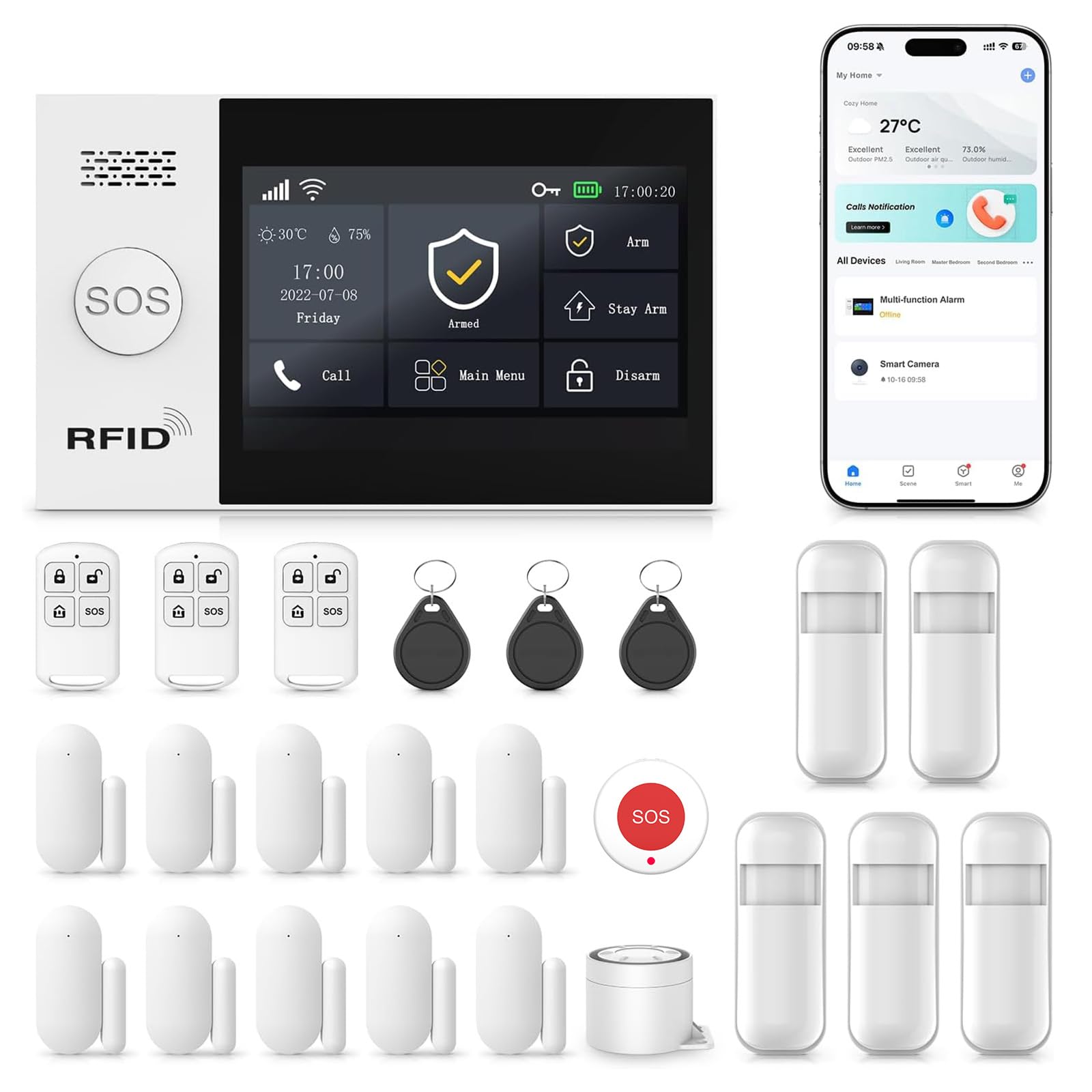
This 24-piece security kit is built around a 4.3″ color touchscreen that lets anyone arm or disarm with a simple tap. The multi-language menu makes it kid and senior friendly, so you don’t need a tech expert in the house to feel safe. It connects through both 2.4GHz Wi-Fi and 2G/4G cellular (though 5G isn’t supported), keeping alerts flowing even if your home network goes down.
The accessories come factory pre-paired, so setup is a three-step process: menu, parts, and the plus sign. Owners appreciate that it works on either cell plans or Wi-Fi right from the start, and the SOS button on the base station, remote, and keychain triggers the siren instantly — a feature that gives confidence for elderly parents or as a simple business alarm.
The honest caveat is setup, which splits buyers down the middle. Some call it easy and get it running in minutes, while others find the instructions unclear and struggle. There are also reports of the photo showing more sensors than arrive in the box, so check your contents against the manual early on. For a straightforward, no-subscription security layer with a friendly interface, this is a solid value.
reach for this if: You want a big-button, family-friendly security hub that sends app, SMS, or voice call alerts without any monthly fees.
look elsewhere if: You want a truly frictionless out-of-box setup — this one’s simplicity depends on your comfort reading instructions.
3. Aeotec Smart Home Hub2 – V4
A fast, modern hub that revitalizes the SmartThings ecosystem.
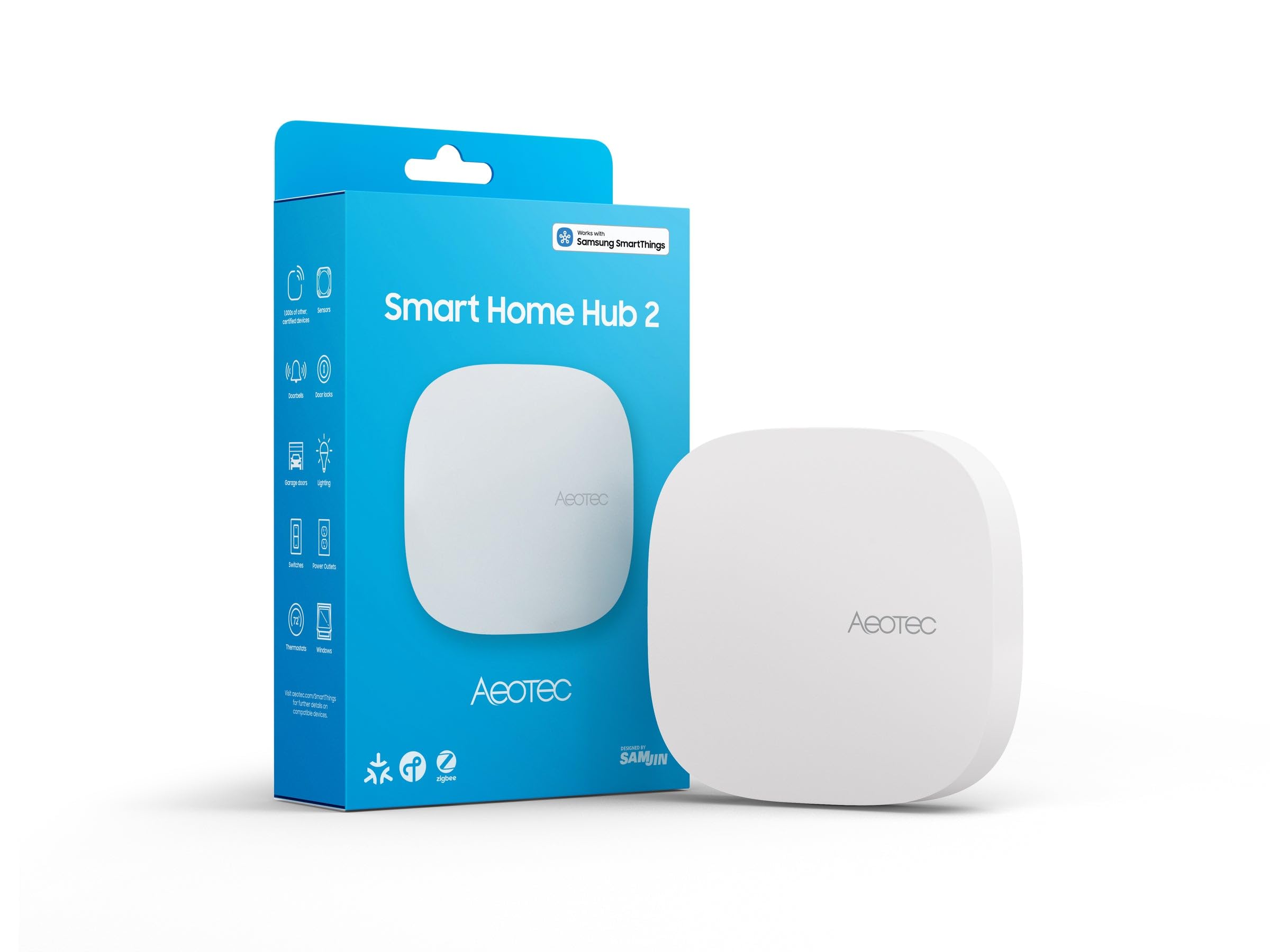
Powered by Samsung’s SmartThings platform, this hub connects and automates your home through the SmartThings app, giving you a unified system for lighting, voice control, energy, and climate. It supports both the newest Matter standard and Zigbee from the start, covering thousands of compatible devices. You can get it running in minutes using Wi-Fi or a wired Ethernet connection, and many local automations keep working even if your internet goes offline.
Owners upgrading from older SmartThings hubs notice a significant speed boost — it’s “much faster than the old hub” and has more memory to handle complex setups. The hub also solves device control issues that other voice assistants struggle with, like managing Matter-enabled blinds and curtains through Alexa after pairing. The user interface gets praise for being clean and the setup via the app is straightforward.
The one big thing to know: Z-Wave is not supported on this model. If you already own Z-Wave sensors or locks, this hub won’t talk to them. Connectivity and reliability also get mixed reviews; a few owners mention it occasionally drops off the network or struggles with very complex routines. It’s a great fit for a Zigbee-and-Matter home, but check your existing devices before you commit.
best for: SmartThings loyalists who want a faster, more capable hub and don’t mind losing Z-Wave support.
not for: Anyone with a drawer full of Z-Wave devices — you’d be leaving them unplugged and useless.
4. AC Infinity Controller AI+ Environment Controller

The controller that learns your grow space and adjusts equipment for you.
This is not a general-purpose home hub — it’s a specialized environment controller for grow tents and rooms, and it does that job exceptionally well. Using AI, it analyzes climate patterns, anticipates spikes, and programs your equipment to output the exact percentage needed to maintain an optimal environment. You can mix and match up to 32 devices from AC Infinity’s large platform of fans, grow lights, humidifiers, heaters, and A/Cs, plus outlet devices from other brands.
What owners rave about most is the functionality. The precision dual-zone temperature, humidity, and VPD monitoring — VPD being the vapor pressure deficit that tells you how well your plants are transpiring — gives you a clear picture of your grow at a glance. The big, clear screen shows temps and programs, and programs are stored locally so the system stays rock-solid even during internet outages. The phone app for remote access is a favorite feature.
The value proposition splits opinions. Some owners feel it should cost less given that the AI features require manual parameter setting to work optimally, and a few find the customizability limited. But even those who skip the AI mode find the two-unit setup works well and the app effectively consolidates all settings. If you’re serious about dialing in your grow environment, this is the most capable option here.
AI climate control
- Functionality leads the praise — 26 owners highlight how well it works.
- Local program storage keeps it reliable during power or internet outages.
- Remote phone access with real-time AI insights is a standout feature.
App dependency
- Value for money is mixed — several owners say the AI is too pricey for its performance.
- Customizability gets mixed reviews, with some wanting more programming options.
who it suits: Dedicated growers who want automated, data-driven control of temperature, humidity, and VPD without constant micromanaging.
who should skip: Casual growers with a single fan — the power and price are overkill for a simple setup.
5. Philips Hue Bridge Pro Smart Lighting Hub

For serious lighting setups, this is the speed upgrade that ends the lag.
If you’ve outgrown a basic Hue Bridge, the Pro is a massive step up in responsiveness. The Hue Chip Pro processes commands at 1.7 GHz with a quad-core Cortex-A35 CPU, so light switches respond on the first press, color shifts stay stable, and third-party apps run noticeably quicker. Owners who replaced three older Bridge 2 units with a single Pro — managing 140 lights — saw an immediate improvement in reliability across the board.
The headroom is the headline: it supports 150+ lights and 50+ accessories, with 4 GB of DDR4 SDRAM to store up to 500 personalized scenes and more automations. The migration process is smooth, with most owners transferring their settings in 10-20 minutes. The Hue MotionAware feature even lets you program lights to switch on when movement is detected using just three Hue devices, with no separate motion sensors required.
There are a couple of quirks to weigh. Some owners note it lacks “Pro” features they expected, like Power over Ethernet on the port or Wi-Fi 7 support, and the setup app remains a bit bloated. A few reported losing some scenes or having to re-add buttons during migration. For the price, it’s expensive — but for large Hue systems, the speed difference is exponentially better than the older model.
choose this for: A large, growing Hue lighting network where instant response and huge device capacity matter most.
skip it if: You have a modest lighting setup that the standard Bridge already handles without lag.
6. Aqara Smart Home Hub M3

A versatile hub that brings IR control and Matter bridging into one small box.
Aqara’s M3 is a multi-protocol hub that supports Aqara Zigbee and Thread devices while also integrating third-party devices into the Aqara Home app. The standout feature is the 360° IR blaster, which can learn commands from traditional remotes and control IR air conditioning units — even exposing one AC device to Matter as a thermostat when paired with an Aqara Temperature and Humidity Sensor. It supports up to 127 Aqara Zigbee devices and 127 Thread devices.
Owners find it reliable, with automations that rarely fail and a built-in speaker that adds audible alerts. Setup is generally smooth, and the compact size makes it easy to place. The M3 operates as an Edge Hub, prioritizing local control and automation, and it offers both dual-band Wi-Fi (2.4/5 GHz) with WPA3 security and a Power over Ethernet (PoE) port for maximum stability. You can even connect a power bank via USB-C for mini-UPS backup.
The main limitations are ecosystem-specific. It cannot adopt third-party Zigbee devices — only Aqara’s own — and the range extenders are pricey. The phone-only app has been described as chaotic and device-locked for dashboards. A few owners also note that admin features are limited, like not being able to remotely lock a door, only open up it. It’s a fantastic hub if you’re invested in Aqara gear, less so as a universal bridge.
the praise: Reliable automations and quick Siri responses make it a strong command center for an Aqara-heavy home.
the caution: Third-party Zigbee gear won’t join this network, and the app experience can frustrate.
7. Go Smart Bridge for Motorized Blinds
The dedicated hub that rescues motorized shades from clunky proprietary apps.
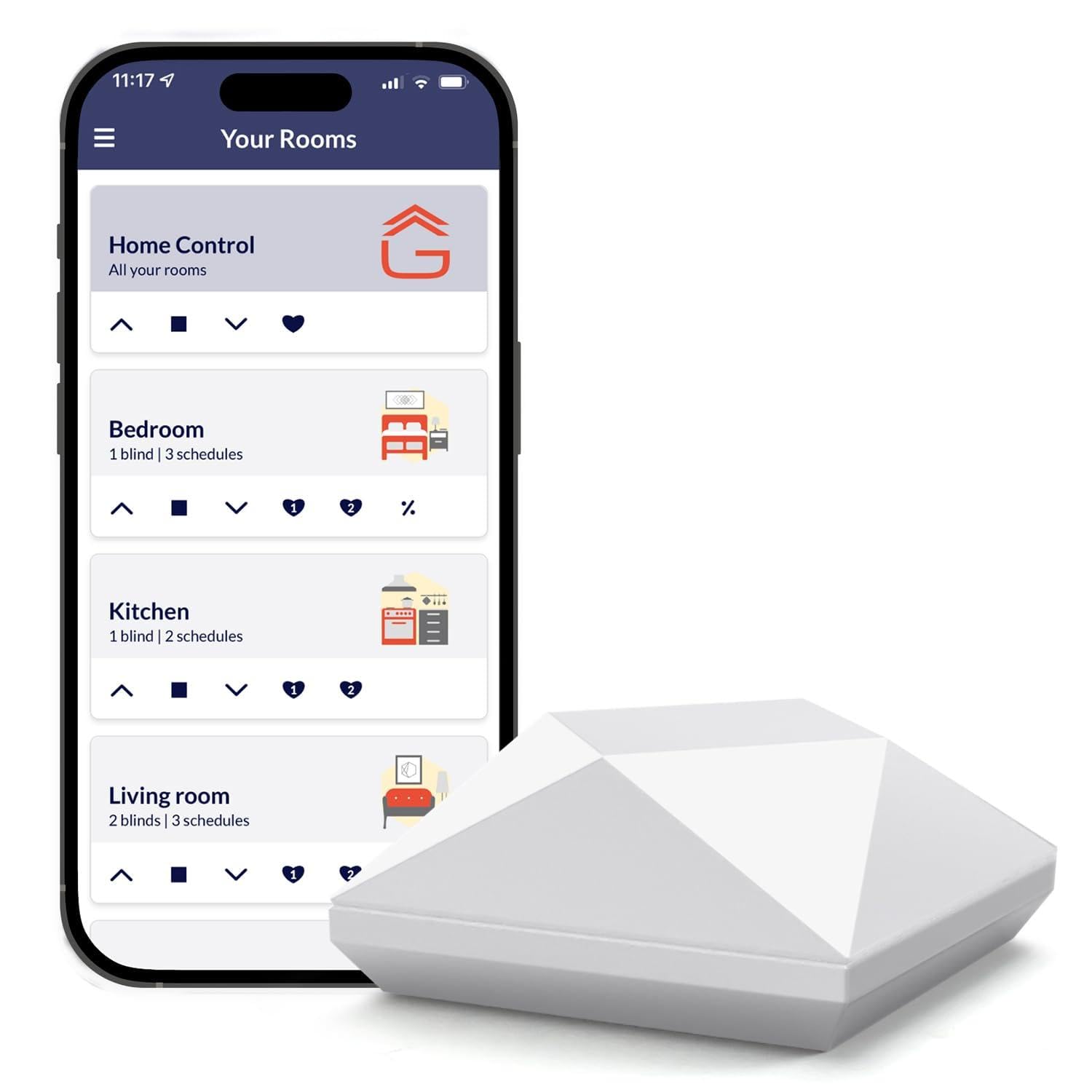
If you have motorized blinds, this hub exists to unify them under one simple app. It connects your current blinds and shades with Alexa, Google Home, Siri Shortcuts, IFTTT, and Control4, letting you control them in groups or individually. You can even set schedules to open and close at sunrise or sunset automatically using geolocation. Owners with Smith & Noble shades found it worked perfectly, effectively replacing a dead proprietary app.
The range is solid at approximately 150 feet, so one controller typically covers a floor in a standard-sized home. The companion app is praised for its excellent setup instructions and intuitive scheduling. Owners who have run it for over five years report reliable WiFi coverage throughout the house and consider it a better choice than competing bridges that suffer from range and app issues.
The obvious limitation is compatibility: it’s NOT compatible with wand motors, and it does not support Apple HomeKit. Setup is the most common pain point — while many find it easy, some never manage to sync their blinds via the remotes at all. There’s also a reported 10-second command delay with certain awnings, making fine positioning tricky. For the right motor brand, it’s a standout; for others, it’s a gamble.
why owners stay: Set-and-forget scheduling and reliable Google Home integration make daily shade control easy.
who it isn’t for: Anyone with wand motors or a HomeKit-centric setup — check motor compatibility before ordering.
8. Hubitat Elevation C-8 Pro Smart Home Hub
An automations powerhouse that keeps everything running inside your home.
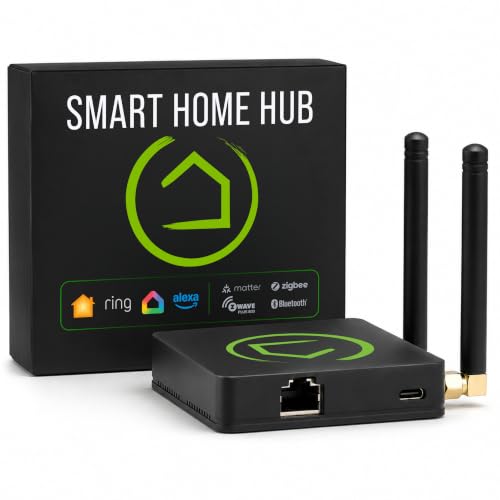
For those who value privacy and speed, the Hubitat C-8 Pro runs all automations locally rather than on remote servers. Your lights, locks, thermostats, and routines respond in a fraction of the time cloud-dependent hubs take, and they keep working even when your internet service drops. There is zero cloud dependency at any point, which means your data stays in your home and your system doesn’t fail when your ISP has a bad day.
The protocol support is broad: Matter 1.5, Z-Wave 800 Series, Z-Wave Long Range, Zigbee 3.0, and Bluetooth. This multi-protocol reach means it works alongside a wide range of existing devices rather than forcing a hardware swap. A standout feature is the text-to-automation capability, where the AI engine suggests and executes routines based on your connected devices — no manual programming required — while the Rule Machine handles advanced multi-condition scenes.
Owners consider it a better SmartThings with infinite possibilities, especially for connecting older Z-Wave devices and some Wi-Fi gear for local control. The free local configuration is a huge plus, and the active user community shares custom apps and drivers. The main friction point is Alexa integration, which some owners found failed despite enabling skills, and the admin setup can be confusing with a one-user limit. It’s powerful, but it rewards a willingness to learn.
Local processing
- Near-instant local response even during internet outages.
- Works flawlessly with Zigbee and Z-Wave devices according to owners.
- No mandatory subscription or paywall for core features.
Steep learning curve
- Alexa integration can be finicky, especially with legacy Z-wave plugs.
- Unintuitive UI in places and a one-user admin limit.
made for: The privacy-minded tinkerer who wants total local control and doesn’t mind a learning curve.
not for: Those who want everything to “just work” with Alexa from the start.
9. Home Assistant Green

The official, plug-and-play doorway into the world’s most powerful automation platform.
Home Assistant Green is the easiest way to start with Home Assistant, a platform known for its endless customization. The software comes pre-installed, so you just plug in the included power supply and Ethernet cable to get going. Its small, fanless, and silent design houses a quad-core processor, 32GB of storage, and 4GB of RAM — plenty of power to run a whole home’s worth of automations locally.
What makes it special is that it’s official hardware, built and supported by Nabu Casa, the team that develops Home Assistant. Owners find it easy to set up and integrate, with one beginner noting it was “worth the extra bit to avoid all the hassle” of building their own. It controls 60+ devices flawlessly and supports integrations with Alexa and HACS. The data stays on your device — your home’s data is kept in the home, and you can view, share, and export it as you wish.
The honest trade-off is the learning curve. While the hardware is plug-and-play, the software can be steep for those new to advanced automation, requiring some AI or web help to master complex setups. It’s also power efficient, using only a couple of watts. For beginners who want to grow into a serious platform without building their own computer, this is the balance.
the short version: The best balance of beginner-friendliness and future-proof power you can buy.
the honest catch: Expect to invest real time learning the software — the hardware is the easy part.
10. Ring Alarm 14-Piece Kit
The DIY security system that gives professional monitoring at a fraction of the cost.
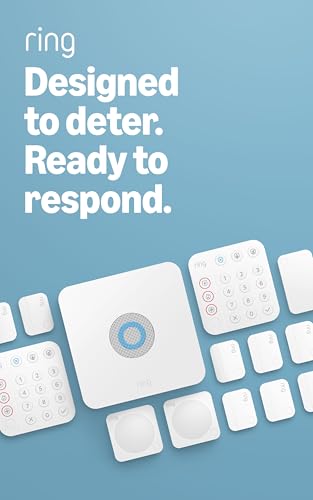
For a 2-4 bedroom home, the Ring Alarm 14-Piece Kit is a comprehensive security solution from the start. It includes one Base Station, two Keypads, eight Contact Sensors, two Motion Detectors, and one Range Extender. The intuitive keypads make arming and disarming simple, and the contact sensors alert you the moment a door or window opens. Everything is managed through the Ring app, which owners find smooth for setup and daily use.
The flexibility is a major draw. The system is wireless and expandable, so you can add more sensors and accessories at any time. It integrates deeply with Alexa — you can arm and disarm with your voice using a subscription — and the optional Ring Protect Plan adds cellular backup to keep the system online if your Wi-Fi goes down, plus 24/7 Professional Monitoring for emergency police, fire, and medical response. Customers note the cellular backup working reliably during outages lasting over 20 hours.
Quality and ease of setup are the two things owners praise most, with the system being reliable for 4+ years of daily use. The main gripes are typical for smart security: visible door contacts, motion sensors that can be triggered by pets, and a single volume control for alerts that can make the entry delay too quiet. It also lacks open smart home integration beyond Alexa and Google. For a whole-home security backbone, it’s the most complete package here.
the strong suit: An easy DIY install with top-tier protection and no installation fees — the quality earns over 270 positive owner mentions.
the trade-off: The best features, like cellular backup and voice arming, require the paid Ring Protect subscription.
11. Homey Pro (Early 2023)

One box that speaks every major smart home language, and then some.
The Homey Pro is the most protocol-rich consumer hub available, packing Wi-Fi, Zigbee, Z-Wave Plus, Infrared, BLE, Matter, and Thread into a single local-first unit. That means it can control devices from over 1,000 brands — more than 50,000 devices including Sonos, Philips Hue, Aqara, TP-Link, IKEA, Yale, Dyson, Shelly, and Somfy. Everything processes on-premise, so your data stays on the hub itself and cloud dependency is minimized.
The Homey Flow automation engine is a standout, letting you create rules right in the phone app or build advanced flows in the web app. Owners who switched from HomeKit or Home Assistant find it more responsive and reliable, with intuitive automations that just work. The built-in energy monitoring is another perk, letting you track real-time and historical usage to automate savings according to solar generation or dynamic tariffs.
But this is a serious investment, and owners are split on whether it delivers a premium experience. The biggest complaints are the lack of an Ethernet port on a hub at this price (though an adapter helps), unstable Wi-Fi, and poor official app support for some US brands. Many complex automations, like integrating a Nest thermostat, are extremely difficult to set up. It’s a powerful hub, but the learning curve is real, and some find they have to rely on community-built apps for basic functions.
Multi-protocol support
- Functionality is the top praise — 58 owners love how much it can control and automate.
- The user interface wins 36 mentions for being clean and intuitive.
- More protocols than any other consumer hub on the market.
Price premium
- App compatibility gets negative feedback, especially for US brands.
- Complex automations can be extremely difficult to configure.
- Value for money is mixed, given the high price and setup effort.
who it’s for: Enthusiasts with a huge mix of devices from many brands who want one hub to rule them all.
who it’s not for: Beginners or anyone wanting a simple, out-of-the-box experience — the complexity can be overwhelming.
Understanding the Specs
Protocol Support (Zigbee, Z-Wave, Matter)
This is the language your hub uses to talk to your devices. Zigbee and Z-Wave are established mesh standards used by hundreds of brands, while Matter is the new universal standard designed for cross-brand compatibility. A hub with more protocol support connects to more of your existing gear without needing extra bridges. If your devices use a protocol your hub doesn’t support, they simply won’t connect — so match before you buy.
Local Processing vs. Cloud
Local processing means the hub runs automations on its own hardware inside your home. This gives you instant response times and keeps everything working even when your internet goes down. Cloud-dependent hubs send commands to remote servers, which can add lag and means an internet outage disables your automations. For privacy and reliability, local processing is the gold standard, but it often requires more setup effort to configure.
FAQ
Do I need a hub if I already have smart bulbs and a voice assistant?
What is the difference between Zigbee and Z-Wave protocols?
What does Matter support actually mean for my smart home?
Will my smart home system work if my internet goes out?
How many devices can a smart home hub handle at once?
Is Home Assistant Green good for beginners, or is it only for techies?
Do I need a subscription for a home automation hub?
Can one hub control my motorized blinds and my lights together?
What is the difference between a smart home hub and a Wi-Fi router?
How much technical knowledge do I need to set up a hub?
Final Thoughts: The Verdict
For most people, the home automation system winner is the Lutron Caseta Deluxe Starter Kit because it delivers class-leading reliability with a hub that doesn’t depend on Wi-Fi, making lighting control easy. If you want whole-home security with professional monitoring, grab the Ring Alarm 14-Piece Kit. And for the ultimate multi-brand, multi-protocol command center, the Homey Pro is the one to reach for, given its support for over 50,000 devices.
How We Picked
We do not accept paid placement. Every pick is matched to a real buyer and a real use-case; we do not hands-on test units.
Sources & Methodology
Specifications: manufacturer listings and product documentation. Review insights: verified customer reviews, as of September 2026. Pricing: not shown on this page (it changes often); check the current price via the retailer link.
As an Amazon Associate, KitchPrep earns from qualifying purchases. This does not affect which products we feature.
Related Guides
